IKEv2/IPSec PSK server

Greetings!

I can’t find anything about setup IKEv2/IPSec PSK in RouterOS. Is that possible? If yes, any documentation?
I want IKEv2/IPSec PSK because Android are dropping L2TP/IPsec support and WireGuard from time to time can’t connect. RSA isn’t very convinient way, because I should import certificates on every phone I have / use.

P.S. I have hAP^2.

you configure it like any other IPSEC/IKEv2, just in “identities” you set up “pre shared key” as authorisation method. that’s your PSK for android client.

Hi, so if I understand correctly I should follow this guide
https://help.mikrotik.com/docs/display/ROS/IPsec#IPsec-RoadWarriorsetupusingIKEv2withRSAauthentication

But instead of “auth-method=digital-signature” I have to use “pre shared key”?
Thanks

You could also use IKEv2 EAP.

https://help.mikrotik.com/docs/display/ROS/IPsec#IPsec-RoadWarriorsetupusingIKEv2withEAP-MSCHAPv2authenticationhandledbyUserManager(RouterOSv7)

Thanks for the advice, with IKEv2 EAP-MSCHAPv2 is it necessary to create the Let’s Encrypt certificate?

It should have a valid certificate. Both IKEv2 Identity and user manager will use that. Otherwise, one should import the CA.


I tried and it doesn’t work, there is probably more to change but i don’t know what.

@own3r1138 thanks with certificate works perfectly, but the problem of importing the certificate in all android clients remains.
Unfortunately I can’t use Let’s Encrypt…

I’ll do more tests these days.

Out of curiosity, why can’t you use it?

Because the VPN can not depend on external services like Let’s Encrypt, it’s not my choice…

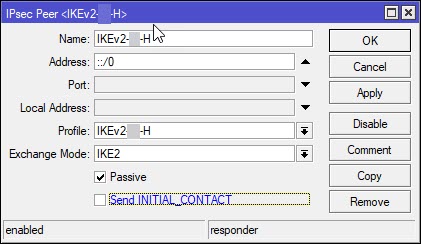
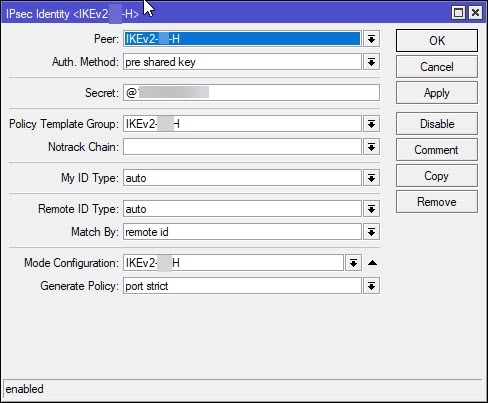
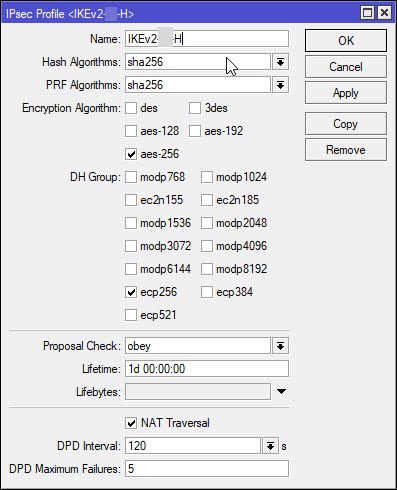
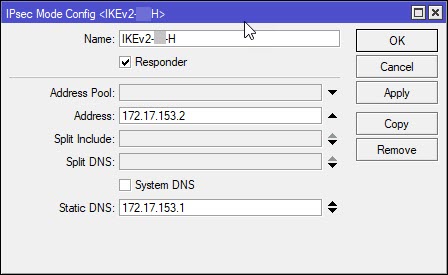
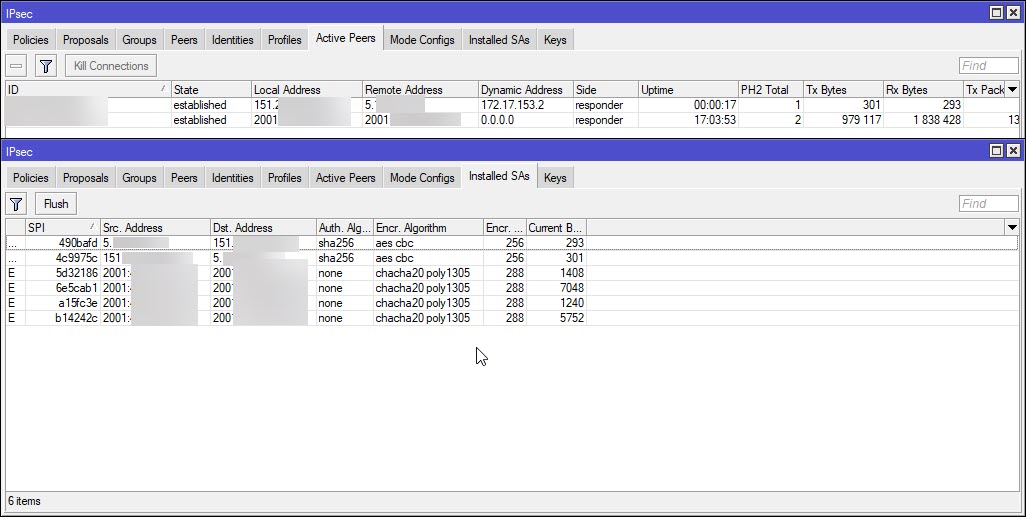
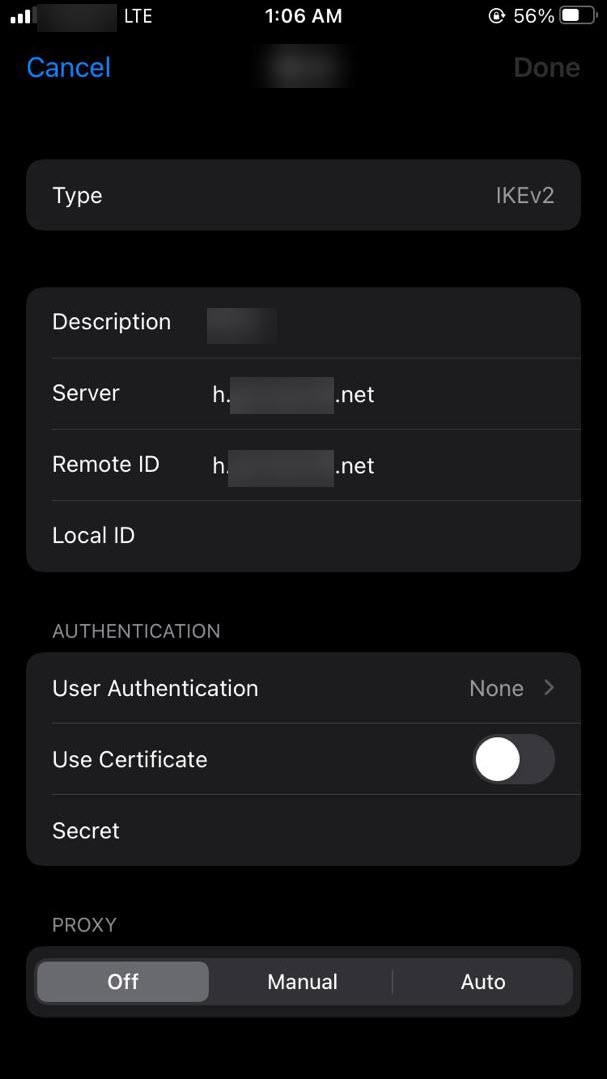
Just to say that IKEv2 PSK works fine with macOS Ventura, iPad and android 13 (Windows not tested).
With android and iPad you need to enter IPSec identifier, in my case it works with the DDNS address (MikroTik IP Cloud).
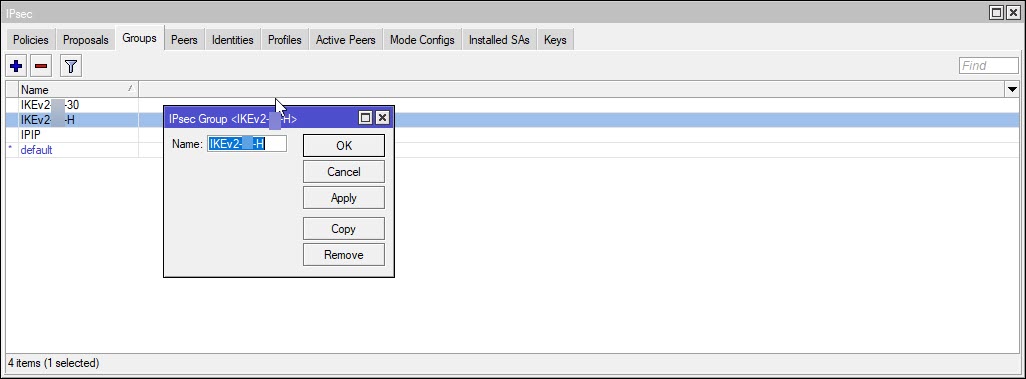
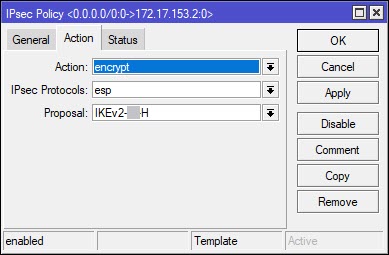
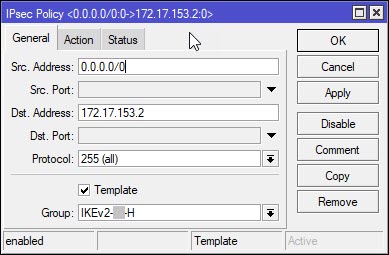
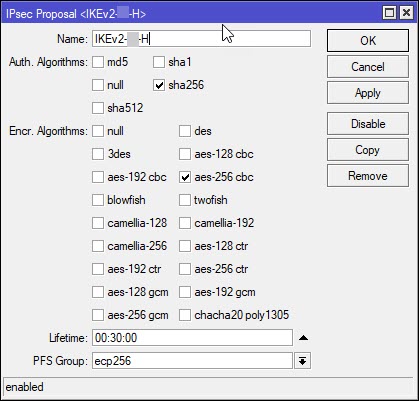
IKEv2 PSK.png
IKEv2 hash.png

Could you post full setup steps From Firewall to IPSec settings on Mikrotik.

13.jpg
2.jpg
1.jpg
3.jpg
4.jpg
5.jpg
6.jpg
7.jpg
9.jpg
8.jpg
10.jpg
11.jpg
12.jpg

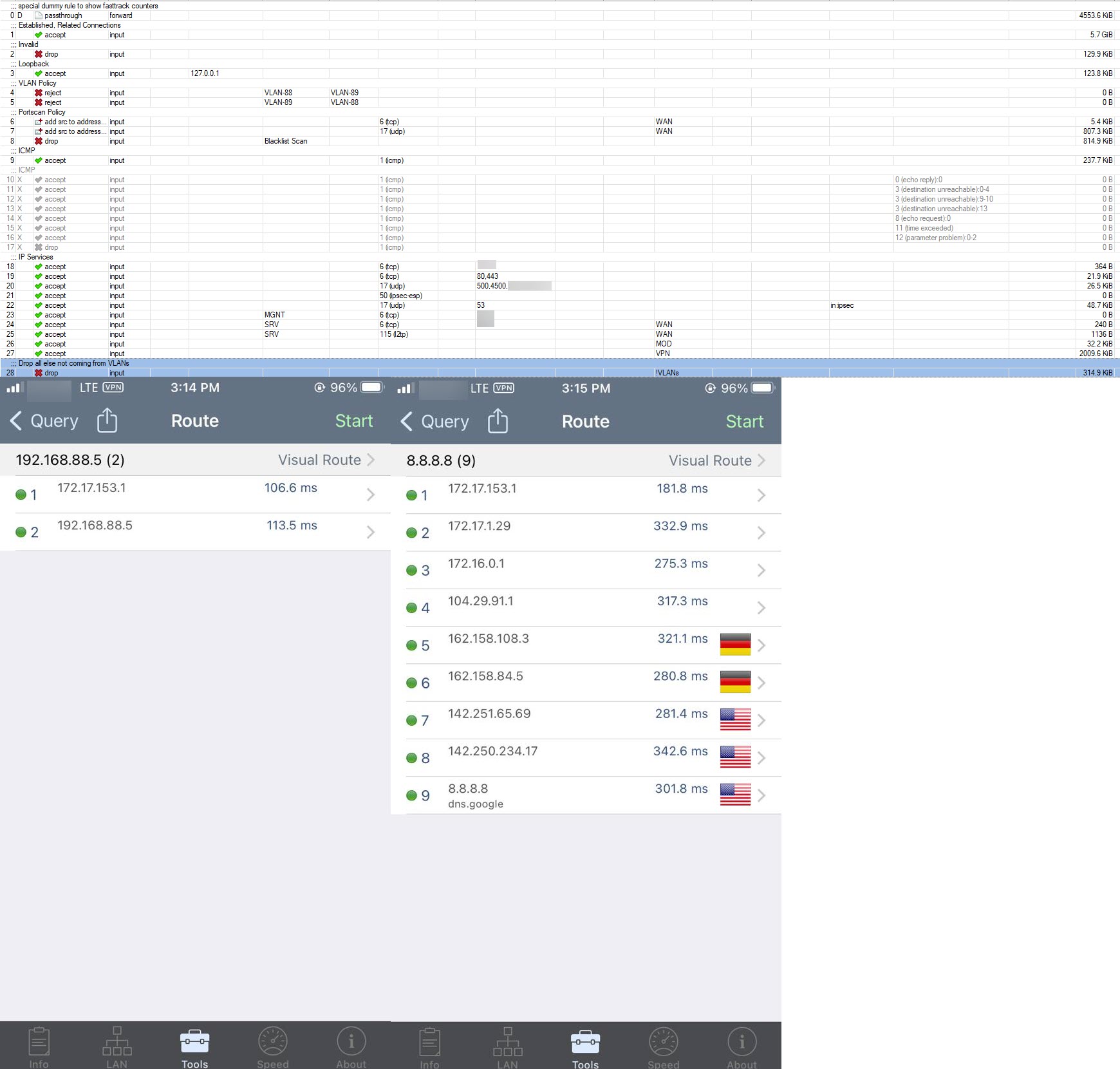
If you want to connect to devices in LAN I also recommend to add in firewall

add action=accept chain=input comment="Allow IKEv2 Traffic" src-address=\
    172.17.153.0/24

@own3r1138
Thanks for the screenshots, they will be very useful!

You’re welcome. I have too much shit going on. I rather not confuse anyone.
2023-05-28_15-18-07.jpg

In Android IPSec identifier has to be set to something or will not connect.

Hello all!

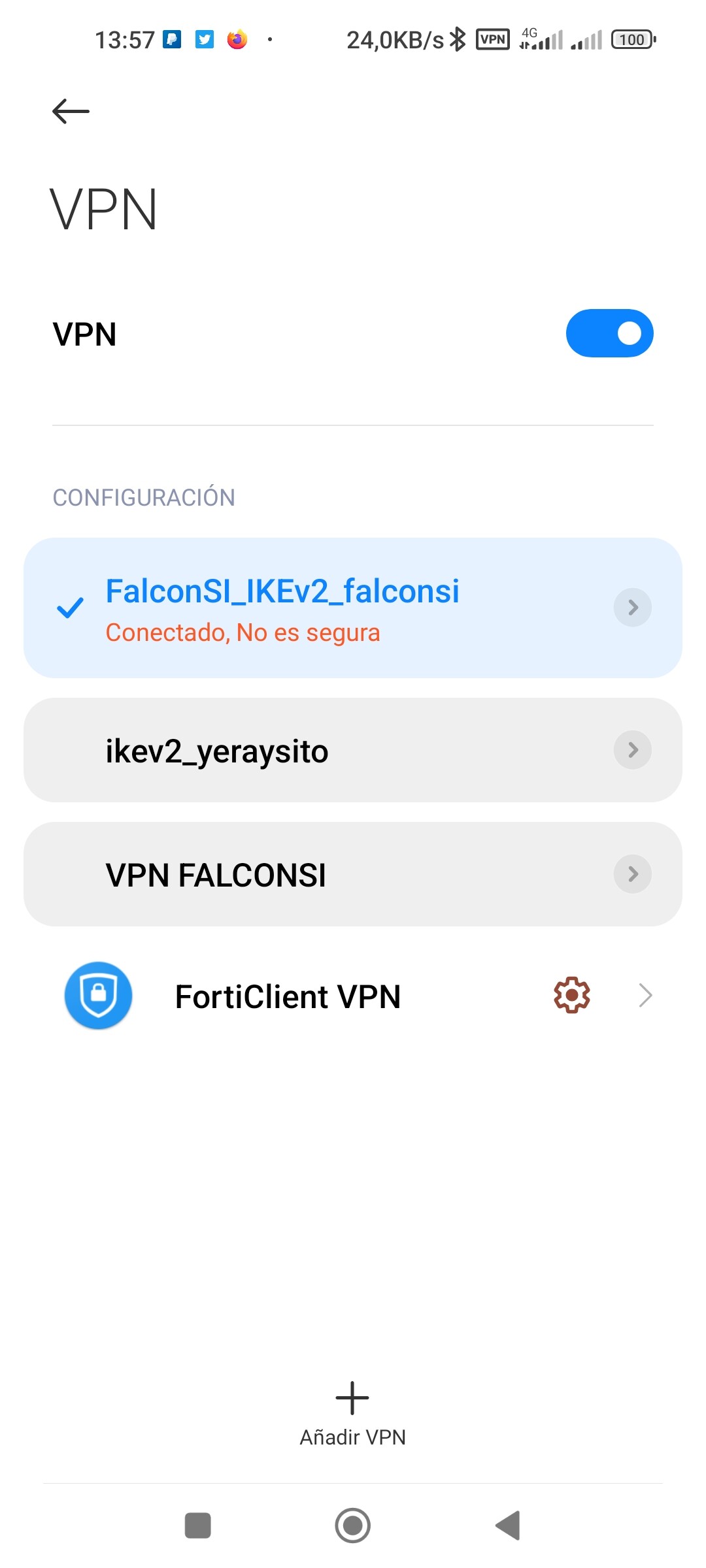
After millions of tries, I finally gave up with PSK and configured my IKEv2 server with certificates. I got it working, but Android client keeps saying that its not safe, or not secure (not sure how to translate it to English). Does anyone know how can I fix this?

Thanks in advance.
1685451474746.jpg

i have same problem with you for make PSK connect on my phone i set indentifier PSK “ipsec” is connect
but on other phone cant connect use PSK, when use certificate connect but status is “connect, not secure”

Hello everyone
I configured IPsec according to the above instructions, everything works, but when I enter the ddns name “cloud mikrotik” in the Android VPN client instead of the IP address, it does not want to connect. Someone has an idea to solve this problem?

https://drive.google.com/file/d/14WnAjof_UCY3pD21O1WuQwzNXNcwElAg/view?usp=sharing

I have the same problem how to solve? not sure what to add there.

Set on Android side only to any value.