Greetings,
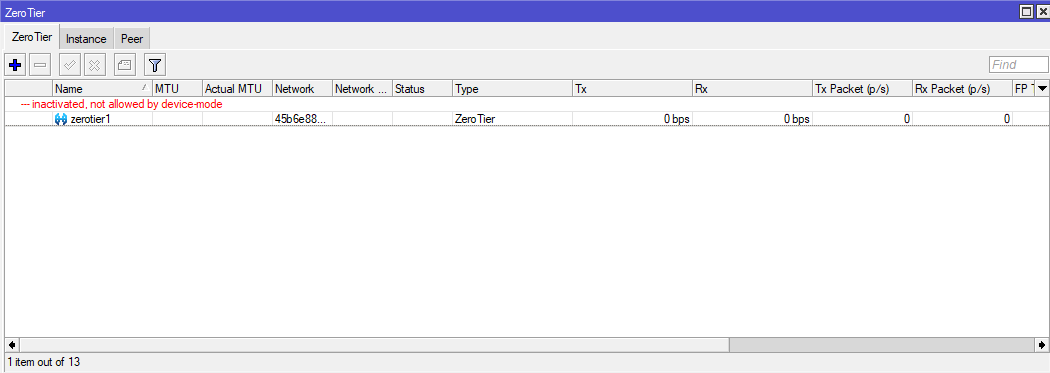
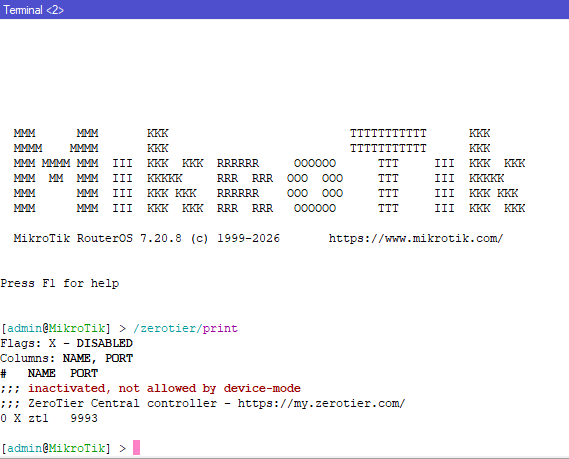
I'm facing after installed the zerotier. When I going to enable the zerotier interface showing "inactivated, not allowed by device-mode".
Router details are below:
Mikrotik RB5009UG+S+
Factory Fimware: 7.19.6
Current Fimware: 7.19.6
Upgrade Fimware: 7.20.8 (long-term)
I am waiting for your positive response.
Thank you
You'll need to update the device mode to support it. It's fairly easy:
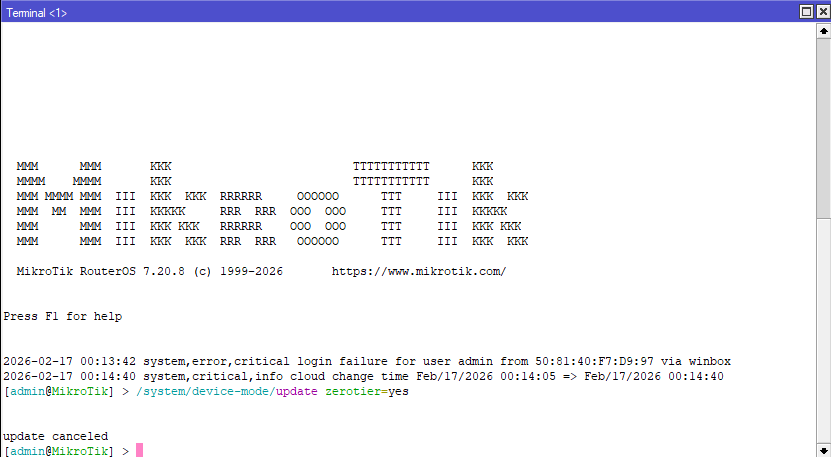
/system/device-mode/update zerotier=yes
Once that's done, power cycle the router and you should be good.
According to this, you cancelled the device mode update. I guess you either waited too long or manually cancelled.
Yep. You may have to include mode=advanced in the same command.
Devices are not locked into modes, it's just a factory default.
EDIT: mode is not required.
Please help me, tell me what i will do now
How can I make Zerotier=yes, can you suggest me? Please
- Power off
-
/system/device-mode/update zerotier=yes
- Power off
Note: Power off by pulling the power cable.
nothing happened it's same
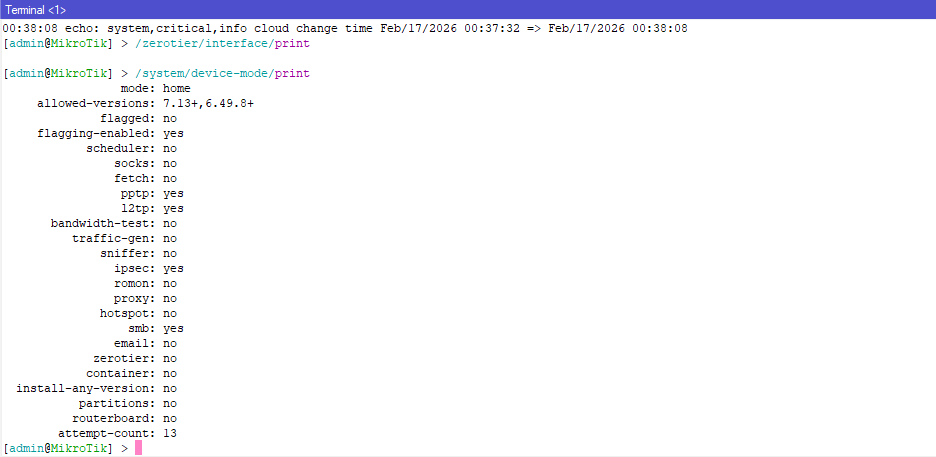
Do a /system/device-mode/print at each step.
The attempt-count should be reset, and only then will allowing zerotier be successful.
The docs are unclear about how to reset the attempt count, but this process should ultimately do it.
-
Power off
-
/system/device-mode/update zerotier=yes
-
Power off
Note: Power off by reset bottom.
Now successfully done. Thank you so much all of you supporting me by your suggestion.@ghostinthenet @lurker888
             mode: home
 allowed-versions: 7.13+,6.49.8+
          flagged: no
 flagging-enabled: yes
        scheduler: no
            socks: no
            fetch: no
             pptp: yes
             l2tp: yes
   bandwidth-test: no
      traffic-gen: no
          sniffer: no
            ipsec: yes
            romon: no
            proxy: no
          hotspot: no
              smb: yes
            email: no
         zerotier: yes
        container: no
Thank you so much @ghostinthenet @lurker888