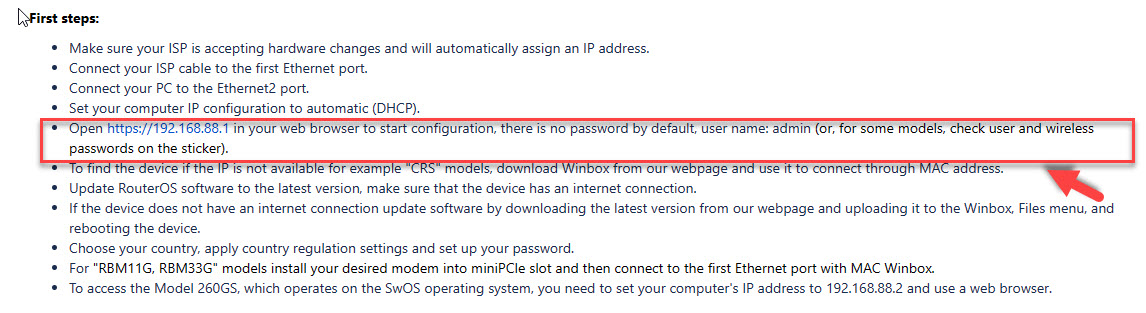
Info for users: I just spend 2-3h troubleshooting new 4011 on site, into which I couldn’t login with default“ admin / empty.
I did not see / notice that the device has a preset admin and WiFi passwords on the back of the device, which is different from hundreds of other devices I configured.
If you will be inattentive like me and will try to use NetInstall, use the same base NetInstall like the device is. If you flash to the same OS, it will remember the pass. However, if you upgrade, the password will be normal admin + blank.
However, if you later reset the config, the pass will be returned to the default like printed on the back of the device.
Not sure if this was communicated elsewhere, but here you go.
All in all, I comment MikroTik on this change, as the security this way is much higher. However, they might have put a note inside the box.
True it was discuss, in several threads now. But it wasn’t really in the release notes or website or newsletter … so a little sympathetic here.
I ran into same thing a while back on hAPax3 – took me half-hour to figure out the password in a drawer on ax3. Not disagreeing with the idea of having a password, but the rollout could have been better.
An extra prominent note in the box that this device has been improved an is using a non blank password. This a possitive note about improving security.
It could also be integrated in ROS so that in the login screen displays default a pointer/instruction where to find the password on the physical device, when default password is present in a device.
If you have now devices out in the field then you have to keep a record of passwords for those devices.
Well, task successfully failed from my perspective
I thought I got a bricked device at first. Happened a few times, so no biggie I thought, that is why I did a netinstall (especially concerning that I did have a bricked 4011 recently).
However, the change was NOT in the supplied manual. I did checked that before to see if there was a change or I am crazy or what, and it clearly stated what was the norm before. I event started writing a mail to support to se what is happening, but then it occurred to me that they might have a difference between distributed manual and edition of the device itself, and bingo.
Regarding the password - it is written on the device itself. Now, it seems to me that I should keep a database of said passwords for all devices I install, otherwise I could get locked out upon restart?
FWIW, both the distributor and Mikrotik have these passwords … so I’m not sure the choice of password manager makes a difference. It probably shouldn’t be quickly changed, so even a photo app may be secure enough
Netinstall doesn’t give a damn about your password, you might as well lose it.
Are you concerned about security?
What do you care if someone discover the default password, so you make a user of your own and then delete the admin user, right?
Netinstall doesn’t give a damn about your password, you might as well lose it.
It doesn’t, but deivice does pull default password on reinstall. You can force it not to it seems.
Are you concerned about security?
What do you care if someone discover the default password, so you make a user of your own and then delete the admin user, right?
There are some options what can be done as an attack with physical access to the device, but it matters more if the device resets config on itself.
Reminder, that just recently devices did not have a default password at all. Having a known default password in a note somewhere is still much better than blank
The scenario that this new practice (as mandated by the EU) tries to prevent is that new devices are deployed and left with a default (or no) password.
That is a very common scenario (as indicated by “research scanners”) and regulation has been made because manufacturers apparently did not care.
Now, it is more difficult for anyone, but the risk of having a large farm of trojaned routers used as DDoS or hacking platform is greatly reduced.
It is certain that many users do not set password at all. Sometimes I see MT devices around and they were all open…
I don’t remember exactly, but after a certain ROS, MT devices forced password change on first login. I suppose that was how the MikroTik tried to work around the regulation. That probably wasn’t enough, so they set the passwords on the sticker.
For us installers? I guess not great, not terrible.
I do use KeePass as well. Storing password in a cloud together with many other user, is a big bait for any hacker so it will be hacked soner or later. (or lost since site has corrupted disk)
Same logic here. I have thousands of passwords, keys and encryption certificates. I do backup the databases daily to encrypted online server, but access is strictly local and the backup is under my control.