I have a job site that due to our configuration setup we ran out of IP address on the DHCP server, so trying to avoid restructuring the whole network layout, I created a new IP pool with IP address withing the same subnet, and assigned this IP pool as the next pool to the primary IP pool. However the DHCP server doesn’t seem to be assigning new IP address once the first IP pool runs out of IPs.
Here are some pictures of my setup. What am I doing wrong?
Also should I assign the first IP pool as next to the second one to create a loop?
Thanks in advance.
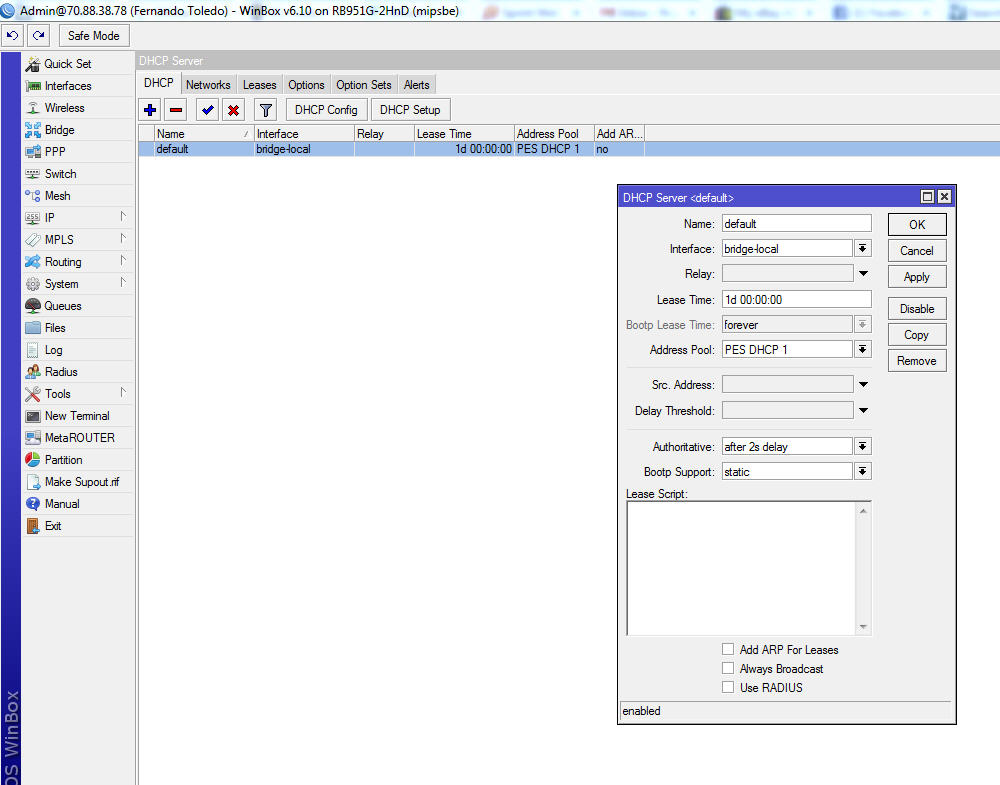
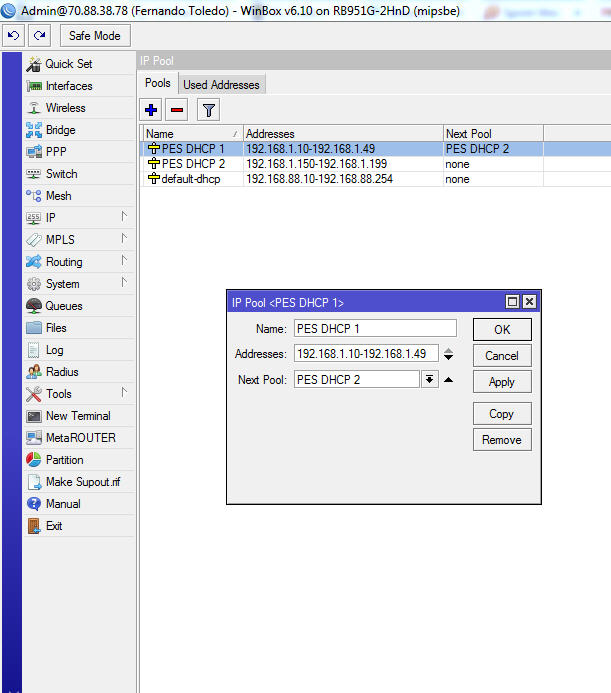
No, you should not loop the pools. What is the IP address on the router set to and what is the subnet mask on the DHCP server set to? If you go to DHCP-Server → Networks the address field will have the subnet size for the DHCP server. It will need to encompass both subnets. The address on the router will also need to reflect that subnet size as well.
The router is set to 192.168.1.1.
Here is an expanded view of the DHCP server settings.
Also, shouldn’t I be better of if I enter the IP pool as 192.168.1.10-192.168.1.49,192.168.1.150-192.168.1.199, instead of using two IP pools?
Thanks for the help.
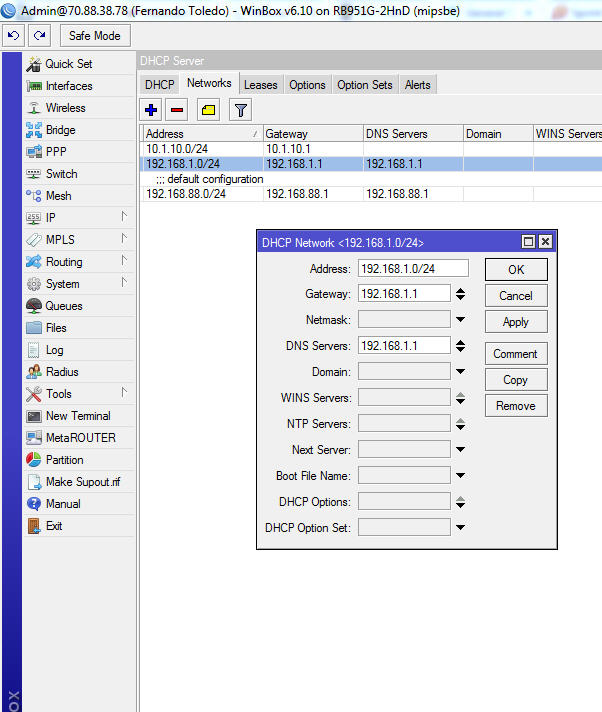
Using the two pools would be the correct way to do it. I don’t see anything wrong with your set of the DHCP. As long as you have an address of 192.168.1.1/24 on the bridge interface it should be working. If it continues to give you trouble, try backing up the configuration, re-setting the router, and then reloading the backup. Also, I noticed you are using ROS 6.10. Did you have it working in an earlier version? You might also post your export (compact, please) of the whole router. Maybe there is something else that we are missing.
Here is the export compact.I just copied and pasted from the screen since I’m logged on to the router remotely.
Export Comapct.docx (12.8 KB)
I didn’t find anything that would prevent it from going to the second pool. You might try disabling the firewall and re-testing. Other than that, I’m not sure what it would be causing it.