There are various topics on these forums already which touch on problems with iOS devices in combination with ROS WiFi. Of these, this one is the most similar to the issue I’m experiencing. I thought I’d start a new thread as times have changed, and quite a lot of its content turned out not to be very useful.
For reference, the AP is an RB951G-2HND/UK.
iOS users will be familiar with the ‘Battery’ interface, available in device settings. Available within is a metric indicating how long the device has been running on battery (‘Standby’ in the interface), and within that for how long the device has been active (‘Usage’ in the interface). Please see this screenshot for illustration:
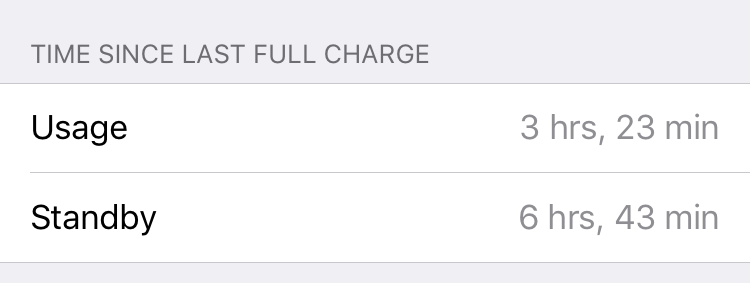
In normal operation, the ‘Usage’ figure should not increase very much while the device is locked with its screen off. When connected to an Apple AirPort Extreme AP, and indeed to APs from other vendors (the sort of thing you might get from a residential ISP), this is the case – if the device is left alone for say 20 minutes, you might expect ‘Usage’ to increase by only 1–2 minutes. When connected to the ROS AP however, ‘Usage’ often mirrors ‘Standby’ precisely, so left alone for 20 minutes ‘Usage’ would increase by 20 minutes. This has a negative impact on the device’s battery life, which is obviously frustrating for users (and me).
On the advice of various threads I’ve tried a couple of things, but unfortunately none of these appear to have had any impact:
- Increased the DHCP lease time from 10m to 24h.
- Tried disabling keepalive.
- Tried enabling WMM.
- Disabled ‘WiFi Calling’ on the iOS device.
Given the very large population of iOS devices in use, I’m sure this must be something other people experience? It’d be good to know if anyone can replicate this. Additionally, does anyone have any intuition on things to try, and/or any potential causes? I’ll have a look in Wireshark in each environment to see if I can eyeball any differences in activity and add this information later.
How to replicate:
- Connect iPhone to WiFi.
- Record ‘Usage’ and ‘Standby’ figures in Settings → Battery (at the bottom).
- Lock device and place on table.
- Wait 10–20 minutes without interacting with device.
- Record ‘Usage’ and ‘Standby’ figures again. Usage should have increased less (usually significantly less) than Standby.
Thanks in advance.