Hello Mikrotik Masters,
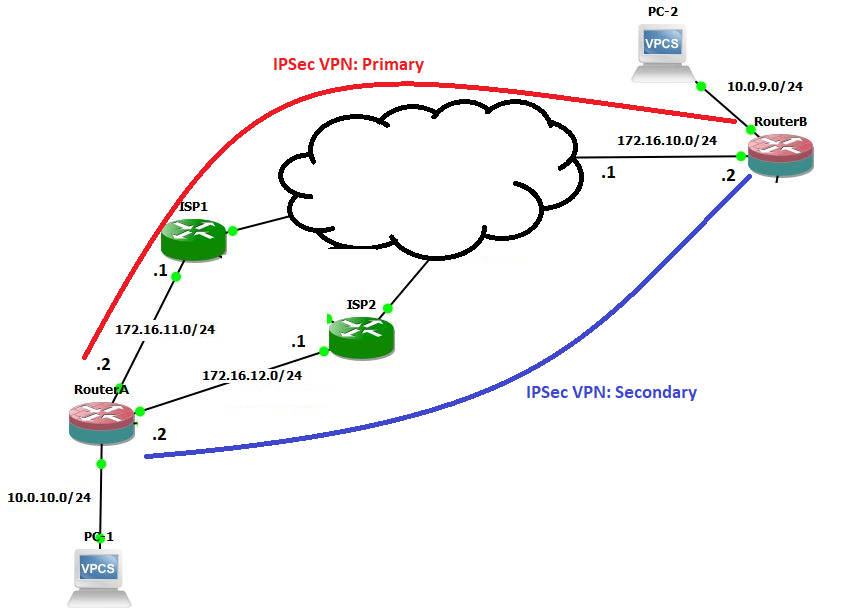
May I ask if it is possible to set-up a VPN connection via IPSec with Fail-over if your set-up is like the design below?
I tried and Set-up an IPSec Policy for ISP1 and ISP2 going to the Branch office and set-up an IPSec link to both ISP1 and ISP2 going to the main office.
This set-up on one branch and vice-versa on the other. It’s working if it’s one to one VPN tunnel but if I added a new connection to my ISP 2 the fail-over no longer work.
Is there a way like bridging it and running Rapid Spanning Tree Protocol or Routing perhaps to implement this?
Thanks in advanced. I really need your help to implement something like this.
Then get your routing and everything working properly. Once you have the complete system working as you want, THEN do the IPSec. You are only going to create IPSec for the tunnel itself. You dont need to make IPSec policy to identify each and every type of interesting traffic.
So you only need one ipsec policy for each ipip tunnel.
This will give you a fully routable network between the two offices. Its just a matter of making static routes for each net.
Refer to tutorials by Greg Sowell for detailed help and examples.
Hi Alex,
Thanks for the reply. I’ve already done your suggestion. I did IPIP’s for both. On my main side 2 ipsec policies and on my client side 2 peers (since there are 2 public IP Addresses). Added the routes, I even tried like a ECMP route for both IPIP tunnels. The VPN worked no doubt but the fail-overstill can’t. When I disabled one WAN port it works but when I disabled another (the first one is already up of course) the VPN doesn’t transfer.
Has anyone ever tried my set-up above? Help please
It sounds like your routing costs are not quite right yet.
Make static routes for each lan network but with different costs, remember to always start with the most basic setup and build from there.
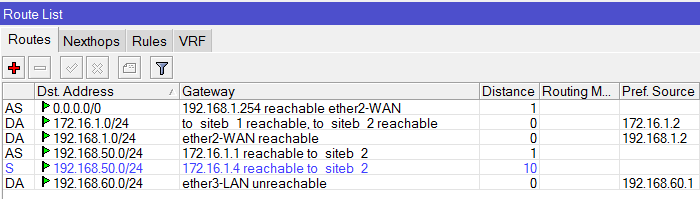
So ipip tunnel to hq has route cost of 1 on the main isp link and ipip tunnel has route cost of 10 for second isp link. So you have two routes for each network.
Sure, I followed Greg Sowell’s suggestions. Below are the screen captures of what I did. I’m not yet that adept in writing commands in Mikrotik I gues I’ll learn through time since I need to memorize some of the commands and their functions as I go along. The problem with my set-up below is that the VPN can only connect to one link. Say ISP1 and branch are connected, if I try to disable the ISP1 in the site where the Dual WAN is located the VPN link doesn’t transfer to my ISP2.
Below is what I want to achieve and your guide for my IP Addresses:
I am trying to simulate this in a small environment first since I don’t wanna keep spending time with Public IP’s since I’ve got people using the Internet on the exact deployment for this fail-over project of mine.
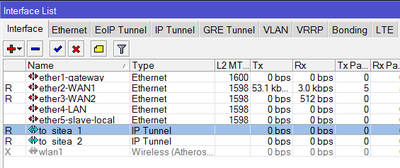
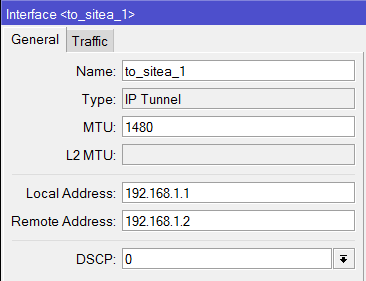
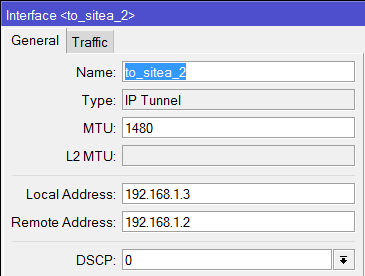
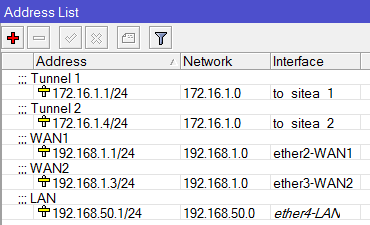
Below are the screen caps on the area with the Dual WAN:
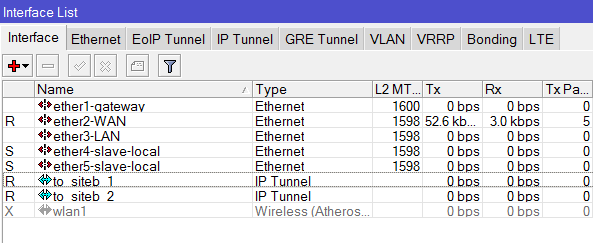
01-Interface
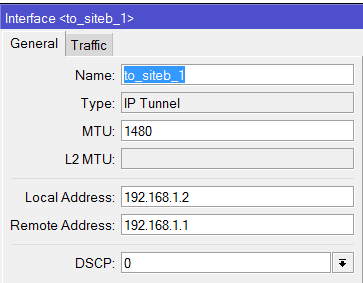
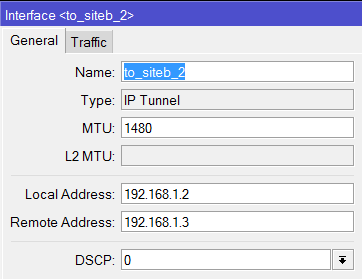
02-IPIP Tunnel 1
03-IPIP Tunnel 2
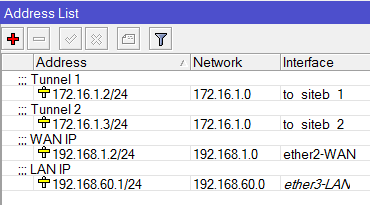
04-Address List
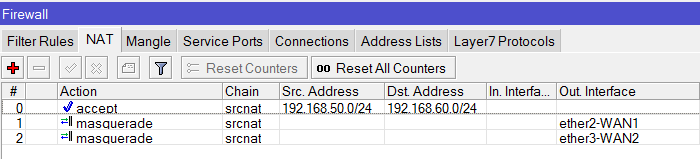
05-Firewall NAT
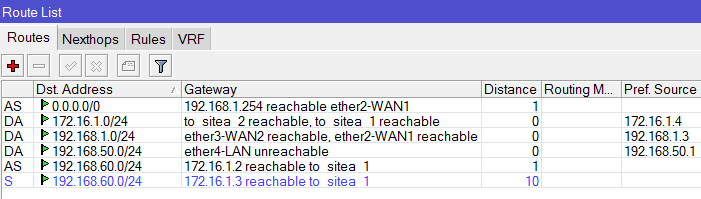
06-Route List
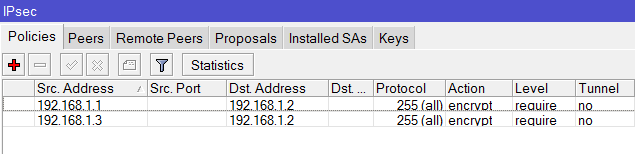
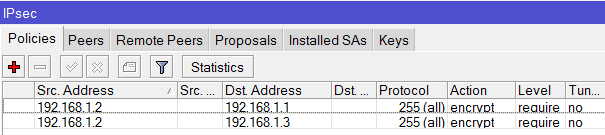
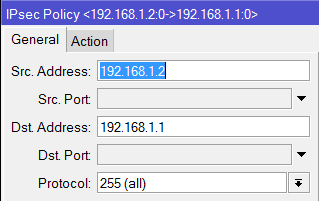
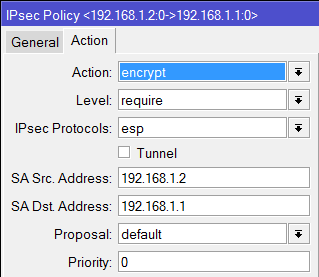
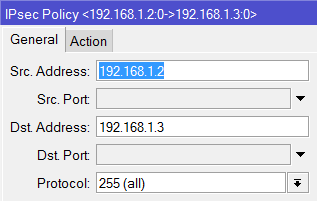
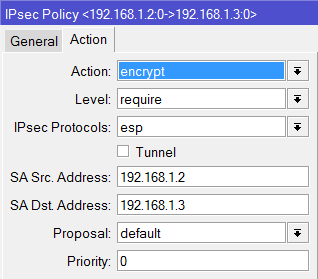
07-IPSec Policies
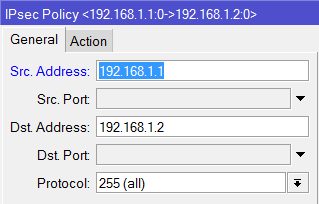
08-IPSec Policy 1 General
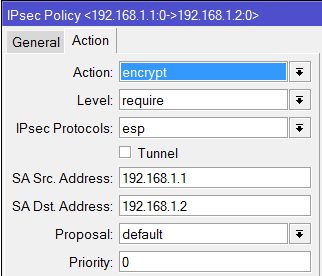
09-IPSec Policy 1 Action
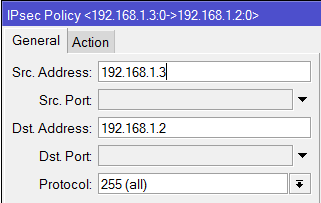
10-IPSec Policy 2 General
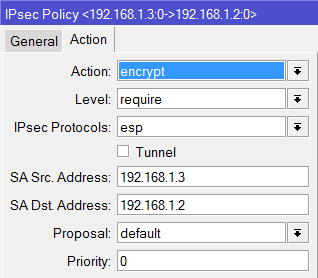
11-IPSec Policy 2 Action
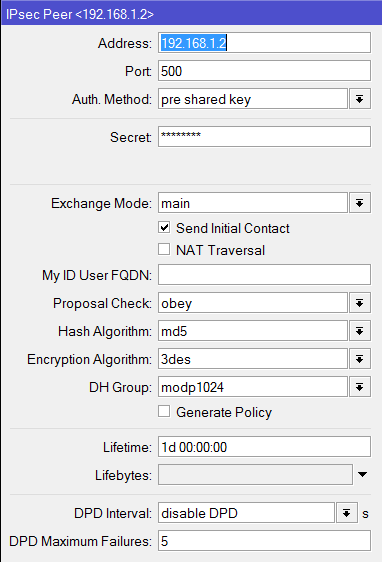
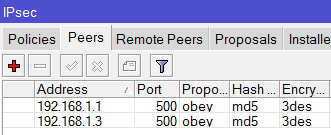
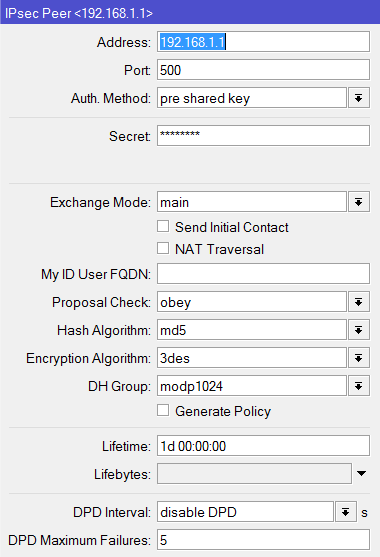
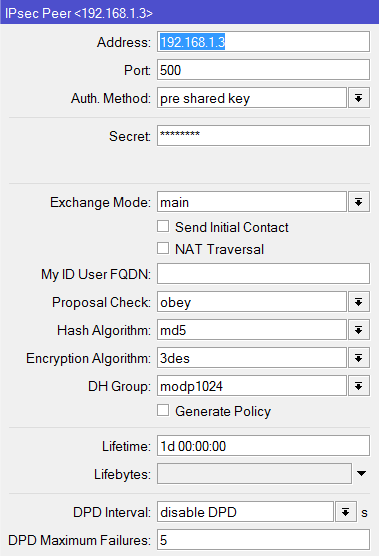
12-IPSec Peer
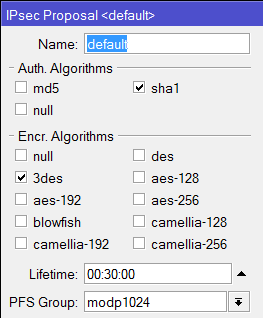
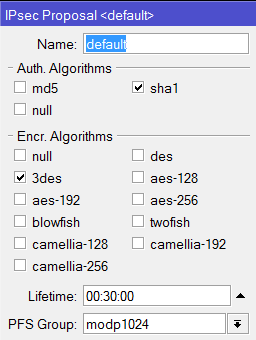
13-Phase 2 Proposal
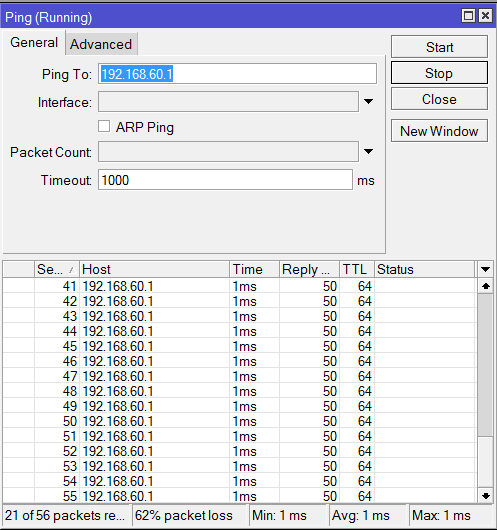
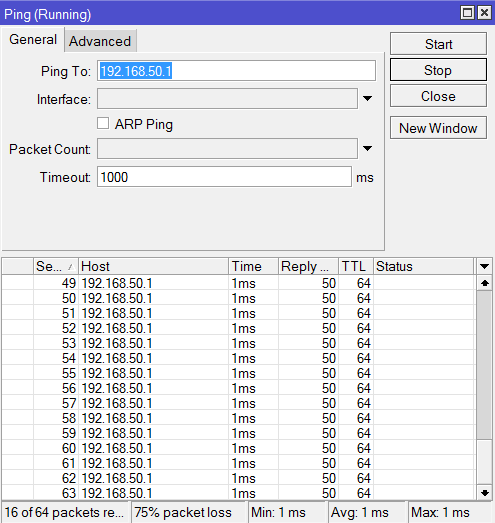
14-Ping Test
As you can see my site A (Dual WAN Location) can connect but If I disable say…WAN 1 which is the one that is connected based on the Route List the connection doesn’t transfer to the next VPN connection. Same thing happens in real implementation.
This is my settings on my second site (Single WAN):
01-Interface
02-IPIP Tunnel 1
03-IPIP Tunnel 2
04-Address List
05-Route List
06-Firewall NAT
07-Policies
08-Policy 1 General
09-Policy 1 Action
10-Policy 2 General
11-Policy 2 Action
12-Peers
13-Peer 1
14-Peer 2
15-Proposal
16-Ping
This is my test configuration. Please help me implement this project. I’ve been working on this for some time now like using RSTP and others but our office require us to use IPSec that is why I really want to implement IPSec.
Hi staticjess, I’m a brand new user to mikrotik and just getting started with their equipment, but I plan to create a setup almost exactly the same as yours with the difference that I’ll have a 3G USB backup connection at the branch offices on dynamic IPs as well just to make the IPSec failover more fun.
I’m also looking at using GRE tunnels instead of IPIP as I have a dlink DFL-800 at one end and mikrotik at the other and the dlink doesn’t do IPIP (although from what I’m reading that may also cause issues with failover..). So although I can’t help yet, I hope I can contribute to this setup in a week or two when I get the time to dig into it.
From all the lurking I’ve done recently one thing that might get you faster help is to provide your configs as text exports rather than screenshots, that way interested parties can copy/paste the exported setup in one go without having to go through winbox screenshots manually.
In winbox if you open the terminal and type something like “export compact hide-sensitive” that should get something that’s portable.
normalcy,
That’s a neat trick you’ve got there with the export command ^_^. I’m new too so all I know is to do show the screen caps.
Regarding the VPN Fail-over I’m still working this out until now. I think I’ll reach the GRE Tunnel after I test Static Route with ECMP and OSPF since I have to be using IPSec still. Thanks for the feedback. I’ll be interested to hear if your set-up will work.
According to this topology, I applied the an script in RouterA and it works.
IPSec VPN config in RouterA, it´s important the ID of the IPSec Policy (0 and 1 in this example).
The next script is for automatic IPSec VPN failover. {
:local PrimaryPolicy 0
:local SecondaryPolicy 1