Hello,
I’m new to MikroTik ROS, though I have basic knowledge regarding Linux firewalls and general ip networking.
I’m using a RB760iGS (hEXs) on v7.2rc3 in my home network.
I got two internet connections (fibre and DSL).
The fibre ONT is connected to ether1. VLAN 360 on ether1 is the WAN interface (named “dg_360_internet”).
The router board is running DHCPv4 and DHCPv6 clients on the WAN interface (VLAN 360)
I get assigned IPv6 address and prefix. (pool name: DG1)
The LAN interface is named bridgeLocal.
Present on this interface is the CPE for my DSL connection. The CPE is a F****B** 7590 configured as router.
The CPE works as IPv4 multicast router.
DHCPv4, IPv6 router advertisements and DHCPv6 address assignment (IA_NA) are disabled on the DSL CPE.
DHCPv6 prefix delegation (IA_PD) is enabled on the CPE.
The router board is requesting a prefix from the DSL CPE. (pool name: rb1)
> /ipv6/dhcp-client/print
Columns: INTERFACE, STATUS, REQUEST, PREFIX
# INTERFACE        STATUS  REQUEST  PREFIX
0 bridgeLocal      bound   prefix   2003:df:ffff:fffc::/62, 1h40m19s
1 dg_360_internet  bound   address  2000:ffff:ffff:ff00::/56, 40m43s
                           prefix
…
> /ipv6/address/print
Flags: D - DYNAMIC; G, L - LINK-LOCAL
Columns: ADDRESS, FROM-POOL, INTERFACE, ADVERTISE
 #    ADDRESS                                   FROM-POOL  INTERFACE         ADV
 2  G 2003:df:ffff:fffc:2ec8:1bff:fe00:0000/64  rb1        bridgeLocal       no
 3  G 2003:df:ffff:fffc::/64                    rb1        wireguard1        no
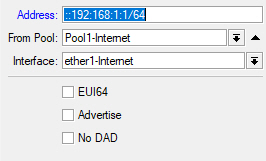
 9 DG 2000:ffff:1000:33::1234/64                           dg_360_internet   no
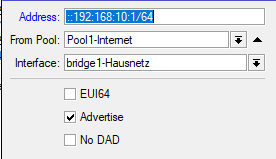
10  G 2000:ffff:ffff:ff00::/64                  DG1        bridgeLocal       yes
The link local addresses were omitted.
Please note the only for address # 10 the advertise flag is yes.
I noted that i got two (DHCP created) default routes for the same interface:
> /ipv6/route/print
Flags: D - DYNAMIC; A - ACTIVE; c, d, y - COPY; + - ECMP
Columns: DST-ADDRESS, GATEWAY, DISTANCE
     DST-ADDRESS                 GATEWAY                               DISTANCE
DAd+ ::/0                        fe80::ff:fe02:202%dg_360_internet            2
DAd+ ::/0                        fe80::ff:fe02:202%dg_360_internet            2
D d  ::/0                        fe80::464e:6dff:fe00:0000%bridgeLocal         5
This address # 10 disappears when i restart the router board.
Therefore I need to re-add the address manually to re-enable IPv6 functionality for the LAN after each reboot.
Does anybody know how to avoid this?
Thank you very much!