ipv6 issue behind modem router.

As i described in title, i have a crs109 behind a ZTE modem router which connects on internet and also has a working ipv6. RA and prefix delegation is enable in ZTE. Now my issue is that crs cannot get the ipv6 from the ZTE and the ipv6 dhcp client is on searching mode. ZTE is not in a bridge or passthrough mode for reasons that i cant explain now and they r connected as router behind router with DMZ in ZTE.

Any help plz?

What does /ipv6 dhcp-client print detail show?

Ty for ur answer…


[admin@Router] > /ipv6 dhcp-client print detail
Flags: D - dynamic, X - disabled, I - invalid
0 interface=WAN1 status=searching… duid=“0x00030001cc2de08f68a5” dhcp-server-v6=::
request=prefix add-default-route=yes default-route-distance=1 use-peer-dns=yes
pool-name=“ipv6-pool-WAN1” pool-prefix-length=56 prefix-hint=::/0 dhcp-options=“”

1 interface=WAN2 status=searching… duid=“0x00030001cc2de08f68a5” dhcp-server-v6=::
request=prefix add-default-route=yes default-route-distance=1 use-peer-dns=yes
pool-name=“ipv6-pool-WAN2” pool-prefix-length=56 prefix-hint=::/0 dhcp-options=“”


[admin@Router] > ipv6 pool print detail
Flags: D - dynamic
0 name=“ipv6-pool-WAN2” prefix=2a02:85f:518:4900::/64 prefix-length=64

1 name=“ipv6-pool-WAN1” prefix=2a02:85f:2e01:6400::/64 prefix-length=64

I have a set up under 2 WAN/ Load balance, works fine all.

Wait, so what’s the actual issue? Only the fact that the dhcp clients indicate status=searching… or there is some other issue too?
Have you added the prefixes in the pools manually or has the DHCP server delegated them?

The actual issue is what i describe… the ipv6. I set up pools manually, taking the ip’s from the zte-gua addresses.

In that case, sniff the traffic on the WAN interface into a file and use Wireshark to see which party is guilty (Mikrotik doesn’t send requests or ZTE doesn’t respond). Are both Mikrotik’s WANs connected to the same ZTE modem?

Have you tested that prefix delegation is working with another non-mikrotik device or a laptop?

I will connect a laptop directly on the zte router and ill check if i can get ipv6.

That’s not the same. The laptop will most likely get the address using SLAAC, or possibly using DHCP but asking for a single address, not for a prefix. So the fact that the laptop gets an IPv6 address doesn’t confirm that the ZTE is capable/willing to lease out prefixes.

Yeap, i have ipv6 directly to the zte


Test with IPv4 DNS record
ok (0.522s) using ipv4
Test with IPv6 DNS record
ok (0.546s) using ipv6
Test with Dual Stack DNS record
ok (0.541s) using ipv6
Test for Dual Stack DNS and large packet
ok (0.561s) using ipv6
Test IPv6 large packet
ok (1.615s) using ipv6
Test if your ISP’s DNS server uses IPv6
ok (1.985s) using ipv6
Find IPv4 Service Provider
ok (1.004s) using ipv4 ASN 3329
Find IPv6 Service Provider
timeout (15.010s)
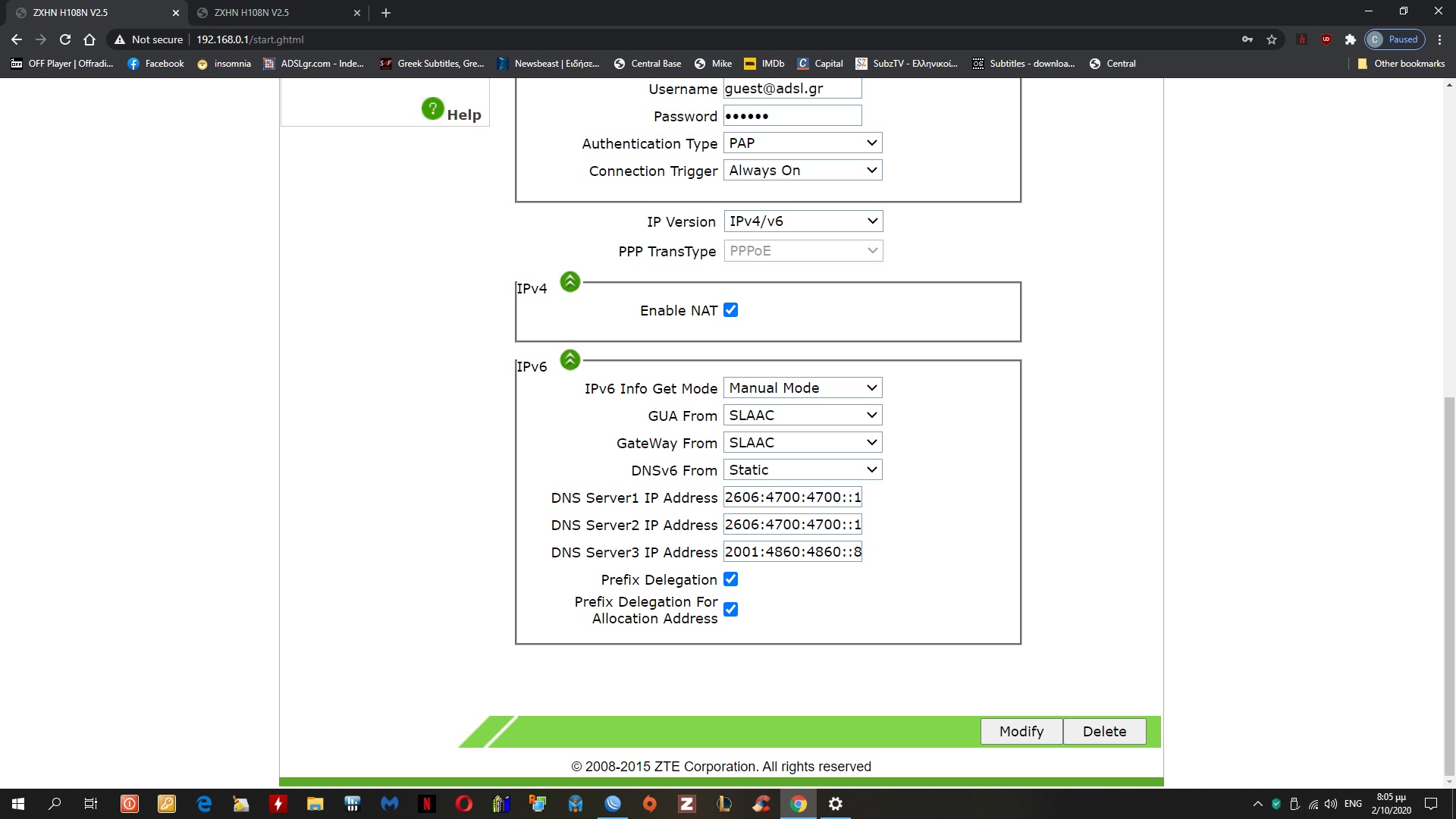
DHCPv6.jpg
RA.jpg
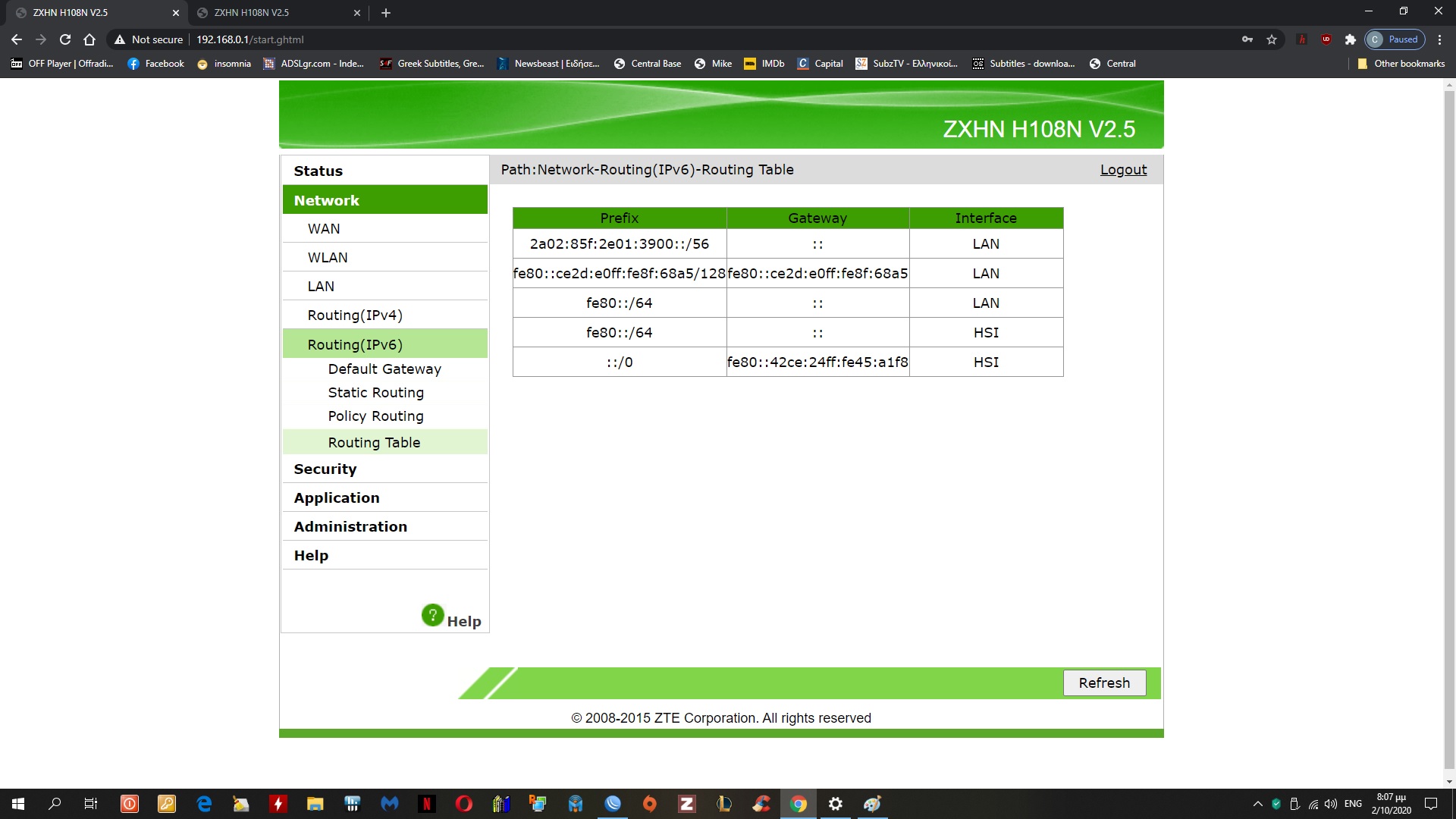
ipv6_route.jpg
ipv6.jpg

Look in ZTE’s Network->LAN->Prefix Delegation (or Static Prefix) menu, it could be the way how to delegate prefixes to LAN, and then RB’s DHCPv6 client could get one.

Also enable for wan connection. Static prefix is empty and may be that one is quilty i think. Should i set something there i guess?

I wonder if my settings in crs r ok or not. Can someone with experience confirm?


[admin@Router] > ipv6 address print detail
Flags: X - disabled, I - invalid, D - dynamic, G - global, L - link-local
0 G address=2a02:85f:518:4900::/64 from-pool=ipv6-pool-WAN2 interface=WAN2 actual-interface=WAN2
eui-64=no advertise=yes no-dad=no

1 G address=2a02:85f:2e01:6400::/64 from-pool=ipv6-pool-WAN1 interface=WAN1 actual-interface=WAN1
eui-64=no advertise=yes no-dad=no

2 DL address=fe80::64d1:54ff:fe16:c480/64 from-pool=“” interface=Bridge_Guest
actual-interface=Bridge_Guest eui-64=no advertise=no no-dad=no

3 DL address=fe80::ce2d:e0ff:fe8f:68ae/64 from-pool=“” interface=Bridge actual-interface=Bridge
eui-64=no advertise=no no-dad=no

4 DL address=fe80::64d1:54ff:fe16:c47f/64 from-pool=“” interface=Bridge_Xoleritsa
actual-interface=Bridge_Xoleritsa eui-64=no advertise=no no-dad=no

5 DL address=fe80::ce2d:e0ff:fe8f:68a7/64 from-pool=“” interface=WAN2 actual-interface=WAN2
eui-64=no advertise=no no-dad=no

6 DL address=fe80::ce2d:e0ff:fe8f:68a5/64 from-pool=“” interface=WAN1 actual-interface=WAN1
eui-64=no advertise=no no-dad=no
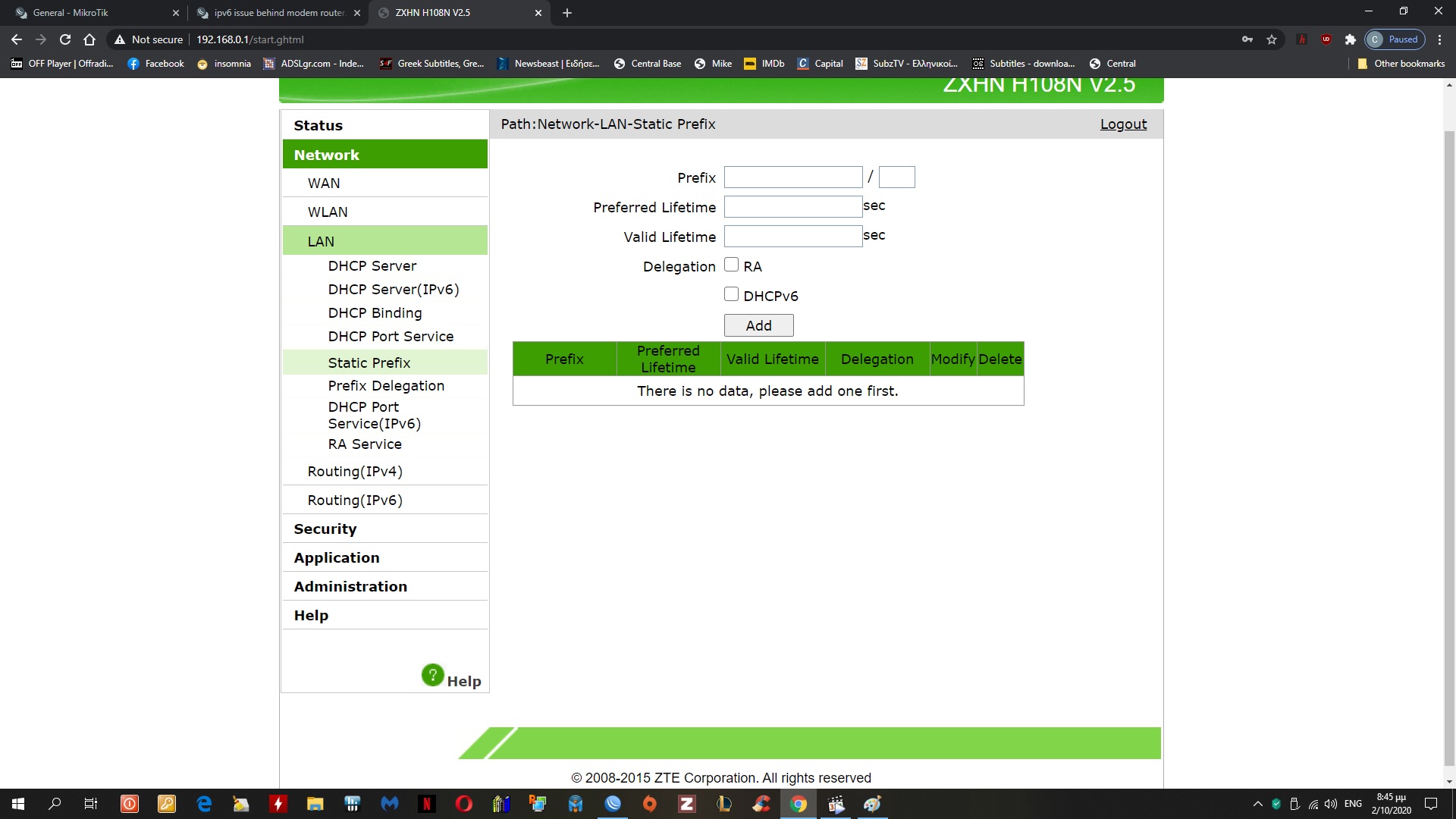
Static prefix.jpg
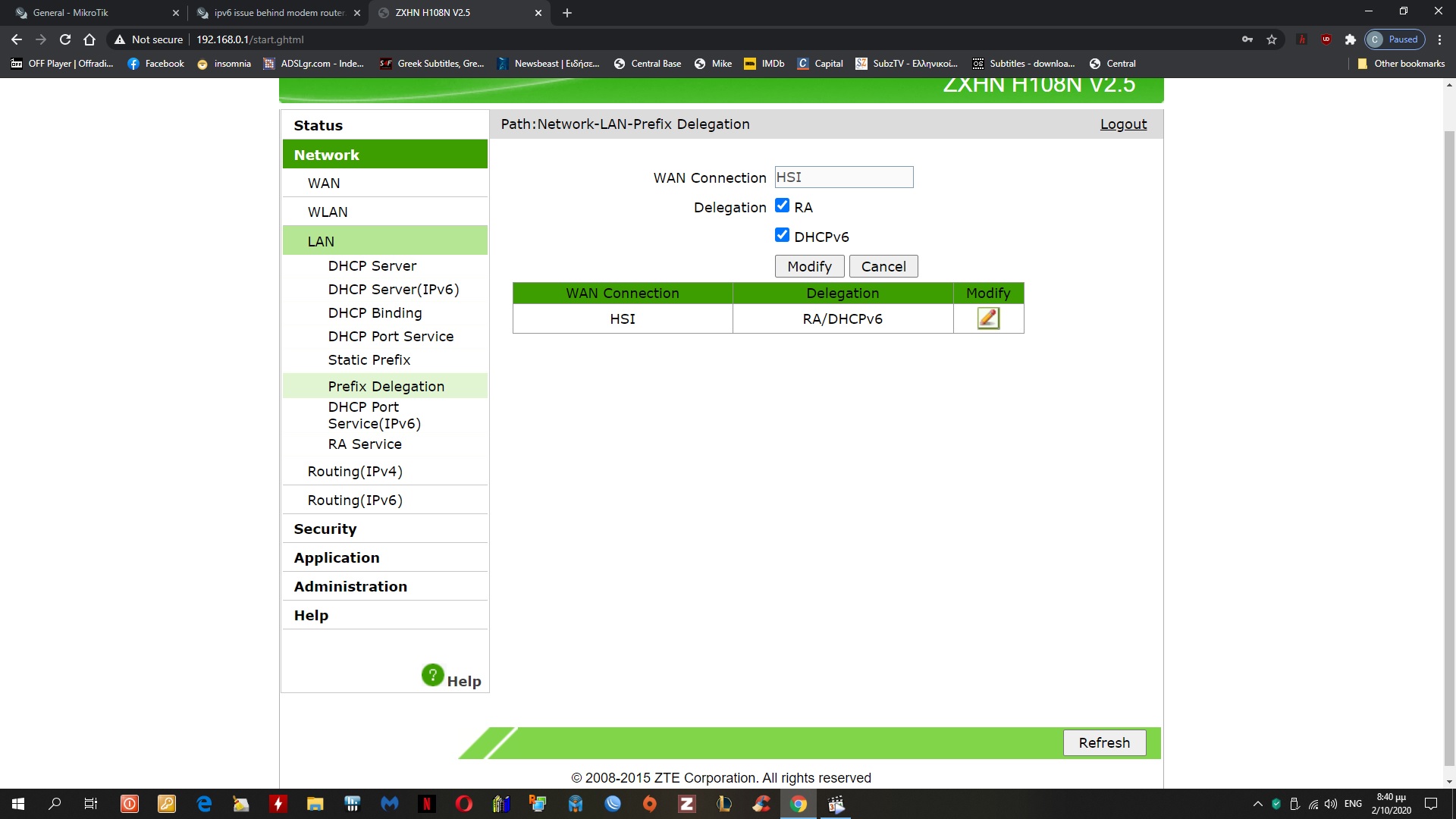
Prefix_del.jpg

And people say that RouterOS is confusing… yeah, right, compared to this it’s clear as day.

I found manual (https://www.wind.gr/files/1/Wind_v2/statheri/epipleon_ypiresies/devices/ZXHN_H108N(V2.5)_Home_Gateway_Maintenance_Management_Manual.pdf) and it’s not very helpful either. It seems that this “Prefix Delegation” is probably related only to getting prefix from ISP and it can’t really delegate it further, only advertise it using RA or give out addresses using DHCPv6. Otherwise it wouldn’t make sense to have RA with DHCPv6 together, because RA can’t be used to delegate prefix.

Although your config may not be correct either. If DHCPv6 client on RB does not get any prefix, then where those ipv6-pool-WANx pools come from? And why they are completely different from /56 on ZTE? Also, why they are advertised on WAN ports?

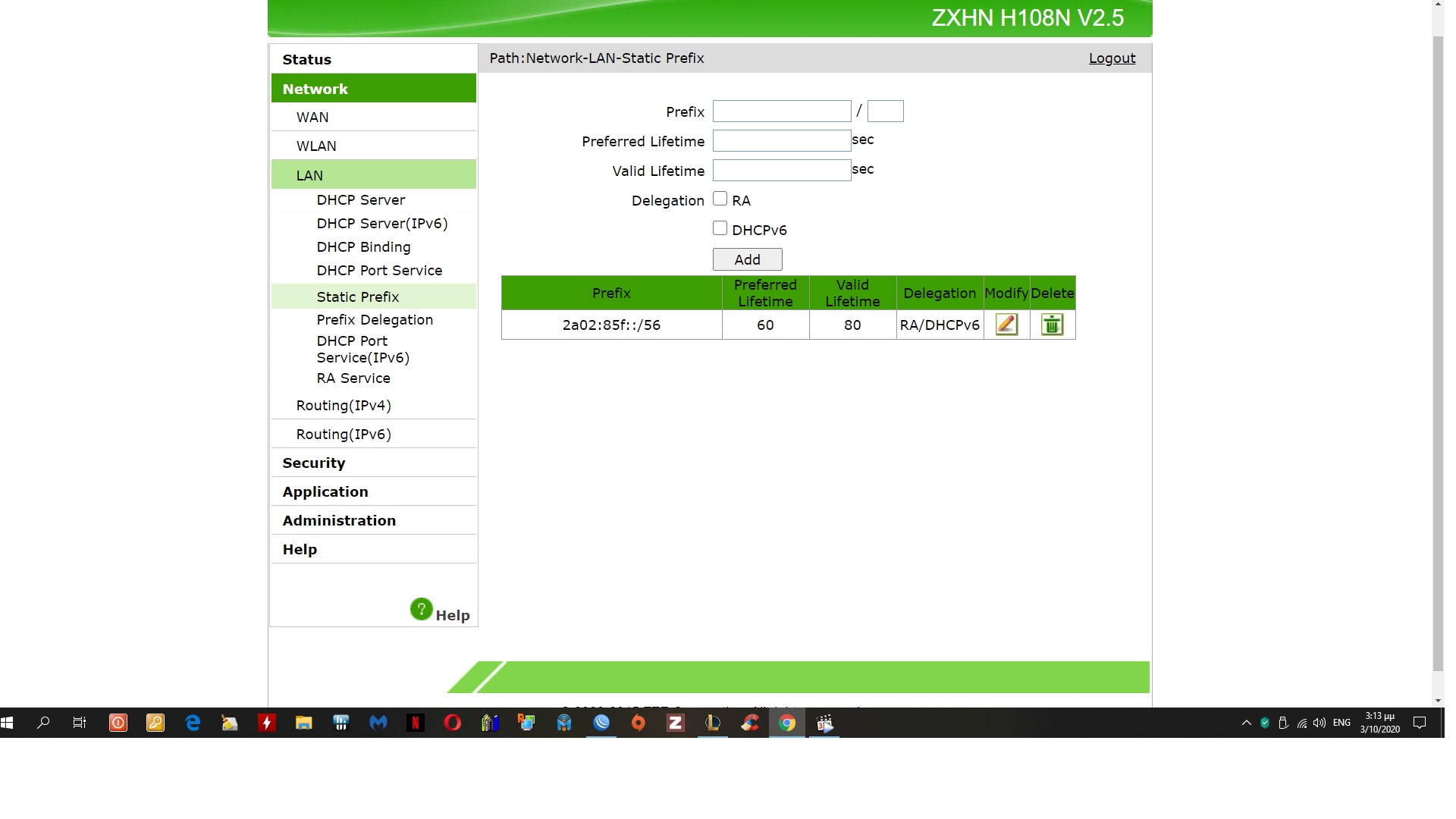
How scan i make a new pool? can u or someone, give me the script according to the screenshots above? I also set in zte>lan>static prefix the 2a02:85f:2e01:6400::/56
, but nothing happened. Still searching mode in crs…

Unlike with most objects, the objects related to IPv6 addresses are linked by names. So the reference to an /ipv6 pool row (e.g. from an /ipv6 address row which sets up the host part and sources the network part from the pool) doesn’t break when that row ceases to exist, and when the /ipv6 pool row re-appears, it uses it again.

So you can add a new pool manually using /ipv6 pool add name=somename prefix=someprefix prefix-length=somelength, but it has to be configured with both the prefix and the length of the sub-prefixes to be leased out; you cannot add an empty pool. If you manually create a pool with the prefix and prefix-length, and set the dhcp client to create a pool of the same name, the dhcp client gets bound but throws an error:

dhcp,error failed to add ipv6 pool from-eoip: two pools cannot have the same name! (6)

So it won’t update the existing pool with the received prefix. But the searching… state is not caused by the “conflicting” pool name.

So activate dhcp logging on the Tik:
/system logging add topics=dhcp
Then, remove one of the pools you currently have, and disable the DHCP client referring to the name of the removed pool for, say, 3 minutes.
Next, enable the dhcp client, and if it doesn’t reach the bound state during the next three minutes, do /log print where topics~“dhcp” and see what comes out.

An important point - unlike with DHCPv4, the incoming DHCPv6 packets are processed after the firewall. So if you have any action=drop rules in chain=input of /ipv6 firewall filter, you may need a chain=input action=accept protocol=udp dst-port=546 rule at a proper position to exempt the DHCPv6 responses from the server from this drop rule.

I have disable all rules in firewall till i find a solution.

The log…


[admin@Router] > /log print where topics~“dhcp”
13:56:25 dhcp,debug resending..
13:56:25 dhcp,debug,packet send WAN1 → ff02::1:2%6
13:56:25 dhcp,debug,packet type: solicit
13:56:25 dhcp,debug,packet transaction-id: 12964d
13:56:25 dhcp,debug,packet → clientid: 00030001 cc2de08f 68a5
13:56:25 dhcp,debug,packet → oro: 23
13:56:25 dhcp,debug,packet → elapsed_time: 64
13:56:25 dhcp,debug,packet → rapid_commit: [empty]
13:56:25 dhcp,debug,packet → ia_pd:
13:56:25 dhcp,debug,packet t1: 1800
13:56:25 dhcp,debug,packet t2: 2880
13:56:25 dhcp,debug,packet id: 0x2
13:56:25 dhcp,debug,packet recv client: WAN1 fe80::1 → fe80::ce2d:e0ff:fe8f:68a5
13:56:25 dhcp,debug,packet type: reply
13:56:25 dhcp,debug,packet transaction-id: 12964d
13:56:25 dhcp,debug,packet → clientid: 00030001 cc2de08f 68a5
13:56:25 dhcp,debug,packet → serverid: 00030006 8c68c8e5 2fca
13:56:25 dhcp,debug,packet → preference: 7
13:56:25 dhcp,debug,packet → rapid_commit: [empty]
13:56:25 dhcp,debug,packet → dns_servers:
13:56:25 dhcp,debug,packet fe80::1
13:56:25 dhcp,debug ia_pd: not found
13:57:26 dhcp,debug resending..
13:57:26 dhcp,debug,packet send WAN1 → ff02::1:2%6
13:57:26 dhcp,debug,packet type: solicit
13:57:26 dhcp,debug,packet transaction-id: 12964d
13:57:26 dhcp,debug,packet → clientid: 00030001 cc2de08f 68a5
13:57:26 dhcp,debug,packet → oro: 23
13:57:26 dhcp,debug,packet → elapsed_time: 125
13:57:26 dhcp,debug,packet → rapid_commit: [empty]
13:57:26 dhcp,debug,packet → ia_pd:
13:57:26 dhcp,debug,packet t1: 1800
13:57:26 dhcp,debug,packet t2: 2880
13:57:26 dhcp,debug,packet id: 0x2
13:57:26 dhcp,debug,packet recv client: WAN1 fe80::1 → fe80::ce2d:e0ff:fe8f:68a5
13:57:26 dhcp,debug,packet type: reply
13:57:26 dhcp,debug,packet transaction-id: 12964d
13:57:26 dhcp,debug,packet → clientid: 00030001 cc2de08f 68a5
13:57:26 dhcp,debug,packet → serverid: 00030006 8c68c8e5 2fca
13:57:26 dhcp,debug,packet → preference: 7
13:57:26 dhcp,debug,packet → rapid_commit: [empty]
13:57:26 dhcp,debug,packet → dns_servers:
13:57:26 dhcp,debug,packet fe80::1
13:57:26 dhcp,debug ia_pd: not found
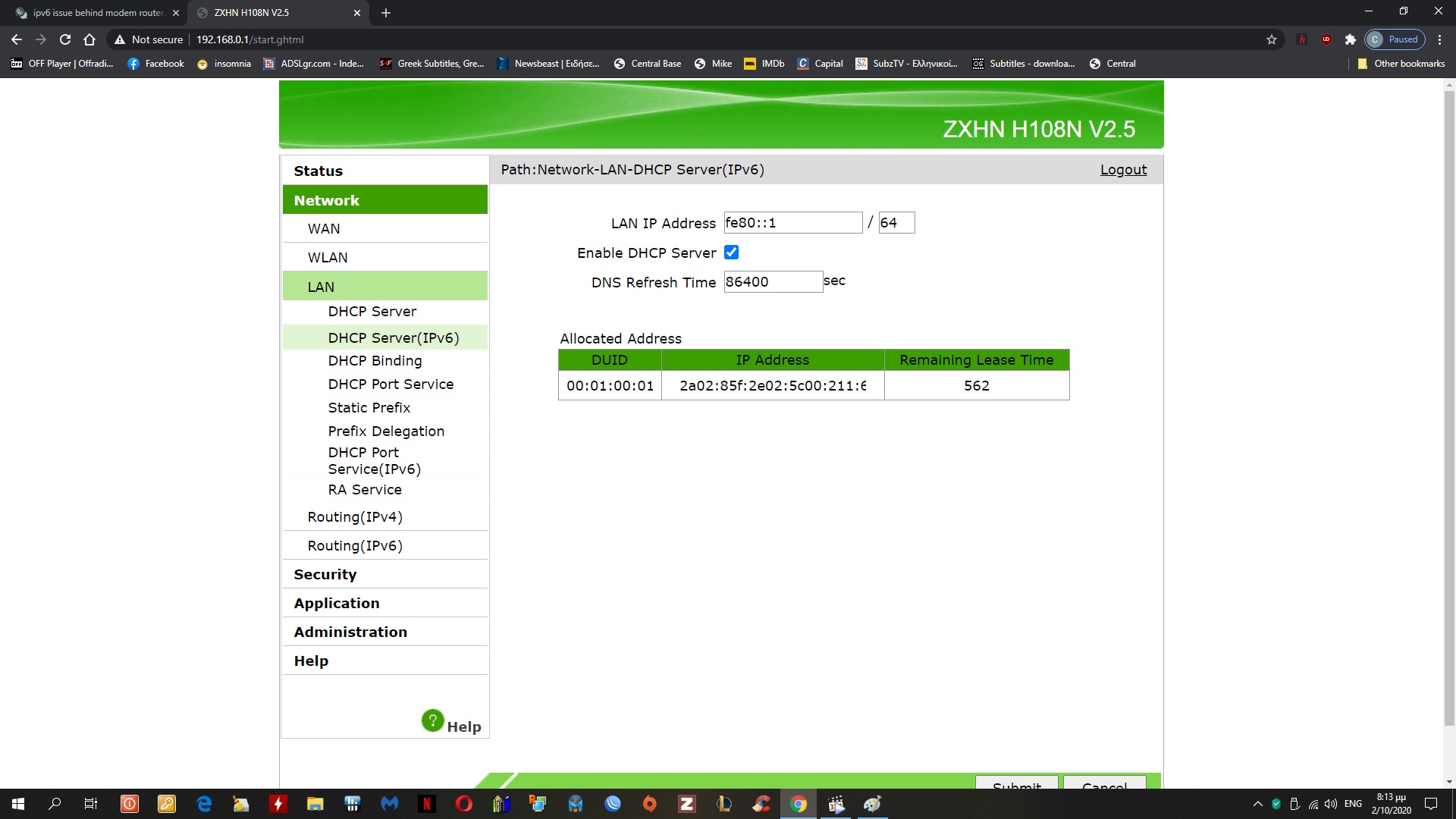
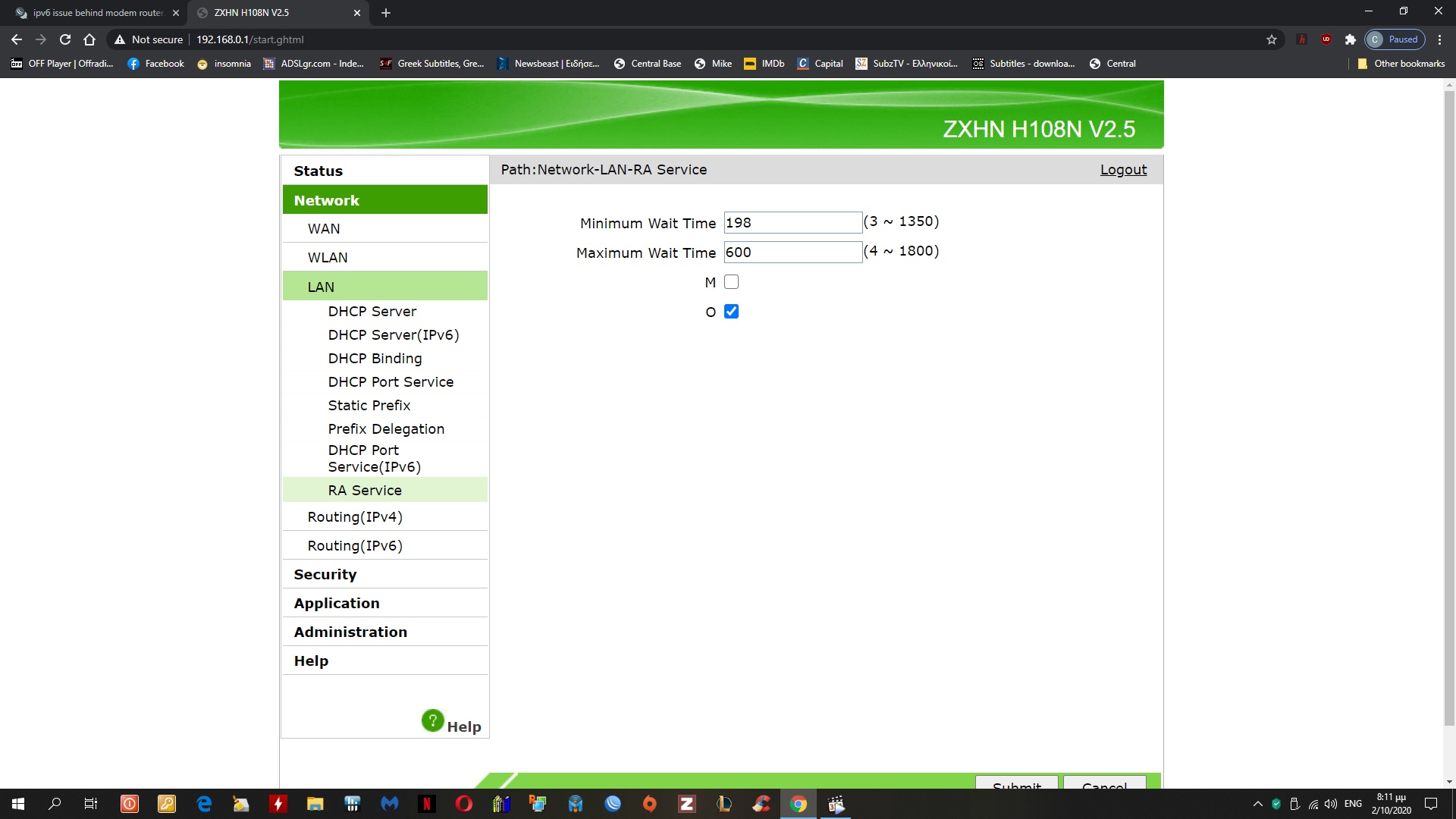
The Mikrotik’s request asks for the prefix delegation (ia_pd) option:
…13:56:25 dhcp,debug resending..
13:56:25 dhcp,debug,packet send WAN1 → ff02::1:2%6

13:56:25 dhcp,debug,packet → ia_pd:

The ZTE’s response doesn’t offer any:

13:56:25 dhcp,debug,packet recv client: WAN1 fe80::1 → fe80::ce2d:e0ff:fe8f:68a5
13:56:25 dhcp,debug,packet type: reply

13:56:25 dhcp,debug ia_pd: not found

And this cycle keeps repeating. So dive into the ZTE settings, there’s nothing to do at the Mikrotik side.

I also added this in zte but still no luck… any ideas r welcome
Static prefix.jpg

After reading the ZTE manual I think there is a typo or a poor wording in chapter 6.3.6 where the first “WAN” should actually read “LAN”. It seems quite logical that PD must be permitted on WAN side in order that the router could further delegate prefixes to client routers on LAN.

So it now depends on whether there is some bug there, or whether the ZTE expects something that Mikrotik doesn’t provide in the received Solicit message to send a reply containing a prefix. I would first try to disable the RA option in the prefix delegation setting at LAN side (and leave just the DHCPv6 one ticked), and I would try all three combinations at the WAN side (only Prefix Delegation ticked, only Prefix Delegation for Allocation Address ticked, and both ticked). I would also reboot the modem after each change. And I would definitely remove the manually configured prefix from the ZTE settings as the first step.

If the ZTE expects some specific option in the Solicit message that RouterOS doesn’t provide, that’s where the story ends - you can define options for the client to send, but you’d have to contact ZTE to learn what they expect.

You also seem to keep inventing semi-random prefixes. You can’t do that, you have to use only what ISP gives you. And unless you got some static prefix (they would tell you about it), you can’t manually configure any prefix or address anywhere.