Hi, I have two Mikrotik devices in my network. One operates as a router/wireless access point (A) and the other operates as a bridge/switch/wireless access point (B) with the following layout:
I want the bridge device to only operate as a bridge, not to do any IP routing. What I found is that when I plug in a client device C to the bridge, the device gets two ipv6 default routes. One route goes through Router A which is definitely expected, the other route goes through Bridge B:
ip -6 route
...
default nhid 12345 via fe80::<router A> dev eth0 proto ra metric 1024 expires 1518sec pref medium
default nhid 67890 via fe80::<bridge B> dev eth0 proto ra metric 1024 expires 1518sec pref medium
Of course, Bridge B is not intended to be a router and does not forward packets by design. This causes Client C to experience intermittent failures connecting to to IPv6 services since the OS might try to route packets through Bridge B.
I'm trying to figure out what I need to do to fix this. One quick workaround is to disable ipv6 ND on Bridge B but then it will not get a public ipv6 address. It seems like what I actually want is to get Bridge B operate as a "Host", not a "Router" as defined in IPv6 Neighbor Discovery - RouterOS - MikroTik Documentation . Is that correct? If so, are there any instructions I can follow to configure it that way?
That's not as important in my case, I had ipv6 forwarding disabled already. I was confused since the ipv6 forwarding mode is not the thing that influences the behavior of the device's route advertisement. If it has ra-lifetime=non-zeroset for an interface that is acting as a bridge, it will pretend to be an ipv6 router if ipv6 forwarding is disabled. So it's just an easy-to-miss setting that you need to adjust if you're trying to do what I was trying to do.
When a device is sending out router advertisements packets, then setting RA Lifetime to 0 is the correct thing to do according to the RFC above if the device does not want to advertise itself as default router. The problem is actually why RouterOS is sending out RA on configuration working only as bridges / switches / access points when it previously didn't. And this has only become a problem since 7.23. See this previous post of mine:
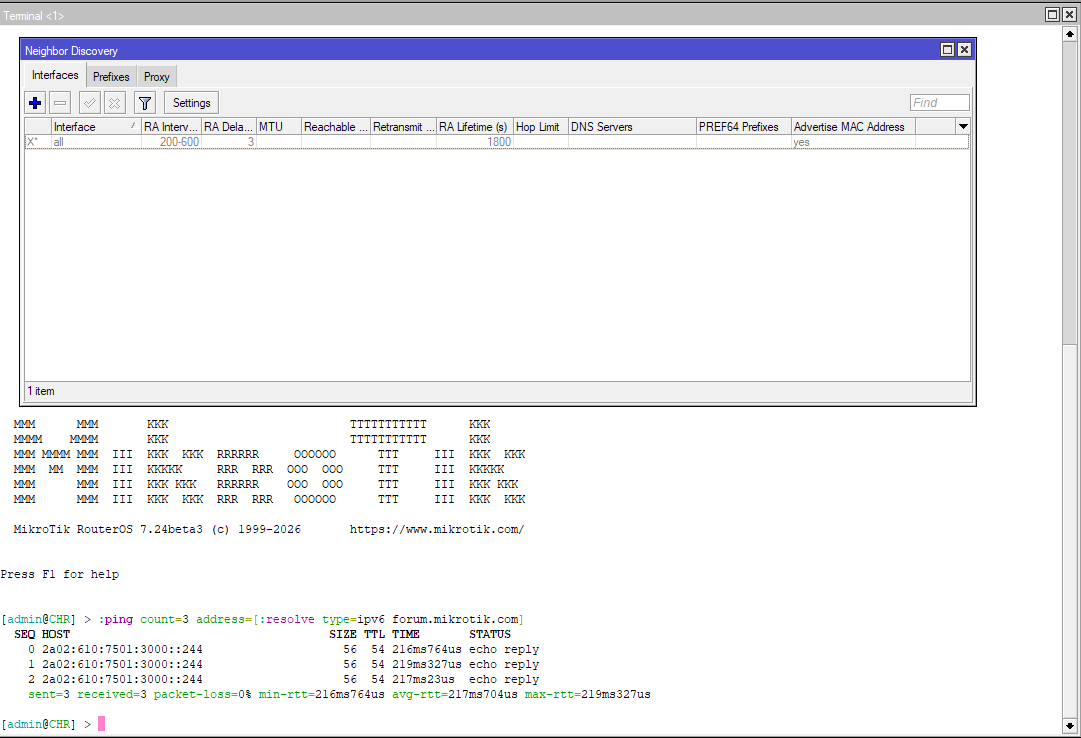
For now, with the latest stable RouterOS version 7.23.1, if you want to completely suppress the sending of RA on an interface, you'll have to make sure under /ipv6 nd no entry with the all interface is enabled, and no entry with the interface in question (for example your bridge) is present.
This is not true. No entry needs to be present in /ipv6 nd for the interface to be able to accept router advertisements and configure IPv6 addresses for itself with SLAAC. Only these settings under /ipv6 settings are relevant to that:
/ipv6 nd only affects the router side of Router Advertisement, as stated in the documentation:
RFC 4861 defines five ND message types: Router Solicitation (RS), Router Advertisement (RA), Neighbor Solicitation (NS), Neighbor Advertisement (NA), and Redirect. Adding an interface to /ipv6/ndactivates only the router-side messages:
Router Solicitation (RS) – The router listens for an RS sent by hosts and replies with a Router Advertisement.
Router Advertisement (RA) – The router sends periodic unsolicited RAs and also responds to any RS it receives. The content of the RA (prefixes, flag bitmaps, lifetime, MTU, timer values) is taken from the per‑interface ND settings and any /ipv6/nd/prefix entries.
Neighbor Solicitation (NS) – The router replies with a Neighbor Advertisement when it receives an NS for any of its own addresses on that interface (link‑local, SLAAC, or static). This also covers Duplicate Address Detection (DAD) for the router's own address.
Neighbor Advertisement (NA) – Sent in response to an NS (as above). Unsolicited NAs are not sent unless explicitly enabled.
Host‑to‑host NS/NA between end devices is handled automatically by the host stack and is not controlled by the ND menu. Redirect generation is optional and disabled by default (redirect=no).
This change on default ND config mentioned by @CGGXANNX has caused me a complete headache in my personal network, making me to chaise ghosts for over a month until I realize of this default change.
Let me explain here my situation, just in case it helps anyone: in my home network I do have a main router and two additional Mikrotik devices (old rb750gr2 acting as a switch + ax3 access point). Router implement several VLANs, all working as a charm, but the main one, used also to interconnect everything, was causing me a curious problem. From time to time, I loose IPv6 DNS, and things start behaving weird on the network. If I connect to any of the other VLANs, all workings as a charm (you will understand later why) but the main one, the one that interconnects all equipment, do this strange behavior, only receiving IPv4 DNS, but not IPv6.
What was happening? Well, the main router has its DNS properly populated obviously, and the ND setting setup correctly to announce this. However, the other two devices only get DNS dynamically, and had a single IPv4 address on IP > DNS setup as a fallback. And all the 3 devices were fighting to announce the DNS, as this new default option turns on this by default in ND for all of them. For whatever the reason, 99% of times the announce that reaches the final devices was the one coming from the switch or AP, not from the router, so giving a single IPv4 address only as DNS, and not IPv4+IPv6.
It got me mad until I realize of this new default value. Simply setting forward=no and turning off DNS announce on default ND for these two downstream devices solved the issue.
/ipv6 settings
set forward=no
/ipv6 nd
set [find] advertise-dns=no
Hope this could help anyone having problems like that.
Yes, to be sure before writing the reply above, I did empty the /ipv6 nd table of my test CHR, disabled the default all entry and rebooted. Afterwards the CHR still gets a SLAAC address on ether1 as well as a default route from the parent router and can contact IPv6 hosts on the internet normally.
Of course, we are talking about the IPv6 connectivity of the RouterOS device itself. It will not be able to act as a router for other devices without /ipv6 nd entries. But that's fine if it's only a switch or dumb AP.