I have IPv6 prefix delegation running via PPPoE and would now like to use this for several VLANs.
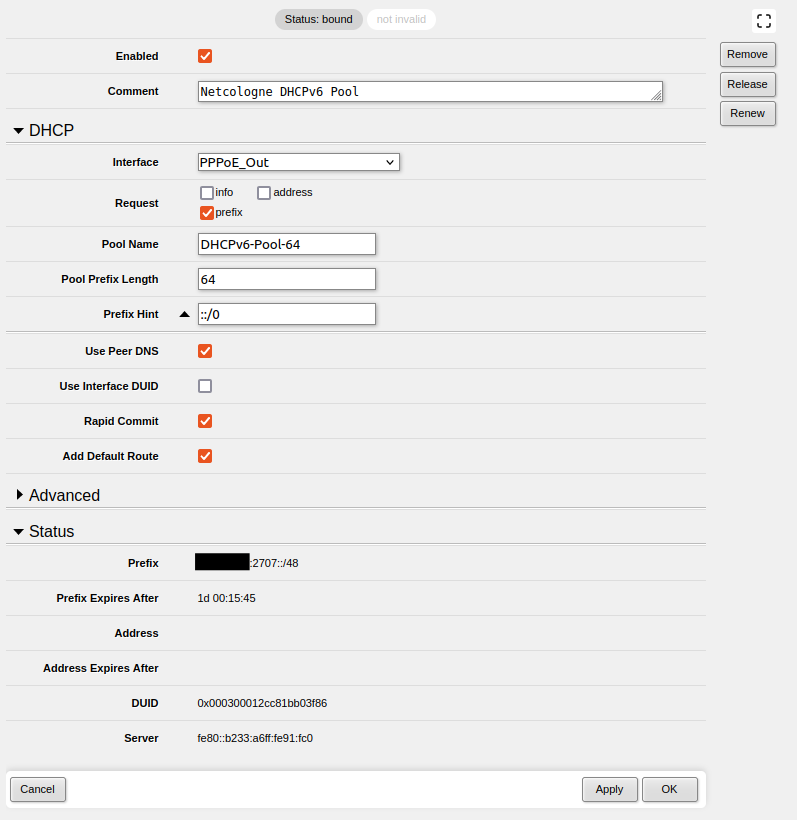
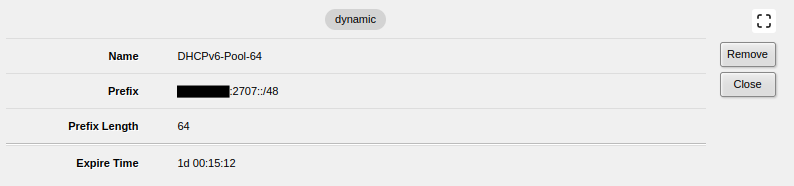
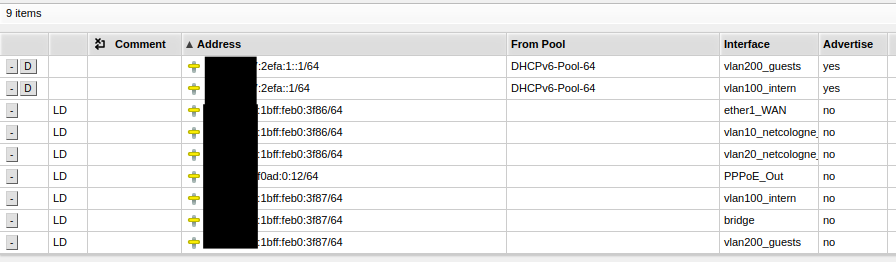
The current status without VLANs with IPv6 looks like this:
As soon as I try to define further IPv6 addresses, an address duplicate is recognized. What would be a sensible configuration here?
The simplest way is to set “address=::1/64 from-pool=DHCPv6-Pool-64” … don’t try to set a more specific address. If set thusly, pool will hand out addresses with different /64 prefix each time interface pulls another one.
Many thanks, it seems to work now. The error was on my side, I used “:1/64” before instead of “::1/64”.
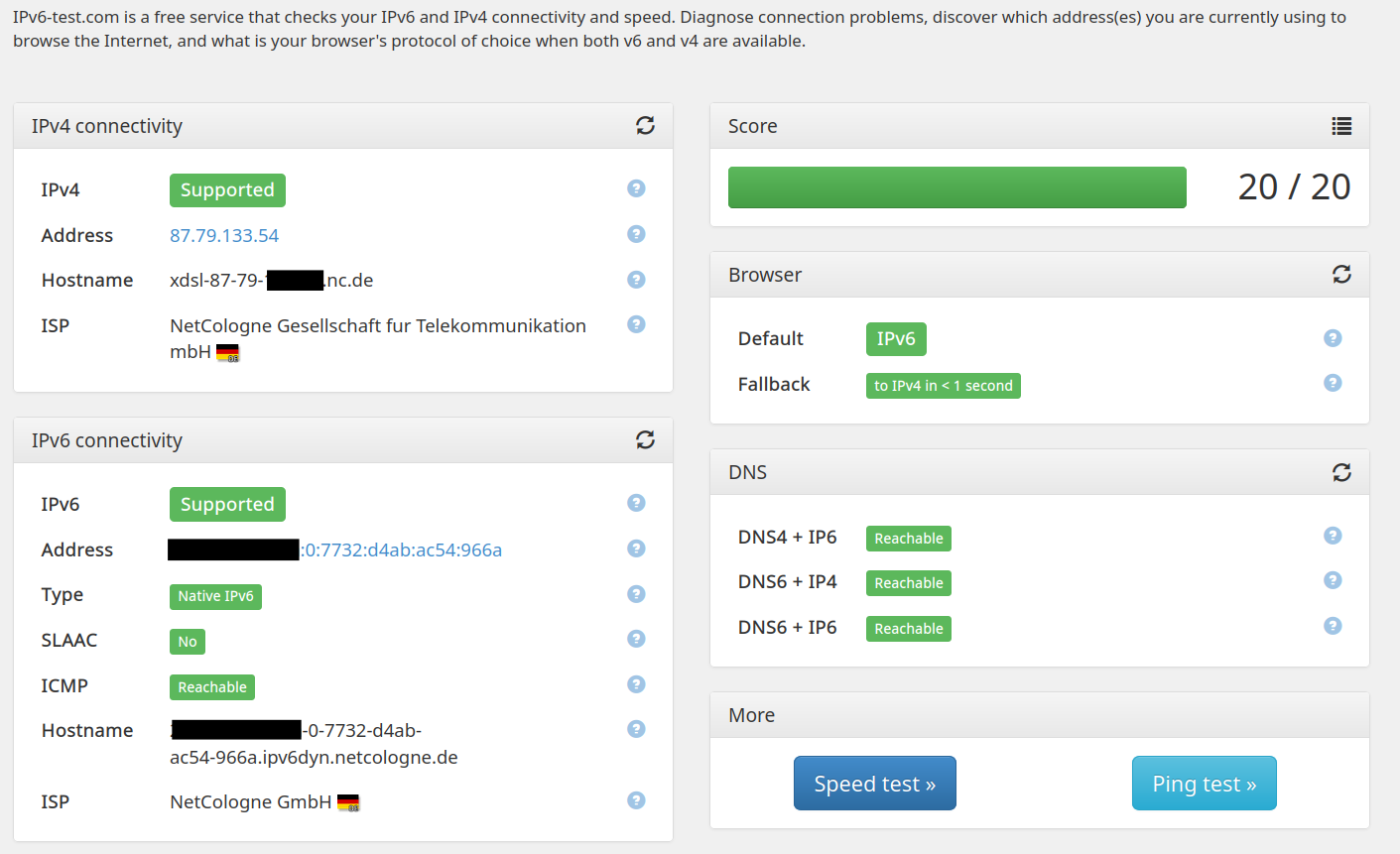
I’m just wondering which public IPv6 address the router can now be reached from the Internet? The background is that I wanted to set up dyndns2 and wireguard to be able to connect to the home network from the road.
Any with the public prefix is good. They all represent the same device just on different internal interfaces.
Some ISPs can allocate an address alongside the prefix, you can ask for it via /ipv6/dhcp-client/set request=address,prefix. Note that this is optional and may not be available.
Alternatively, you can allocate one more address on the bridge interface with advertise=no. However, in presence of multiple public IPv6 addresses with the same prefix, I cannot tell which one RouterOS will select for itself for outgoing connections. Normatively it’s governed by the Default Address Selection algorithm as described in RFC 3484. But given that all of these addresses are allocated from the same pool I expect all of the outlined rules to “tie” and thus
If the eight rules fail to choose a single address, some unspecified tie-breaker should be used.
Perhaps it’ll take the address with smallest numerical value. Good news is that the selection must be consistent for as long as you have the same prefix (which may be changed by the ISP at any time).
As far as routing is concerned, none of global IPv6 addresses are necessary on WAN interface if WAN interface is PPPoE … because interface is point-to-point. And for routing purposes, in IPv6 world link-local addresses are used.
Use of global address when router itself reaches internet is a cosmetic issue. I can understand the desire to affect the address selection as sociological aspect but from technical point of view it doesn’t matter at all.
BTW, perhaps not relevant for IPv6, but in IPv4 if ROS device doesn’t have IP address assigned to egress interface, then it uses lowest of own addresses as source address for own egress packets. It is possible to set pref-src (not possible for IPv6) if automatically selected address is not feasible (e.g. due to routing setup on the remote end).
I tried, but request=address,prefix doesn’t seem to be supported by my ISP, since I didn’t get a bound.
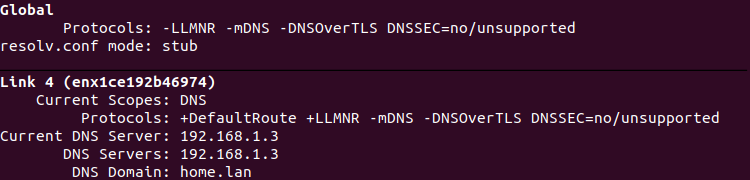
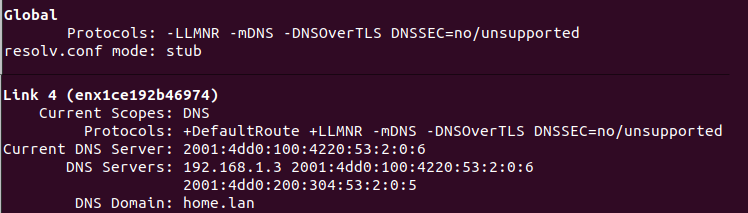
Currently I still have problems with the name resolution, probably only with Linux clients.
If I activate IPv6 → DHCP Client → “Use Peer DNS” in ROS, the Linux clients probably prefer to use the IPv6 DNS server transmitted by the ISP. As a result, local host names are no longer resolved.
I deactivated the “Use Peer DNS” entry as a test, then the local name resolution worked again (via the IPv4 DNS, which I distribute via the IPv4 DHCP server.
I am not sure whether this procedure makes sense. How does it actually differ whether a DNS v4 or v6 server is used when a client resolves a hostname? Can I overwrite the advertised IPv6 DNS from the ISP (e.g. go to a local Adguard Home Instance)? If yes, how?
You can provide your own DNS server within your LAN via /ipv6/nd’s dns property and /ipv6/dhcp-server/option (I recommend to set it up both ways to support all clients). The latter approach also allows to provide other standard configuration options to clients, such as domain name.
Here is an example that configures LAN hosts on the vlan-main interface with search domain and DNS:
/ipv6/address
add address=2001:db8::1 advertise=no interface=bridge

# `other-configuration=yes` tells hosts to look for DHCPv6 options
/ipv6/nd
add dns=2001:db8::1 interface=vlan-main other-configuration=yes ra-preference=high reachable-time=5m

/ipv6 dhcp-server option
# Note the quotes
add code=23 name=dns value="'2001:db8::1'"
# Hosts on LAN default to using the home.arpa domain as per RFC 8375
add code=24 name=search-domain value="0x04'home'0x04'arpa'0x00"

/ipv6 dhcp-server
add address-pool="" dhcp-option=dns,search-domain interface=vlan-main lease-time=1h name=vlan-main
Thank you for your feedback. Unfortunately, I don’t quite understand your suggestion yet.
I currently have an IPv6 client in the ROS, but no IPv6 DHCP server set up. The clients receive valid IPv6 addresses with the prefix from the ISP. How can I now ensure that my local IPv4&6 DNS server (AdGuard) is always assigned the same IPv6 address?
Should I set up a parallel IPv6 DHCP server which then distributes the IPv6 addresses with the assigned prefix, or?
The domains currently used in different VLANs are called home.lan and home.guests. I would then enter these under code 24?
As I understand, the IPv6-DHCP server can be used to distribute addresses from the assigned pool. I’ve tried it out following your instructions, thank you very much, but I’m still not sure if it worked.
I am not yet sure how to ensure that the current IPv6 address of the DNS server is always distributed. The ISP assigns a dynamic pool, so I can’t distribute the address of the local DNS dynamically via code 23?
No, you understood incorrectly. The IPv6-DHCP server can NOT be used to distribute addresses from the assigned pool.
It can only be used to distribute prefixes.
You need to use SLAAC to assign addresses to client devices. The only useful thing the IPv6-DHCP server can do for local
clients is tell them what DNS server to use. Some devices do not understand the SLAAC option for doing that, and they make
a request to the DHCP server. But they need to use SLAAC to get their address and router info, and if it is a reasonably modern
device it can get DNS from SLAAC as well and you do not need a DHCP server.
Dynamic prefixes: always a problem. Fortunately we don’t have that here. But recent RouterOS versions are getting better
at handling that in SLAAC. Of course not in DHCP.
If you have dynamic IPv6 prefixes, you can add static ULA address (from fd00::/8) on your LAN and this one address can be used as DNS server for your clients.
Thank you, I think I have figured it out now.
Unfortunately, I underestimated the effort involved.
I am currently considering whether I can simply manage without an IPv6 DNS server so that the local hostnames can still be resolved via IPv4 DNS. What practical disadvantages would this have if the clients were assigned IPv4+v6 addresses but only IPv4 DNS server? Then I probably wouldn’t be able to reach websites that are only accessible via v6, would I? Would these be the only restrictions?
Alternatively, I could also not have any local IPv6 addresses distributed to the clients and only assign one to the router itself. Then I should at least be able to access the router via VPN (Wireguard etc.)?
IPv4 can return AAAA records (i.e. resolve host names into IPv6 addresses) and vice versa (IPv6 DNS server can return A records). Having IPv6 DNS server is similar to having IPv6 web server, it simpky sllows to use either L3 protocol stack for connections.
As long as IPv4 address shortage doesn’t block certain connectivity, it’s completely fine to rely on it. Using IPv6 addresses for intra-LAN connectivity doesn’t bring any benefits what so ever. Actually it reduces practical throughput by approx. 1.5% (IPv6 header is 40 bytes, IPv4 header is 20 bytes, absolute maximum packet size including headers is limited to MTU which is most often set to 1500bytes, so IPv6 packet payload is 20bytes smaller than IPv4 packet payload).


 but from technical point of view it doesn’t matter at all.