HI.
I want use the kid control but when i configure it than blocked all time. I configured time and days but it block all time.
Please help. What i doing wrong ?
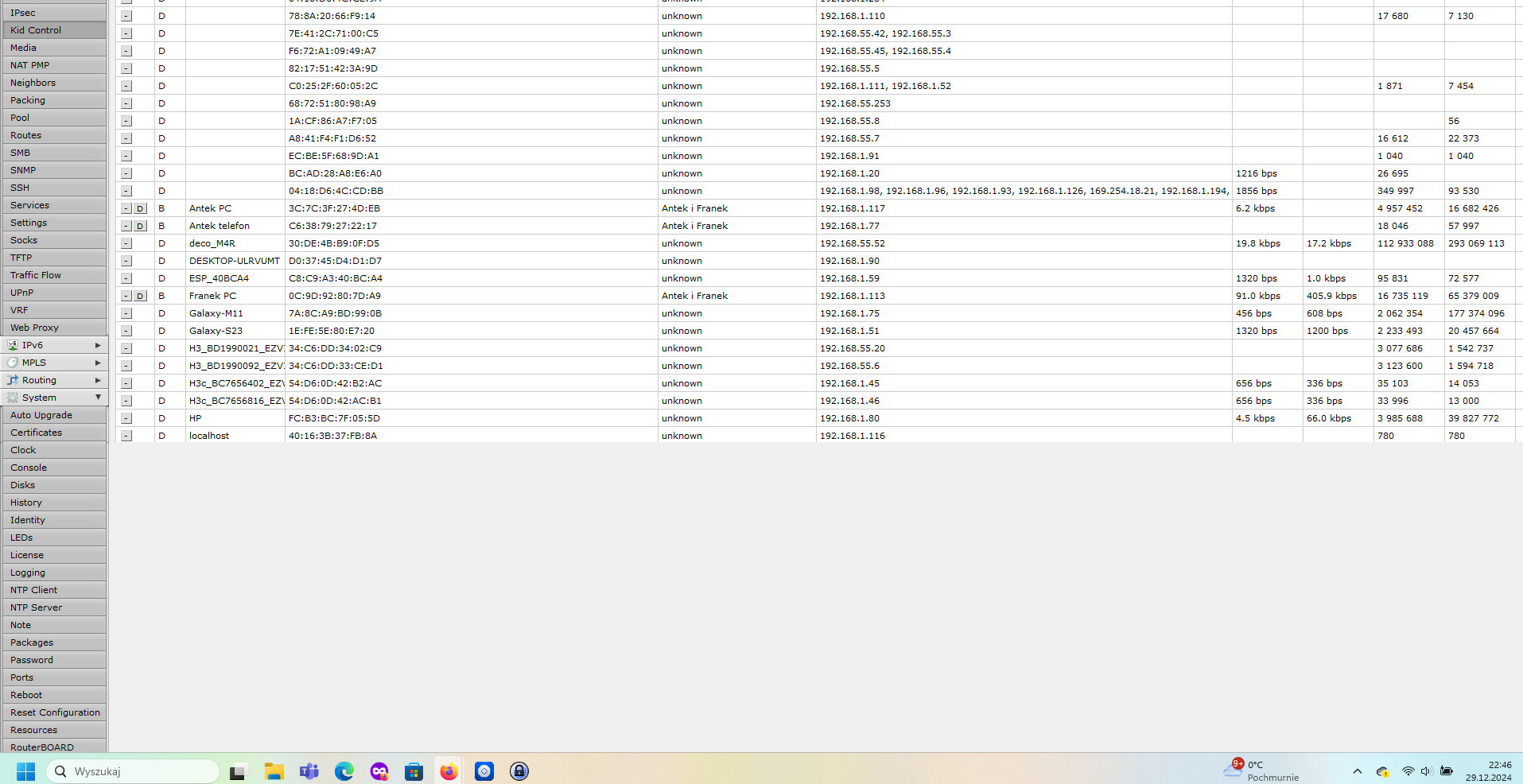
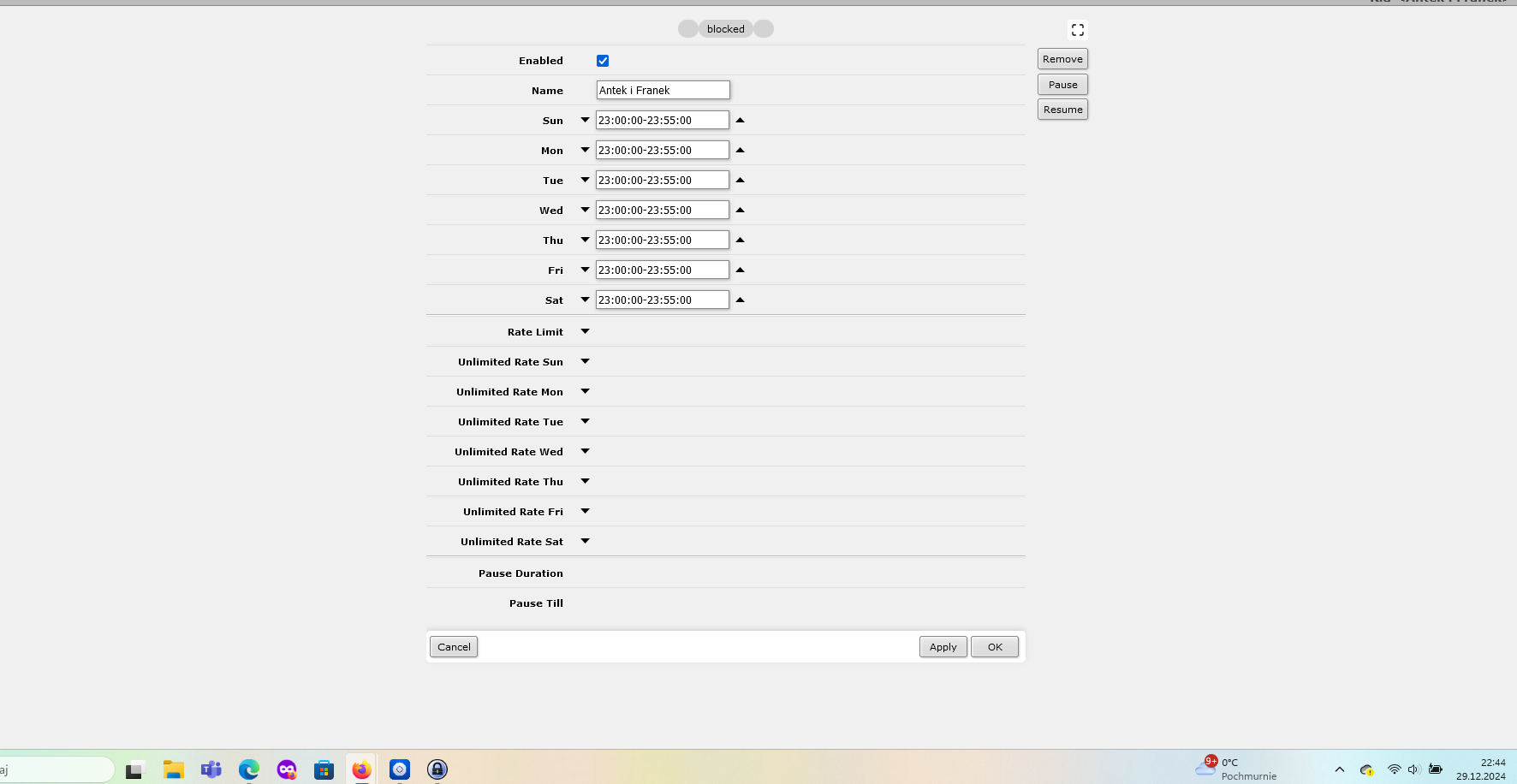
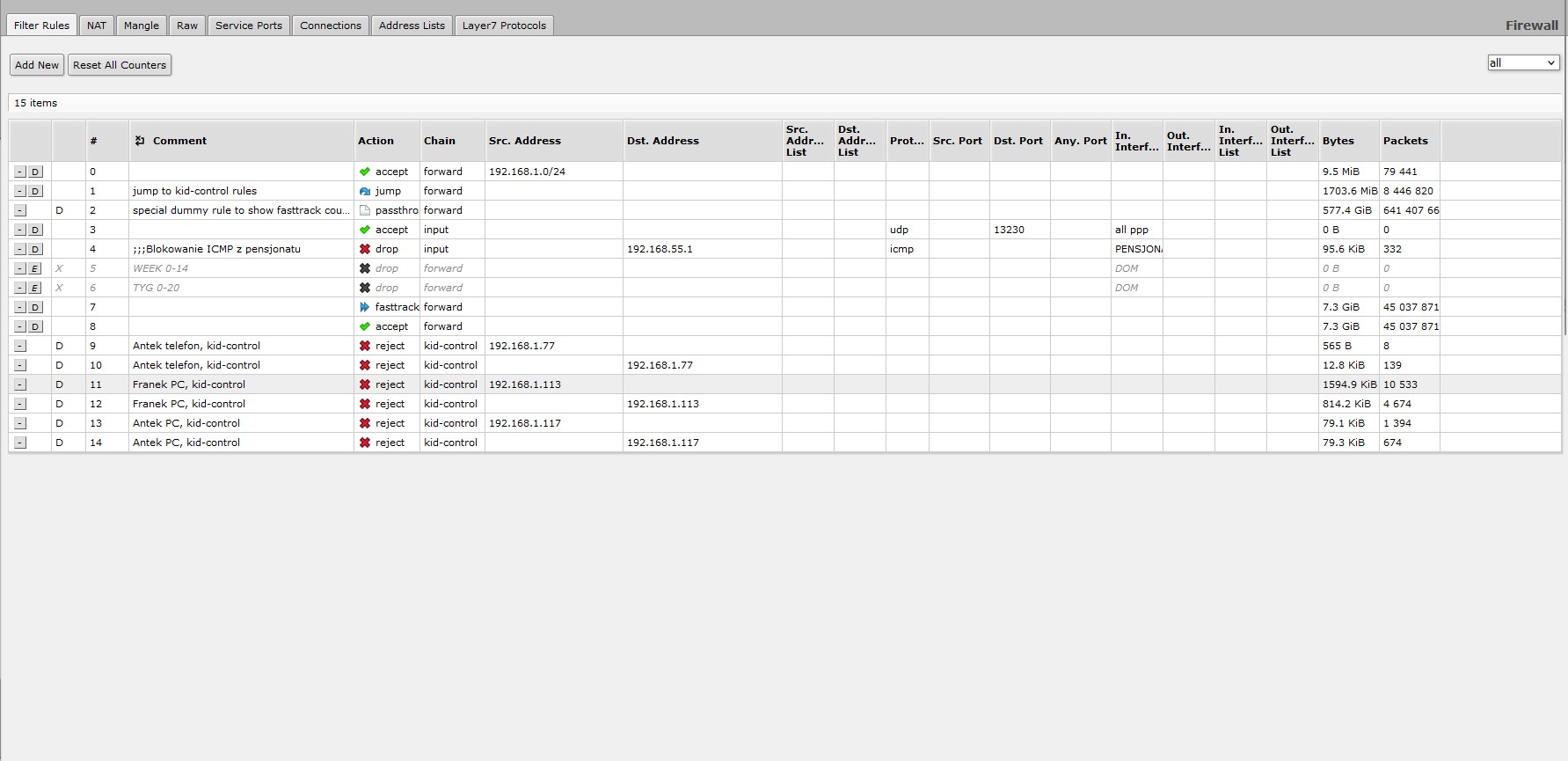
Kid control is not really intuitive, can you explain functionally when users are allowed and when not?
Have you followed the example from the documentation:
https://help.mikrotik.com/docs/spaces/ROS/pages/129531911/Kid+Control#KidControl-Applicationexample
Are you sure the routers firewall rules are complete? Or is it behind another NAT device?
Hi,
I have a slightly different question on Kid Control feature. I have set up Kid records and their devices together with time schedule and rate limits. Everything works fine. From the phone application I can disable a specific device for a given amount of time and it works as intended. However I would like to have a feature to unblock specific device for a given amount of time when that device is locked by the time schedule rule. There is a way to disable the time schedule rule and it gives full access to associated devices but my problem that it’s very easy to forget to enable it back. Here is the example:
- My kid asks for extra 15 minutes to upload/dowload something outside of allowed time
- I disable the rule
- They do their stuff and I forget to enable the rule back
- They have unlimited access until next time I open the app to check
I there would be an option to “disable rule for amount of time” similar to the existing “pause for amount of time” it would be super cool.
There is no built-in functionality for that. An omission on MikroTik’s part, I think most parental controls have the option to add “play time”. The “pause/resume” buttons are for blocking/unblocking access on demand.
However, what you are asking for can be easily achieved with a script. You will need to go to System - Scripts - add new script and use this code (change the kid name):
/ip/kid-control disable kid1
:delay 15m
/ip/kid-control enable kid1
The script by itself doesn’t do anything, it’s just a block of code. You then need to run it when you need it executed. If you are using phone application, it’s a bit tedious as you need to go to advanced mode (cogwheel in the right corner), then System - Scripts - Scripts, then 3 dots next to this new script, then Run Script. I wish they added shortcuts to scripts or at least some configuration sections.
The script will execute by first disabling the control, then waiting for 15 minutes, then enabling it again.
If your router has a mode button, another option would be to configure that button to run the script. Then a physical press on the button will do that. But of course kids are smart enough to figure this out soon and would just extend time themselves, unless you have the router in a secured location.
Thanks @anserk! Your soluition works for me, so I created several scripts and with extra 4+ taps in the application I can workaround the missing functionality in Kid-Control feature. I hope Mikrotik will eventually add it )))
Have you notifed MT by a suggestion on their support website.
If not, get on with it. 