It’s pretty cool. I see that it’s a work in progress. More options are in the works? I’m guessing it’s a spin-off from the one used internally in the Dude.
Can we expect all those options?
Thanks!
PS: What are your thoughts on DHCP-Probe (link below)
nice idea…
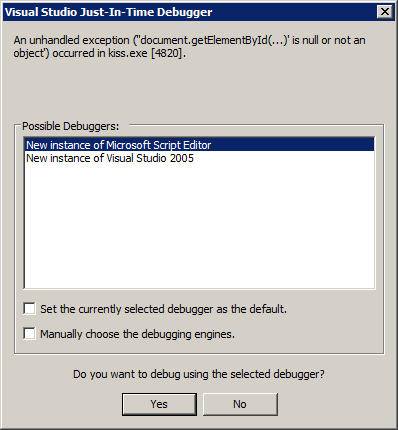
but eveytime I start I got Just-in-time debugging
Please select a debugger
And if I stop it enoght, I get the main screen
and then if I stop it I got more of debugging
I reckon you ran KTN from a PC within the /24 network and didn’t specify to scan for other hobs. If you set the hobs to 2, it should also find your /16 network.
EDIT
Just tried it, and it doesn’t seem to pickup anything not in your subnet.
I’ve run this in a couple of networks, firstly our relatively open office network in here, where it picked up all devices fine.
Then tried running it under a Mikrotik managed hotspot network we provide, and although it still picked up the other computers it didn’t add any links. (Note: as it is a student environment we allow file sharing etc)
What should I be allowing for this to do its full scan?
–
Edit: Regarding DHCP_Probe, you can make your Mikrotik boxes do the same thing. I have ours report back to me via email if someone has a DHCP server on one of our networks.
/ ip dhcp-server alert
add interface=LAN valid-server=00:03:1D:03:45:48 alert-timeout=2h \
;;Adds standard alert with 2h timeout. Set the mac address of DHCP interface as the valid server.

/ system logging
add topics=dhcp,critical,error prefix="" action=DhcpAlert disabled=no
;;Add dhcp alert to logging

/ system logging action
add name="DhcpAlert" target=email email-to="someones@email.address"
;; Sets action (which in this case is to email someone)

/ tool e-mail
set server=*mailserver-ip* from="device1@blahblahblah.com"
;;make sure to setup the email tool otherwise it won't work.
That should do it for you. You can also change the alert time if you want to receive alerts more frequently once the device is detected.