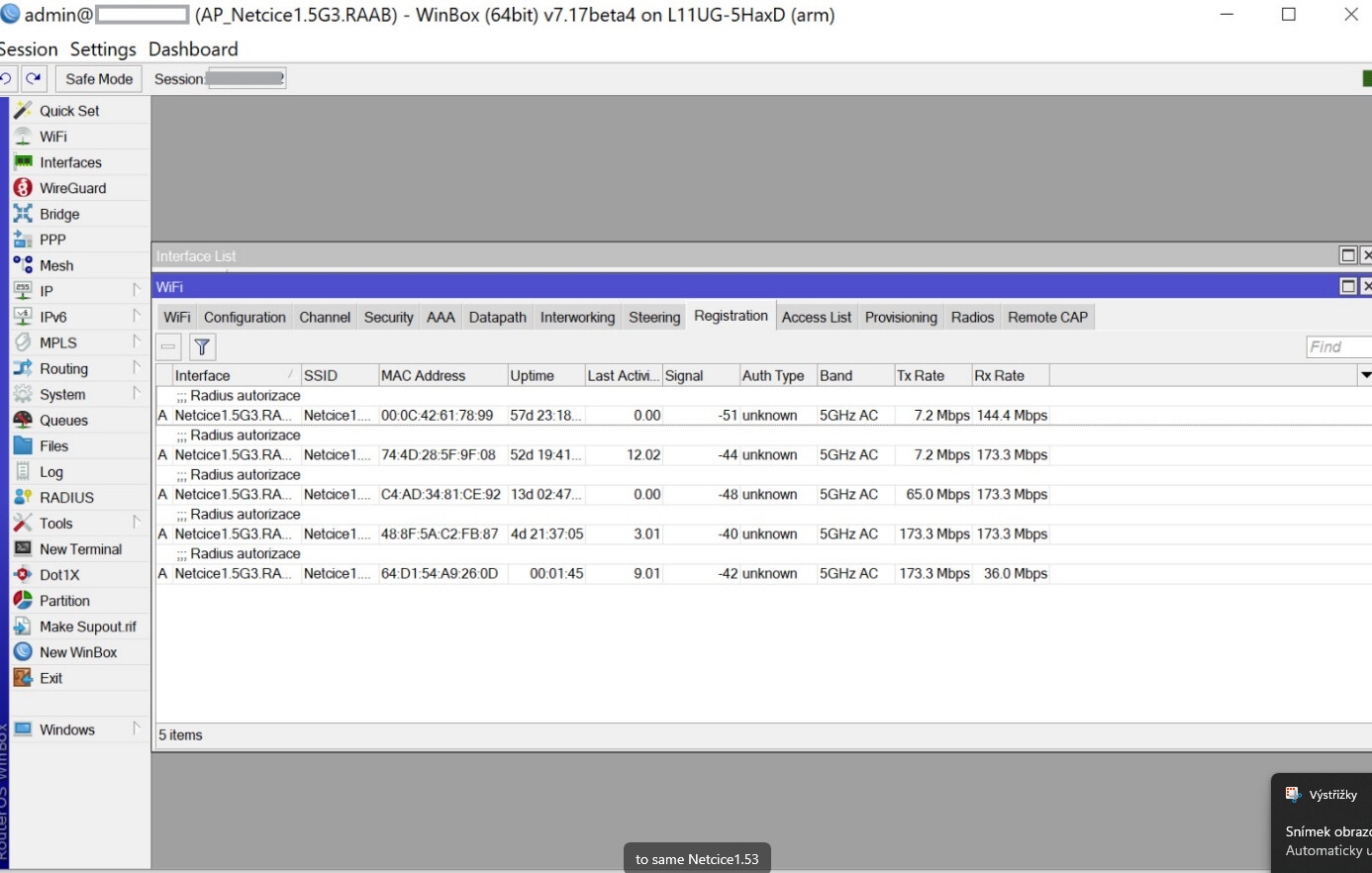
we have been facing long-term issues with client throughput. The transmitter is an L11UG-5HaxD (see image for details). The client device is an RB911-5HacD.
Quite often, the TxRate for customers locks at 7.2 Mbps. The only solution is to disconnect the client from the AP, which then reconnects with the correct throughput of up to 172 Mbps.
This issue occurs randomly and does not consistently affect the same client devices. Both RB devices are running the latest firmware, with some even on beta versions.
Any suggestions or ideas would be highly appreciated!
To give you some context:
this is a user forum about users helping other users.
If someone sees this post and knows about it, I’m sure they will come in and share their findings.
But if not, you really need to ask support.
Mikrotik staff does frequent this place from time to time but not everyone and not everywhere.
Creating a ticket is a way to get their attention.
It’s also a possibility there is a bug involved. In which case you definitely need to file a support ticket.
But there is something I don’t understand.
You do spend the time to post and look here for a solution to your problem but you are not willing to spend a bit of more time to create a support ticket ?
And then you can see a HUGE button labeled “Contact Support”
You have to create an account and then you can file your support ticket.
Take this into account:
Before contacting us:
If you have purchased your device from a distributor, please contact them first.
Check documentation and configuration examples. Maybe answer is already there.
Make sure that your issue is present with the latest version of MikroTik RouterOS. The latest version is available at the download section.
Give us a brief problem description that includes information about your network setup.
Provide us with support output file (suppout.rif), that is created when problem appears, instruction how to make it.
Technical support does not include training on TCP/IP.
E-mail reply might take up to 3 business days.