I have setting up L2TP IPSec tunel (client-server type).
connecting form windows 10 PC. L2TP server , prifile, secret, settings I believe are ok.
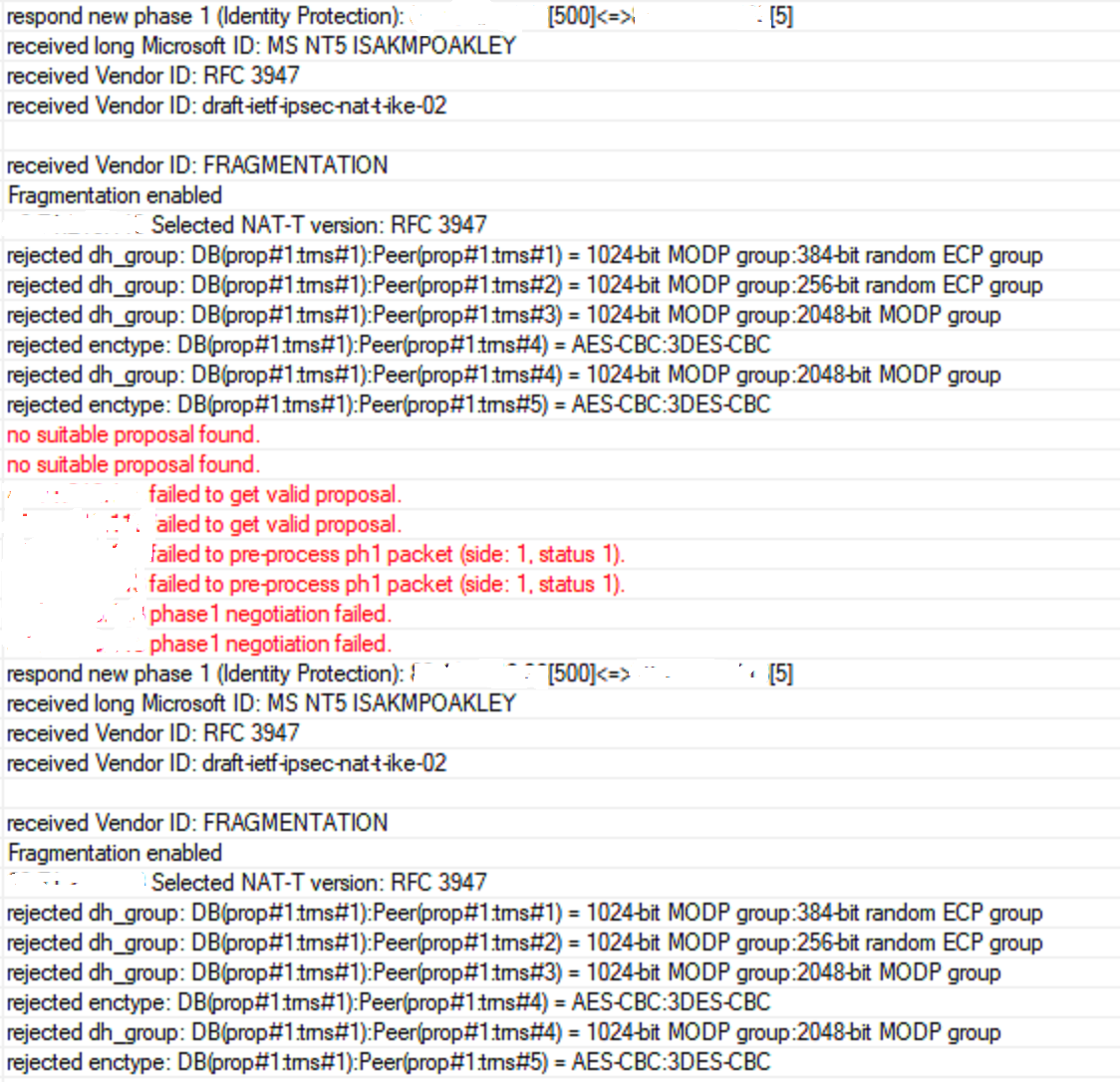
Then i try to connect im getting error no good proposal found phase1 failing.
I did debug see attached picture.
Can someone explain what is wrong by the debug log, as as much i have tried various settings on the peer and proposal all the time getting the same on debug log.
Use the “terminal” window of Winbox or WebFig, or a command line connection (ssh), and place the following command:
/log print where topics~“ipsec” file=some-file-name
Then download the file and use “find&replace” in text editor to systematically replace the public IP addresses by a distinctive pattern like my.public.ip.1
Also place here the output of /ip ipsec export hide-sensitive
/ip ipsec peer print
/interface l2tp-server export hide-sensitive
(hide-sensitive removes passwords from the output but you have to replace the IP addresses the same way like above, and you also have to remove manually the secret=xxxx from the output of the print command).
I’ve tested Win10 native L2TP/IPsec client a few weeks ago and it was fine, so there is likely some issue in the peer proposal.
Well, you haven’t pasted the log, but let’s try without if first.
The first issue is that you have two peers with (remote) address=0.0.0.0/0, the one for L2TP and another one for IKEv2. I’m not sure whether the fact that the L2TP one is declared first is sufficient to let incoming connections be matched to this peer. So as the first thing to try, disable the IKE2 one to be sure that it does not shadow the L2TP one. If it doesn’t, then the L2TP one shadows the IKE2 one. It’s simply not possible to have two IPsec peers open for 0.0.0.0/0 unless you bind them to different local addresses (which may not be possible if you only have a single public address) - the peer to use is only chosen up to the combination of local and remote address of the initial packet, not by any information carried inside the packet.
Next, you don’t use the automatically (dynamically) created IPsec peer for L2TP/IPsec; instead, you have created one manually. I can see that the peer (phase1) proposal only permits 3des encryption-algorithm; I’m not sure whether the Win10 client supports it too. So first try to permit all encryption-algorithms in the peer proposal; if that way the Phase 1 establishes, you can proceed by tuning the policy (Phase 2) proposal. Some more points are that
in the automatically generated peer, passive is set to yes, which is not the case on your manually created peer (this affects Phase 1)
proposal-check is set to strict while yours is obey (I’m not sure whether this affects Phase 1)
generate-policy is set to port-strict while yours is port-override
Ike2 was set up after L2TP didnt work just to experiment, even if im taking IKE2 away the same troubles with L2TP ill work on you second part of advise about phase 1 and phase 2
Disable the manually created one and set use-ipsec to yes or require and configure the ipsec-secret in the L2TP configuration. Bear in mind that the automatically created peer always uses the policy template group called “default” and the proposal of the policy template belonging to that group.
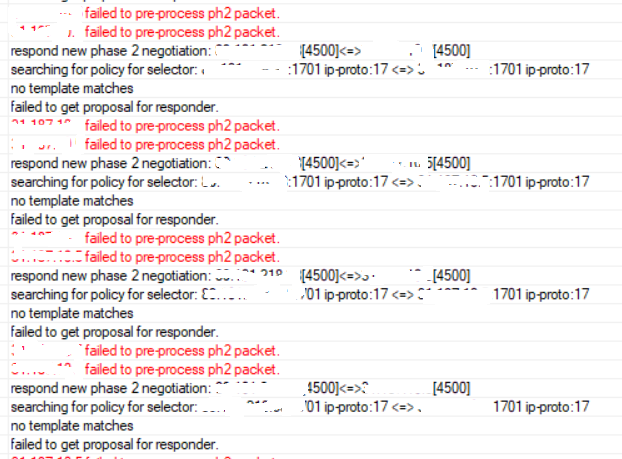
thanks for advise, have disabled manually created one, and modified LT2P server settings to get dynamically peer policy created, so seems to be i got passed phase 1 now stuck on phase 2.
/log print where topics~“ipsec” is much more useful than screenshots.
The log says
searching for policy for selector x.x.x.x:1701 ip proto:17 <=> y.y.y.y:1701 ip proto:17
no template matches
So it points back to what I’ve written before:
Your configuration export shows that you have disabled the default policy template:
/ip ipsec policy
set 0 disabled=yes
So you have to re-enable this default /ip ipsec policy template and make sure that its group property is set to default. Next, you can either let it this template point to the proposal named “default”, or you can create another proposal and let the default policy template point to it, e.g. /ip ipsec policy set 0 proposal=L2TPVPN
very strange as default proposal in not disabled its enabled next the command to change default proposal as default L2TPVPN didnt works , default is still default and i have full rights on mikrotik
ok my mistake didnt get you right have enabled default policy pointed to L2TPVPN proposal , ok now im not getting any errors but connection is not established, no errors on mikrotik but windows keeps connecting until fails.
Yes, there is a lot of “default” items and a complex structure of references/dependencies in the IPsec configuration. It needs some experience to realize all the relationships.
If the Mikrotik reports no error but the Windows client gives up, it suggests that IPsec is already fine and the issue is on l2tp layer. What does /ip firewall filter export show?
OK. Let’s ignore for a while that your firewall is not safe because there is no “drop the rest” rule in input chain (i.e. you let in anything except known threats which is not a good idea), but the firewall is not the reason why the L2TP does not come up.
By default, only events with severity info and above are logged. So do the following: /system logging add topics=l2tp
This will make the system log everything related to l2tp, including severity debug.
Then, start /log print follow-only file=l2tp-log where topics~“l2tp”
let it run, let the Windows client connection attempt to start and fail, and then stop the /log print by pressing Ctrl-C.
Then download the file, look what it says, and if it doesn’t clarify the issue, use find&replace to substitute real IP addresses with meaningful strings like mtik.public.ip, client’s.public.ip and post the result as text here.
The log shows that the Windows client doesn’t respond to some of our requests after the session got established; I’m not an L2TP specialist so I don’t know whether ignoring what you don’t understand is a legal behaviour or not.