Hi, So i’m a bit new to mikrotik.
I’m trying to setup an L2TP on my mikrotik in the office so that i can access it at home, i’ve set it up in the exact way that every forum and youtube clip states so.
Here is just 1 of the many sites I used - https://www.cloudbrigade.com/mikrotik-l2tp-vpn-setup/
I’ve done everything as it says, even given it access to the currently used dhcp pool too.
However, when i try to connect at home, I just get this
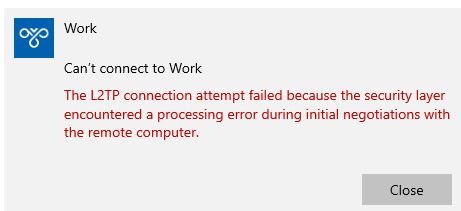
Is this something to do with my home router needing to give it access or is it something to do with the vpn setup in the office?
I’ve given the exact same pre shared key and the right password for the user that was setup.
The only other thing i’ve seen is to setup a bridge between the vpn and the lan to give it access?
I’ve even tried the issue that this site suggests https://appuals.com/how-to-fix-the-l2tp-connection-attempt-failed-because-the-security-layer-encountered-a-processing-error/ and enabled both chap and lcp