Good day,
the need to link 2x PC via WiFi with omnitik-5HnD. can be done ?
Yes.
Run it in Ap bridge mode and connect those pc as clients to it.
I wrote wrong
both the PC is connected mikrotik. I need to be linked as if by a local area network
pc 1 - mikrotik u-hnd 1
pc 2 - mikrotik u-hnd 2
nie si z ceska ?
Please explain it better or draw a picture.
Yes, I am. But please do not try to use other than English here…
simple picture
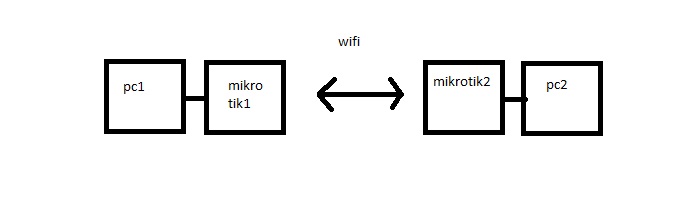
Set 1st Mikrotik to ap-bridge (or bridge if you don’t need more than one client connected) and set 2nd in station mode.
Please check wiki before asking in forums:
http://wiki.mikrotik.com/wiki/Wireless_Setups
http://wiki.mikrotik.com/wiki/Connect_to_an_Available_Wireless_Network
OK, I have this set, but I can not even ping
Check ip addreses on wireless interfaces add gateways
i have only
mikrotik1 10.129.10.251/23 bridge-local
mikrotik2 10.129.10.252/23 bridge-local
Are the mikrotiks connected? Do they ping each other? Are wlan and lan interfaces on in both devices coupled in the same bridges? Are the wlans on both devices in bridging modes?
yes, microtiks are connected
microtics pings each other, but regularly fall out packets
how to Find Out bridging modes ?
i post the picture of settings
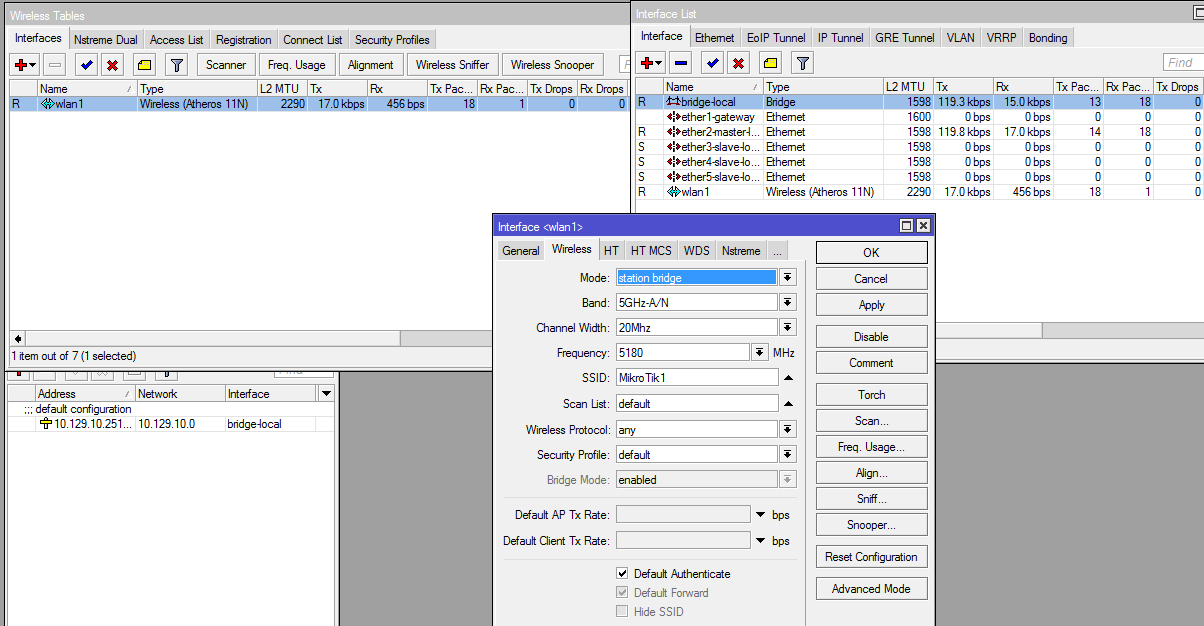
and ping
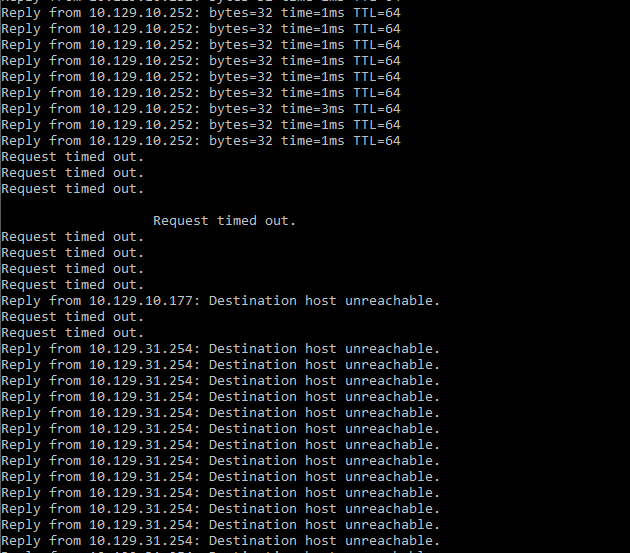
You have to make sure that both the WLAN interface and the interface the PC is connected to are in the same bridge.
Seen from your pictures the WLAN interface is not added to any bridge and ether3,4 and 5 are slaved to ether2
So create a bridge (if not already existing) and add ether2 and wlan interface to that bridge.