I’m relatively new to mobile routers, got an Ltap Lte6 running RouterOS 6.49.8 and was wondering what the best practices are in terms of logging and restarting.
The router is in a remote location and once in a while it either crashes or hangs or something similar and the SIM card (with a fixed IP address) disappears from the mobile network and I can’t even ping it. In these cases the only thing that helps is a local restart, meaning somebody has to actually go to the location and restart the router, which is obviously very inconvenient.
First, I’d like to figure out what happens to the router in these instances. I’ve read that the logs are kept in memory so when it is switched off and then back on, the logs disappear of course. So what is the standard way to keeping the logs and inspecting them after a crash? I’ve also read that one can store the logs on the local disk, but I’m afraid that would fill up quickly. So what are the best practices in terms of storing logs, rotating them, etc, so that the setup is stable and doesn’t fill up the local disk?
I’m a bit surprised that such crashes even happen with such an expensive equipment. It usually happens once a month. Isn’t that strange? How would I go about debugging this? Should I restart the router periodically via SMS? What are the best practices for keeping the Ltap Lte6 running long term (I mean months)?
From other equipment on site I’m certain there aren’t any power outages, this has been ruled out so far. But let’s say there is a power outage for a couple of minutes I’m assuming the router will come back online once the power is back, right?
No, the strange thing is that you haven’t considered some blocking by the ISP if your SIM is still active for too long from the same point…
It might simply be enough to restart the SIM instead of the entire device.
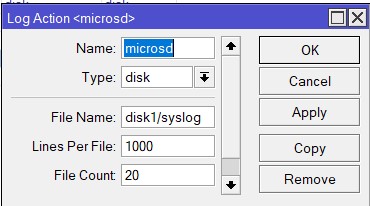
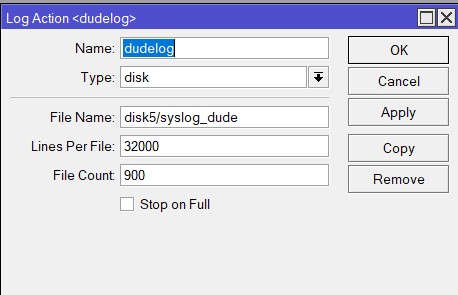
Thanks, this is very useful, so I’ll just set logging up with a fixed number of lines and fixed number (N) of files. I assume the N files are rotated as usual for log files.
Disabling LTE interface does not necessarily mean the LTE device will be powered down. So no SIM reset.
USB reset will effectively power down the device connected to the USB bus for the time specified.
And the block diagram of LTAP LE6 shows indeed that pci modem is connected to USB bus.
I’m too much of a n00b myself to help with most of the query, but I think that’s a reasonably old version? I’ve got an LHGG LTE6 Kit that was a bit unstable on RouterOS 6.x, but since upgrading to 7.11.2 I’ve not seen any unexpected failures.