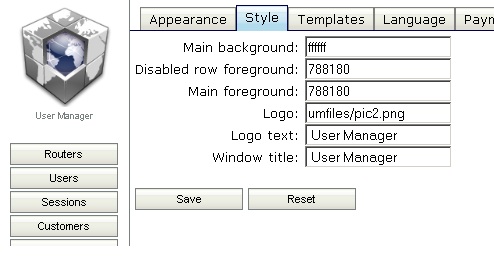
to use custom logos for User Manager web interface:
Log in the router, using FTP or SFTP - many FTP/SFTP client applications, including freeware, are available for download
edit: I´m using FileZilla
Create directory named umfiles on the router, if does not already exist. Note: directory name is case-sensitive!
Upload your logo file (for example, logo.jpg) to that directory.
In User Manager Customer web page go to Settings > Style. In “Logo” field specify link to your uploaded logo, using /umfiles/ as prefix, for example, /umfiles/logo.jpg
Hi!
Sorry for reactivation of the topic, but i have an question. And i hope you can help me.
So i tried to modify the userman that way and is was working.
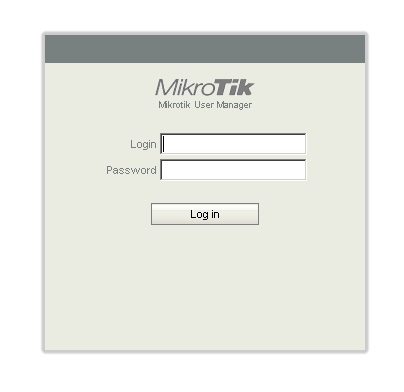
But the Login Page x.x.x.x/userman still shows the “mikrotik” logo.
if i am logged in, my logo is displayed.
Yes you are right … Mikrotik logo is still showing …
EDIT:
Hm … must login in userman and go to tab Settings - Style and change Logo path to /um/logo.gif
Then is working …
Hi! I tried several time:
um/logo.gif is the original file. And I am not able to see this directory with filezilla (ftp), if i create the directory and choose my logo as file it is not working.
If i choose another directory/file, it is working, but just internaly, on the logon page still the mikrotik logo (um/logo.gif) is shown.
So i organised now a other RB493 installed 5.19 on it, and it is working!
On own 493, i uninstalled the userman package, and installed it again, same behavior:
logo changes just when you logged on, the "userman portal"logo stays the same
how to repair? i can not change this hardware that fast.