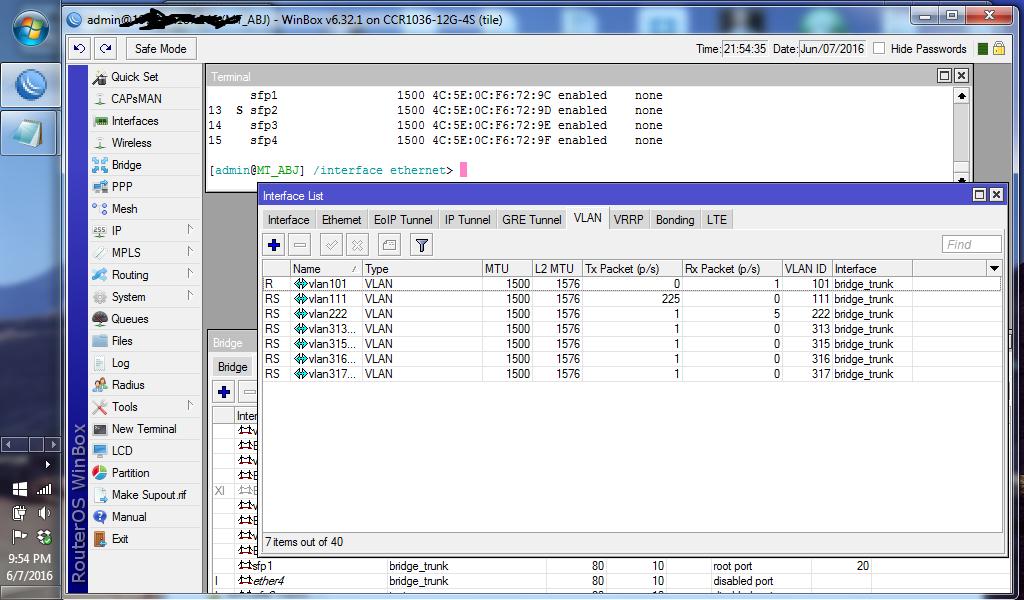
Can anyone explain why I get this log “bridge port received packet with own address as source address, probably loop”. I trunk a few VLANs between two CCR. See image:
The SFP1 interface of one CCR router is connected to the SFP1 interface of the second CCR router over about 2km fiber link.
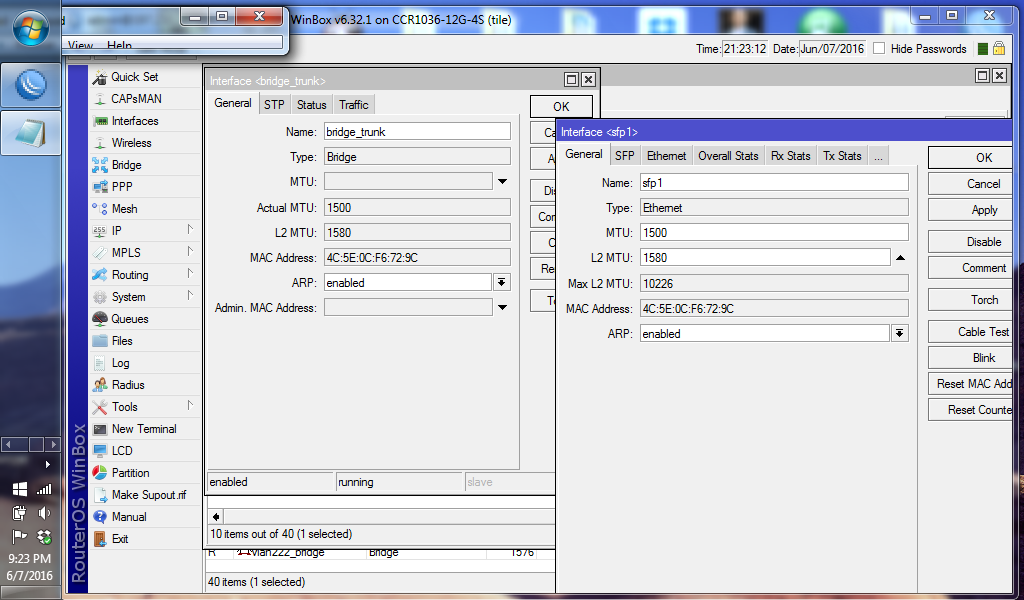
I noticed from the bridge interface and the SFP1 interface that the MAC address of both interfaces were the same. See image:
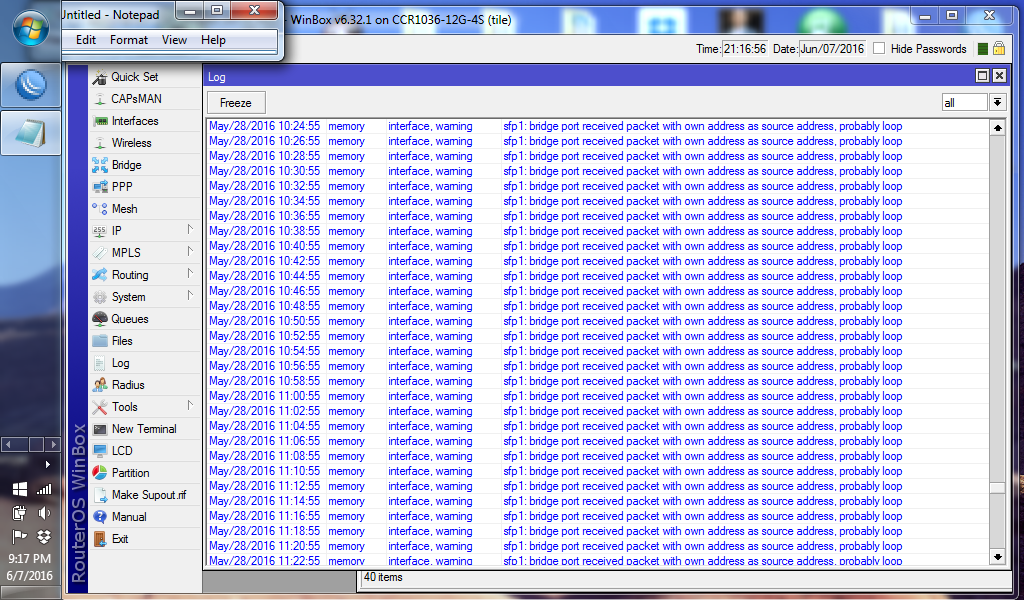
Then I see the following log every 2 minutes.
However, when I changed the MAC address of the bridge interface using admin MAC feature, the log stopped:
Any ideas?
However, when I changed the MAC address of the bridge interface using admin MAC feature, the log stopped:
Any ideas?
You already solved it wth changing the MAC address.
I guess you did a backup on router 1 and installed this on router 2.
backup files contain MAC addresses, this can totlly screw up everything.
Use the /export command to transfer configs.
I’d advise to reset all MAC addresses on the target device.
Cheers
-Chris
EDIT: Just noticed you were talking about sfp1 and the bridge on the same router.
This is normal - the bridge takes over its MAC address from the first port which is being assigned to.it.
I was under the impression both routers have the same MAC addresses.
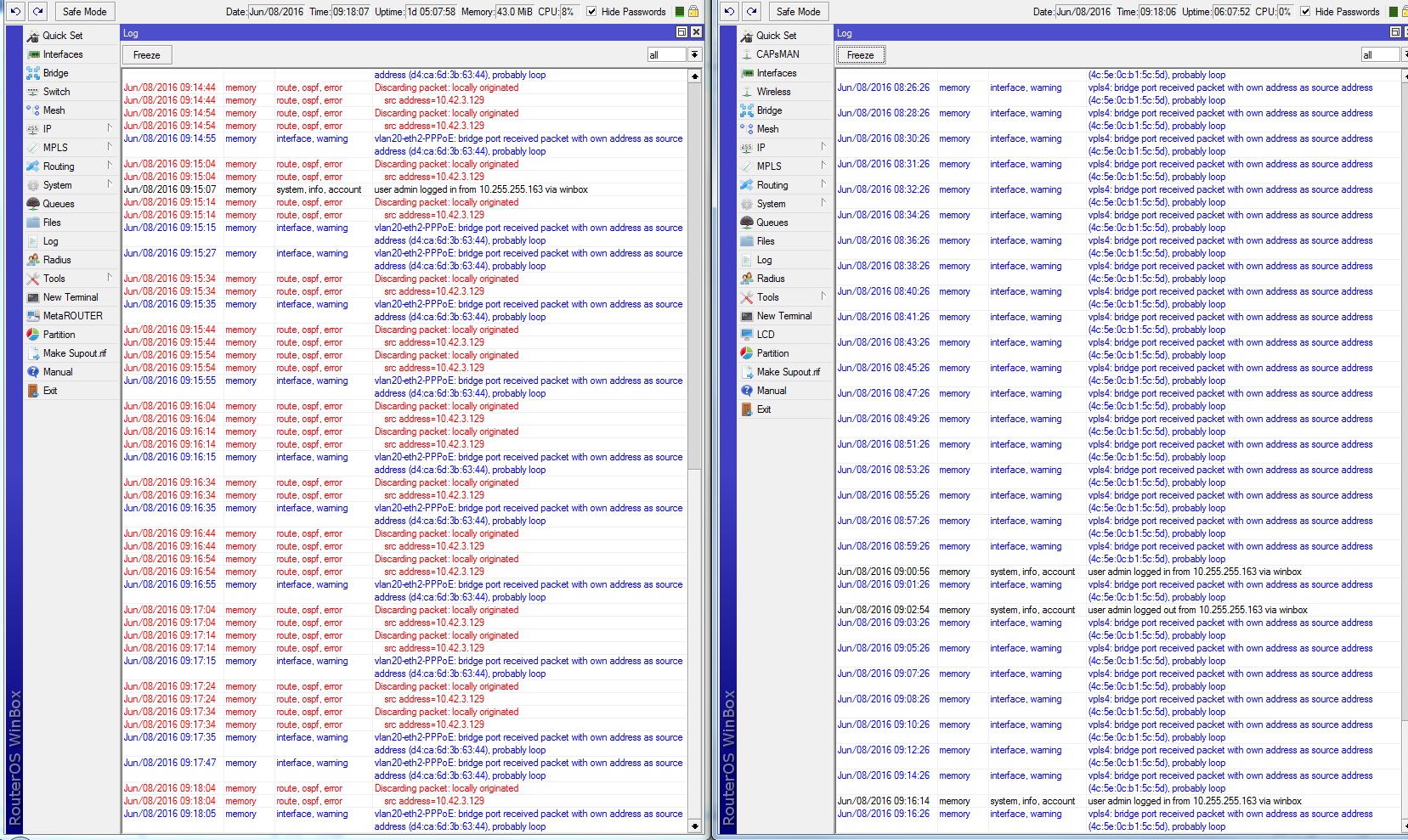
We see same Issue between one CCR and a 2011 Board. Both have 6.35.2 Firmware. The CCR is the Bridge between AC and the 2011 is for the wireless costumers and makes the tunnel to the CCR.
The Problem is since 2 or 3 days before we had no problems…
We changed from Arp to Proxy Arp on the 2011 PPPoE Bridge. No Change. How can we use Admin Mac Feature to get the Problem solved???
Thanks Chris. Yes, this should be normal, but I should assume that the router should be able to handle it without reporting an alarm log every 2 minutes. Meanwhile, I checked the remote router and I observed that the MAC of the bridge on that end is the same as MAC of SFP4 port. But the near router is connected to remote router on SFP1. Could that be the reason I dont get that log on the remote router? I still need to understand the reason for the alarm logs and why changing MAC seems to resolve it.
I am not sure how this works in a PPPoE, but for every bridge interface, there is a provision for you to add admin MAC to the interface which will become the active MAC address for the interface. You can open the interface and see if there is such option.
I think we have allready found a solution for this. it wasn´t a doubled mac address or something. it was a faulty router, since it is disconnected, no log entries anymore.