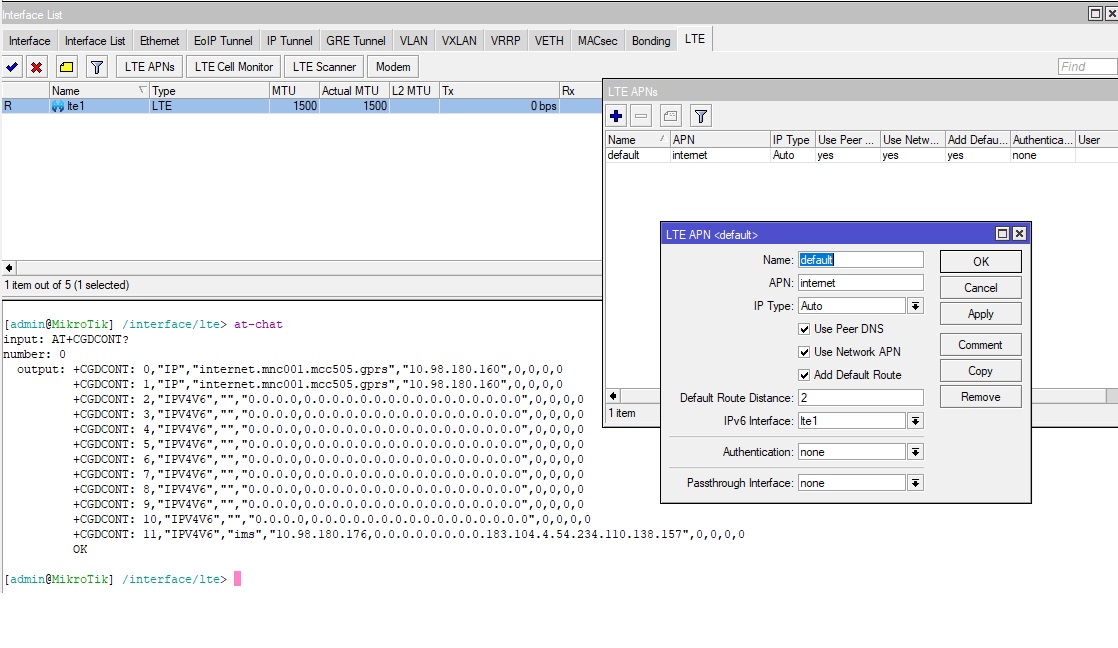
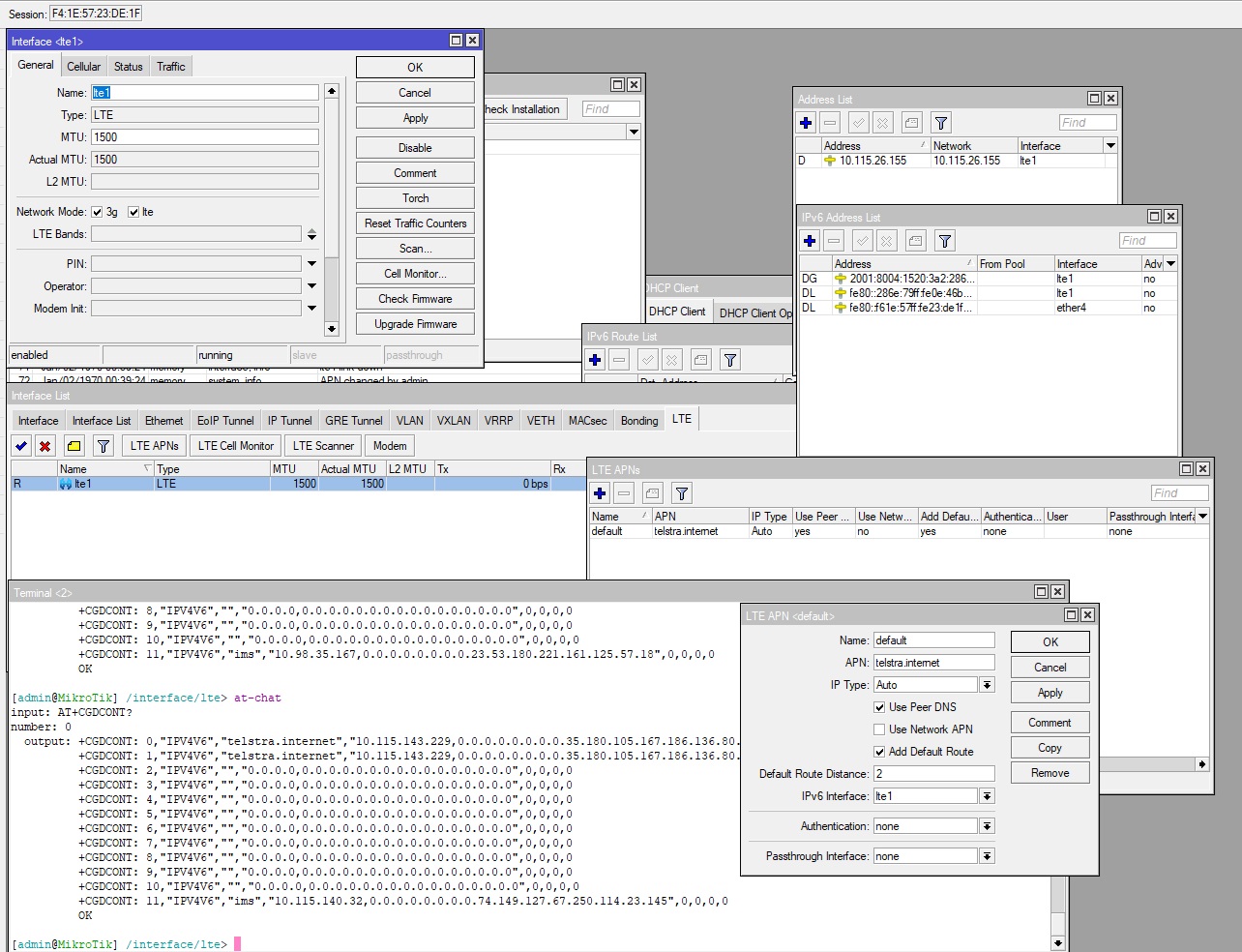
Hi, I have been playing around with my hAP ax lite LTE6(arm) unit.
It has v7.17.1 running on it.
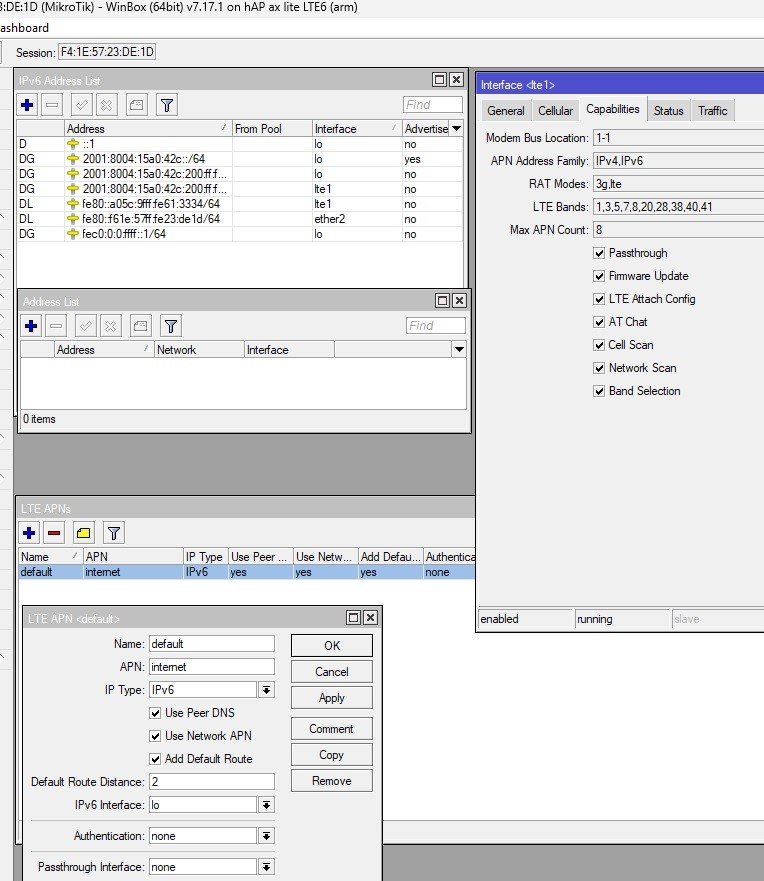
I am trying to understand why I cannot get both ipv4 & ipv6 running simultaneously on my LTE using INTERFACE->LTE->LTE APN’s(default)-> IP TYPE set to :AUTO, if I force v6 on the APN it works(gives my just a ipv6 address), if I force ipv4 it works(gives a IPv4 address ), but when I use trhe default AUTO, it just gives an Ipv4, and doesn’t seem to try and get the ipv6 address. and YES the service TELSTRA Australia does support both 4+6, I have even used their apn specific but makes no difference.
Is it just me or something else.
Attached is screen shots with the various IP TYPE set AUTO/IPv6/IPv4

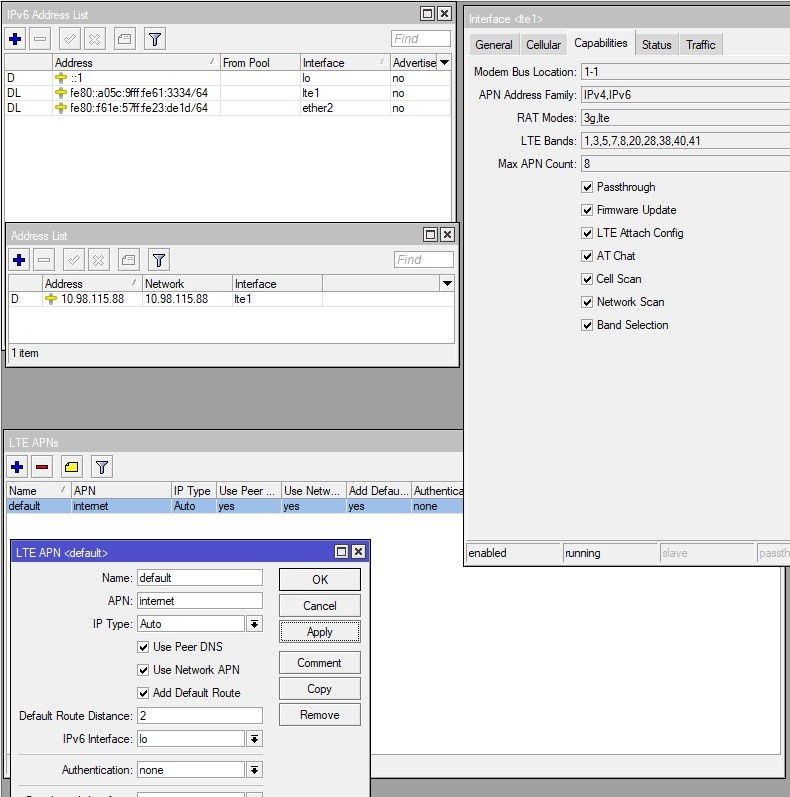
Looks like there is an issue more specifically with the FG621-EA and how RouterOS sets the card info with its operational modes,
specifically IP TYPE : AUTO should set something like -> AT+CGDCONT=1,"IPV4V6","internet" on the card, but is not doing that. and is only setting it to "IP" mode under AUTO.
The work around looks like you should DISABLE "USE NETWORK APN", and add in your carriers APN, then it looks like AUTO will push the mode to "IPV4V6" mode to the card.
Overall this is a specific bug to most likely FG621 and RouterOS, as it does not show up in say a usb holstered ep06-e in lte mode.
Thanks a lot!
I had the same issue and to deactivate Use Network APN works for me immediately after down and up the lte-interface.