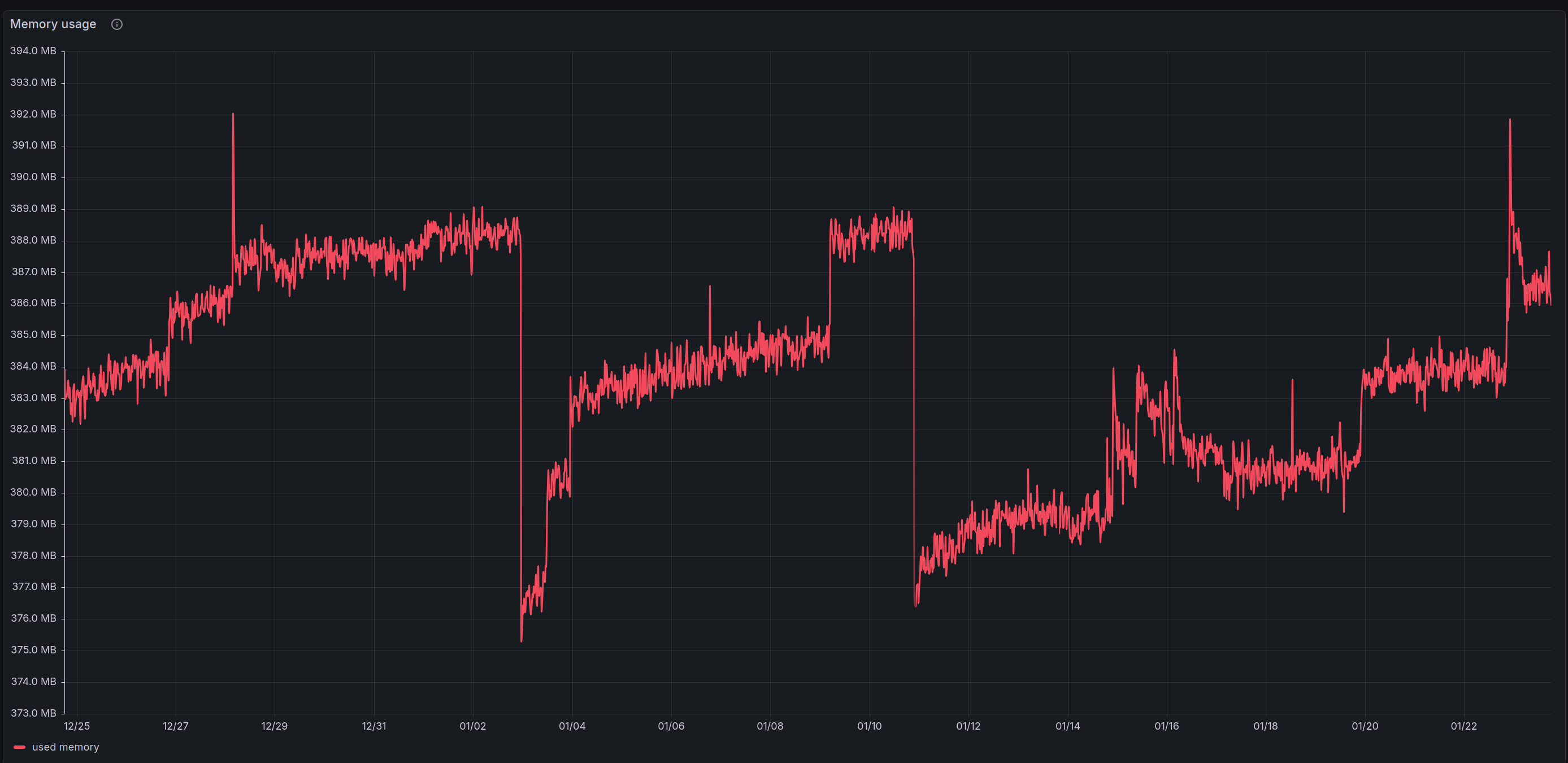
Hello, I notice that the memory use of my hAP ax³ increases slowly but constantly. Do you folks also notice that ? I presume that there must be a malfunction in the memory management.
So I am setting up a periodic reboot (every night) through the schedule. Since I also turn off wifi at night, I would like to know if the router wakes in the same state as it is turned off (i.e. with wifi off in my case) or in the “standard” state, that would be with wifi on. Any clue about that ?
No, we have few dozens of hAPax3 specifically in service, never noticed any issue related to memory leaks.
We use The Dude to monitor, so there is certainly variability in memory. But I think there is a various logic that checks if there is available memory, use some cache, if memory is low toss from cache.
If you're already shutdown Wi-Fi, and if not disruptive to use case... it's can't hurt. It's true you never know when some memory leak might creep in some release. But they are rare. Typically some Wi-Fi compatibility issue gets in release way more often.
There is also the built-in watchdog. So if RouterOS does hang, it will reboot. If this is not enable in /system/watchdog, I'd make sure to enable that. If the memory leak is bad, it might not last the day (does not seem to be the current case, but highlight so you can cover all bases).
Similar with /tool/netwatch, if you worried about memory leaks. I'd worry some WAN issue might need a reboot. So often a rule in netwatch can ping some DNS server and have script to reboot. You can adjust netwatch failure criteria to control how long before you reboot if ping fails.
Anyway, myopically looking at memory... might miss more common things that might need a reboot.