OK, I'm seeing a ton of people throwing up vibe-coded tools, and each of them has some cool stuff, but most appear to be primarily for home/office use. As a service provider, I need a quick way to get to my routers and switches (CCR/CRS) and see at a glance how things are doing. I love the power/flexibility of RouterOS, but the GUIs have left a little to be desired.
So I'm throwing my hat in the ring testing the waters by sharing what I've been using for the last couple of days on my own routers. I started in Claude Design, then moved to Code for the nitty gritty work. Most of the work has been on the faceplate/LED alignment, so the other segments haven't gotten a ton of attention--yet.
It's TypeScript, runs in a browser, meaning the small server portion can be run as an npm package locally or bundled in a desktop-style app, or even containerized (eventually). (Nothing's being published yet.. gauging interest first.)
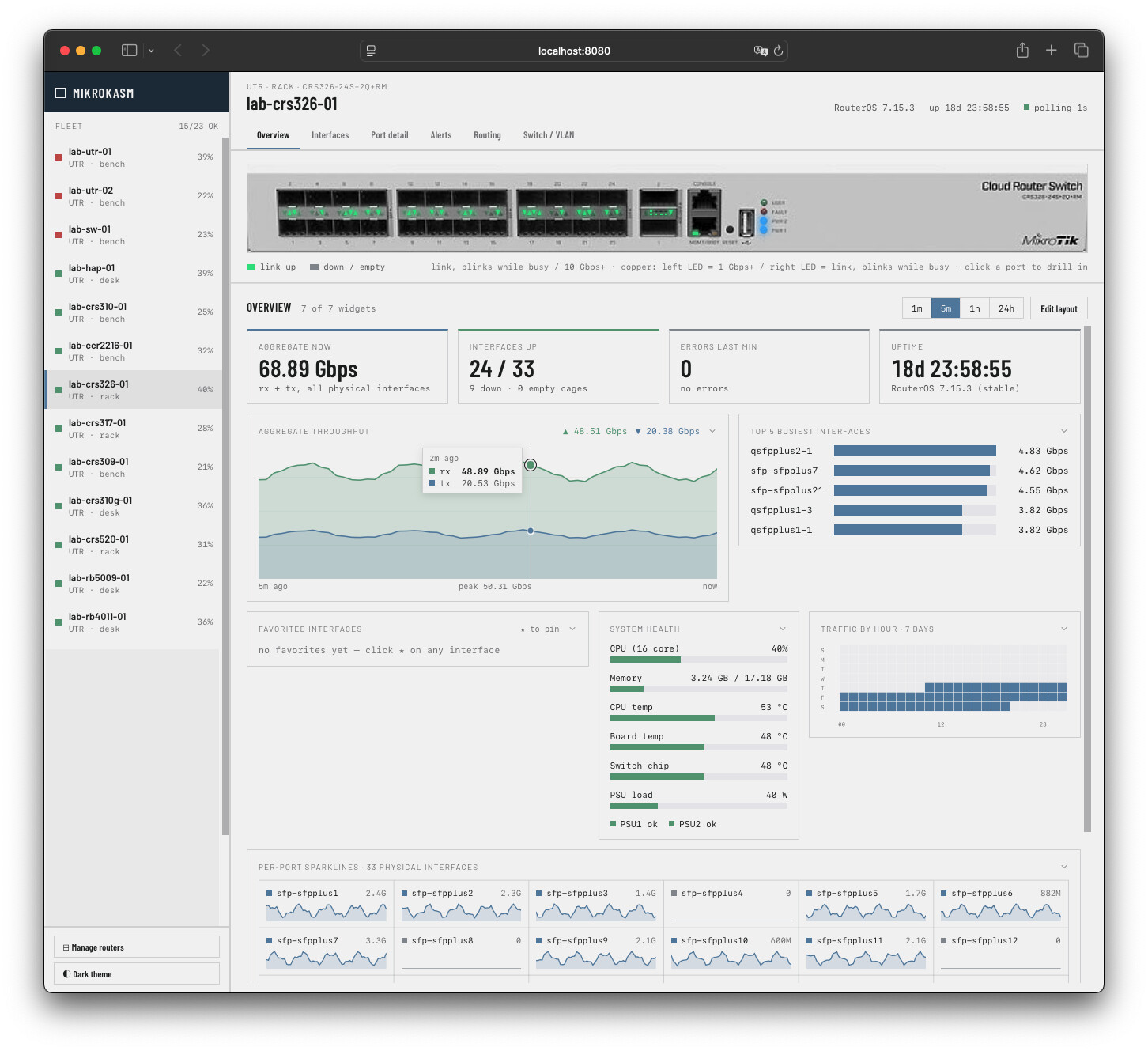
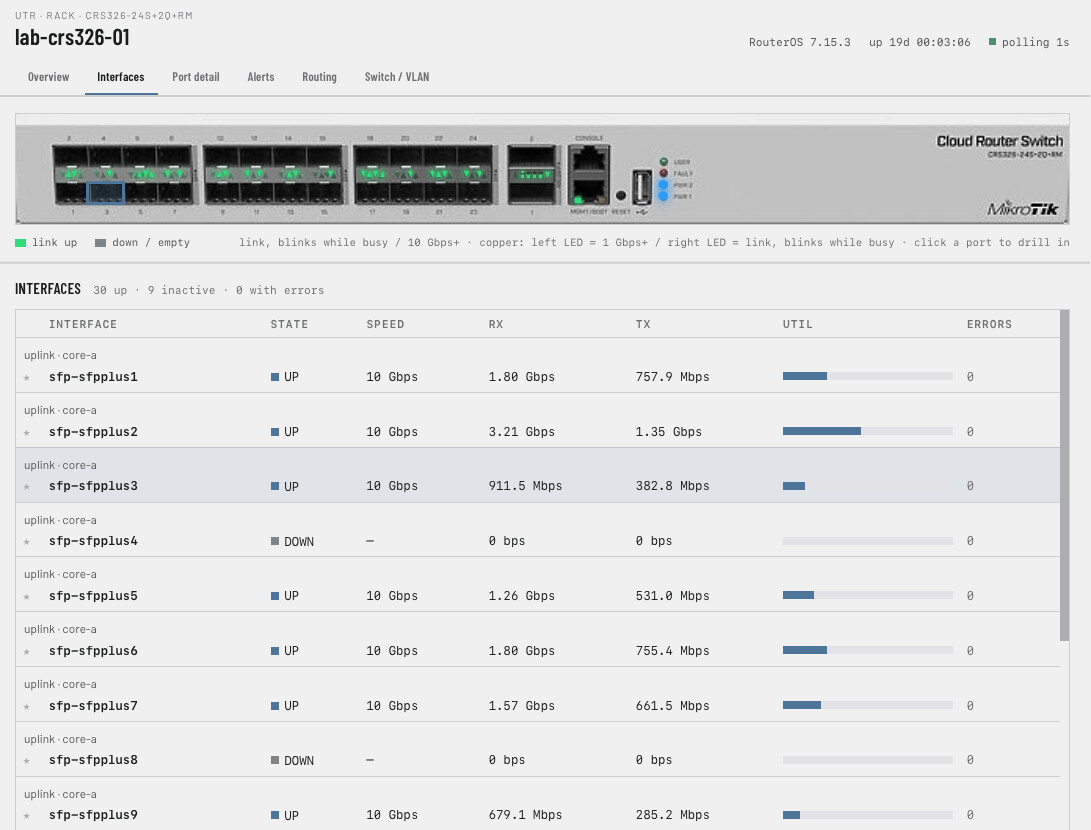
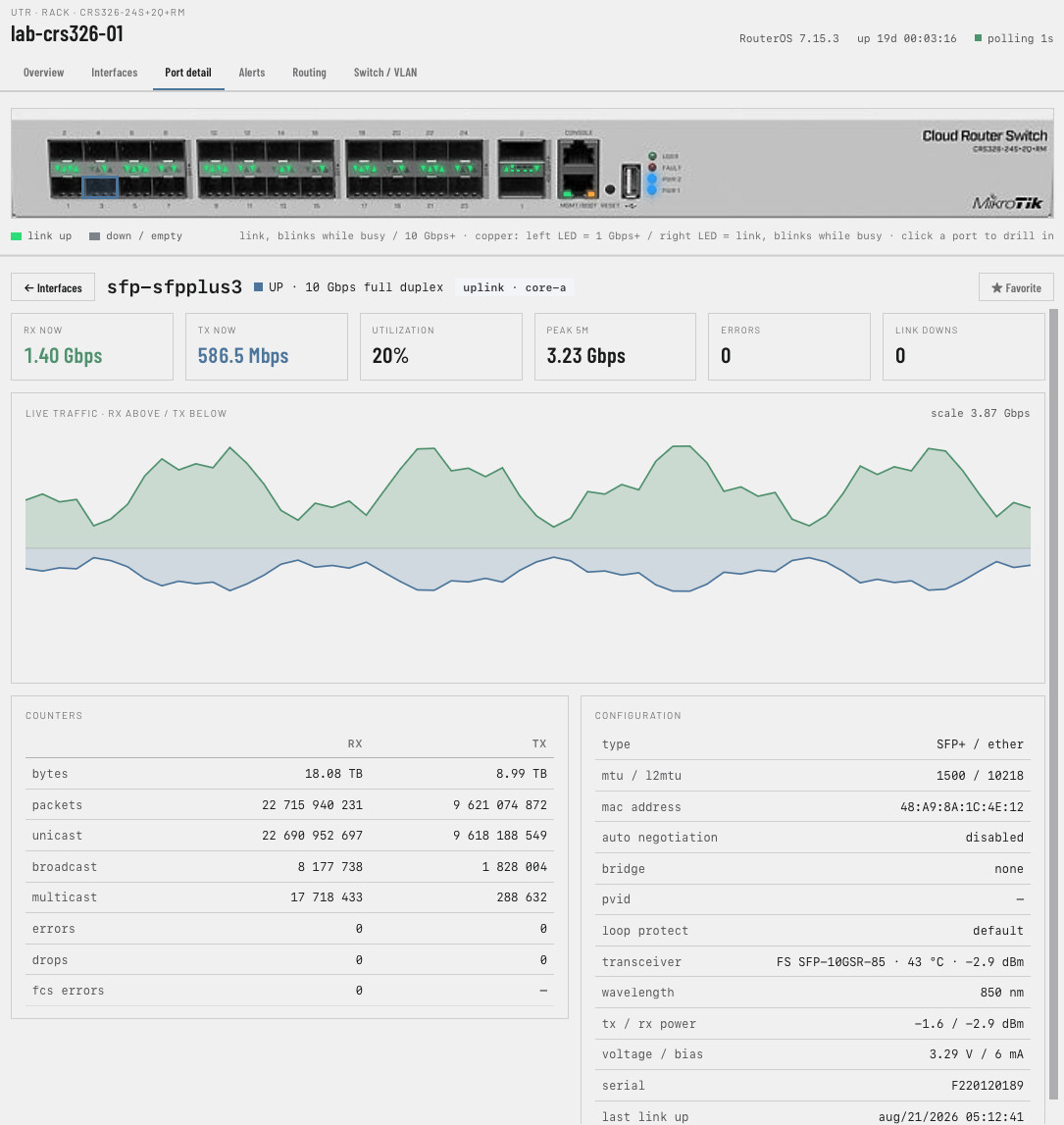
First off, it shows an image or diagram of the router, its ports, and LEDs (flashing!) to match. It has an aggregate graph, top 5 busiest ports, favorite ports, CPU stats, traffic heatmap, and spark lines for each port. The LED's should match what a tech sees on site.
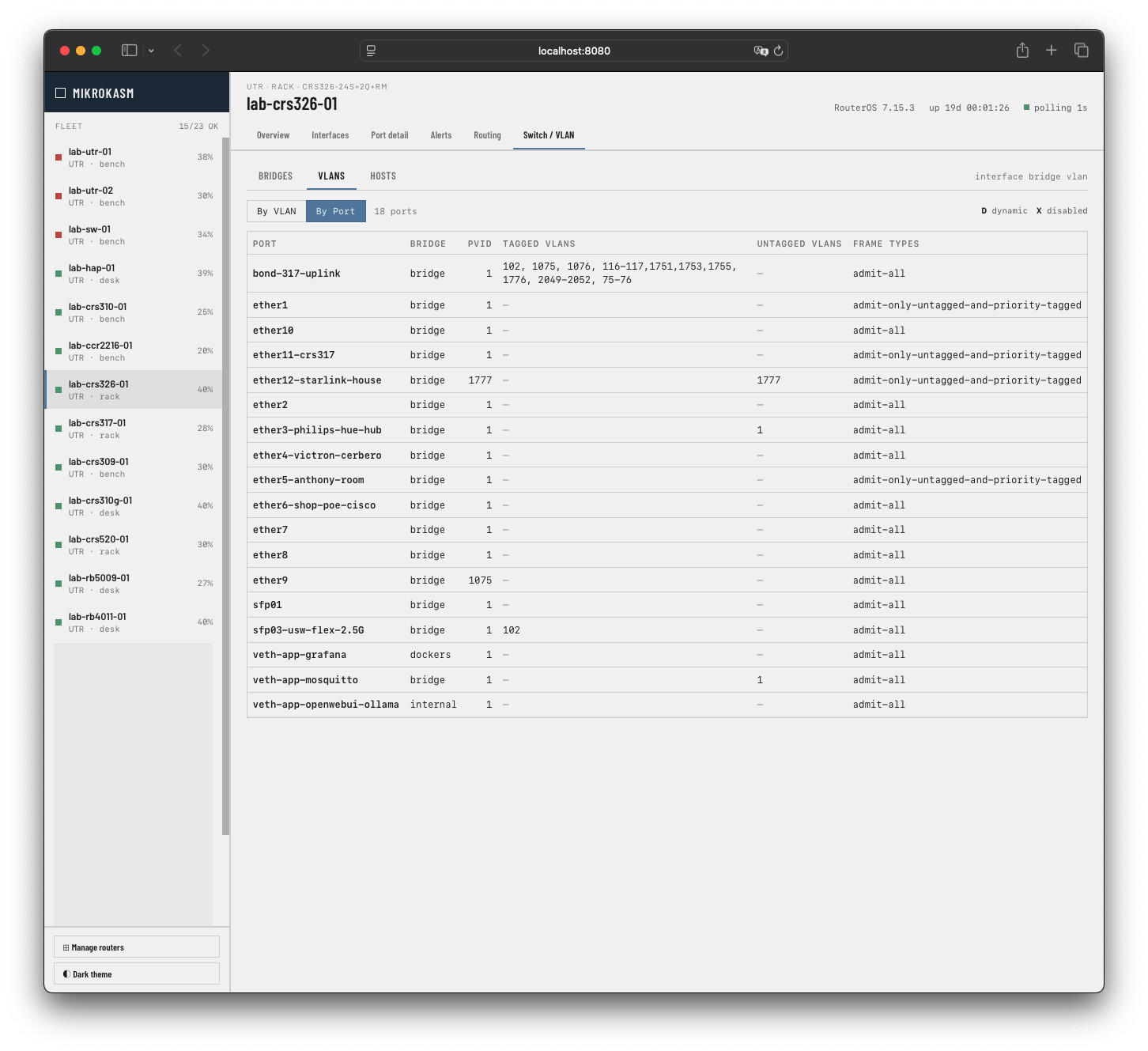
Its really hard to know if a particular port carries all the VLANs that it should, so I told the app to make a "By Port" and a "By VLAN" toggle, so you can make sure all the VLANs are configured on that trunk port.
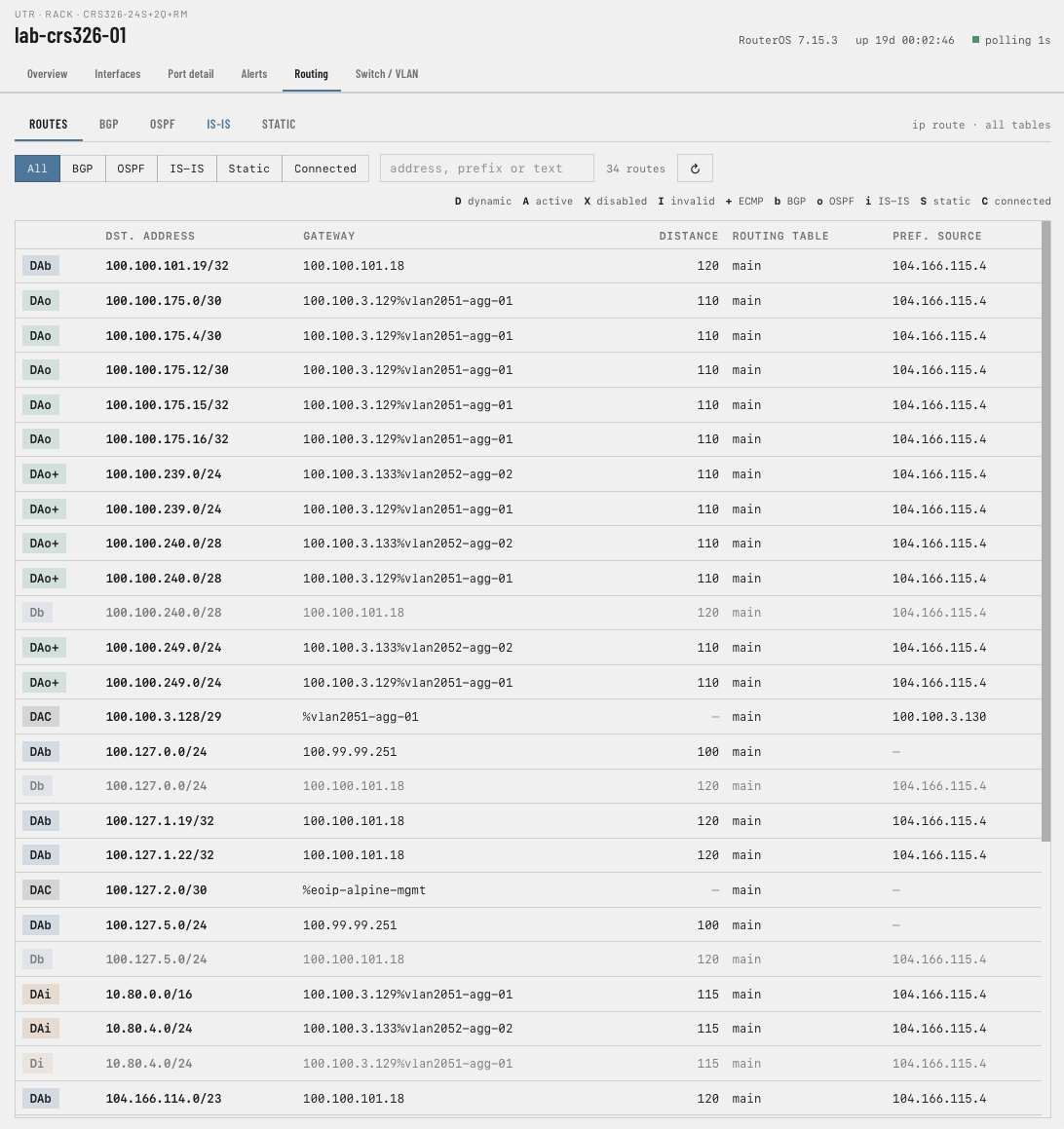
I don't think everything needs to be 100% redone, but sometimes placement of certain items in more visible places (tabs vs. drop-down menus), more (appropriate) visual cues to differentiate things (i.e. greyed out routes makes more sense than blued-out) all help with finding things and general aesthetics.
Also, the "server" portion queries the router for only a couple thousand routes at a time, meaning you can actually pull up the routing table on a router that has 1M-3M routes loaded and not crash your web session! And you can pattern match for routes, which is handy.
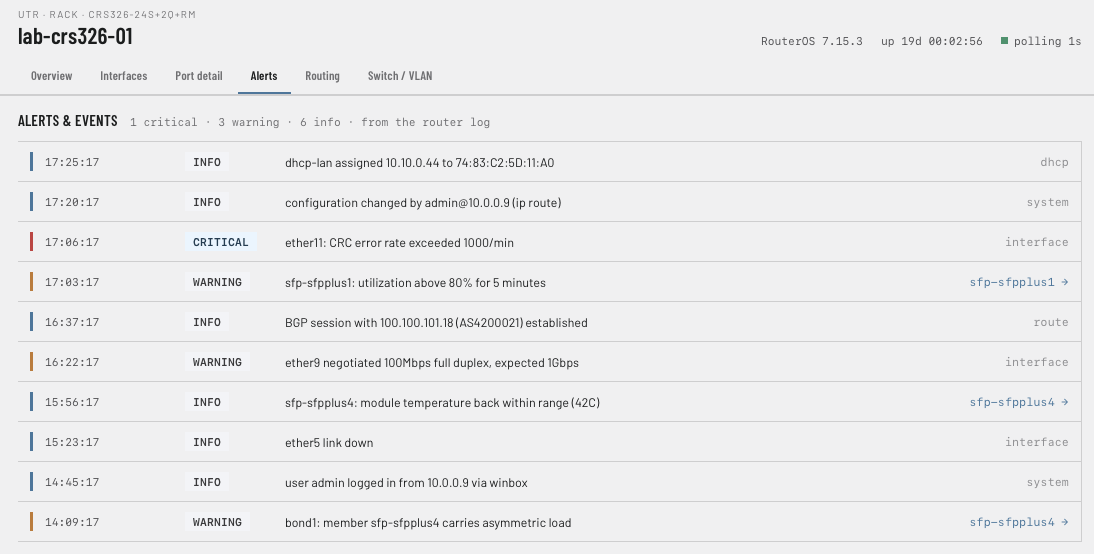
Logs and alerts, with color/highlighting and white space to help things stand out.
Interface list with a utilization indicator.
Drill down to specific interface to show graphs, stats, specs/details/errors.
As far as configuration goes, you can add static routes. That's about it, because I've been doing faceplates. It has faceplates for about a dozen routers or switches so far, including CCR2116, RB5009, CRS309, 310, 317, 326 (24S+), 520, and a couple more.
Let me know your thoughts. 