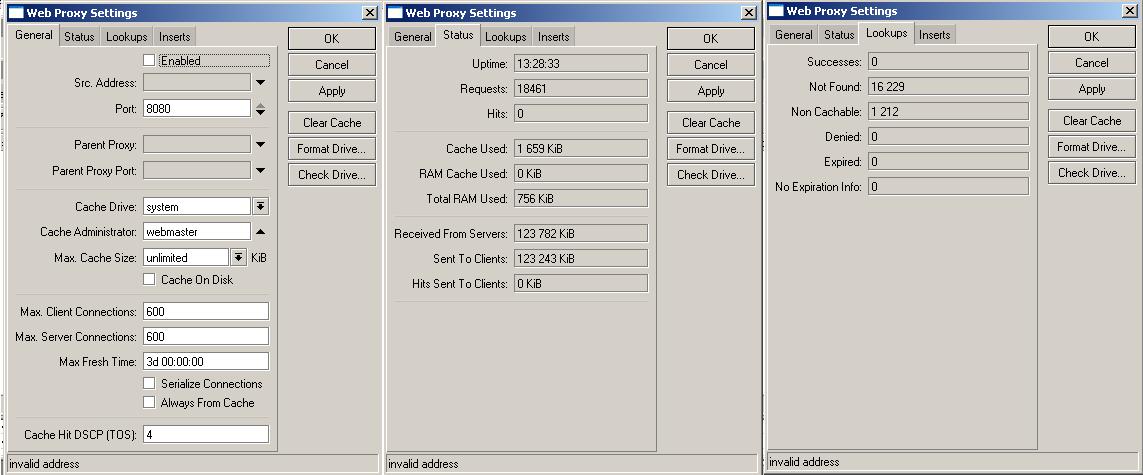
I’m facing a critical problem with RB450 using Hotspot.
I’ve already tried V3.6, v3.16, v3.19
We upgraded one of our RB450 systems to V3.20 mikrotik, but still have problems with hotspot.
Our system handles about 50 to 90 users.
The problem is that once or twice a day the Hotspot page stop appearing, seems like the web proxy died.
We also tried to change that current RB450 to another boards, no success. I’ve already tried MK support, but got no answer.
As we are facing critical no-access situation, our workaround was to create a huge ip-binding list on entire dhcp scope, so every person is getting anoying free access… It’s becoming a nightmare. We have just started to revert back the RB+MK routers to our last PC+NOCAT solution.
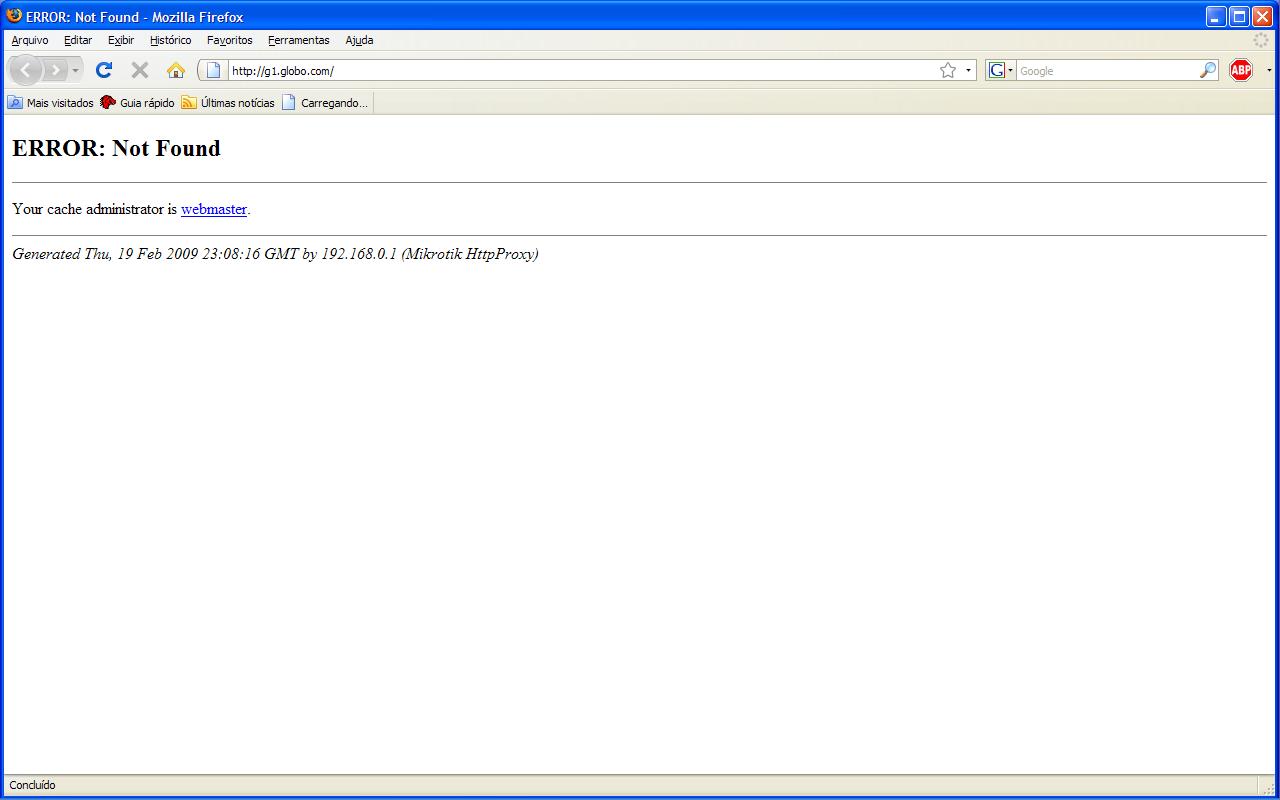
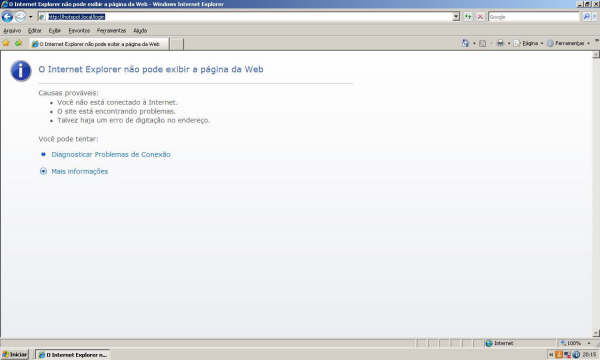
Im attaching two print screens, one with the web browsers showing when Mikrotik web proxy declined to serve hotspot page, and another when the web proxy was almost dead. In both situations, the ips on binding list were surfing normally.
If you’ve upgraded the firmware, but it’s made no difference that suggests to me that the most likely candidate is a configuration error. Therefore would need a lot more info than the fact that the hotspot no longer serves web pages.
What else stops? Can the client still ping the IP of the MK Hotspot? Is the client able to resolve any DNS names? What do the logs suggest is going on? If not much, add debug logging and look again at the logs when it stops. What happens if you add a test site into the walled garden? Does that work, but nothing else? Has the firewall been altered or is it still the same default from Mikrotik when you created the Hotspot? Is the Hotspot DNS name in the DNS server as a static entry? Look in the DNS Cache to see if the DNS forwarding for other websites are resolving correctly. Check your primary and secondary external DNS servers. Are they correct / working?
I’ve been dealing with the hotspot since 2.9.40 and have been able to fix most of the problems I’ve encountered, theres a couple of things you need to check and we can go from there.
If your hotspot uses a dns name, when you go to ip → dns, does it show up under the static list?
2.a) If you’re using a https certificate head to certificates in winbox and confirm the cert shows ‘KR’ to the left of the listing.
b) Open your hotspot server profile and confirm that the certficate selected there matches the name of the certificate in the previous window
c) Go to the Hotspot server tab and confirm the hotspot server has an ‘S’ next to it (indicating httpS is enabled)
Check under ip → web-proxy → connections to see if there is a number of connection with no dst address (0.0.0.0) and very small download amounts (10-1000bytes) as this is normally an indication of the http/proxy service crashing.
You can then try the following:
For 1. disable and re-enable the hotspot without a dns listing (it should recreate it)
For 2. re-add and decrypt the hotspot cert then attach it to the hotspot-server-profile (may need to disable and re-enable the hotspot server)
For 3. ensure that in the web-proxy settings max-cache-size = none
Let me know how you go with this.
In extreme cases (around v3.10 we had this problem) the service would appear to crash and not start working again until we either upgraded or downgraded the device (essentially replacing the affected package)
Your attention is VERY apreciated.
I’ll try to answer the questions in-line..
If your hotspot uses a dns name, when you go to ip → dns, does it show up under the static list?
I used to have a name hotspot.local, but it wasn’t at my ip->dns entry, so we removed the hotspot name and left the hotspot being called only by the IP (192.168.0.1). Now the login page is fast and reliable.
2.a) If you’re using a https certificate head to certificates in winbox and confirm the cert shows ‘KR’ to the left of the listing. b) Open your hotspot server profile and confirm that the certficate selected there matches the name of the certificate in the previous window
We don’t use SSL certificate, the auth is done over HTTP.
c) Go to the Hotspot server tab and confirm the hotspot server has an ‘S’ next to it (indicating httpS is enabled)
Check under ip → web-proxy → connections to see if there is a number of connection with no dst address (0.0.0.0) and very small download amounts (10-1000bytes) as this is normally an indication of the http/proxy service crashing.
The box “Enabled” at Web proxy settings is unchecked, i think it’s because we don’t use web proxy itself, it is only used by the MK to serve the hotspot login and status pages.
You can then try the following:
For 1. disable and re-enable the hotspot without a dns listing (it should recreate it) DONE
For 2. re-add and decrypt the hotspot cert then attach it to the hotspot-server-profile (may need to disable and re-enable the hotspot server) - Don’t use SSL
For 3. ensure that in the web-proxy settings max-cache-size = none
Yes it Is!
The hotspot is working fine, but when when i got this kind of error, the Login page stops being served. Customers can still communicate with hotspot, but only get error page. Everybody who is in binding list still surfing normally.
I’ve added a DEBUG with remote logging, so i will check what DEBUG says when it happens.
I also added a website to walled garden, and will test if it can be acessed when proxy crashes.
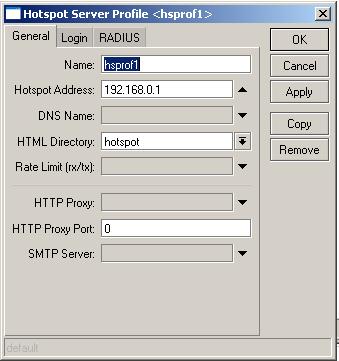
My hotspot is being called only by the IP address. (192.168.0.1)
DNS forwarding is resolving ok, the primary and secondary too.
Start by setting the max-cache size to none and do a reboot as well if you can. The web-proxy is a part of the hotspot in that it is part of how users get redirected to the login page (I think, I’m going mainly on tests i’ve done and some info that mikrotik have replied with when I’ve had problems with earlier versions).
also, something else I remembered.. check the user-profile and ensure that the “transparent proxy” option (on the general tab of the user profile) also is NOT ticked, I would then recommend a restart if you’re able to do so without causing many problems. Let me know how this goes for you.
I face the same problem and it occurs almost 5 times in a 12 hour period. Its definately a problem with the web proxy. I have noticed that if there is 0.0.0.0 in the ip> dns , then people see the “web administrator is webmaster” error. As earlier said, clients on bypass are able to browse and they can get to wall garden sites.
TEMPORARY SOLUTIONS WE HAVE IN PLACE
1: Disable and Enable the HOTSPOT SERVER
When this issue happens, disable and then reenable the hotspot server. If the IP OF DNS NAME shows 0.0.0.0 .By disabing and then immediately reenabling, the ip address will be set to the ip address of the hotspot server and clients can browse.
If this is not the issue
2: CLEAR HOTSPOT COOKIES AND FLUSH CACHE
If the IP OF DNS is normal, i immediately clear all client cookies and then flush cache ip>dns>flush cache. Usually this solves the issue because in there you will probably see some sites tagged with 0.0.0.0 as their ip address.
If this doesnt solve the issue
3: DO A HARD REBOOT
Not just a shut down and restart now. That doesnt solve the problem. You have to reboot, wait for 10 secs or about and then restart. This allows the data to be dumped off memory. THIS ALWAYS WORKS…
However, im still not satisfied. How do we absolutely stop this from happening. Its actually extremely annoying and frustrating. but these are what we do when it happens in our environment.
Looks like the MK webproxy crashes in case of any unhandled received requests. I’m wondering it’s caused by any misconfiguration (eg DNS, Hotspot).
Specially in your case, i’ve read that DNS problems cause that kind of issue.
Check Omega’s and Nest’s post and come to fight this issue until the end.
Its interesting thou, I have a couple of machines running 3.13 that had no end of problems with the ‘transparent proxy’ option being ticked by default (was a mikrotik change) and since turning it off the machines had other problems for a week or so then settled down, have had 3 high use boxes running for over 130 days without issue then randomly one of them starts acting up again :-/
so I don’t know, for routing etc I have no problem with mikrotik devices and bugs that are reported are normally fixed next release, but as for high user hotspots I’m still not convinced that the system is stable.
I don’t see these issues at all on small sites with 1-10 users, only on ones where I have 100-500 users online.
The truth is that most of omega’s recommendations have been applied on the router with no improvements. We are thinking of creating an external cache server maybe on a CF card see if this solves the problem… a this point we have nothing to loose.
An idea i have is to write a script that auto detects when the data entry in the dns is 0.0.0.0 and then either delete those entries or flush the entire cache.
In my case, we have stopped usage of web proxies, as it wasn’t a good cost x benefit. This decision is old, because when we used to have
Linux boxes with squid and the cache-hit never got over 5%, but the cache related problems appear at least
once a month, obligating us to flush the cache, etc..
On our MK systems, we don’t use web proxy. Omega is completely right, the MK devices work 100% for routing-only/shaping purposes, but we are hard trying to make it stable for HOTSPOT systems with 40-100 users.
Hey etnconnect, if your problem is the 0.0.0.0 entries, why not try telling your DHCP to inform external DNS servers, so your MK DNS will be idle?
We still testing the results after disabling the “transparent proxy” default option in user profiles… HOPE it WORKS, and stop this nightmare.
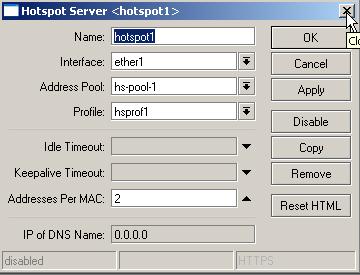
The web proxy that you can see and configure via Winbox or command console is not the same proxy that is used by the internal hotspot. In fact, in the Winbox screenshots in hrodriguesvt’s post it is clearly showing that the proxy is not enabled, yet there clearly IS a proxy enabled, otherwise the hotspot would not work at all. As said, this is because the screenshots are not of the internal proxy used by the hotspot.
I have found that you should always use a DNS name for the hotspot. Make it an internal fake one, such as ‘hotspot.local’ or something. The hotspot setup wizard will then add a static entry in the DNS server to point that DNS name to the IP of the hotspot interface. Then the ‘IP of DNS Name’ field will no longer show 0.0.0.0 but the true IP of the hotspot interface.
problem with using the dns name is that a) when you disable and enable a bunch of hotspot servers, not all the dns names are always recrated (same when the system restarts)
that and I’ve also seen it a couple of times on v3.20 where the dns server doesn’t respond to the static names its got, I’m currently trying to get a packet cap of this to send back to mikrotik.