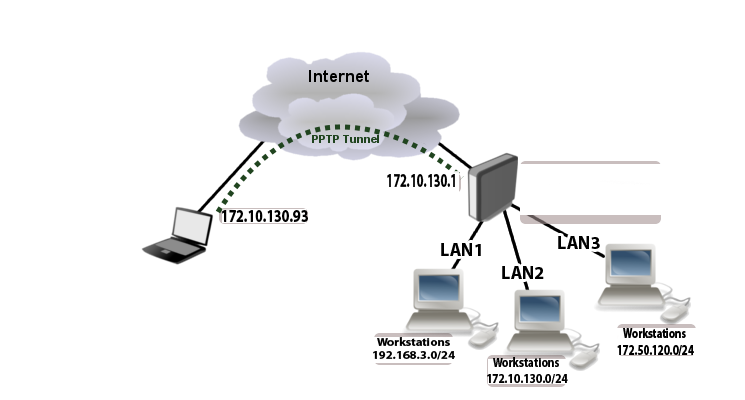
Where LAN2 is local lan where pptp client is connected.
Is it possible to access other lan networks through pptp tunel?
P.S. Lans are already routed. I can ping other lan’s when “Use default gateway on remote network” is checked on client but I don’t want to do that for obvious reasons. I am connecting from home laptop.
RouterOS 4.6
Hi,
It may depends on your routes or firewall rules. did you try traceroute?
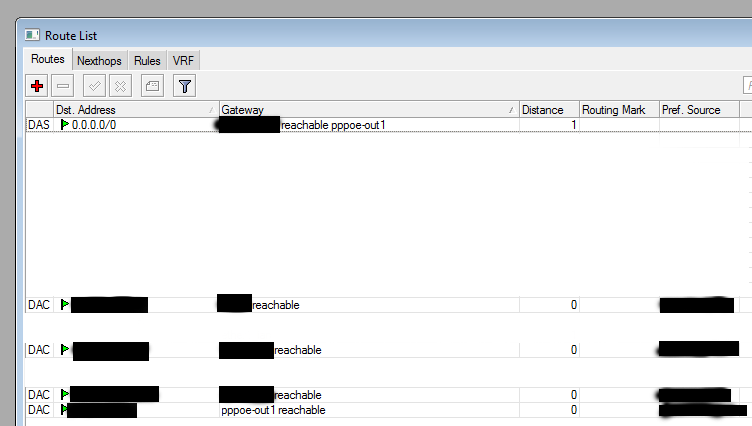
Just give more information like Network diagram, your routes, IP addresses,firewall rules, Interface detail, PPTP server and clients profile.
I still don’t know as you know about your network.
You say there is not any route for other LANs?
tell me where is your PC (on which router Interface)? and where do you want to access(which Interface)?
do you have any route for this action?
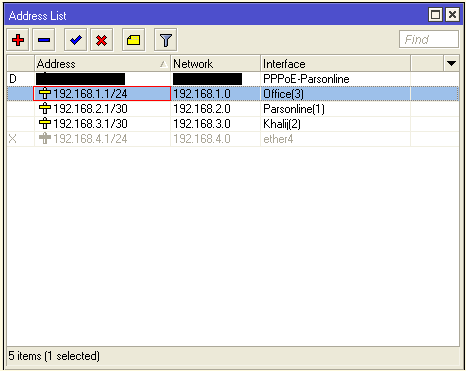
all direct connected interfaces should have ADC route (Active, Dynamic- Connected) if you add correct IP address to that.
My laptop is at my home. Mikrotik pptp server is at my workplace.
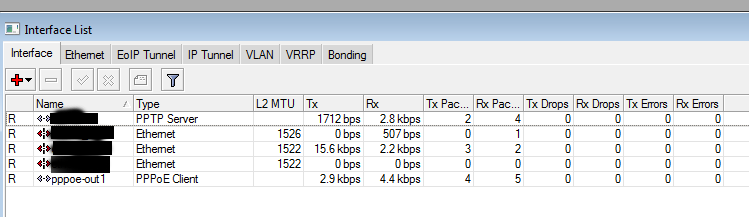
When I connect to pptp server there is dynamic interface created of type PPTP server.
networks connected to Mikrotik ([pptp server) router at workplace:
LAN1: 192.168.3.0/24
LAN2: 172.10.130.0/24
LAN3: 172.50.120.0/24
I have all the routes for all interfaces and everything is working fine between lan1, lan2 and lan3 locally.
172.39.150.0 is my home network
172.10.130.0 is LAN2 at workplace (network that pptp client is connected to)
172.10.130.93 is pptp client
tracert 192.168.3.50 goes to 172.39.150.1 instead of going through pptp tunnel
tracert 172.50.120.50 goes to 172.39.150.1 instead of going through pptp tunnel
tracert 172.10.130.50 goes to 172.10.130.1 through pptp tunnel as it is supposed to
Forget that part about Windows XP, I forgot to uncheck “Use default gateway …” on Windows XP machine.
I tried to disable all firewall rules (no change).
Why did you use 172.10.x.y ,172.50.x.y and 172.39.x.y ? They aren’t Private IP addresses. See http://en.wikipedia.org/wiki/Private_network
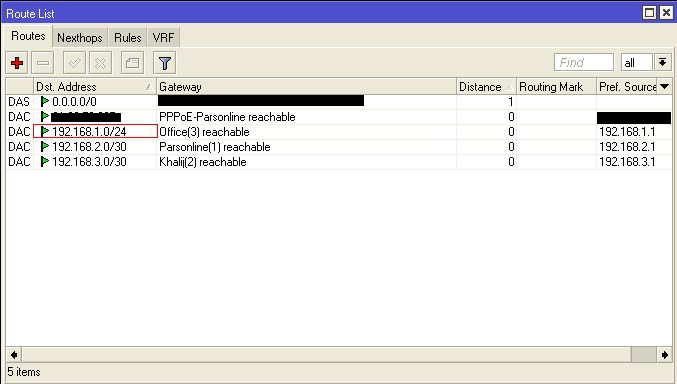
How do you say there is no problem with LANs while there is no route for them in MK route list?
You set similar IP Range to Your PPTP Server and LAN2, that’s wrong!!!
As I said before
all direct connected interfaces should have ADC route (Active, Dynamic- Connected) if you add correct IP address to that
That is not the point. Everything is routed and working fine.
Point is in Mikrotik PPTP server. Is it possible to push routes to client?
Only route that is set at client is LAN2
Did you try to connect to multiple lans through pptp tunnel?
LAN1 and LAN3 are not accessible.
What do you mean by: You set similar IP Range to Your PPTP Server and LAN2, that’s wrong!!!
Address given on diagram is local address ie. LAN2 gateway that client points to through pptp tunnel (as in documentation)
PPTP server has public IP
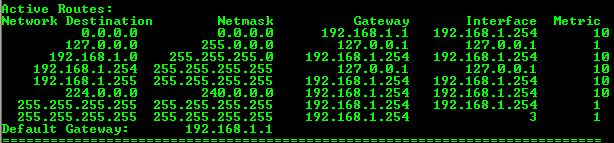
here is my pc route print before connect to my MK via PPTP:
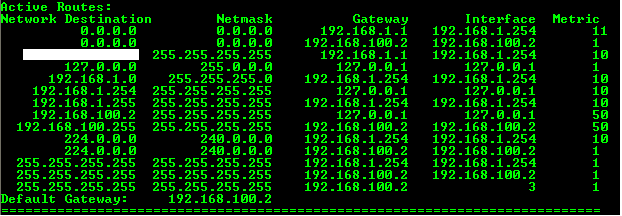
And this is after connecting :
You will see I have two default Gateway, but 192.168.100. 2 has lower metric
and I’m able to reach all networks in there.
I am trying to avoid this situation because I don’t want clients to access Internet through Mikrotik router.
yes It goes through Mikrotik Router. for avoiding this, you can remove any NAT rule (which action is “masquerade” your PPTP client IP addresses)
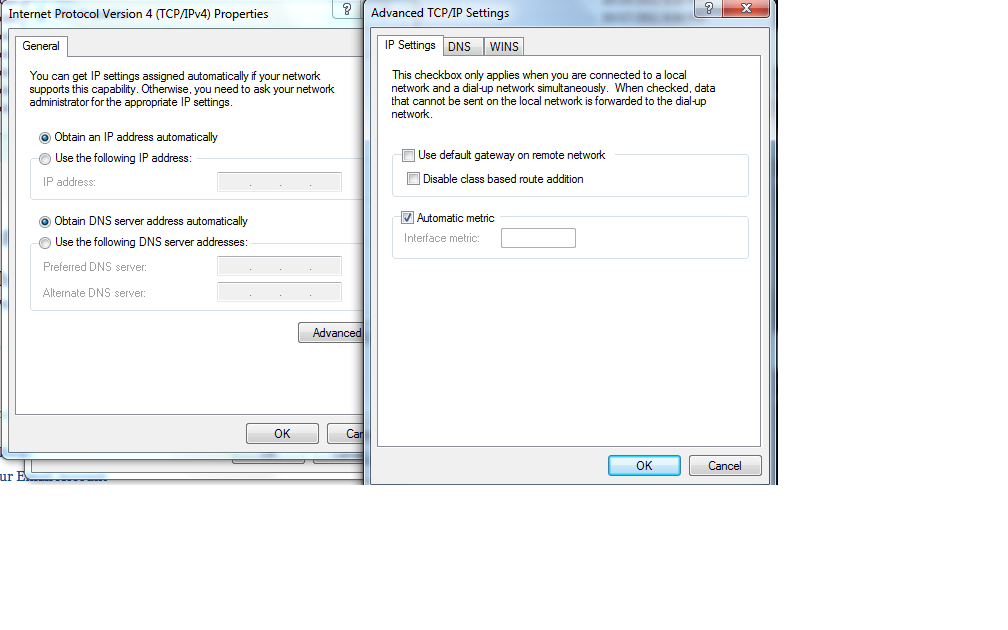
My second question is what happens when you disable “Use default gateway on remote network” in pptp connection properties?
Can you ping other networks on Mikrotik router in that case?
Absolutely Not. I have to add static route for those remote network in CMD.
Point is in Mikrotik PPTP server. Is it possible to push routes to client?
I don’t hear anything about this but it’s so nice for new research. I will try to find a solution
What do you mean by:
You set similar IP Range to Your PPTP Server and LAN2, that’s wrong!!!
Address given on diagram is local address ie. LAN2 gateway that client points to through pptp tunnel (as in documentation)
PPTP server has public IP
Nothing. I think You want to have different network. that’s OK.
I have searched for this http://forum.mikrotik.com/t/assigning-routes-to-pptp-client/8519/1
In there Dear Normis says "There is no way how to send a route through the PPP itself. All those DHCP options are not being sent over the PPP itself. "
I will try to find other solution.