I’m interest in buying this router for home use.
I have a question regarding the throughput WAN to LAN supported by this router ?
My current ISP offers me 1Gbps bandwidth but my current dd-wrt router limits drastically the WAN to LAN throughput (I have only 108 Mbps despite its Gigabit ports).
So I’m wondering if this router supports WAN to LAN transfers up to the 1Gbps ?
This will depend on the type of traffic you will have (skype calls vs torrent downloads) and how much you will want to filter the traffic. At the bottom of this page is a throughput table:
As you can see, with minimal config and larger packet sizes, the throughout is around 1Gbit, but with small packets and a lot of firewall rules, it will be lower.
Thank you for your response. I assume those tests are covering WAN to LAN also not just LAN to LAN, right ?
I need it just for simple tasks like streaming HD content and torrents download , some light SIP calls and maybe some ssh tunneling browsing.
The way I was testing mine was using the external popular testing website http://www.speedtest.net with a speed servers collocated by my ISP.
So basically I think it does just some simple transfer files , with the PC connected directly to the ISP (no router) I’m able to have at least 5 times the speed of what I have behind the router (where it never exceeds 100 Mbps, despite all ports being Gigabit) .
When you are referring to the CPU bottleneck are you referring to the CPU of the router or the CPU of the PC behind the router ?
Something else, I’ve read a review of a guy who owns this router
(…)
The router also has a “switch chip” function on board, so that the router can be used like most home routers with a WAN port and LAN ports and the LAN ports can be switched at near wire speed. There’s one important note though: by default the second Ethernet interface is “used” by the switch chip and is not available for any other devices when this functionality is on. So you’re down to 1 WAN and 3 LAN ports, essentially. This can definitely be changed by turning off the switch chip, but I never saw this information anywhere. I have been told that somehow all four ports can be used with the switch chip functionality, but I have no idea how this is possible, from what I have read.
(…)
"
Original link : http://www.amazon.com/Mikrotik-RB951G-2HND-5-Port-Gigabit-Wireless/dp/B00EQWUZM6
I’m not sure I understand what he means , is there a limitations of using all 4 LAN ports ?
As I’ve uderstood this router has 1 WAN Gigabit port and 4 LAN Gigabit ports - and I need to use all of them.
http://forum.mikrotik.com/t/rb951ui-2hnd-125mbps-on-wireless/71525/1
In my setup ether1 and ether2 are wan links. I you use only one wan, cpu usage will be lower and speed higher. For 2 wans speed is ~140mbps limited by the wireless interface. CPU was at ~90% and overclocked to 750mhz.
The WAN side is connect Gigabit to local network to PC with RAID5 4 core AMD 8GB ram..
The LAN side is connected Gigabit to MacBook Pro with the PCIe Flash drive.
NAT is enabled.
transfer method is afp.
Copy a 4GB file from RAID → Mac… So WAN → LAN.. got 32MB/s ( thats only 1 way though ).
Copy that file TO and FROM the RAID and Mac at the same time, average 14.4MB/s in 14.4MB/s out.
In both cases “system resource monitor” reports 100% CPU and it don’t from that till the file is transfered.
Thank you InoX.
Yes I want to use just one WAN ethernet port, 4 LAN ethernet ports + 1 Wi-Fi LAN and I want to make sure it can handle
Ethernet speeds WAN to LAN (I’m not interested about Wi-Fi for now ) up to the speed my ISP provider offers me,
which is up to 1Gbps bandwidth.
My current buffalo router limits me drastically as it can do only up to 200Mbps WAN to LAN ( no Wi-Fi just ethernet)
Which is far away from 1Gbps.
I want to make sure this routerbord router can handle up to 1Gbps WAN to LAN ethernet speeds.
And what do you know about the switch and LAN ports from my previous post, please?
Copying one file will not show the performance of the router, but the limitations of TCP protocol. I suggest copying at least 20 files, with FTP or Torrent. Single TCP connection will never use the maximum capacity of the router or link, it’s just the way it works.
The way I was doing my tests with my current router:
my ISP connection is a PPPoE connection up to 1Gbps speed
my PC (not a powerful one: 1.2Ghz dual core, sata-2 HDD, win 7 64bit, Ethernet Gigabit) , firewall and antivirus disabled
with the PC connected directly to ISP I was doing speed tests in browser using http://www.speedtest.net website - I could see speeds up to 450 Mbps
with the buffalo gigabit router in place, same PC connected to LAN Ethernet gigabit port , the same above test, I was not able to exceed 108Mbps speed
so to me is clear the my current router can’t handle WAN to LAN and LAN to WAN Ethernet speeds I want , I’m looking for one which can handle up 1Gbps WAN to LAN Ethernet speeds.
Please note that the article you posted uses professional testing systems, not Speedtest.net. The Speedtest result will be very much different even with their tested routers.
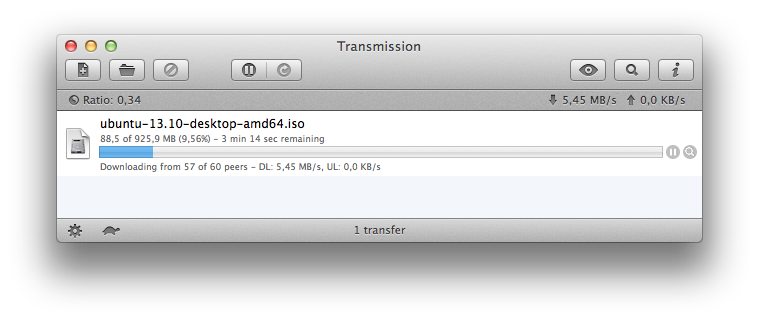
As you see, I have 57 connections, and therefore I get quite good speed (the ISP doesn’t give me more, hence such number)
But in the end, yes, I still recommend the RB951G-2HnD, it will give you good speed, much better than what you reported with the Buffalo device.
I see.
One more thing please, as I’m not familiar with Routerboard yet,
and I want to make sure I don’t miss understand something.
Can I configure it like this?
1 gigabit WAN ethernet port configured as PPPoE
4 gigabit LAN ethernet switch
1 Wi-Fi LAN
Can I use all those 4 ethernet switch?
(this question is related to that guy’s review from the
Amazon link I have post yesterday)
Yes, of course. The LAN four ports can be put into a switch group, or not. It’s up to you. You can even have 2 ports in the switch group, and 2 configured for routing. RouterOS is very versatile and powerful. Each interface on the router (wireless, and the five ethernet ports) can be configured as you wish. Any one of them can be the WAN port, and any one of them can be a LAN port, it’s all software configurable.
If you will need help understanding the details, ask in the forum, many helpful people here.
I am using this router at home and i can say it cannot go over 220Mb/s on my home PPPoE Gigabit connection. With my MB Pro Retina Display connected directly to the ISP over PPPoE i can get 980Mb/s. On wifi the retina macbook will not go for more than 45Mb/s. The Retina Display has a Broadcom wireless card. On an older Macbook Pro equipped with Atheros 5008x wifi chip i have a download speed of 149Mb/s.
All tests were done on Mavericks, Snow Leopard, Windows 7 and Windows 8.1
My ISP was selling TP-Link WDR-3600 and that router is very good with PPPoE if you will use the wired connection, the speed was never below 930Mb/s an all tests. Using the wdr’s WIFi is a pain in the…
I would like to know if Mikrotik will enable Hardware Acceleration for the PPPoE client, this router is using AR9344 just like the TP-Link. It’s a shame it is not enabled. Mikrotik, i know you are better than TP-Link.