Hi all,
I have been having issues with the connection between my Mikrotik Switch and Unifi Switch.
I have been able to get a connection working if I fix the connection to 1GB full duplex, but auto-negotiate or 10GB fail… How can I troubleshoot this problem properly?
The situation:
Mikrotik SwitchCRS312-4C+8XG on RouterOS 7.13.4
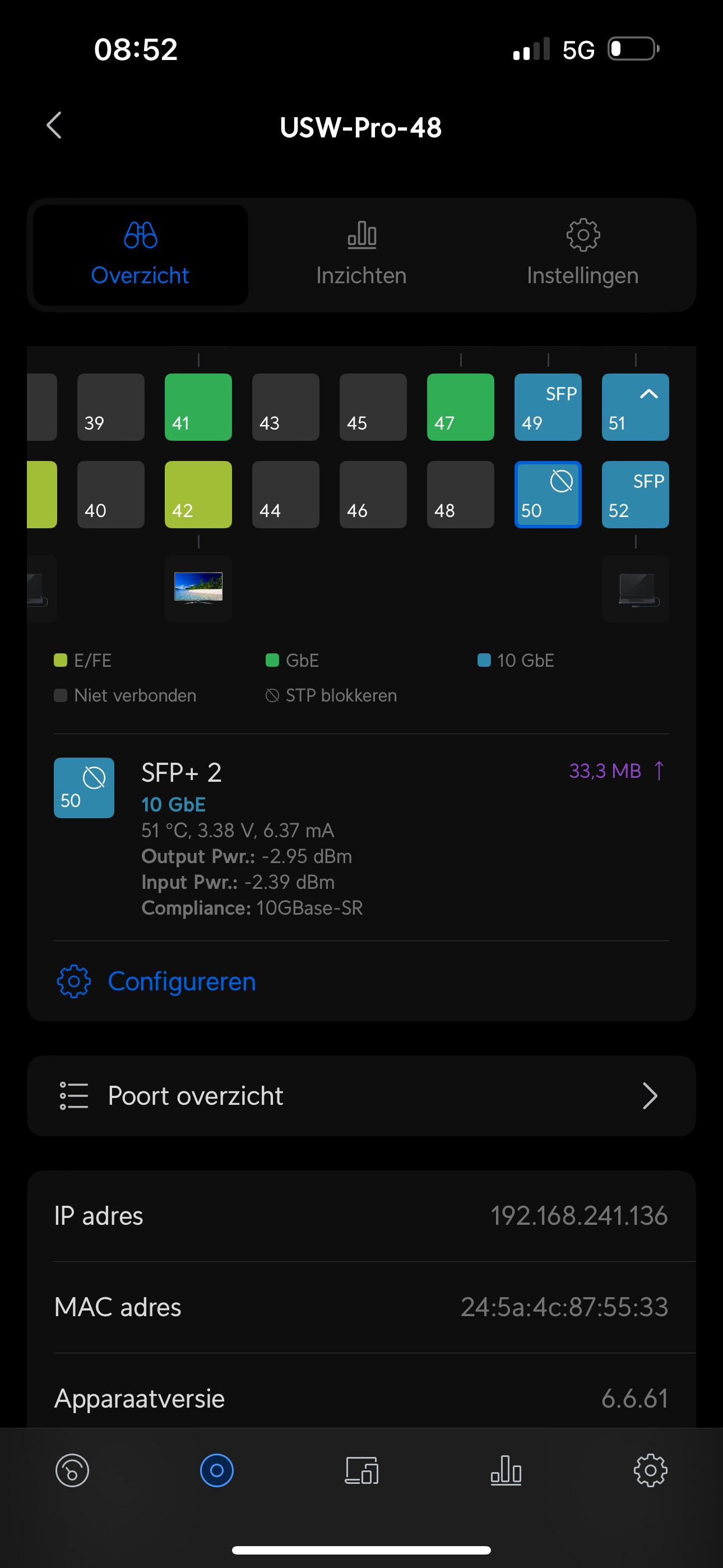
USW-Pro-48 on firmware version 6.6.61 and network controller version 8.0.28
Between them about 20m optical fiber (4 fibers of which I tested virtually any combination of two; LC-LC 4G OM3)
Connected through two SFP+ tranceivers: [UP-TR-SR-CI] Uptimed 10G SFP+ MultiMode Transceivers - 10G SFP+ SR 850nm 300m - Universeel
The whole thing worked until I installed a new gateway, moved things around a bit and installed some updates
As mentioned, fixing speeds to 1GB duplex worked
At the Unifi switch, I sometimes get an Rx Fault, sometimes an STP blocking issue (see attached screenshot)
At the Mikrotik switch I get the message that no link can be established; sometimes it shows some sort of connection (see second screenshot) but other moments it is gone completely
I have tested virtually all combinations of optical fibers and tested some other SFP+ transceivers, with no effect
If the MT-UFi combination worked back then, then downgrade would be a sensible action. But before doing it, create a supout.rif file (while MT and UFi are connected but don’t negotiate 10Gbps) andvopen a trouble ticket with support@mikrotik.com … you’d increase probability of MT fixing the problem quite a lot.
Thank you all for your suggestions. Ultimately, the solution was as simple as stupid. For some reason, the Mikrotik did not update properly.
While the Quick Set menu showed the system was properly updated, the terminal (/system routerboard print) did not..
After proper update, the link worked properly again..
Best, Jasper