Sorry, not available at this time.
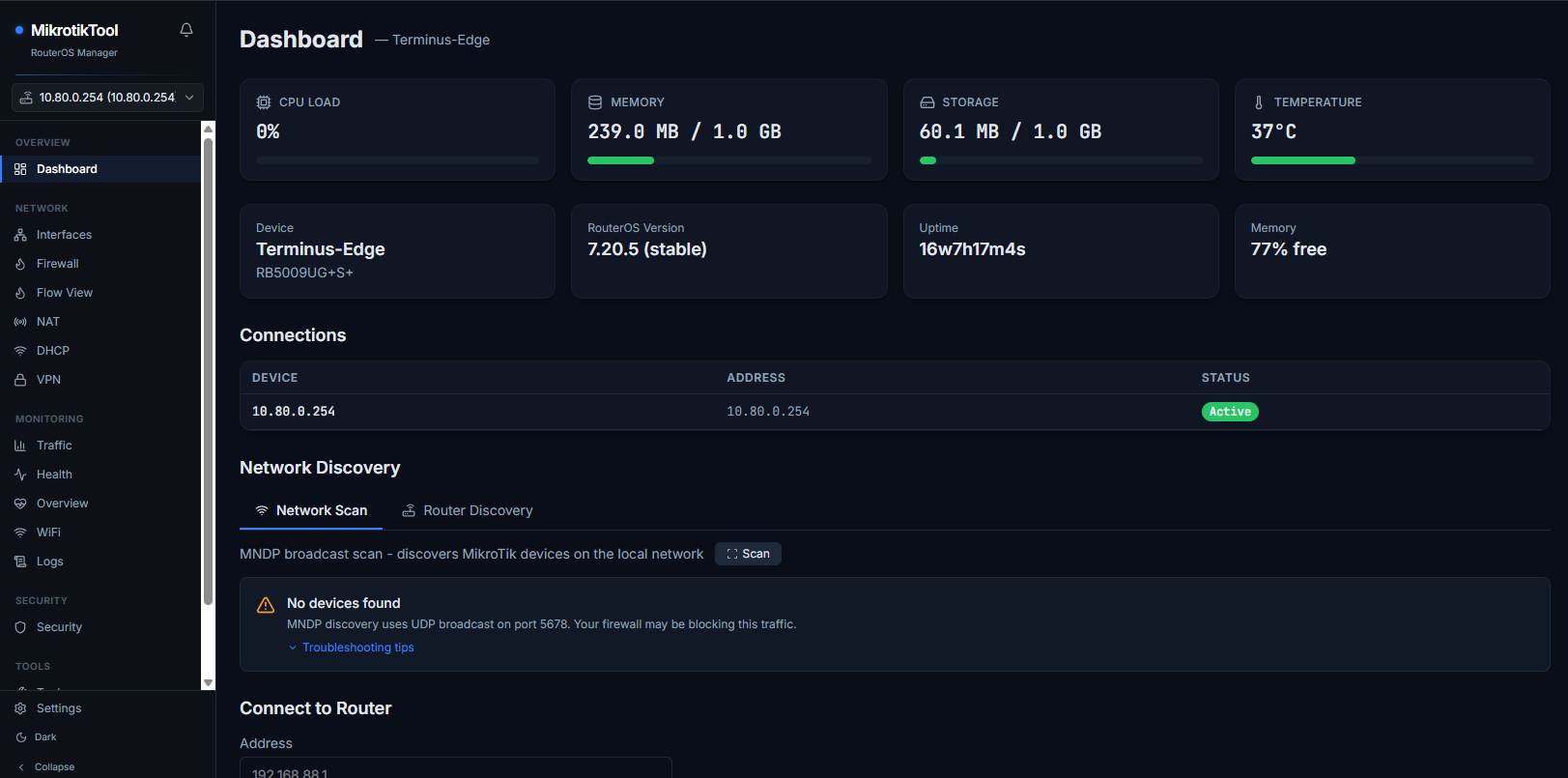
No source code? I’m not brave enough to try it.
 What could possibly go wrong?
Yikes, seriously.
The license section suggests the existence of a source repo, but maybe Claude forgot to open it for access. UNLIKE YOUR ROUTER! 
Mods need to seriously crack down on garbage like this.
Last thing anyone should be deploying is a completely closed source LLM connector with full device access. 
The "source.zip" is just the README.md file.
I am wondering if someone took over an account? ebreyit hasn't been here for 6 years, then shows up with this, and no discussion or responses to any of the questions about security.
It is possible that there is no malintent, but the days of trusting random things from the internet are long gone.
And some of the security claims like
Security
- Hardcoded username: All connections use the
MCP-Useraccount to prevent username enumeration and brute-force attacks
It isn't clear to me how having a fixed know name is an advantage for the user, or how it would prevent brute-force attacks.
Perhaps @ebreyit can enlighten us.
But there is no way I would test this given the risks involved. If anyone does test it, do it from an isolated walled sandbox environment that is limited to well controlled internet access (and no access to your real router or other hosts behind it). And capture traffic between the sandbox to the internet.
In fairness, the core issue for all "dashboards" is they need credentials. There really is no "great" way to handle this, API and REST API take username/password. And the underlying policy system is pretty weak.
For a dashboard, it really should only need read account with no sensitive, which likely be okay for a dashboard.
But for an MCP, it should be using OAuth, that's how they are designed to work, and backend of OAuth typically has fine grained access controls (like AD in Windows). MCP themselves have no security. It's a process (or webserver with SSE/HTTPStreaming), anyone can run a MCP. The idea is the MCP client kickstarts the whole OAuth workflow to get a scoped access to the desired resources.
The descriptions includes using reasonable approach to using safe-mode to API calls, that a worthwhile idea for these type of things. But that be one 100 things you need to consider. Most importantly authentication and a tuning strategy. e.g. often it work for you but you know what it does and what prompts it expects. "Make a VLAN" has a lot of overloaded meanings, and one that cannot be easily made generic.
Which largely means you need a bit more then "just" a MCP server, you need to wrap RouterOS in OAuth to make it safe and compatible with MCP clients agents/assistants - so is real invention that missing all these "here my MCP wrapper over MikroTik API" things. MikroTik has no schemes, so one has be built in front of it, and now you need to trust that access layer since that's what provide OAuth to MikroTik needed for MCP servers to secure. It's buildable but that only moves the layer where credentials have to be stored. And you have the same trust issues, on whose building it.
My question is this a paid offering, in where is the web site? If it a free tool, why not release the source code?
e.g. Normally author engage when they post here. So a "binary dump and run" is kinda odd move.
Evening all,
This is still a very early work in progress and constructive feedback was welcomed.
This is not a paid offering, it’s just a project I put together to see what was possible using some of the new AI tools and how that might fit into the networking space.
More work needs to be done including on the initial readme, group=full isn’t required and a great deal can be done with just group=read where you can use the AI to do things such as analysing firewalls and NAT.
For now I hard-coded the username to MCP-User for a couple of reasons.
- It stands out if you see it in a User list, and if not actively being used, the User should be disabled and removed
- To dissuade people from lazily just using their admin credentials.
- So that this tool can’t initially be used to brute force credentials or find open or easily accessed devices.
In a future iteration I’m planning on moving away from MCP and just making it a CLI toolset with a skill package as many are finding the less coupled nature of CLI tools more token efficient and often less problematic to setup and configure. I’m just reviewing the best ways to handle the password credential.
The project itself was born out of finding a way to more quickly troubleshoot issues, or gain a clearer understanding of a particular network setup using AI tools to assist in the process.
The most recent issue I used it to assist with was related to voip phones and used the tool to rapidly configure and reconfigure dhcp, vlans, tftp etc, to setup a phone which was stuck in an odd configuration to force downloading factory reset firmware, once done it then reconfigured to mimic the network it needed to return to, provisioned the phone and allowed me to test it.
The handy thing is, once it’s all done, AI can then document the whole process and even help produce configs which can be used for future work/reference.
Seeing how rapidly it was able to get to grips with the current router config, analyse it, find issue or make changes, I can see AI augmented network utilities becoming a mainstay fairly shortly.
Another use case I have been exploring is using the tool along side GNS3 to configure and simulate large or complex networks and having it analyse packet flows and other data.
Is it perfect, no, nothing involving AI at this point is and there still needs to be a human in the loop checking what AI is doing. But I was pleasantly surprised by how capable it was when following concise but specific instructions. When making config changes, the main things to remember is, always get it to review current configs and relevant documentation first, get it to make a plan for the changes its going to make and present it to you for review prior to executing the plan. Part of that plan should be exporting a backup of the current config, the same as if you were doing it yourself.
For now, I have taken the download offline.
To be clear, I was not trying be discouraging. I use AI, it's a tool like anything else. But different too. I didn't think you meant ill here... more describing what some binaries with no source on GitHub is a little weird.
In some ways, that the use case for AI that folks don't take enough advantage. It can build you want every tool/script/etc you want. It very good at anything at a "normal" shell. Or if you have some working code/script, it can certainly fix.
Updating a RouterOS device directly, well, even the frontier models without more instructions/prompts still have a bit to do... e.g. poor Opus tried hard for 5-10 minutes on how to format a disk when ROSE was installed. With some instructions/skills/prompt having some text like below, it works every time:
Formating Disks on RouterOS
XFS => /disk/.... # only v7.23+, require rose.npk
ext4 => /disk/.... # works on all devices
... # with real commands above, just an quick example of concept
In some of the CLAUDE.md/copilot-instructions.md/AGENTS.md/SKILLS.md (there are few different kinda of these things that get "injected" into the LLM chat — adding some RouterOS things helps a ton. The LLM likely should write it, but you need you carefully review and have it update these things. It knows how to write for an LLM better than you, you just to make sure the words it's writing are correct. You can even ask to have it "test the instructions".
Long way to say, in generally, a lot more value may had in adding SKILLS.md (ask your AI about them). Because those can capture things your MCP is doing internally with the SERVER_INSTRUCTIONS (yet another thing that gets injected in LLM chat context, so it know what your MCP offers it). This more like advertisement of things to help, so how it solits usage is tricky.
For example, a SKILL can be how to use some bash script that calls RouterOS via REST wrapped in safe-mode (and other protections). The REST API offers /rest/execute which essentially allows normal RouterOS commands. So can largely skip the MCP is you just wrote down the process in a SKILL.md or another AI instruction file.
Now it's here where an MCP be useful IMO... If the MCP could get access the data from test, it can construct tool calls to fetch various data to analyze a result.
LLMs are great at reasoning why something is weird and MCP let it pull it further details to reasonable. It can obviously help setup tests, but again LLM writing a script for that may be better.
Long way to think beyond using it build an MCP server for everything, or even a generic dashboard. It can build a dashboard for a one-off specific test scenario "on the fly" if you want. It does not mind tossing out code it wrote, so you should either. If one of the one-off things is something you like to again, ask it to capture it as a SKILL for next time.