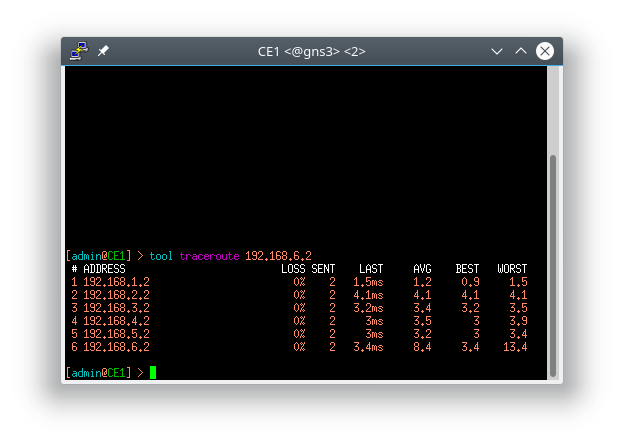
I used the sniffer (wireshark) in GNS3 and I am able to see the labels. Why not in 'traceroute' like mentioned in the examples ?
(I also used a c7200 IOS image to test the behaviour and this time 'traceroute' shows the labels. )
What am I missing here ? Is it a license / package thing ?
[admin@PE2] > system license print
system-id: CV5Mo08f82G
level: free
[admin@PE2] > system package print
Flags: X - disabled
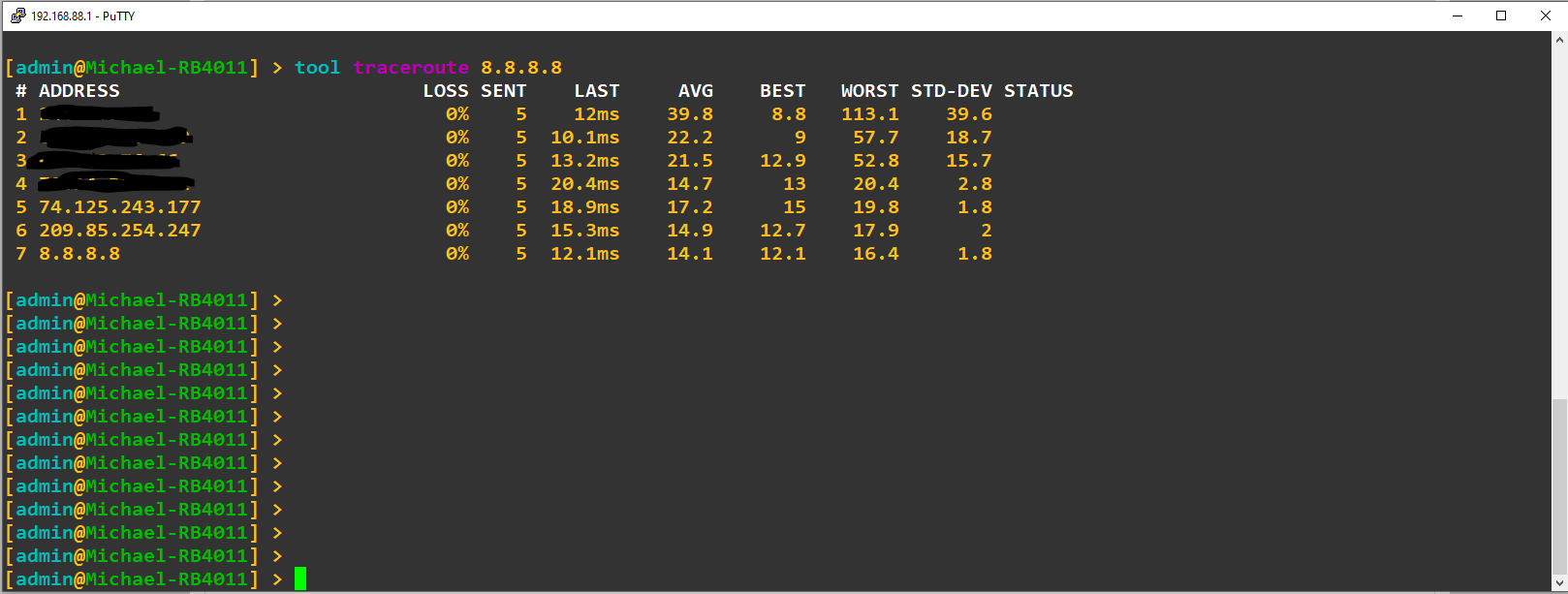
It hides the columns on the right if your terminal window is not wide enough to show them. Make your terminal window wider before running traceroute, or use the graphical traceroute in Winbox.
Thanks a lot for your reply but whatever terminal (xterm, rxvt or putty) I try to use I am not able to get the columns. (Also tried to use “-geometry” as extra parameter.) I will try to install Winbox on Wine.
Here is a screenshot from putty, you can see I got the extra columns. I had to run the traceroute command after making the window bigger - if you run the traceroute command before you make the window bigger, the columns will not appear.
Thanks a lot ! Now it works at its perfection (Winbox and using a “standard” terminal) ! I didn’t know that Window Managers can be so cumbersome. For a new user like me quite irritating. But now I am a happy RouterOS user.