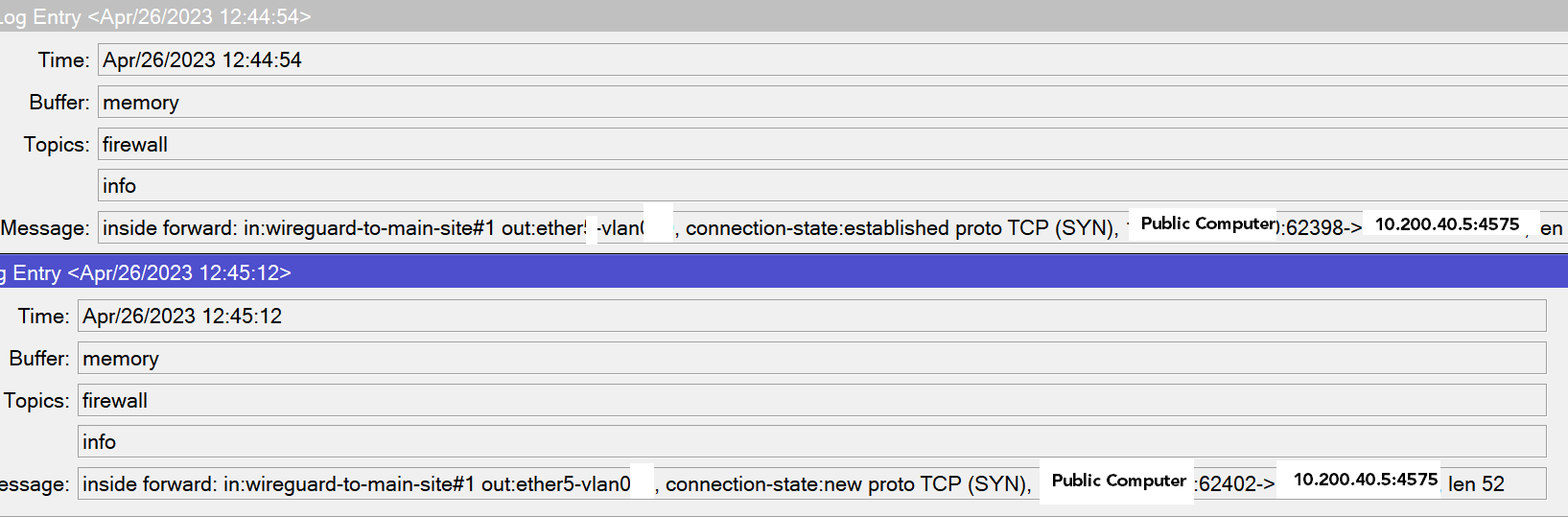
It could be 10 things, without any config impossible to say. (could be nat, routing, …)
Did you “torch” on FW2 to see if the DNAT’ted packet arrives at that point ???
The “device” is exposed to Internet with a DNAT ? Or does this “public computer” also has Wireguard Client ?
On a side-note, if FW2 is also connected to ISP/Internet, why not perform the DNAT at the location ? You have this FW2 under your control/administration ?
ok, heavy edited… for example missing all “dstnat-services”, like have nothing.
But, if is the only NAT you do, and the line is not altered, miss the destination address or at least the incoming WAN interface.
/ip firewall nat
add action=dst-nat chain=dstnat-services dst-port=4575 protocol=tcp to-addresses=10.200.40.5
and missing also the source NAT, the device try to use ISP2 for reply, but is natted with another WANIP2 and remote connection can not be possible…
pseudo rule:
add action=src-nat chain=srcnat-services dst-address=10.200.40.5 to-addresses=
Just a suggestion but you can try to enable DMZ (if supported by the 4G modem) which might sometime remove potential double-nat issues. Btw, what kind of 4G modems are they?
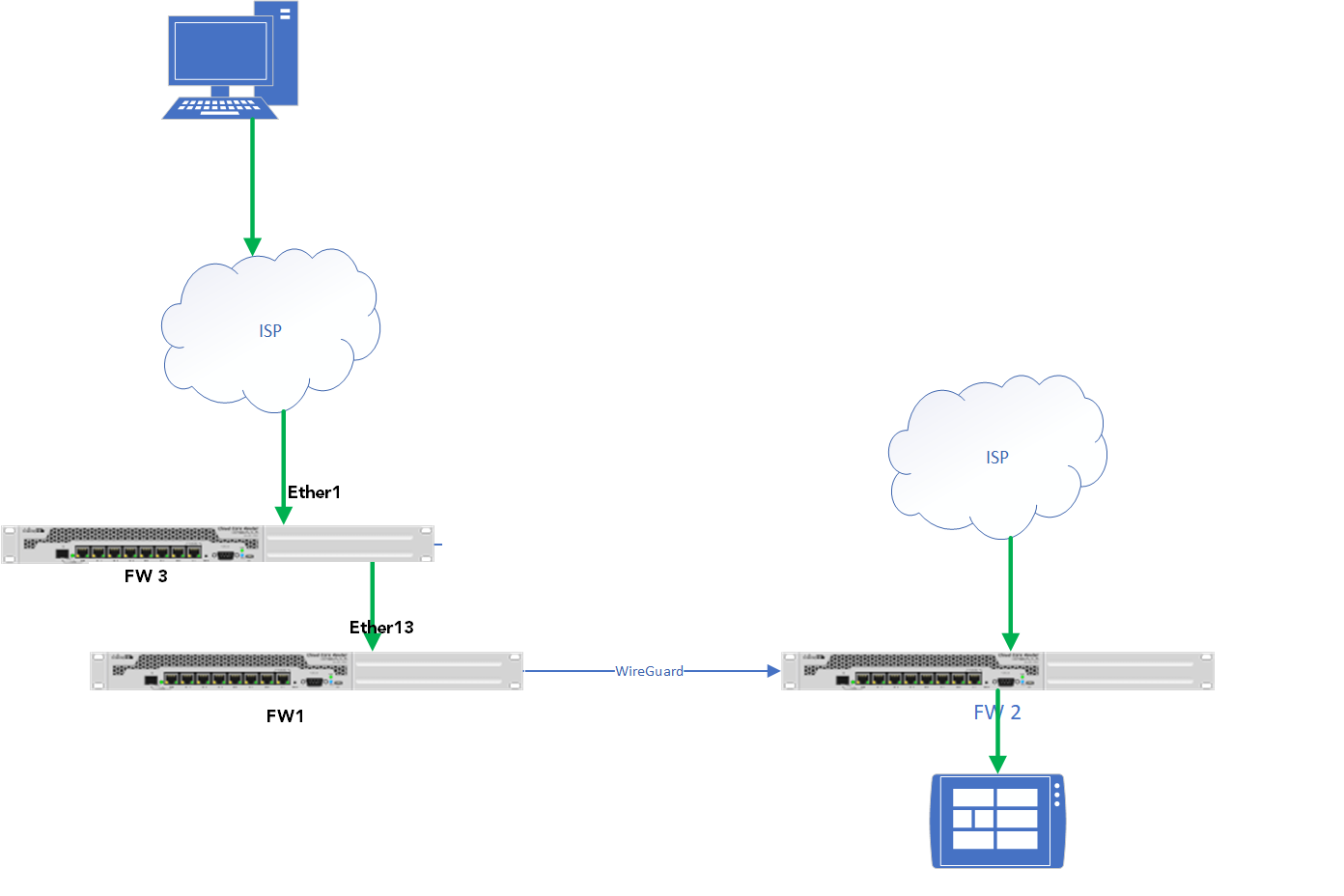
Pass… also hide the information that there is another firewall in the middle… it’s too much for me, before I become vulgar, and I already am of my own…
Okay. Is this some kind of NMO/SLA business subscription with a preconfigured router/modem that is managed and monitored by the ISP? What NMO/ISP and modem is it?
Btw, regarding the last network diagram, where are the 4G modems located?
EDIT:
Just a suggestion but if you add subnets and ip addresses to the picture it makes it much easier to understand your configuration.
Just curious but do you use some sort of NMO/SLA business plan with a pre-configured router/modem managed and monitored by the ISP and secondly, what is the NMO/ISP and what kind of modem is it?
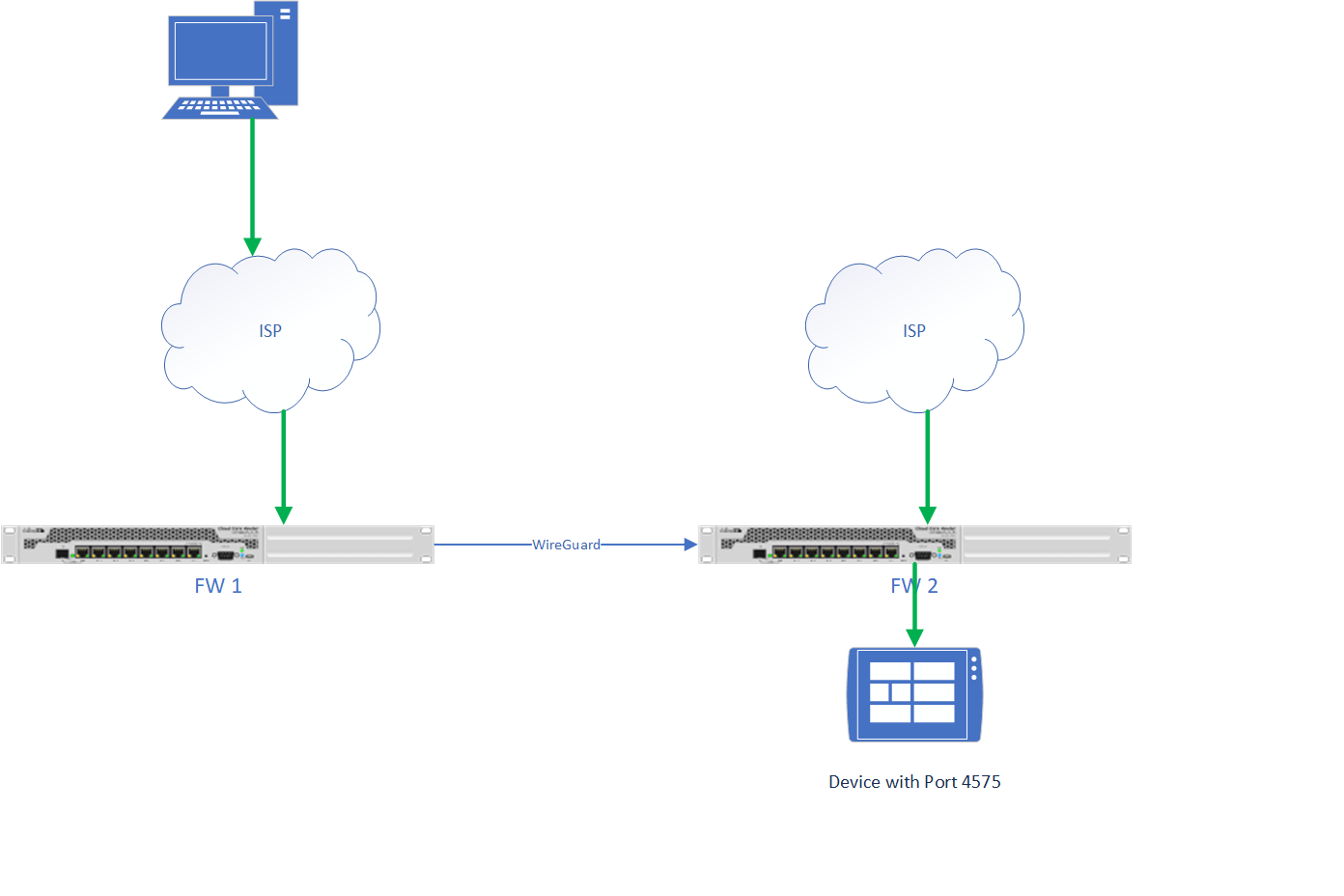
 thanks for helping.