Hi. I am new to this forum.
I really need help configuring my new SXT-LTE6.
I cannot find a guide to do all the steps in order to get this damned thing work.
I have set:
APN name at LTE
then set the command:
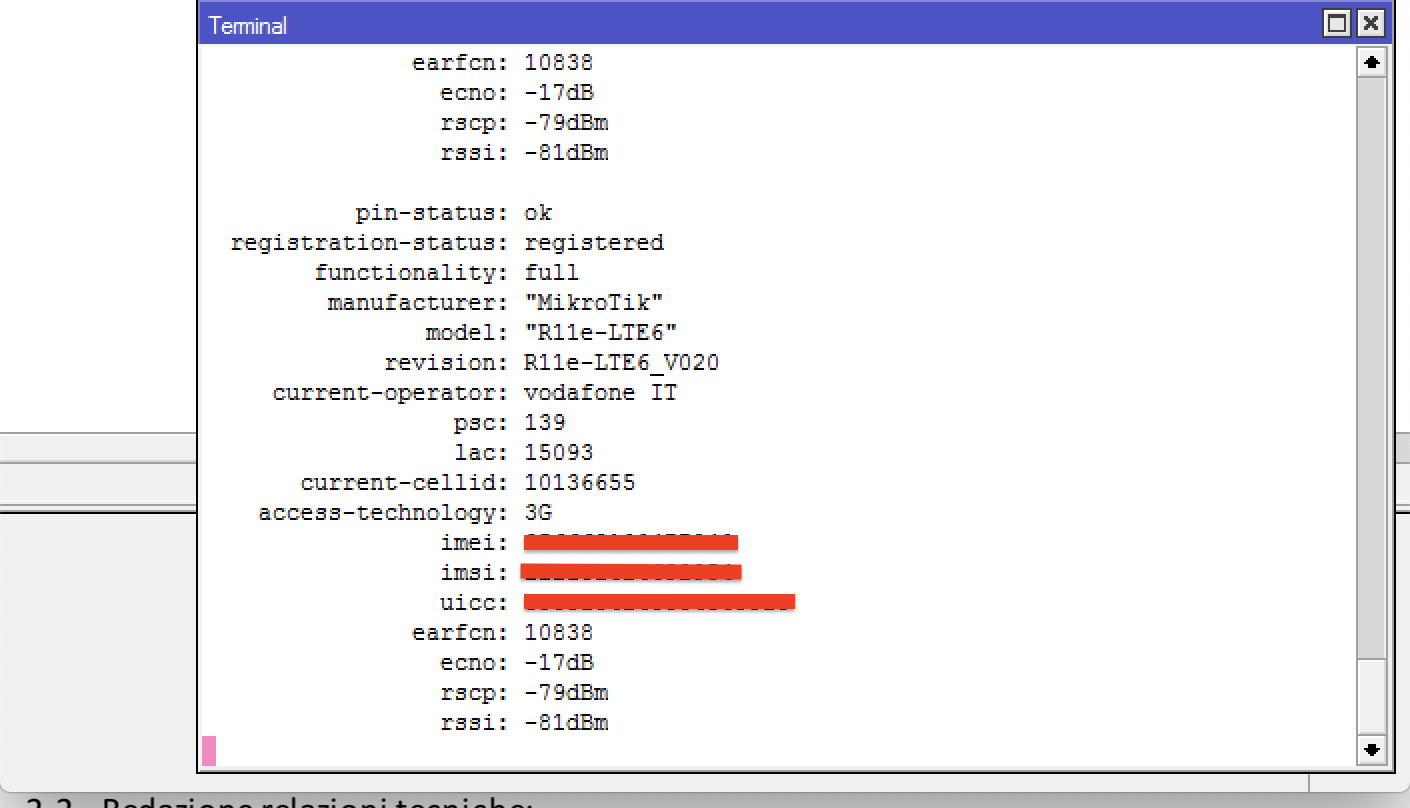
Don’t understand your question. You are ‘registered’ to the I TIM network. You not only have signal, you are fully connected AFAIK.
So you are up and running.
Scan not seeing other networks? … make sure you are not connected. (e;g. use default or other APN) while scanning. RSSI value might be missing.
I see rsrp rsrq sinr cqi (SXT LTE kit) when connected in the status or in the info printout. SXT LTE6 seems to show RSSI. (You had -71dBm)
I have no RSSI so was not surprised to see none in the SCAN. (and there is no rsrp nor rsrq in the GUI table on SXT LTE).
I don’t know WHY .
Getting RSRP and RSRQ in the CLI printout takes quite a while to appear, and only when connected.
Even had to reset the modem using System Routerboard “USB Power Reset”
Thank You Sir. for your help. Really appreciate.
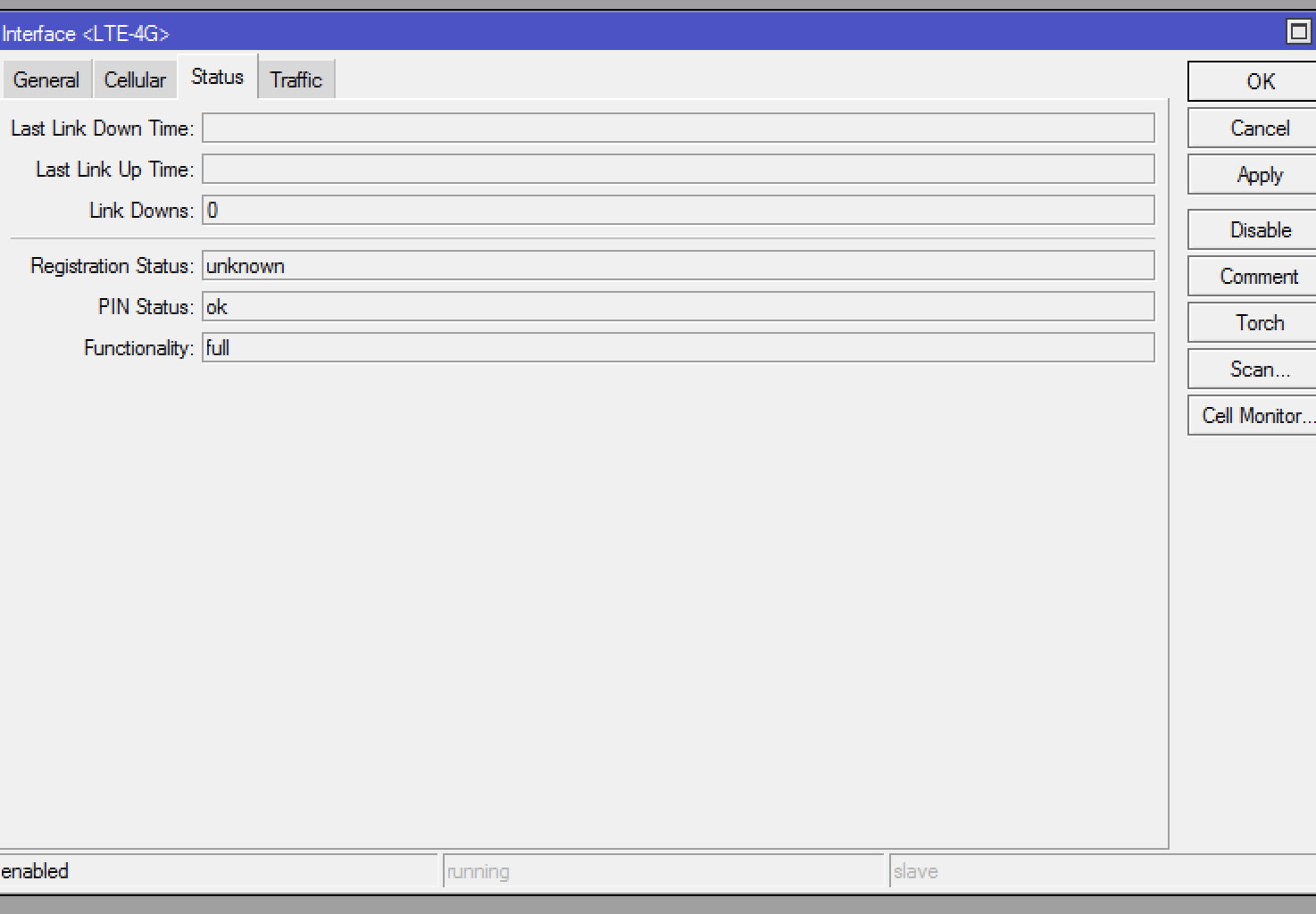
Why do I now have Registration status: unknown?
I have not changed anything. Now the connection had dropped.
What am I doing wrong?
Sir, maybe I know what’s wrong…
the SIM is IMEI locked with the original router provided with the bundle.
Moving the SIM to another Cell or even another more performant Router it simply does not allow connection…
doh…
Now. Please what to do next.
lTE connection is up and running.
but no traffic flows however to the ethernet.
I have enabled firewall, have added
[admin@MikroTik] > /ip dhcp-client add default-route-distance=1 disabled=no interface=lte1
[admin@MikroTik] > /ip firewall nat add action=masquerade chain=srcnat out-interface=lte1
[admin@MikroTik] > /interface lte apn add apn=apn1 passthrough-interface=ether1
[admin@MikroTik] > /interface lte set lte1 apn-profiles=apn1
WHAT HAVE I TO DO NEXT TO GET IT WORK???
thank you
Check your bill,
APN
Incomming SMS who can give you message like “You have limit…”, you can to that from MikroTik via Tools>SMS , enable Rx, Apply and go to Inbox.
.
.
You disable INTERNET at that RouterBoard and pass the internet to your Ether1 interface. Now your next router who receive your ISP IP have your internet and he can give you it using e.g. next interface like vlan2 or ehter2.
YOU not upgrade R11e-LTE6 firmware to 026 and now we checking 027 who is rc and will be soon…
YOU not give us your configuration and from why we must know before you send your internet to next-router ?
Please next time export configuration and try use latest firmwares.
NOPE. I HAVE A FLAT PLAN.
CONNECTION TO THE TOWER WAS DENIED BY THE PHONE COMPANY SINCE MY SIM IS BUNDLED WITH THE IMEI OF THE ROUTER PROVIDED BY THEM.
OTHER ROUTER’S IMEI SIMPLY DOES NOT ALLOW AUTHENTICATION.
HAVE CHANGED THE SIM AND NOW CONNECTION TO TOWER IS OK.
how can I upgrade R11-LTE firmware if I do not have an active and running configuration??
the output error of the command is: status: connection error
Isn’t the fw upgrade process only available if I am online?? config-verbose.rsc (23.1 KB) config.rsc (2 KB)
Here is the configuration file.
Thank You
SXT 192.168.0.1 has LTE-4G connection. PC windows7 is connected to ethernet1.
SXT has assigned 192.168.0.99 to my PC.
If I try to ping from LTE for example google’s IP address 8.8.8.8
ping interface=LTE-4G address=8.8.8.8
it tells me: no route to host
If I try to ping from LTE for example google’s IP address 8.8.8.8
ping interface=ether1 address=8.8.8.8
it tells me:
SEQ HOST SIZE TTL TIME STATUS
0 8.8.8.8 timeout
1 8.8.8.8 timeout
2 192.168.0.1 84 64 988ms host unreachable
3 8.8.8.8 timeout
Write to support@mikrotik.com or https://mikrotik.com/support
and they can share you a firmware-file to do a upgrade procedure localy. I cannot share that because this is not public by MikroTik at first place.
.
.
Isn’t the fw upgrade process only available if I am online??
If I try to ping from LTE for example google’s IP address 8.8.8.8
ping interface=ether1 address=8.8.8.8
ping interface=bridgeLocal address=8.8.8.8
? Those interfaces are LAN, not WAN. The LAN not have inside own broadcast domain adressation like 8.8.8.8.
You ping should be by:
ping 1.1.1.1 interface=lte1 # you have lte1 rename to LTE-4G but this 4G is not R11e-4G lte module but R11e-LTE6 and this interface wrong me :).
ping 1.1.1.1
.
.
About config…
You not use default APN, good because this passthrough-interface=bridgeLocal is wrong…
name=LTE-4G use many bands, you can use !band or band=“” to set default, means acrivate all insted of selecting all of them.
Now you use APN web.onmitel.it and probabli it’s good, I hope, confirm at ISP.
Ask ISP if you are not LOCK with your SIM to your bungle lte device because maybe that’s why this sim not work because your R11e-LTE6 have other IMEI then ISP allow… maybe.
.
.
/interface detect-internet set detect-interface-list=WAN internet-interface-list=WAN lan-interface-list=LAN wan-interface-list=WAN
Please DISABLE detection of internet feature. You assign LTE-4G into WAN list staticly and this is proper.
.
.
/ip dhcp-client add comment=defconf disabled=no interface=bridgeLocal
/ip dhcp-server network add address=192.168.0.0/24 gateway=192.168.0.1 netmask=24
/ip dns set servers=8.8.8.8,8.8.4.4
dhcp client and server at the same interface… no logic
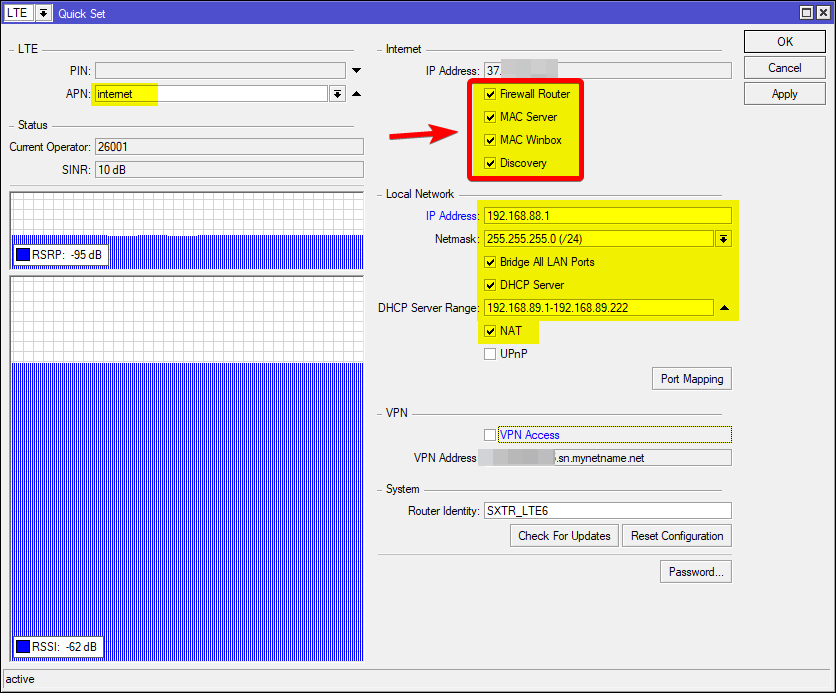
Maybe consider just easy steps.
and QuickSet
And of course remember to add own user in Full group and remove/disable default admin user.
SiB you made my day!
Thank You so much.
Have also updated the modem. So apart from the speed (need to point more exactly the antenna to the tower I can now surf the internet.
I have now:
[admin@MikroTik] > /interface lte info lte1 once
pin-status: ok
registration-status: registered
functionality: full
manufacturer: “MikroTik”
model: “R11e-LTE6”
revision: R11e-LTE6_V026
current-operator: 22210
lac: 13045
current-cellid: 7005993
enb-id: 27367
sector-id: 41
phy-cellid: 472
access-technology: Evolved 3G (LTE)
session-uptime: 30m29s
imei: my IMEI
imsi: myIMSI
uicc: my UICC
primary-band: B1@10Mhz earfcn: 501
rssi: -58dBm
rsrp: -94dBm
rsrq: -16.5dB
sinr: -8dB
cqi: 4
One last question.
Why do I have low Download speed (approx. 1Mbps) and Upload speed at least 10 times faster?