Greetings all,
I’ve just added dude package into my ROS (v3.10) and new to using dude.
It ask for username and password when i entered: http://R_ipaddress/dude
i did and it just stays loading…
Do i need to setup anything before to be able to access the dude webserver?
Please excuse me for being dumb.
I’m trying to use the dude client, set up a few server out of a sudden it seems crashed. (the scroll bar doesn’t stop moving) and i had to do task kill via task manager. then restart the dude, but it keep on connecting and disconnecting until i ask for reset.
PS: (On the status bar there’re messages saying “Connecting to server, Login failed:invalid username or password”)
I have to restart doing the setting up again.
Is this bug or have i missed something?
@ nomis, i’m still unable to find User somewhere and am not able to login via web (http://router ipaddress/dude)
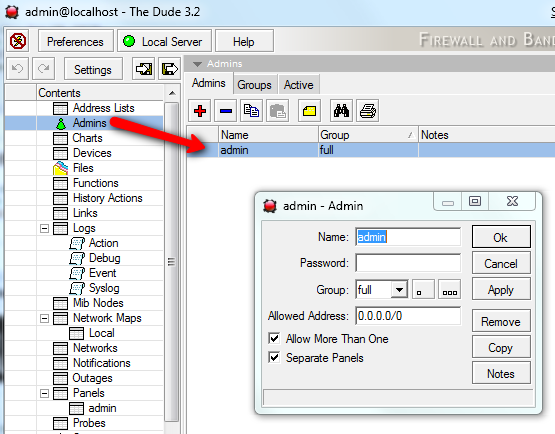
Please note that RouterOS and the Dude has different user database. So if you change the admin user password in the RouterOS it will not change the password in the Dude admin user.
Remote connection by default uses TCP port 2210 for regular mode, and TCP port 2211 for secure mode, so make sure these ports are not limited by a firewall. The ports may be changed in the server’s Global Settings menu. The default username for connecting to a server is “admin” with no password. You can change this later.