We have two sites, both with MikroTik RouterOS devices. I’ve been bashing my head for the past several hours, on Google, YouTube, and trying every IPSec/IKE setting that I can think of… and I’m getting no where.
If you’re familiar with setting up Site-to-Site VPN tunnels in RouterOS, I could really use some help.
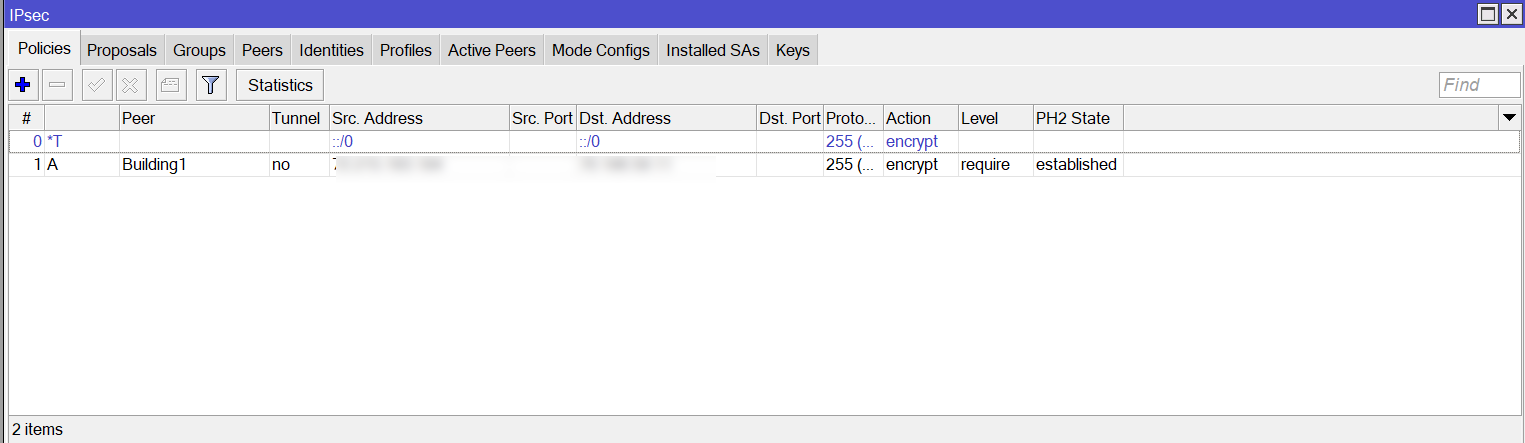
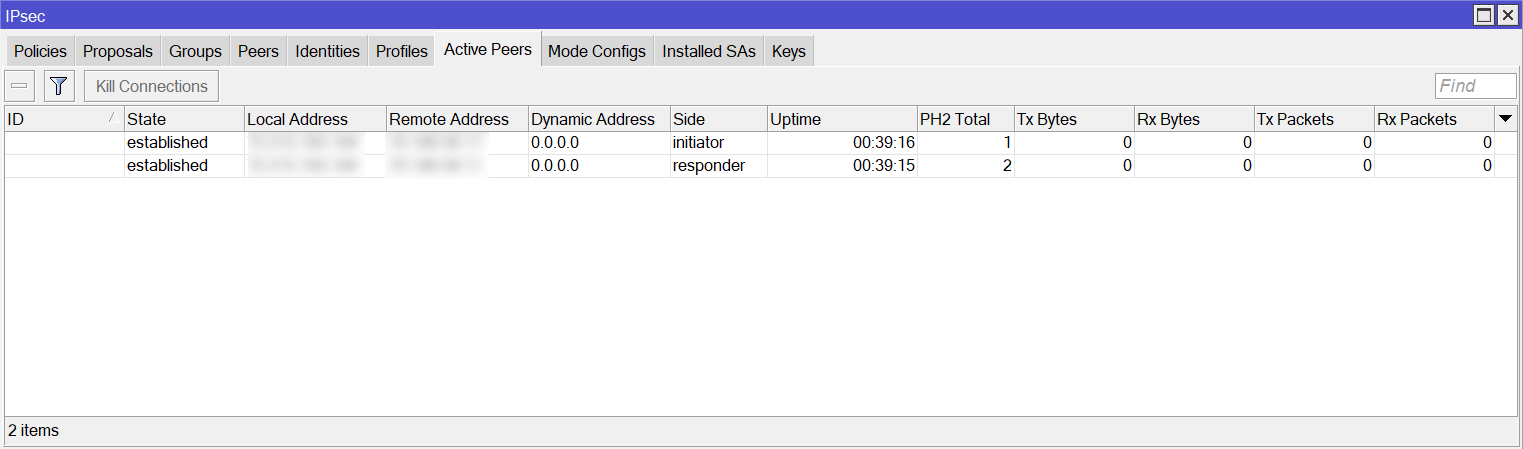
The Policies & Active Peers tabs look like both phases are up. However, I cannot get a simple ping to go across the tunnel.
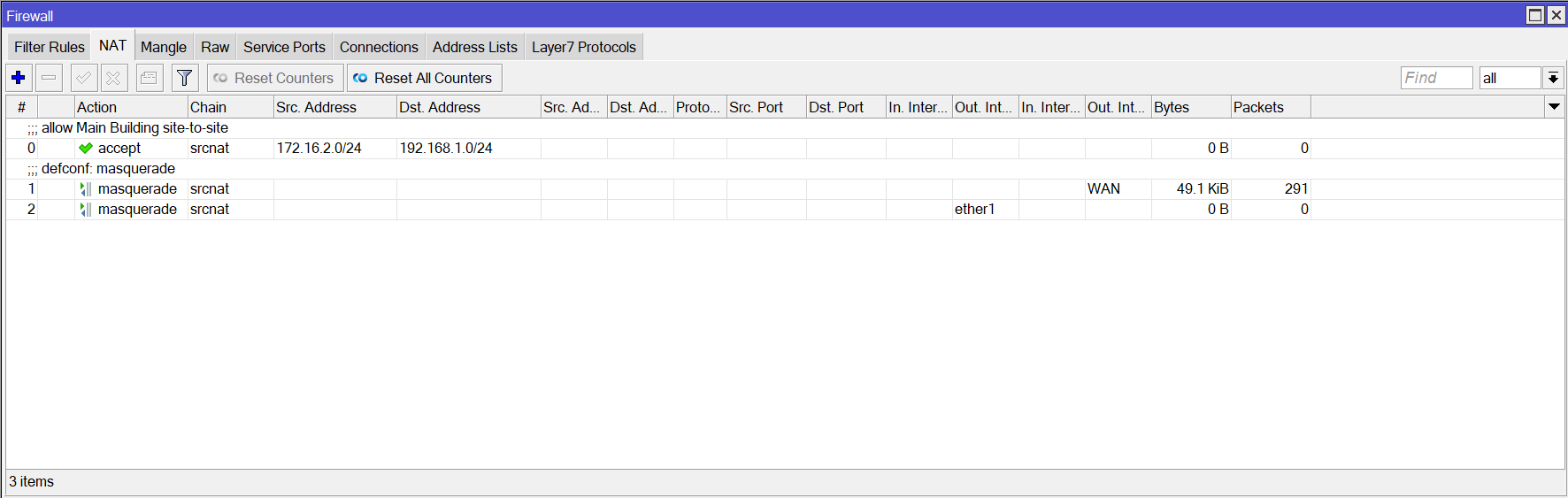
I have a NAT rule on both ends, with the source as that router’s local LAN subnet and the destination as the other router’s LAN subnet.
Both devices have OpenVPN & L2TP enabled for dial-in remote workers. Hopefully neither of these is causing a conflict.
Both ends are directly connected to the internet via cable modems. They have static addresses and working internet. The modems are pure modems; the RouterBoards are not behind any other routers/firewalls.
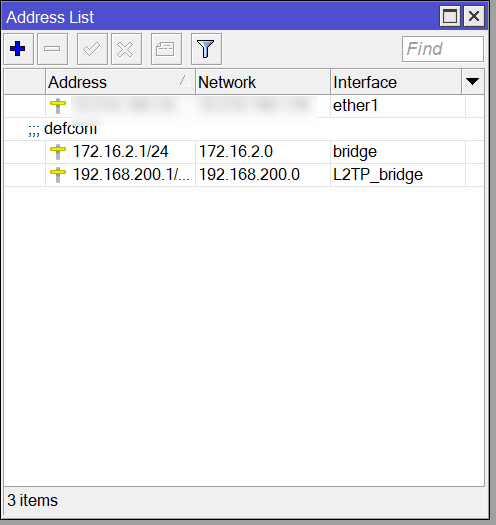
Site A LAN: 192.168.1.0/24
Site B LAN: 172.16.2.0/24
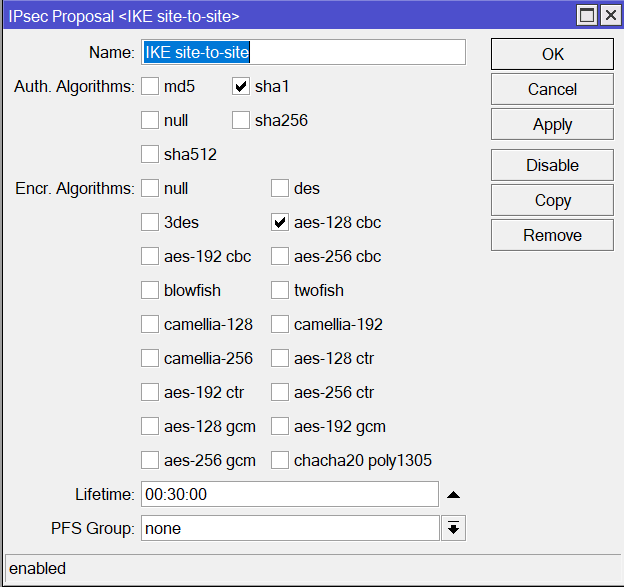
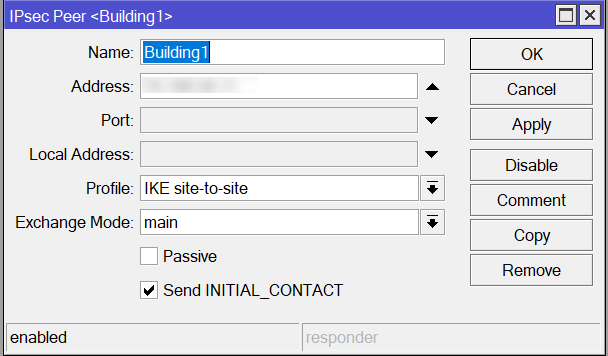
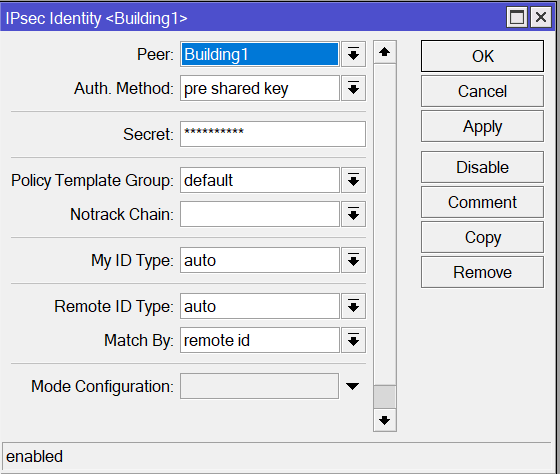
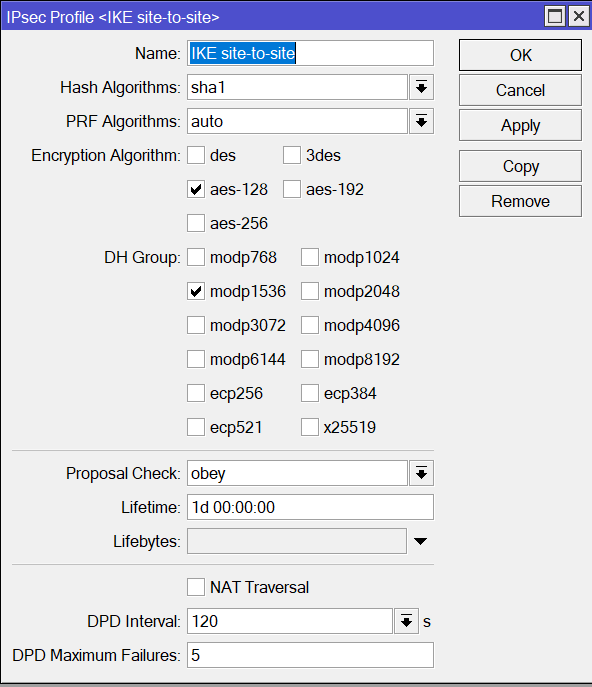
This is a partial list of settings that I’ve tried tuning. Both ends were confirmed to be identical with every reconfiguration. The tunnels were manually terminated after reconfiguring. Several times I went so far as to reboot both ends.
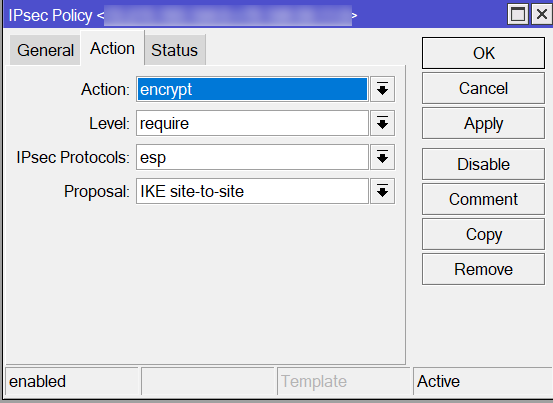
- Setting the Proposal’s Auth to: SHA1, SHA256 or SHA512. Setting the Encryption to: AES-128-CBC, AES-192-CBC or AES-256-CBC. Only one option was ever selected at a time.
- Enabling/Disabling PFS. When enabled, it was either 1536 or 2048.
- Changing the Peer between IKE2, main and aggressive.
- Updating Local & Remote ID’s using both IP Address and FQDN. When using FQDN, the values were set as the DDNS for the devices.
- Setting the Profile’s Hash PRF and Encryption to: SHA1, SHA256, SHA512 or auto. Setting the Encryption to AES-128, AES-192 or AES-256. Setting the DH Group to: MODP1536 or MODP2048.
- Enabling/disabling NAT Traversal. Only one algorithm was ever selected at a time.
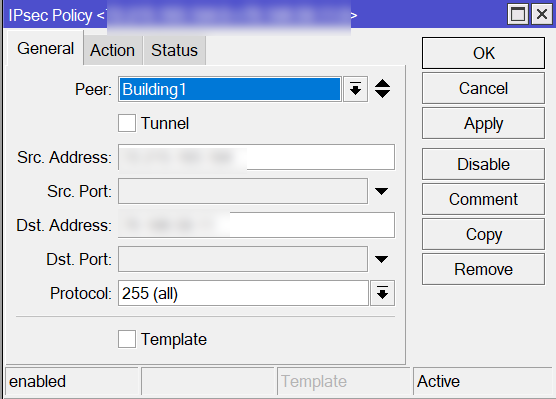
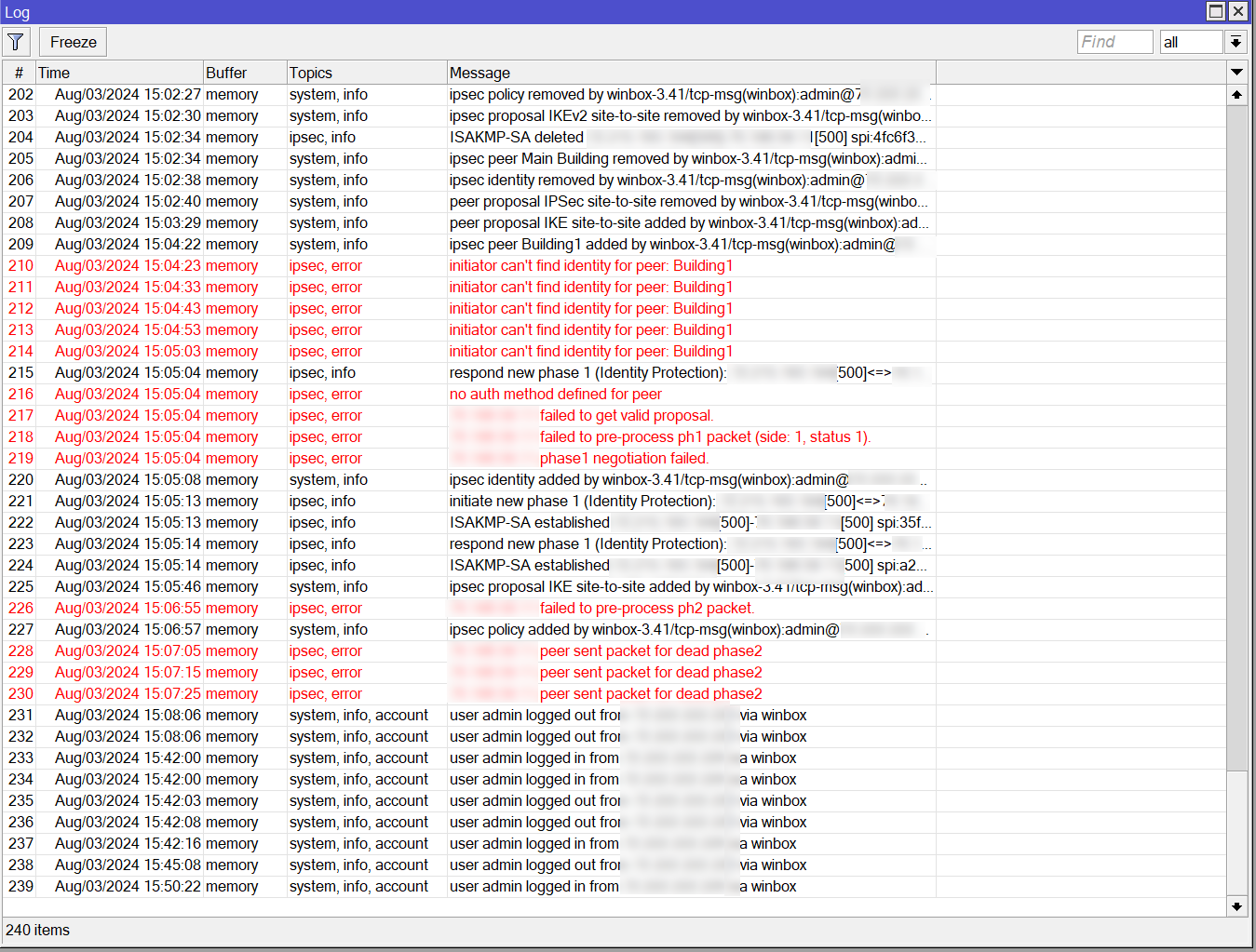
I’ve attached a slew of screenshots.
The routers are currently set for a fairly weak IKE1 connection. I’d originally gone with a much stronger IKE2 configuration like on this popular YouTube video: https://www.youtube.com/watch?v=uVag_e475zc
If anyone can tell me where I’ve gone wrong, I would be most grateful.
Thank you!