I am almost sure that I configured something wrong…
Here is what I done:
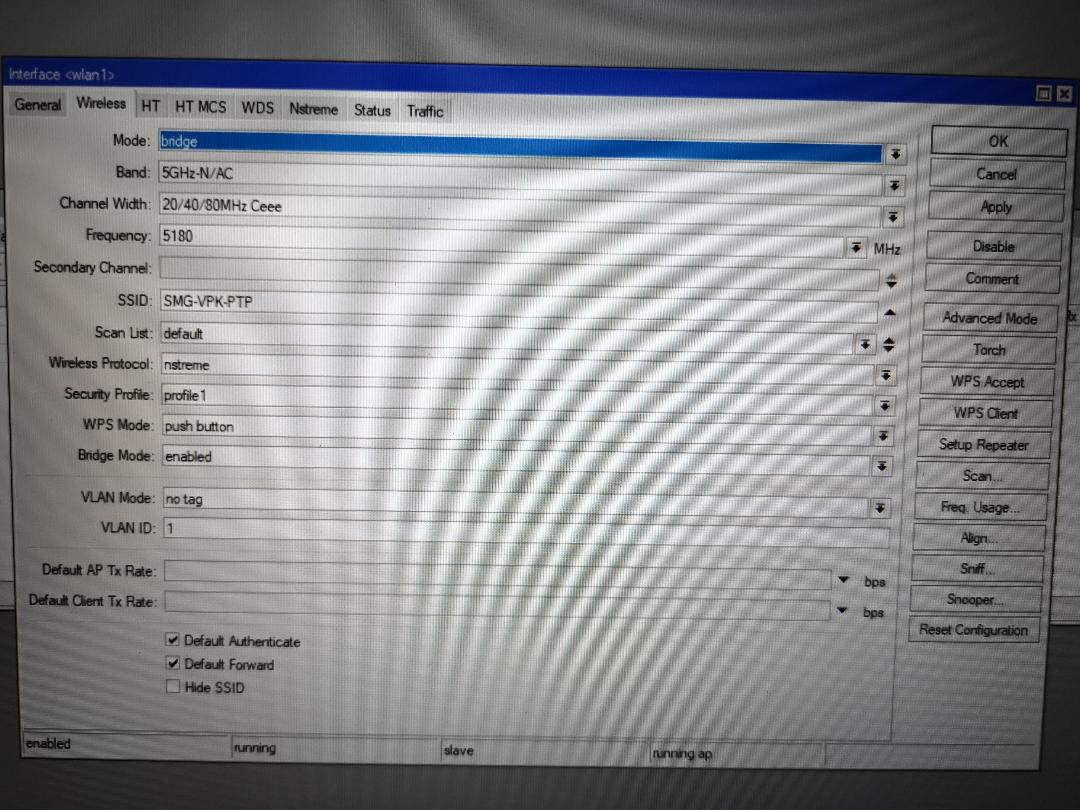
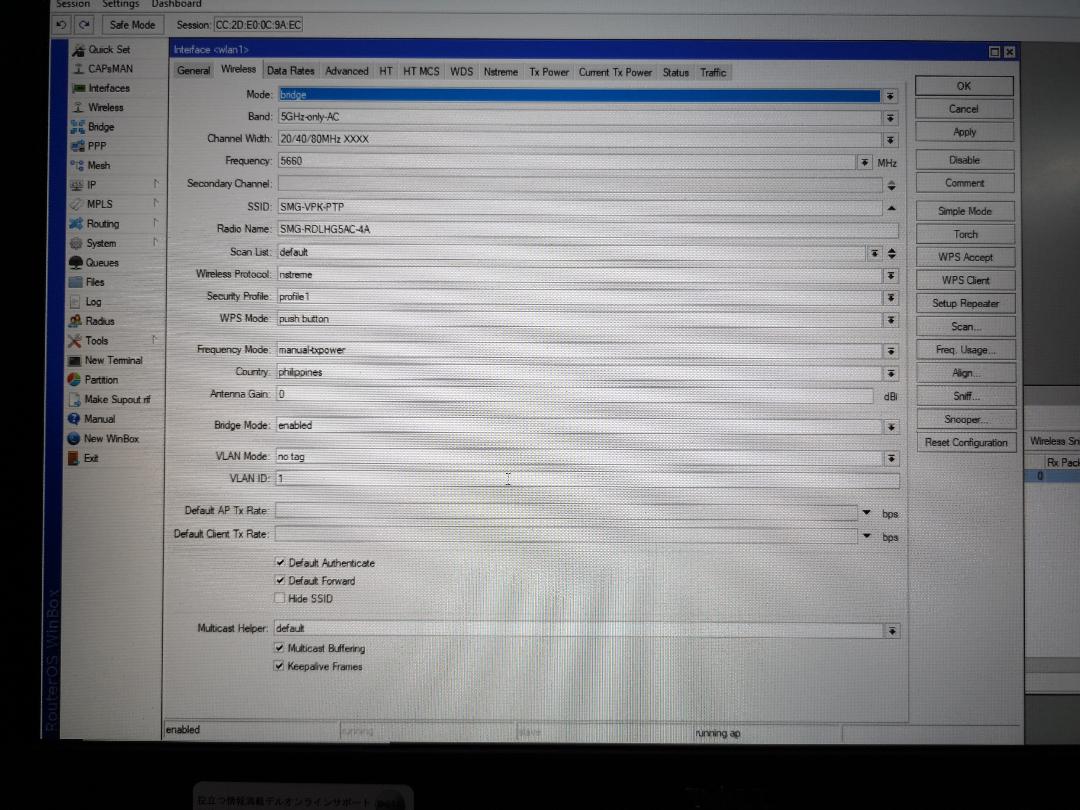
Ptp is establishing link
nsextreme
20/40/80Mhz Ceee
Both units are side by side and isn’t installed on the dish. they both have full bars.
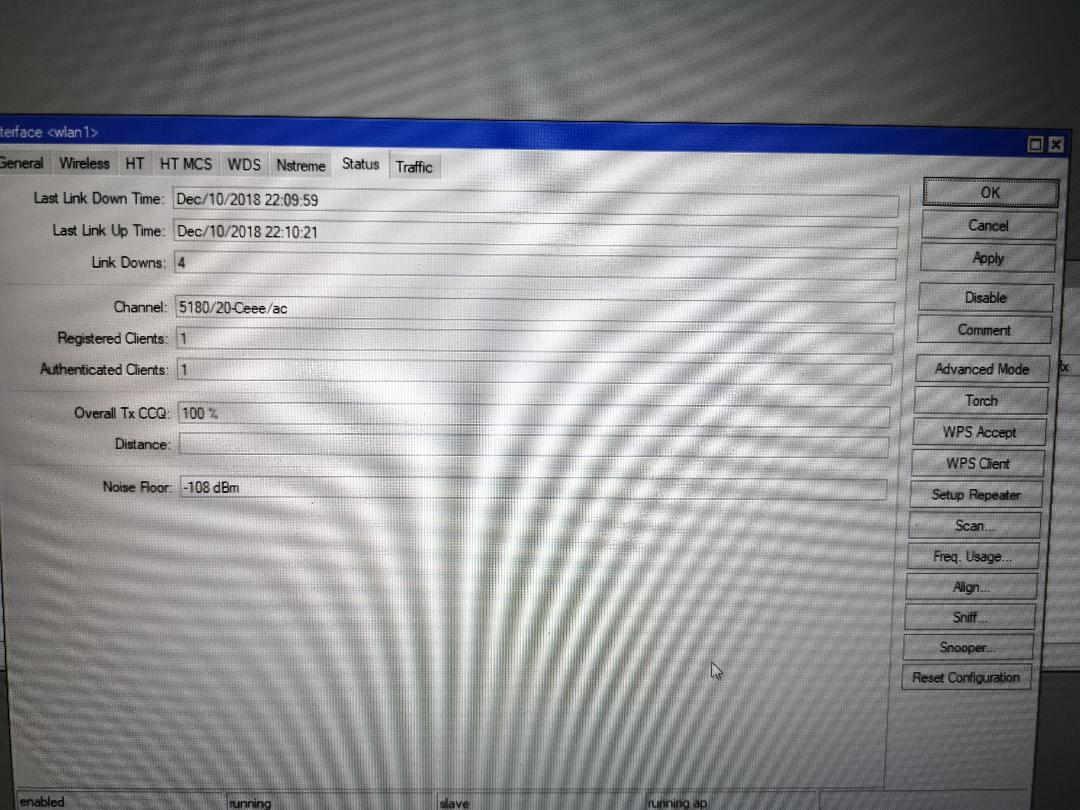
On status page:
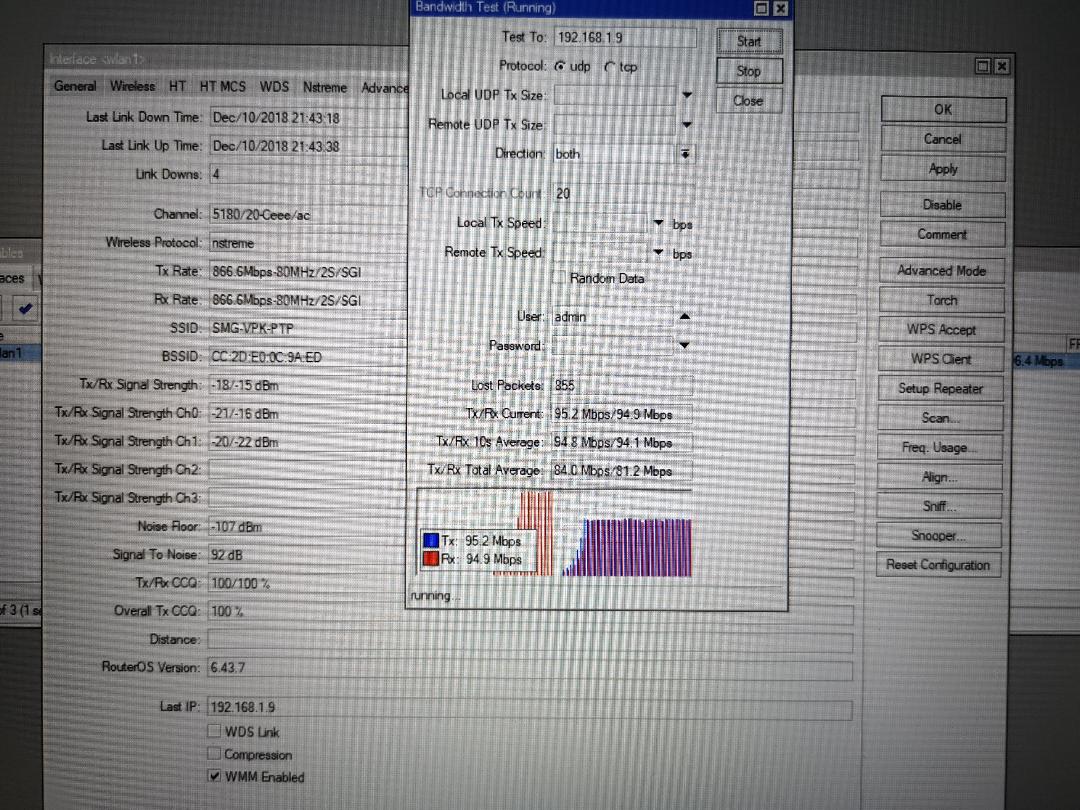
Seeing tx/rx rate: 866.6MBps - 80MHZ/2s/SGI But seeing on channel only 5180/20-Ceee/ac < --------- not sure why only 20 ( I assume this means 20 mhz ? )
BWtest from each other is only at 100mbps. <------------- I assume because of the 20mhz?
Ceee means 1 control channel plus 3 extension channels so a total of 80MHz, in fact your status screen shows 80MHz
When you btest you should not btest on the devices, the CPU will max out, you should btest between other devices connected to both ends.
Also the signals are much too high, which will not help, try moving them so that signals are -40 or worse
You should also have the antenna gain set correctly for the LHG which is 24, this will then set the tx power correctly, and you also should be using regulatory domain.
Man you can’t have 95Mbps both down and up, it’s too much perfect.
You’re bandwidth testing passing through a 100Mbps Ethernet for sure, or you have a queue set to 100Mbps.
Ceee means 1 control channel plus 3 extension channels so a total of 80MHz, in fact your status screen shows 80MHz
yes I know. but I am seeing only seeing on channel 5180/20-Ceee/ac <— does this mean 20mhz?
When you btest you should not btest on the devices, the CPU will max out, you should btest between other devices connected to both ends.
I took into consideration reg the maxing out of the cpu, I checked even at tcp my utilization is about only 20% on both ends. So i assume this isn’t about the CPU. unless you say so then I will need to test again but I am fairly certain it is not due to cpu of MT maxing out.
Also the signals are much too high, which will not help, try moving them so that signals are -40 or worse
I did that as well. Speed didn’t improve but even degraded. I tested at -56db I was getting about 80mbps.
You should also have the antenna gain set correctly for the LHG which is 24, this will then set the tx power correctly, and you also should be using regulatory domain.
It was not installed at the dish as this was a testing side by side. Do you think that this will affect the speed even after stating the signal levels I mentioned? AFAIK, as long as the signal level satisfies the requirement to achieve a certain speed antenna gain should not matter.
I am at 1gbps on both ends but traffic isn’t passing through there cause i am using the built in bw tool of the MT devices itself. so my local lan is out of the loop. so BW test is MT to MT. I also tried lhg5ac to ccr1036 still same speed only about 100mbps.
I am not expecting 1gbps both was but I was expecting it to hit around 500 both ways or very close to that but not 100mbps.
This is WiFi equipment, with 866 Brutto Data Rate your Are very happy to see about 500MBit real TCP, but with Mikrotik your happy when you see 200-300 MBit
tnx but I am only seeing 100 and what is the difference between the 2? looks like same specs to me except the freq. and if you take a look at my signal quality interference isn’t an issue nor the signal strength.
Several people have already said, you are not missing anything. Your expectation of the product is too high. Either use an LHG60 to get gigabit or you will have to deal with the connection you are getting.
The fact you are gettin 800+ burst rates is impressive to say the least, especially in the consumer area of the band.
LHG 5ac has 4 cores and btest < 6.44.x is only single core. Therefore you will max out one core at < 25% total CPU usage. Since you have around 20% CPU usage while doing btest, you are therefore probably maxing out one core with the btest, giving you an artificial low result.
With 802.11 the most you will get with a one-way test would be 33-60% (or maybe up to 75% if you are really lucky) of the theoretical maximum of 866Mbps, since overhead etc is not factored into the theoretical data rate.
" With 802.11 the most you will get with a one-way test would be 33-60% (or maybe up to 75% if you are really lucky) of the theoretical maximum of 866Mbps, since overhead etc is not factored into the theoretical data rate. "
So in real world result… What would be the best case UL/DL speed? 285Mbps - 649Mbps one way? how can I achieve the higher result? basically the transmitter are already side by side and made sure that there is no interference on the channel. " Lucky " means winning the silicon lottery or is it as in interference wise?
Also, Why are people here suggesting the lhg60 from the spec sheet it is almost identical to the LHG 5ac except for the band?
Lucky meaning interference-wise. There is almost never a situation where there is no interference unless you are in the middle of nowhere away from all 5GHz home routers. The more 5GHz sources, the more interference, and you can get interference also from upper partials of lower frequency transmissions. The real world result will be based entirely on the interference in the area and you cannot control that because you cannot control what others are using in unlicensed bands.
The LHG60 can do 1Gbps full duplex actual throughput (both directions 1Gbps at the same time) but only for shorter runs, like under 2KM. It is so directional and short range that interference is not an issue.
Thanks. 5ghz is actually rarely used in my testing area ( house ) I used wifi analyzer this might not be scientific.
Anyway So, the 100Mbps duplex is normal I guess. Would be nice that MT would show real world test of the radio link so people like me could have informed choices.
You might get more than 100Mbps duplex, but you would have to test with separate devices on either side of the radios instead of using btest on the radios themselves to get an accurate result due to the fact that it is single core only prior to the new 6.44beta.
It is normal with wireless systems to list theoretical data rate instead of actual achievable throughput. Unfortunately most end users do not realize this, buying home routers that advertise > 1Gbps wireless but actually cannot provide anywhere near that.
 and what is the difference between the 2? looks like same specs to me except the freq. and if you take a look at my signal quality interference isn’t an issue nor the signal strength.