No link L009UiGS with xGBASE-T SFP to CRS310 (renamed from: Can't disable autonegotiate on CRS310-8g+2s+in 2.5G ports)

I have a SRC310-2g+2s+in connected to a L009UiGS, with the CRS' ether1 2.5G port connected to a 2.5G SFP on the L009's sfp1 cage. It appears that the SFP does not support autonegotiation; This would be solvable by disabling auto and setting it to 2.5GBaseX. However, the SRC's ether1 port doesn't appear to support disabling autonegotiation at all; every setting I've tried (2.5GBaseT or X, 1GBaseX, T full, T half) give me an "unsupported speed" error.

The odd part is that before updating to 7.25, the port worked at the rated speed, despite the lack of autonegotiation. But after 7.25, the link comes up but sets the speed to 10Mbps, which is effectively useless.

I've tried to set the autonegotiation options to limit to 2.5 and 1G options, but link doesn't come up with those at all.

Is the fact I can't autonegotiate on the CRS310's built-in port a bug, or a known limitation?

FWIW, these are the SFPs I'm using: WiiTek SFP-2.5G-T (corrected from original post)

In the GUI, in interface sfp-sfpplus1, what supported speeds are shown for the module ("SFP Supported")?

(I recall when using 10-GTEK RJ45 SFP modules, that I also ended up turning off autonegotiation on the remote end as well, although that wasnative copper, not an SFP . . . )

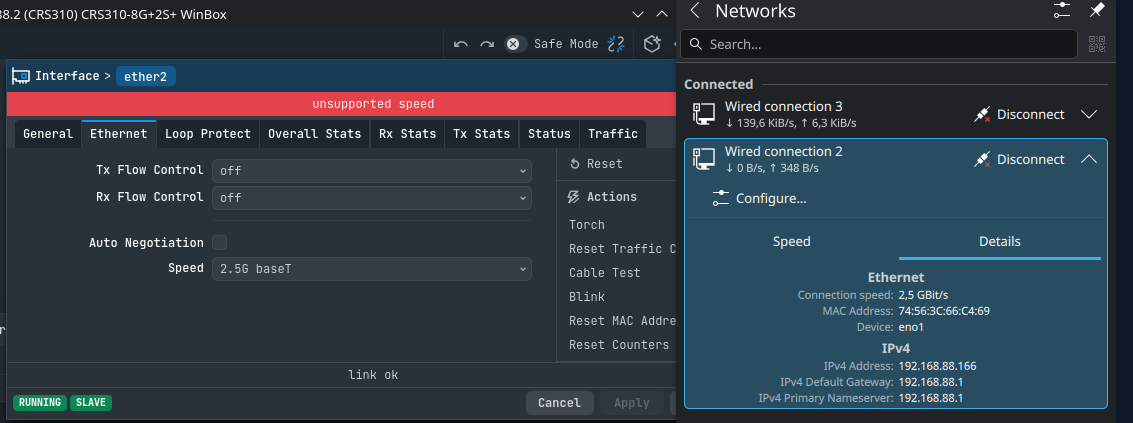
I tried it out, RJ45 to RJ45 (Ethernet2 2.5gig non auto neg to PC 2.5gig motherboard) and i have the same problem, auto-negotiation works without an issue.

The weird thing is that there's traffic and the link is ok.

Pretty sure that's not working as it should be working as it is. (7.25 Stable)

Unfortunately I'm stuck with xBASE-T unless I want to open up my walls :confused: Spec builders don't really care about fiber runs.

One update is that I'd assumed this might be due to the 7.25 update, but I reverted to 7.24.5 and that didn't fix anything. I really don't know why it worked out of the box before then.

I'd still like to see what the SFP claims to support.

Turns out that the standard itself (2.5baseT in general or 802.3bz) requires auto-negotiation to be enabled for it to work.

Forcing 2.5baseT is not a standard compliant way of implementing it.
Slide 8

https://www.ieee802.org/3/NGEBASET/public/archadhoc/Kim_AutoNegotiation_v1_2015_3_31.pdf

This is interesting - if that's the case, why won't the link come up at all unless I disable autoneg on the L009...? I'm wondering what other diagnostics I could possibly do here.

Forgiving the self-reply: I think a better question might be: is there a known-compatible 2.5G SFP that Mikrotik recommends? I don't see a branded one on their website, so there's really no option other than third-party.

From the CRS side (10G SFP+ cage):

[snohomish@snohomish_sw3] > /interface/ethernet/monitor sfp-sfpplus1 once
name: sfp-sfpplus1
status: no-link
auto-negotiation: done
supported: 10M-baseT-half
10M-baseT-full
100M-baseT-half
100M-baseT-full
1G-baseT-half
1G-baseT-full
1G-baseX
2.5G-baseT
2.5G-baseX
5G-baseT
10G-baseT
10G-baseSR-LR
10G-baseCR
sfp-supported: 1G-baseX
10G-baseSR-LR
advertising: 1G-baseX
10G-baseSR-LR
link-partner-advertising:
sfp-module-present: yes
sfp-rx-loss: yes
sfp-tx-fault: no
sfp-type: SFP/SFP+/SFP28/SFP56
sfp-connector-type: LC
sfp-encoding: 64B/66B
sfp-link-length-om1: 30m
sfp-link-length-om2: 80m
sfp-link-length-om3: 300m
sfp-vendor-name: Wiitek
sfp-vendor-part-number: UF-RJ45-10G-100
sfp-vendor-revision: 10
sfp-vendor-serial: WAMZ012606X067U
sfp-manufacturing-date: 26-05-06
sfp-wavelength: 850nm
sfp-temperature: 39C
sfp-supply-voltage: 3.34V
sfp-tx-bias-current: 6mA
sfp-tx-power: -3.01dBm
eeprom-checksum: good
eeprom: 0000: 03 04 07 10 00 00 00 40 40 0c 00 06 67 00 00 00 .......@ @...g...
0010: 08 03 00 1e 57 69 69 74 65 6b 20 20 20 20 20 20 ....Wiit ek
0020: 20 20 20 20 00 00 1b 21 55 46 2d 52 4a 34 35 2d ...! UF-RJ45-
0030: 31 30 47 2d 31 30 30 20 31 30 20 20 03 52 00 9f 10G-100 10 .R..
0040: 00 1a 00 00 57 41 4d 5a 30 31 32 36 30 36 58 30 ....WAMZ 012606X0
0050: 36 37 55 20 32 36 30 35 30 36 20 20 68 f0 03 c0 67U 2605 06 h...
0060: 00 00 00 00 00 00 00 00 00 00 00 00 00 00 00 00 ........ ........
*
0080: 5f 00 ce 00 5a 00 d3 00 8c a0 75 30 88 b8 79 18 _...Z... ..u0..y.
0090: 1d 4c 01 f4 19 64 03 e8 4d f0 06 30 3d e8 06 f2 .L...d.. M..0=...
00a0: 2b d4 00 c7 27 10 00 df 00 00 00 00 00 00 00 00 +...'... ........
00b0: 00 00 00 00 00 00 00 00 00 00 00 00 00 00 00 00 ........ ........
00c0: 00 00 00 00 3f 80 00 00 00 00 00 00 01 00 00 00 ....?... ........
00d0: 01 00 00 00 01 00 00 00 01 00 00 00 00 00 00 f1 ........ ........
00e0: 27 1a 82 78 0b b8 13 88 00 00 00 00 00 00 02 00 '..x.... ........
00f0: 00 40 00 00 00 40 00 00 00 00 00 ff ff ff ff 00 .@...@.. ........

From the L009 (2.5G SFP cage)

[snohomish@snohomish_sw5_rec_room_aux] > /interface/ethernet/monitor sfp1 once
;;; UPLINK:ether1:downstairs:rec_room:mikrotik:crs310-8G+2S+::snohomish_sw3
name: sfp1
status: no-link
auto-negotiation: disabled
supported: 10M-baseT-half
10M-baseT-full
100M-baseT-half
100M-baseT-full
1G-baseT-half
1G-baseT-full
1G-baseX
2.5G-baseT
2.5G-baseX
sfp-supported: 1G-baseX
sfp-module-present: yes
sfp-rx-loss: yes
sfp-tx-fault: no
sfp-type: SFP/SFP+/SFP28/SFP56
sfp-connector-type: LC
sfp-encoding: sonet
sfp-link-length-om1: 200m
sfp-link-length-om2: 300m
sfp-vendor-name: Wiitek
sfp-vendor-part-number: SFP-2.5G-T
sfp-vendor-revision: 1.0
sfp-vendor-serial: WAMZ012604C050
sfp-manufacturing-date: 26-04-14
sfp-wavelength: 850nm
sfp-temperature: 22C
sfp-supply-voltage: 3.298V
sfp-tx-bias-current: 6mA
sfp-tx-power: -3.01dBm
eeprom-checksum: good
eeprom: 0000: 03 04 07 00 01 00 00 40 40 04 00 05 19 00 00 00 .......@ @.......
0010: 1e 14 00 00 57 69 69 74 65 6b 20 20 20 20 20 20 ....Wiit ek
0020: 20 20 20 20 00 00 1b 21 53 46 50 2d 32 2e 35 47 ...! SFP-2.5G
0030: 2d 54 20 20 20 20 20 20 31 2e 30 20 03 52 00 03 -T 1.0 .R..
0040: 00 1a 00 00 57 41 4d 5a 30 31 32 36 30 34 43 30 ....WAMZ 012604C0
0050: 35 30 20 20 32 36 30 34 31 34 20 20 68 f0 01 68 50 2604 14 h..h
0060: 00 00 11 38 4c 15 a6 79 fb 0f 84 fa 40 91 76 88 ...8L..y ....@.v.
0070: c6 62 48 00 00 00 00 00 00 00 00 00 28 38 00 fa .bH..... ....(8..
0080: 5f 00 ce 00 5a 00 d3 00 8c a0 75 30 88 b8 79 18 _...Z... ..u0..y.
0090: 1d 4c 01 f4 19 64 03 e8 4d f0 06 30 3d e8 06 f2 .L...d.. M..0=...
00a0: 2b d4 00 c7 27 10 00 df 00 00 00 00 00 00 00 00 +...'... ........
00b0: 00 00 00 00 00 00 00 00 00 00 00 00 00 00 00 00 ........ ........
00c0: 00 00 00 00 3f 80 00 00 00 00 00 00 01 00 00 00 ....?... ........
00d0: 01 00 00 00 01 00 00 00 01 00 00 00 00 00 00 f1 ........ ........
00e0: 16 47 80 db 0b b8 13 88 00 00 ff ff ff ff 82 ff .G...... ........
00f0: 00 40 ff ff 00 40 ff ff 00 ff ff ff ff ff ff 00 .@...@.. ........

So it's interesting that both modules don't claim to support 2.5G even though it's even in the product name on the SFP. But both sides appear to advertise 1G-BaseX, so I'd expect at least that to work.

Could you confirm whether the latest outputs are from the original L009 sfp1 to CRS310 ether1 connection, or from a different test using the CRS310's sfp-sfpplus1? The original post mentions ether1, while the later monitor output is for sfp-sfpplus1, so the cabling for that test would help put those readings in context.

If the original connection is still the one failing, could you capture both actual endpoints with the same cabling and settings at the same time?

# L009
/interface ethernet monitor sfp1 once

# CRS310
/interface ethernet monitor ether1 once

Please include the software version on each device and each port's configured speed and auto-negotiation setting. The monitor's status, rate, advertising and link-partner-advertising fields, where reported, would help too. It would also be useful to separate the settings that gave 10Mbps from the ones that gave no link.

The module's host-facing SFP interface and its copper Ethernet side need to be considered separately. The SFP capability readout alone doesn't establish the copper-side negotiated rate. The module manufacturer's host-interface specification would help here, especially whether and how this module handles different host and copper rates.

Hi,

On the SRC310 I've tested on both ether1 and a 1/2.5/10GBASE-T transceiver in sfp-sfp-plus1, with similar results.

Currently, I have autonegotiation enabled on both ends of the link. Oddly, the L009 sees the link up, but the CRS310 does not (even though the amber link light is lit for the port).

The requested output - I'll be sending this for both the link connected to ether1 and sfp-sfpplus1 on the CRS.


LOO9 sfp1 connected to SRC310 ether1:

[snohomish@snohomish_sw5_rec_room_aux] > /interface/ethernet/monitor sfp1 once
;;; UPLINK:ether1:downstairs:rec_room:mikrotik:crs310-8G+2S+::snohomish_sw3
name: sfp1
status: no-link
auto-negotiation: done
supported: 10M-baseT-half
10M-baseT-full
100M-baseT-half
100M-baseT-full
1G-baseT-half
1G-baseT-full
1G-baseX
2.5G-baseT
2.5G-baseX
sfp-supported: 1G-baseX
advertising: 1G-baseX
link-partner-advertising:
sfp-module-present: yes
sfp-rx-loss: no
sfp-tx-fault: no
sfp-type: SFP/SFP+/SFP28/SFP56
sfp-connector-type: LC
sfp-encoding: sonet
sfp-link-length-om1: 200m
sfp-link-length-om2: 300m
sfp-vendor-name: Wiitek
sfp-vendor-part-number: SFP-2.5G-T
sfp-vendor-revision: 1.0
sfp-vendor-serial: WAMZ012604C050
sfp-manufacturing-date: 26-04-14
sfp-wavelength: 850nm
sfp-temperature: 21C
sfp-supply-voltage: 3.305V
sfp-tx-bias-current: 6mA
sfp-tx-power: -3.01dBm
sfp-rx-power: -3.979dBm
eeprom-checksum: good
eeprom: 0000: 03 04 07 00 01 00 00 40 40 04 00 05 19 00 00 00 .......@ @.......
0010: 1e 14 00 00 57 69 69 74 65 6b 20 20 20 20 20 20 ....Wiit ek
0020: 20 20 20 20 00 00 1b 21 53 46 50 2d 32 2e 35 47 ...! SFP-2.5G
0030: 2d 54 20 20 20 20 20 20 31 2e 30 20 03 52 00 03 -T 1.0 .R..
0040: 00 1a 00 00 57 41 4d 5a 30 31 32 36 30 34 43 30 ....WAMZ 012604C0
0050: 35 30 20 20 32 36 30 34 31 34 20 20 68 f0 01 68 50 2604 14 h..h
0060: 00 00 11 38 4c 15 a6 79 fb 0f 84 fa 40 91 76 88 ...8L..y ....@.v.
0070: c6 62 48 00 00 00 00 00 00 00 00 00 28 38 00 fa .bH..... ....(8..
0080: 5f 00 ce 00 5a 00 d3 00 8c a0 75 30 88 b8 79 18 _...Z... ..u0..y.
0090: 1d 4c 01 f4 19 64 03 e8 4d f0 06 30 3d e8 06 f2 .L...d.. M..0=...
00a0: 2b d4 00 c7 27 10 00 df 00 00 00 00 00 00 00 00 +...'... ........
00b0: 00 00 00 00 00 00 00 00 00 00 00 00 00 00 00 00 ........ ........
00c0: 00 00 00 00 3f 80 00 00 00 00 00 00 01 00 00 00 ....?... ........
00d0: 01 00 00 00 01 00 00 00 01 00 00 00 00 00 00 f1 ........ ........
00e0: 15 28 81 1e 0b b8 13 88 0f a0 ff ff ff ff 80 ff .(...... ........
00f0: 00 00 ff ff 00 00 ff ff 00 ff ff ff ff ff ff 00 ........ ........

CRS310 ether1:
[snohomish@snohomish_sw3] > /interface/ethernet/monitor ether1 once
;;; DOWNLINK:sfp1:downstairs:rec_room:mikrotik:L009UiGS:snohomish_sw5_rec_room_aux
name: ether1
status: link-ok
auto-negotiation: done
rate: 10Mbps
full-duplex: yes
tx-flow-control: no
rx-flow-control: no
supported: 10M-baseT-half
10M-baseT-full
100M-baseT-half
100M-baseT-full
1G-baseT-full
2.5G-baseT
advertising: 10M-baseT-full
100M-baseT-full
2.5G-baseT
link-partner-advertising: 10M-baseT-half
10M-baseT-full

Moving the port to sfp-sfpplus1 on the CRS, again with autonegotiation enabled on both ports:
L009:

[snohomish@snohomish_sw5_rec_room_aux] > /interface/ethernet/monitor sfp1 once
;;; UPLINK:ether1:downstairs:rec_room:mikrotik:crs310-8G+2S+::snohomish_sw3
name: sfp1
status: no-link
auto-negotiation: done
supported: 10M-baseT-half
10M-baseT-full
100M-baseT-half
100M-baseT-full
1G-baseT-half
1G-baseT-full
1G-baseX
2.5G-baseT
2.5G-baseX
sfp-supported: 1G-baseX
advertising: 1G-baseX
link-partner-advertising:
sfp-module-present: yes
sfp-rx-loss: no
sfp-tx-fault: no
sfp-type: SFP/SFP+/SFP28/SFP56
sfp-connector-type: LC
sfp-encoding: sonet
sfp-link-length-om1: 200m
sfp-link-length-om2: 300m
sfp-vendor-name: Wiitek
sfp-vendor-part-number: SFP-2.5G-T
sfp-vendor-revision: 1.0
sfp-vendor-serial: WAMZ012604C050
sfp-manufacturing-date: 26-04-14
sfp-wavelength: 850nm
sfp-temperature: 28C
sfp-supply-voltage: 3.272V
sfp-tx-bias-current: 6mA
sfp-tx-power: -3.01dBm
sfp-rx-power: -3.979dBm
eeprom-checksum: good
eeprom: 0000: 03 04 07 00 01 00 00 40 40 04 00 05 19 00 00 00 .......@ @.......
0010: 1e 14 00 00 57 69 69 74 65 6b 20 20 20 20 20 20 ....Wiit ek
0020: 20 20 20 20 00 00 1b 21 53 46 50 2d 32 2e 35 47 ...! SFP-2.5G
0030: 2d 54 20 20 20 20 20 20 31 2e 30 20 03 52 00 03 -T 1.0 .R..
0040: 00 1a 00 00 57 41 4d 5a 30 31 32 36 30 34 43 30 ....WAMZ 012604C0
0050: 35 30 20 20 32 36 30 34 31 34 20 20 68 f0 01 68 50 2604 14 h..h
0060: 00 00 11 38 4c 15 a6 79 fb 0f 84 fa 40 91 76 88 ...8L..y ....@.v.
0070: c6 62 48 00 00 00 00 00 00 00 00 00 28 38 00 fa .bH..... ....(8..
0080: 5f 00 ce 00 5a 00 d3 00 8c a0 75 30 88 b8 79 18 _...Z... ..u0..y.
0090: 1d 4c 01 f4 19 64 03 e8 4d f0 06 30 3d e8 06 f2 .L...d.. M..0=...
00a0: 2b d4 00 c7 27 10 00 df 00 00 00 00 00 00 00 00 +...'... ........
00b0: 00 00 00 00 00 00 00 00 00 00 00 00 00 00 00 00 ........ ........
00c0: 00 00 00 00 3f 80 00 00 00 00 00 00 01 00 00 00 ....?... ........
00d0: 01 00 00 00 01 00 00 00 01 00 00 00 00 00 00 f1 ........ ........
00e0: 1c 4a 7f d4 0b b8 13 88 0f a0 ff ff ff ff 80 ff .J...... ........
00f0: 00 00 ff ff 00 00 ff ff 00 ff ff ff ff ff ff 00 ........ ........

CRS310 sfp-sfpplus1: The really odd part here is that the CRS sees the port up at 10Gbps, but the L009 sees the port down.

[snohomish@snohomish_sw3] > /interface/ethernet/monitor sfp-sfpplus1 once
name: sfp-sfpplus1
status: link-ok
auto-negotiation: done
rate: 10Gbps
full-duplex: yes
tx-flow-control: no
rx-flow-control: no
supported: 10M-baseT-half
10M-baseT-full
100M-baseT-half
100M-baseT-full
1G-baseT-half
1G-baseT-full
1G-baseX
2.5G-baseT
2.5G-baseX
5G-baseT
10G-baseT
10G-baseSR-LR
10G-baseCR
sfp-supported: 1G-baseX
10G-baseSR-LR
advertising: 1G-baseX
10G-baseSR-LR
link-partner-advertising:
sfp-module-present: yes
sfp-rx-loss: no
sfp-tx-fault: no
sfp-type: SFP/SFP+/SFP28/SFP56
sfp-connector-type: LC
sfp-encoding: 64B/66B
sfp-link-length-om1: 30m
sfp-link-length-om2: 80m
sfp-link-length-om3: 300m
sfp-vendor-name: Wiitek
sfp-vendor-part-number: UF-RJ45-10G-100
sfp-vendor-revision: 10
sfp-vendor-serial: WAMZ012606X067U
sfp-manufacturing-date: 26-05-06
sfp-wavelength: 850nm
sfp-temperature: 43C
sfp-supply-voltage: 3.343V
sfp-tx-bias-current: 6mA
sfp-tx-power: -3.01dBm
sfp-rx-power: -3.979dBm
eeprom-checksum: good
eeprom: 0000: 03 04 07 10 00 00 00 40 40 0c 00 06 67 00 00 00 .......@ @...g...
0010: 08 03 00 1e 57 69 69 74 65 6b 20 20 20 20 20 20 ....Wiit ek
0020: 20 20 20 20 00 00 1b 21 55 46 2d 52 4a 34 35 2d ...! UF-RJ45-
0030: 31 30 47 2d 31 30 30 20 31 30 20 20 03 52 00 9f 10G-100 10 .R..
0040: 00 1a 00 00 57 41 4d 5a 30 31 32 36 30 36 58 30 ....WAMZ 012606X0
0050: 36 37 55 20 32 36 30 35 30 36 20 20 68 f0 03 c0 67U 2605 06 h...
0060: 00 00 00 00 00 00 00 00 00 00 00 00 00 00 00 00 ........ ........
*
0080: 5f 00 ce 00 5a 00 d3 00 8c a0 75 30 88 b8 79 18 _...Z... ..u0..y.
0090: 1d 4c 01 f4 19 64 03 e8 4d f0 06 30 3d e8 06 f2 .L...d.. M..0=...
00a0: 2b d4 00 c7 27 10 00 df 00 00 00 00 00 00 00 00 +...'... ........
00b0: 00 00 00 00 00 00 00 00 00 00 00 00 00 00 00 00 ........ ........
00c0: 00 00 00 00 3f 80 00 00 00 00 00 00 01 00 00 00 ....?... ........
00d0: 01 00 00 00 01 00 00 00 01 00 00 00 00 00 00 f1 ........ ........
00e0: 2b 3d 82 9c 0b b8 13 88 0f a0 00 00 00 00 00 00 +=...... ........
00f0: 00 00 00 00 00 00 00 00 00 00 00 ff ff ff ff 00 ........ ........

[snohomish@snohomish_sw3] >

the 2.5gig standard requires autonegotiation to function or work at all, so without autonegotiation or rather forcing the speed itself does NOT work.

It WILL NOT work otherwise, what are we even doing here still.

See my diag output above - following your prior guidance on this, the diagnostics shown are with autonegotiation enabled on both sides. Even with that, the link doesn't come up on both sides (oddly, it detects link on one or the other, but never both). It only comes up on both ends if I disable autonegotiation on the 2.5G SFP, and then it only runs at 10Mbps.

Additionally, even if I swap in the same 2.5G SFP model on the CRS side, it still doesn't come up in any auto/no-auto combination I've tested. I'll post those diags after this.

I have a couple 1GBASE-T SFPs as well; I'll try those next and report results.

Tested again with the same model of 1/2.5GBASE-T transceiver on both ends; link still doesn't come up. Diags below; the fact that the SFPs are only advertising 1G-baseX is interesting to note.

Omitting the eeprom dumps for brevity, but I can paste those again as well if it's useful.

CRS310:

[snohomish@snohomish_sw3] > /interface/ethernet/monitor sfp-sfpplus1 once
name: sfp-sfpplus1
status: no-link
auto-negotiation: done
supported: 10M-baseT-half
10M-baseT-full
100M-baseT-half
100M-baseT-full
1G-baseT-half
1G-baseT-full
1G-baseX
2.5G-baseT
2.5G-baseX
5G-baseT
10G-baseT
10G-baseSR-LR
10G-baseCR
sfp-supported: 1G-baseX
advertising: 1G-baseX
link-partner-advertising:
sfp-module-present: yes
sfp-rx-loss: no
sfp-tx-fault: no
sfp-type: SFP/SFP+/SFP28/SFP56
sfp-connector-type: LC
sfp-encoding: sonet
sfp-link-length-om1: 200m
sfp-link-length-om2: 300m
sfp-vendor-name: Wiitek
sfp-vendor-part-number: SFP-2.5G-T
sfp-vendor-revision: 1.0
sfp-vendor-serial: WAMZ012604C130
sfp-manufacturing-date: 26-04-14
sfp-wavelength: 850nm
sfp-temperature: 44C
sfp-supply-voltage: 3.171V
sfp-tx-bias-current: 6mA
sfp-tx-power: -3.01dBm
sfp-rx-power: -3.979dBm
eeprom-checksum: good

L009:

[snohomish@snohomish_sw5_rec_room_aux] > /interface/ethernet/monitor sfp1 once
;;; UPLINK:ether1:downstairs:rec_room:mikrotik:crs310-8G+2S+::snohomish_sw3
name: sfp1
status: no-link
auto-negotiation: done
supported: 10M-baseT-half
10M-baseT-full
100M-baseT-half
100M-baseT-full
1G-baseT-half
1G-baseT-full
1G-baseX
2.5G-baseT
2.5G-baseX
sfp-supported: 1G-baseX
advertising: 1G-baseX
link-partner-advertising:
sfp-module-present: yes
sfp-rx-loss: no
sfp-tx-fault: no
sfp-type: SFP/SFP+/SFP28/SFP56
sfp-connector-type: LC
sfp-encoding: sonet
sfp-link-length-om1: 200m
sfp-link-length-om2: 300m
sfp-vendor-name: Wiitek
sfp-vendor-part-number: SFP-2.5G-T
sfp-vendor-revision: 1.0
sfp-vendor-serial: WAMZ012604C050
sfp-manufacturing-date: 26-04-14
sfp-wavelength: 850nm
sfp-temperature: 43C
sfp-supply-voltage: 3.237V
sfp-tx-bias-current: 6mA
sfp-tx-power: -3.01dBm
sfp-rx-power: -3.979dBm
eeprom-checksum: good

sfp-supported: 1G-baseX
advertising: 1G-baseX

So basically means that your module doesn't support 1gig then. It recognised it as 1G-baseX and its advertising it as 1G-basex.

So I just swapped out the 2.5G SFP with a 1G SFP from fs.com, and the link is still down:

[snohomish@snohomish_sw5_rec_room_aux] > /interface/ethernet/monitor sfp1 once
;;; UPLINK:ether1:downstairs:rec_room:mikrotik:crs310-8G+2S+::snohomish_sw3
name: sfp1
status: no-link
auto-negotiation: done
supported: 10M-baseT-half
10M-baseT-full
100M-baseT-half
100M-baseT-full
1G-baseT-half
1G-baseT-full
1G-baseX
2.5G-baseT
2.5G-baseX
sfp-supported: 10M-baseT-half
10M-baseT-full
100M-baseT-half
100M-baseT-full
1G-baseT-half
1G-baseT-full
advertising: 10M-baseT-half
10M-baseT-full
100M-baseT-half
100M-baseT-full
1G-baseT-half
1G-baseT-full
link-partner-advertising:
sfp-module-present: yes
sfp-rx-loss: no
sfp-tx-fault: no
sfp-type: SFP/SFP+/SFP28/SFP56
sfp-connector-type: RJ45
sfp-encoding: 8B/10B
sfp-link-length-copper-active-om4: 100m
sfp-vendor-name: FS
sfp-vendor-part-number: SFP-GE-T
sfp-vendor-revision: A
sfp-vendor-serial: S2436642737
sfp-manufacturing-date: 24-08-02
eeprom-checksum: good

Connected to ether1 on the CRS310, I see:

[snohomish@snohomish_sw3] > /interface/ethernet/monitor ether1 once
;;; DOWNLINK:sfp1:downstairs:rec_room:mikrotik:L009UiGS:snohomish_sw5_rec_room_aux
name: ether1
status: no-link
auto-negotiation: done
supported: 10M-baseT-half
10M-baseT-full
100M-baseT-half
100M-baseT-full
1G-baseT-full
2.5G-baseT
advertising: 10M-baseT-full
100M-baseT-full
2.5G-baseT
link-partner-advertising:
[snohomish@snohomish_sw3] >

To verify one detail, the cable is working in other situations - it's a Cat6 cable only a few feet long, and if I connect it to built-in ports on both ends, I get a working 1G link.

At any rate, I've opened a support case with Mikrotik; I'll report results here.

Any reason the 310 isn't advertising any 1G speeds?

Interestingly - it is now:

[snohomish@snohomish_sw3] > /interface/ethernet/monitor ether1 once
;;; DOWNLINK:sfp1:downstairs:rec_room:mikrotik:L009UiGS:snohomish_sw5_rec_room_aux
name: ether1
status: no-link
auto-negotiation: failed
supported: 10M-baseT-half
10M-baseT-full
100M-baseT-half
100M-baseT-full
1G-baseT-full
2.5G-baseT
advertising: 10M-baseT-full
100M-baseT-full
1G-baseT-full
link-partner-advertising:
[snohomish@snohomish_sw3] >

I've verified the L009 sfp1 is advertising these also, but the link's still down. We'll see what support says on this.

UPDATE: Everything below was short-lived. When I rebooted the L009 again, it only went to 100Mbps (better than prior 10Mbps, but still...?

Interesting bit is that the CRS310 is now seeing the following speeds offered:

link-partner-advertising: 10M-baseT-half
10M-baseT-full
100M-baseT-half
100M-baseT-full
Missing the 2.5GBase-X seen earlier.

Swapping in a FS.com 1G SFP, the same issue appears.

Any idea which transceivers are known-good for this?


So the solution appears to be, per Mikrotik support:

  1. Reset the port configurations on both sides
    L009:/interface/ethernet/reset sfp1
    CRS310: /interface/ethernet/reset ether1

  2. On the SFP port, Disable autonegotiation and set 2.5G-BaseX. No apparent need to do the same on the CRS310.
    /interface ethernet set sfp1 auto-negotiation=no speed=2.5G-baseX

  3. Reboot the L009. Support mentioned that reseating the SFP might be sufficient, but that didn't work for me here. YMMV with other transceivers models.

Afterwards, both sides are at 2.5G, and throughput tests are going perfectly.

Here's what I see on CRS310's monitor output:

[snohomish@snohomish_sw3] > /interface/ethernet/monitor ether1 once
;;; DOWNLINK:sfp1:downstairs:rec_room:mikrotik:L009UiGS:snohomish_sw5_rec_room_aux
name: ether1
status: link-ok
auto-negotiation: done
rate: 2.5Gbps
full-duplex: yes
tx-flow-control: no
rx-flow-control: no
supported: 10M-baseT-half
10M-baseT-full
100M-baseT-half
100M-baseT-full
1G-baseT-full
2.5G-baseT
advertising: 10M-baseT-half
10M-baseT-full
100M-baseT-half
100M-baseT-full
1G-baseT-full
2.5G-baseT
link-partner-advertising: 10M-baseT-half
10M-baseT-full
100M-baseT-half
100M-baseT-full
2.5G-baseT
[snohomish@snohomish_sw3] >

This is interesting because the CRS is still seeing autonegotiation from the sfp1. Is the SFP itself handling this indepenently of the switch?

On the L009 side (leaving out the EEPROM dump) :
[snohomish@snohomish_sw5_rec_room_aux] > /interface/ethernet/monitor sfp1 once
;;; UPLINK:ether1:downstairs:rec_room:mikrotik:crs310-8G+2S+::snohomish_sw3
name: sfp1
status: link-ok
auto-negotiation: disabled
rate: 2.5Gbps
full-duplex: yes
tx-flow-control: no
rx-flow-control: no
supported: 10M-baseT-half
10M-baseT-full
100M-baseT-half
100M-baseT-full
1G-baseT-half
1G-baseT-full
1G-baseX
2.5G-baseT
2.5G-baseX
sfp-supported: 1G-baseX
sfp-module-present: yes
sfp-rx-loss: no
sfp-tx-fault: no
sfp-type: SFP/SFP+/SFP28/SFP56
sfp-connector-type: LC
sfp-encoding: sonet
sfp-link-length-om1: 200m
sfp-link-length-om2: 300m
sfp-vendor-name: Wiitek
sfp-vendor-part-number: SFP-2.5G-T
sfp-vendor-revision: 1.0
sfp-vendor-serial: WAMZ012604C050
sfp-manufacturing-date: 26-04-14
sfp-wavelength: 850nm
sfp-temperature: 42C
sfp-supply-voltage: 3.261V
sfp-tx-bias-current: 6mA
sfp-tx-power: -3.01dBm
sfp-rx-power: -3.979dBm
eeprom-checksum: good

My guess is that the SFP itself is handling the negotiation, but the L009 needs to have it disabled in order to not get in the SFP's way. No idea why it needs a reboot to lock that in, but this isn't something I'm going to be changing anytime soon.

Thanks everyone for the advice and shared knowledge!