not getting all routes

hello
please give some recommendations

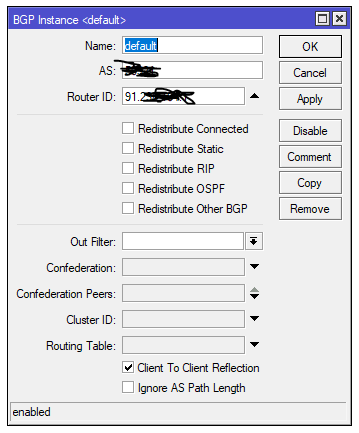
i setup a bgp connection on my new 1009 ccr
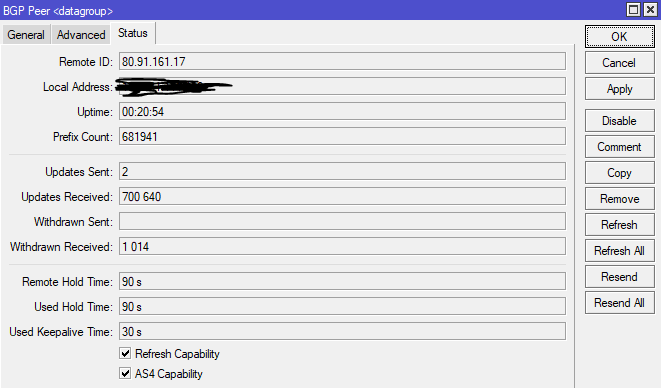
upstream isp give me a full view table

i’m trying to ping some ip’s and its give me - no route to host
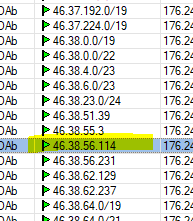
in route list i dont see this network at all, only 1-3 ip’s from it
like 46.38.xx.54

what could be an issue ?
1.PNG
2.PNG
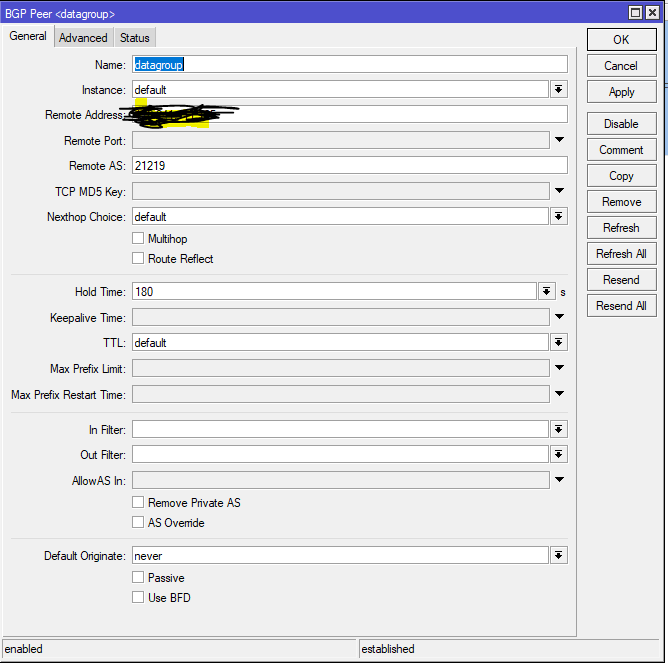
3.PNG
4.PNG

Contact your ISP why they are advertising /32 prefix instead of /24. As far as I know /24 is the minimum that should appear in global tables.

so base on screens, my configuration is correct ?
its from upstream ?

Try

 /ip route print where "address_you_ping_here" in dst-address

on your bgp router.
May be your ISP, for some reasons, dont have prefixes you are looking for.
All prefix lengths are legit on Full View, but most ISPs drop longer then 24.

no entries for this address at all ((

So, this is a question for your ISP provider.
46.38.56.0/21 is perfectly visible on internet.
https://stat.ripe.net/46.38.56.0%2F21#tabId=at-a-glance

sorry, long reply from command line

[admin@Core0] > ip route print where "46.38.56.76" in dst-address
Flags: X - disabled, A - active, D - dynamic, C - connect, S - static, r - rip, b - bgp, o - ospf, m - mme,
B - blackhole, U - unreachable, P - prohibit
DST-ADDRESS PREF-SRC GATEWAY DISTANCE

0 A S 0.0.0.0/0 combo1 1
1 S 0.0.0.0/0 combo1 1