First NV2 2ms 802.11n MIMO 2x2, 300MB / s steady rate
Second NV2 2ms 802.11n MIMO 1x1, 150Mb / s rate stable
Third NV2 2ms 802.11n MIMO 1x1, 150Mb / s rate stable
4th 802.11a Nstreme 4000 framer, 54Mbps / s steady rate
5th NV2 2ms 802.11n MIMO 2x2, 130MB / s steady rate
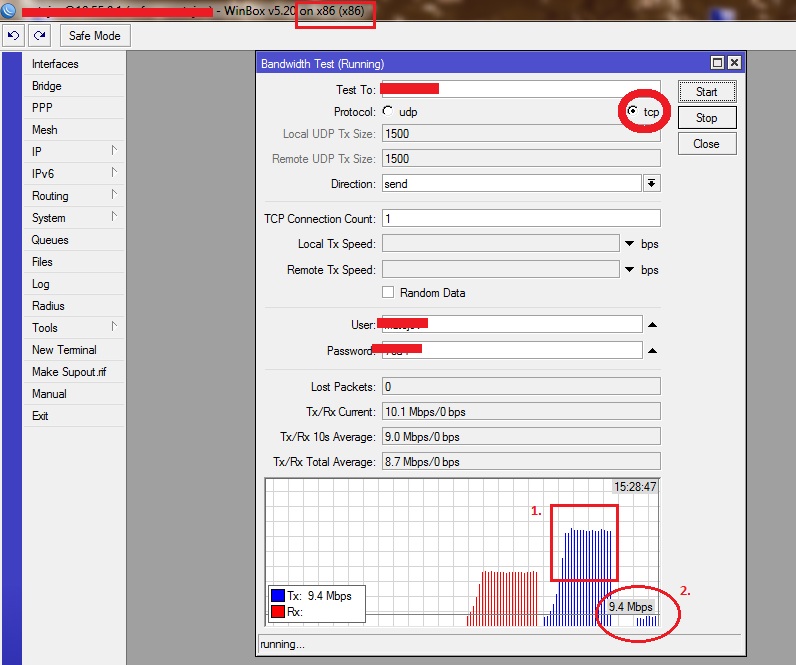
The first to 5 UDP 40MB / s one TCP connection inexplicably flies from 3Mb / s to 10Mb / s very unstable! Unlike UPD test, 20 TCP 14-16Mb / s there was a jump in less than one.
Please RoS developers to look at optimizing the TCP NV2, it is very unfortunate that TCP has very little power compared to UDP. The Nstreme not noticed this problem, there can be measured on UDP 41Mb/sa pretty much the same about 39Mb / s on TCP.
Thank you very much, otherwise I am very satisfied with RoS.
TCP on Nv2 works very well.
Make sure that you are not using bandwidth test between the wireless boards as the regular board can’t generate so much TCP traffic - you need to push through the boards the traffic and generate that traffic on more powerful devices.
Hello, of course I have not done a test from the board. Testing was performed from the external device. specifically x86 PC where you can generate one direction without problem 80Mb/s TCP, I tested this between RB and x86 which is connected to a cable, there’s a problem there. The problem has now come to the connection between the wireless NV2 Nstreme with this problem on wireless was not. I therefore conclude that the problem is on NV2.
I am writing because of this problem watching other colleagues, so I do not think this could cause any interference or faulty wireless card on my network.
how fast is your x86 box? check the CPU usage on it.
How fast is the board that you send to the bandwidth test?
Try to increase the number of TCP connections to 20 or more
but thats the problem ! that nv2 cuts tcp to approximately 9-12 Mbit
same problem here … after changing to nstreme tcp increases to 30-40 Mbit on machine
no 20 sessions - 1 session more bandwidth we need ! speedtest is only 1 session …
Unfortunately, I still do not believe here in the forum.
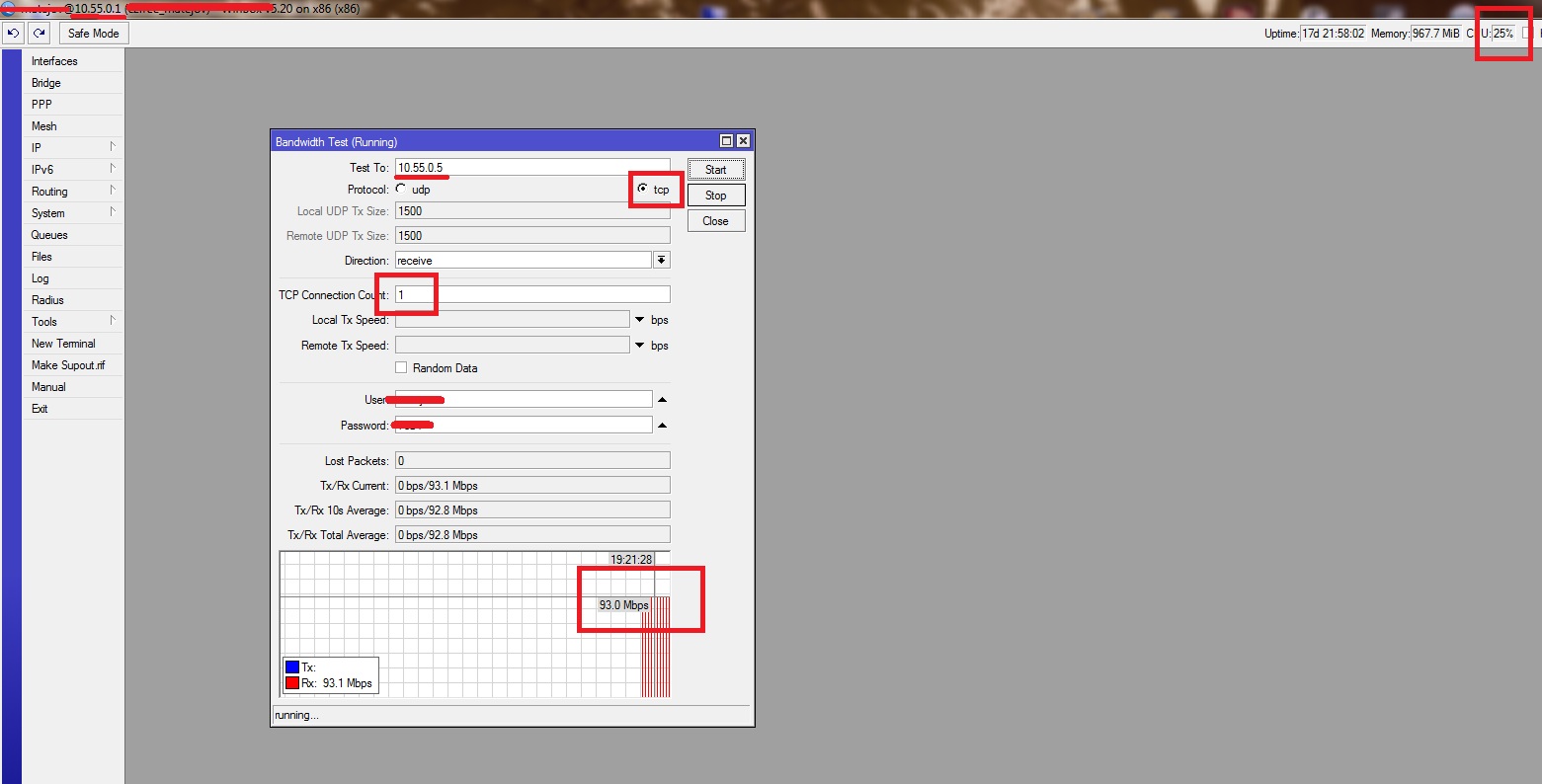
I did a test that proves that in one generation TCP connection is absolutely no problem for this PC.
This is a test from PC to RB, which is connected to a cable 100Mb. So no NV2 and you can see that the connection is no problem.
Just made a lab test with 60db attenuation between the wireless boards (signal approx -50) with 2x2 Mimo and 20mhz channel width - data rates 130mbps. Wireless modes ap-bridge on the AP and station-bridge on the Client. On AP and on the Client ethernet interface is bridged with wireless interface.
If the problem we are facing is realy caused by TCP window size negotiation mechanism then the crutial question is: What RTT (ping time) between the ends do you have in your lab case? I would expect rather low value since you have only one client connected and you are using 2x2 MIMO (so you have 130mbps modulation speed) and you have no other links included. This is far from the real case scenario, IMHO. Btw - does the 6.x use the same TCP Window default size as 5.X?
If you have an AP with NV2 with non-trivial amount of clients you will easily get 20+ms RTT just between the client and the AP. In our case it could mean that the RTT to our network border increases several times. And now imagine you will use NV2 on PtP link (because the MIMO allows you to create higher capacity link and nstreme doesn’t like 802.11N and multichain) to connect the AP…
If the customer on such AP is allowed to use higher max speeds it could lead to the problem that it will not be able to reach the MAX speed using just one TCP connection (for example to generally any Internet speedmeter (perhaps except the http://www.speedtest.net)).
If you will google enough you can find articles related to problem of TCP window size and tables which shows you what would be TCP speed depending on the end to end transport delay. The speed goes down with higher delays, It can be improved with changing the OS system TCP window default size…
So I think Mikrotik should invest some effort to decrease the NV2 latency. And I personally would be very happy if Mikrotik work on nstreme support for MIMO. It would easily allowed to build faster low latency uplinks…
I’m really happy that not only I have this problem, and that in the end the team Mikrotik deal with this problem. Maybe something will finally be explained.
I have the same problem - 433AH with 3xAtheros 5GHz 40MHz and about 3 clients per card with RB411. With torrent i can get about 35Mbps or more, with tcp - max 6Mbps per sesson. When using downloader or DownThemAll (Firefox Addone) - there is more with multiple connections, but this not resolve the problem of BAD ONE TCP CONNECTION PERFORMANCE. With Nstreme performance is much better but there are disconnections and stability problems so i can’t use it. I was testing many configurations with many RouterOS versions and the problem still persist. Problem have nothing to do with noisy enviroment or wheather or bad antenas (ccq 99/99) or settings. Problem is the same when one or many cilents are connected with one card on AP. Only TDMA period size have slighty influence on performance but its 6Mbps with 1ms TDMA and 10Mbps with 2ms, but then - if i make 3ms or more performace stays on 10Mbps.
so Mikrotik team, will You try to help us? Will You investigate this issue ? I see more and more posts like that in local forum in Poland ( trzepak.pl ) also on ubnt forum and here on Mikrotik forum , so I gues it is not only my problem…
 (
(