So, I have a dilemma. I’d like to move by main firewall to a separate building away from where my WAN comes in but I only have a single ethernet cable linking the two buildings.
I currently run a VLAN trunk between the buildings using the new Bridge VLAN filtering method. The WAN comes in to an area where noise is an issue so don’t want to run a new CCR there but the other building is not a problem for noise.
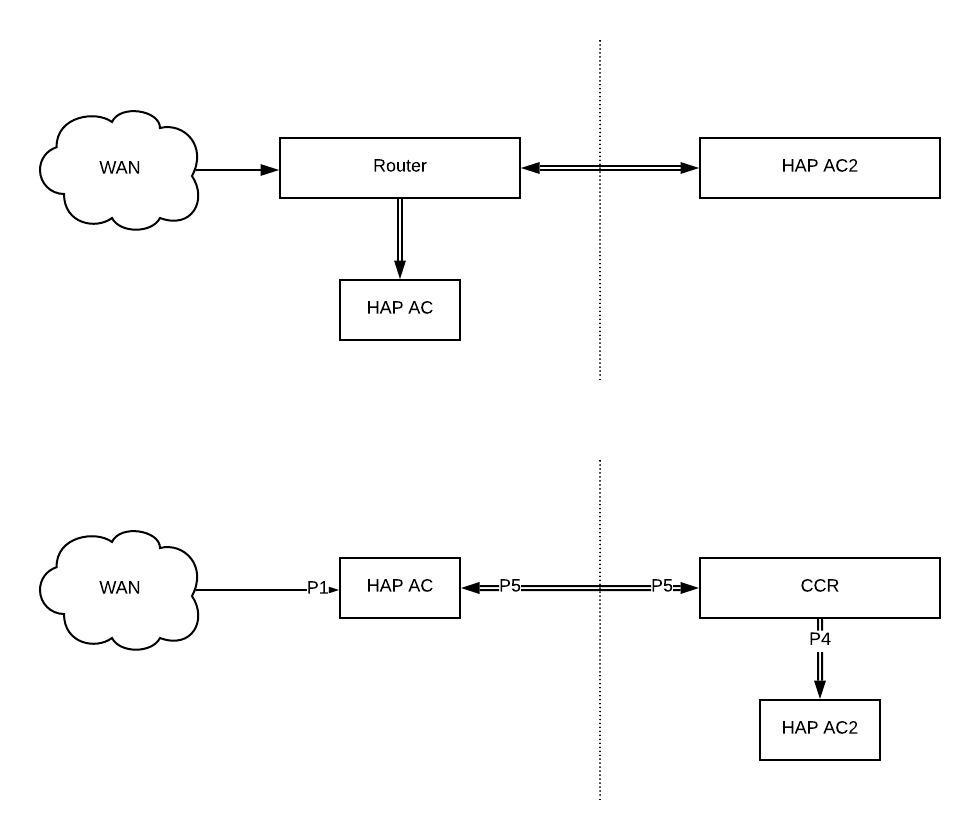
The top diagram is the current setup and the bottom is an example of what I’m looking for:-
Ideally the WAN would come in to the HAP AC at port 1, this would somehow be passed though to the CCR in building 2 where the WAN interface will be, all firewall rules, DHCP server, DNS etc will be on the CCR. The LAN’s and VLAN’s will also be setup on here and the VLAN’s/LAN’s will also pass back to the HAP AC in building 1 where LAN clients will also be. Clients exist in building 1 and 2 across all VLAN’s as well as Wireless devices in different VLAN’s in both buildings.
Question 1: Is this a safe and sensible thing to do? My gut instinct is that it’s not a great Idea but if some way a the WAN can be securely transported across the same physical cable as the LAN VLANS then could it be ok?
Question 2: How best could this be achieved. I’d like to keep the bridge vlan filtering setup if possible for the LAN side. One possible way I thought of would be to set up bridge VLAN filtering as normal, create an extra VLAN for the WAN as normal and then somehow pass EOIP over that VLAN to create the link.
Any ideas would be appreciated. Hope this all makes sense.
vlan = virtual lan, so what you try to do is not out of the ordinary. Instead of using another physical cable you use vlan instead.
To achieve what you want:
mark the wan interface on hap as (to-be) as access port for wan vlan: so untagging on egress, and tagging on ingress for WAN interface
configure bridge to pass on over trunk
don’t pass anywhere else.
Question is what kind of bandwidth do you have on WAN, as trunk (ehternet cable) might become a bottleneck?
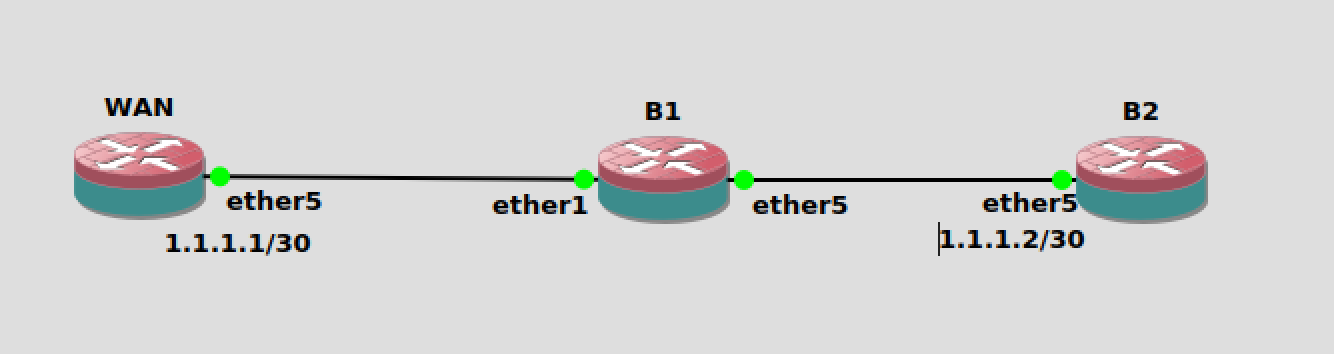
From B2 I try to ping 1.1.1.1 with no response. I also tried B1 and B2 with and without bridge1 being tagged on 100. The 1.1.1.2 is on a physical interface with nothing plugged in to it. That doesn’t feel right to me.
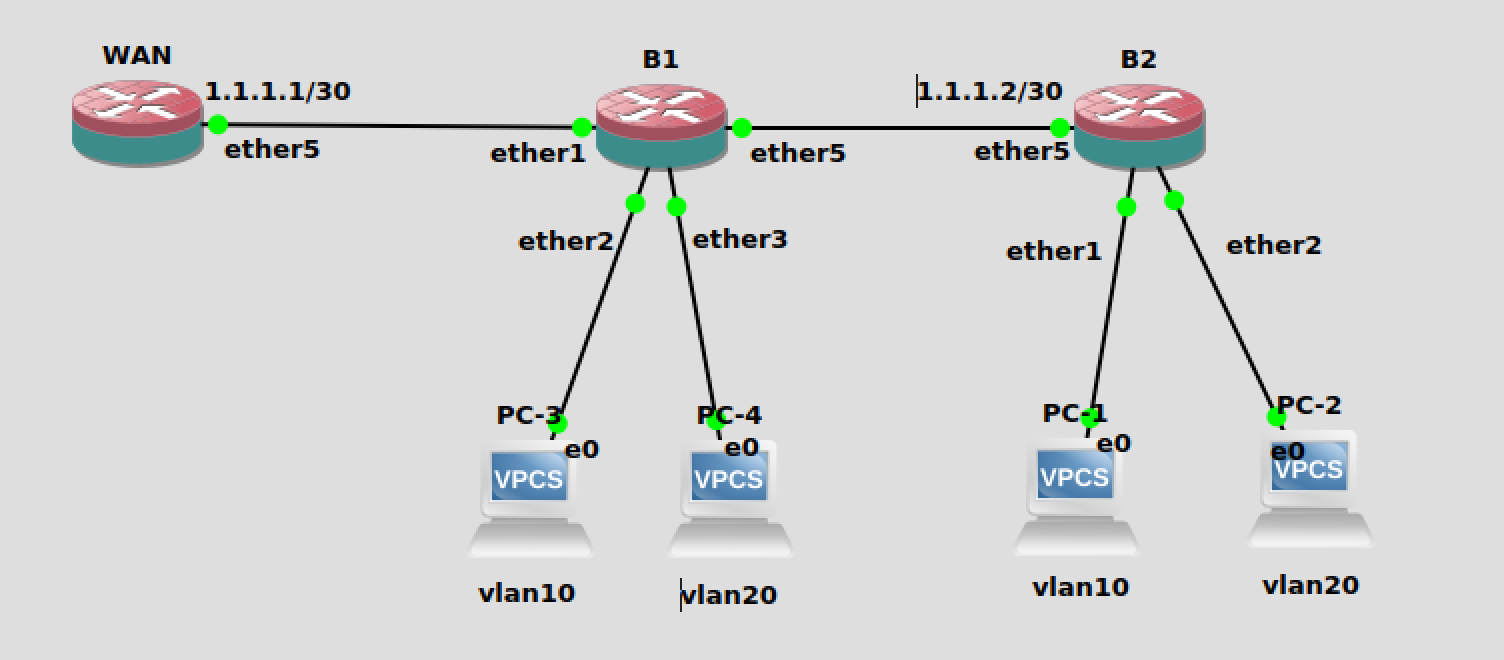
Once I can get this working I can add the other LAN VLANS.
Note on B2: in this config, there is no need for bridge on B2, just vlan straight on ether5 would suffice. in the final config you’ll probably need bridge for the other vlans
Ok, that worked. I tried every other alternative except that. I couldn’t work out if that would be secure or not. Later I will try and add all “LAN” vlans and see how I get on. Thanks. I’ll update once I’ve had a chance to try it.
BTW, in real world, not on CHR in GNS3, you’ll probably will want, depending on bandwidth, to use vlan filtering of /interface switch chip, as this will be in hardware. the vlan-filtering in bridge is only on CRS3xx in hardware.
since vlan 100 is passed to bridge1, I would setup the vlan interface on bridge not the ether5 directly (haven’t verified if there would be a difference)
/interface vlan
add comment=“WAN Passthrough VLAN” interface=ether5-trunk-to-b1 name=WAN
vlan-id=100
Ok, so hopefully final question, with regards your comment on “use vlan filtering of /interface switch chip”, how exactly would the configuration change to what I’ve posted above. Thanks.
There’s a topic on differences between VLAN setup on bridge vs. VLAN setup on switch … I’ve posted config for both cases for the same real-life usage case.