People cant join server

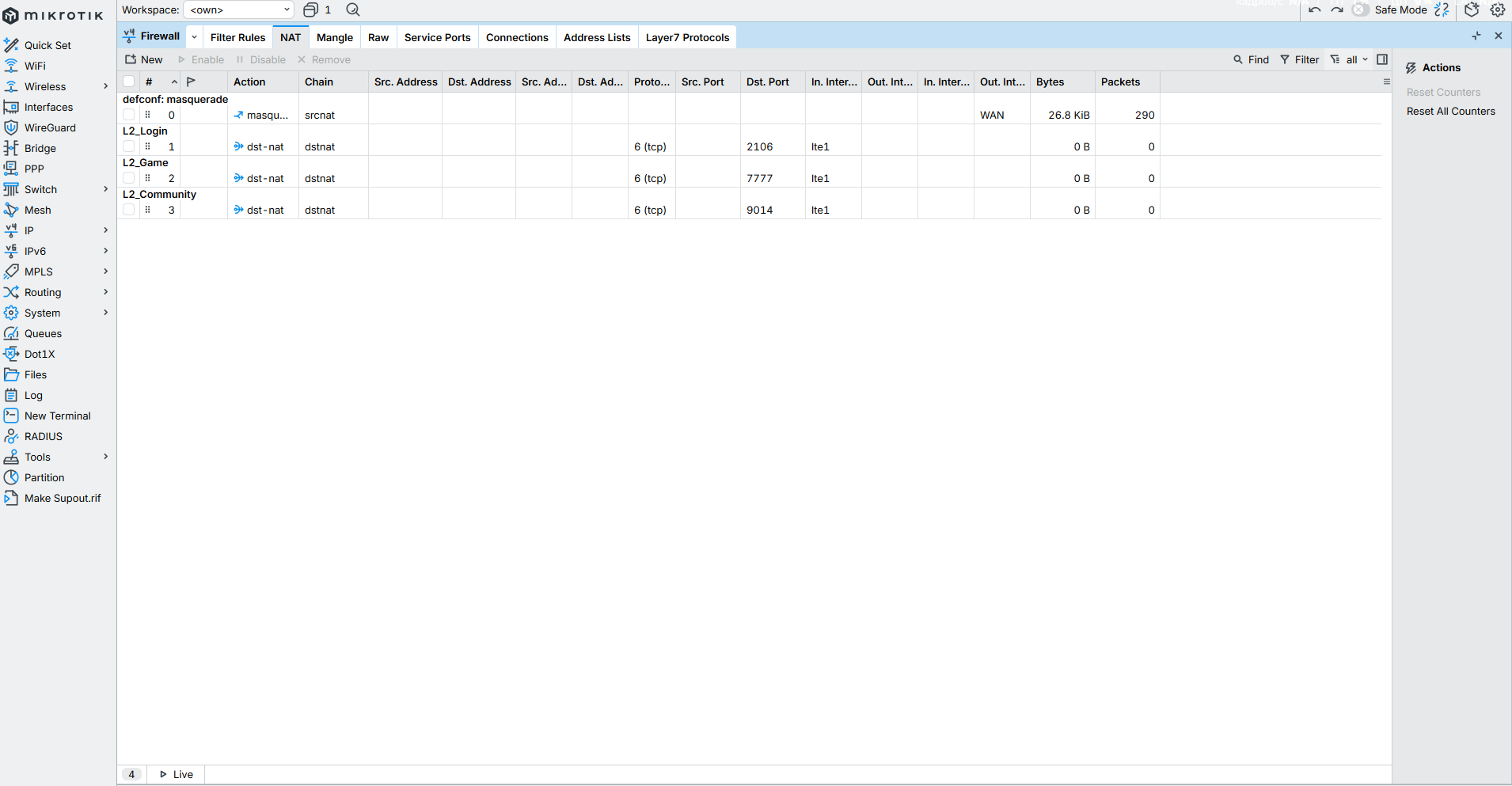
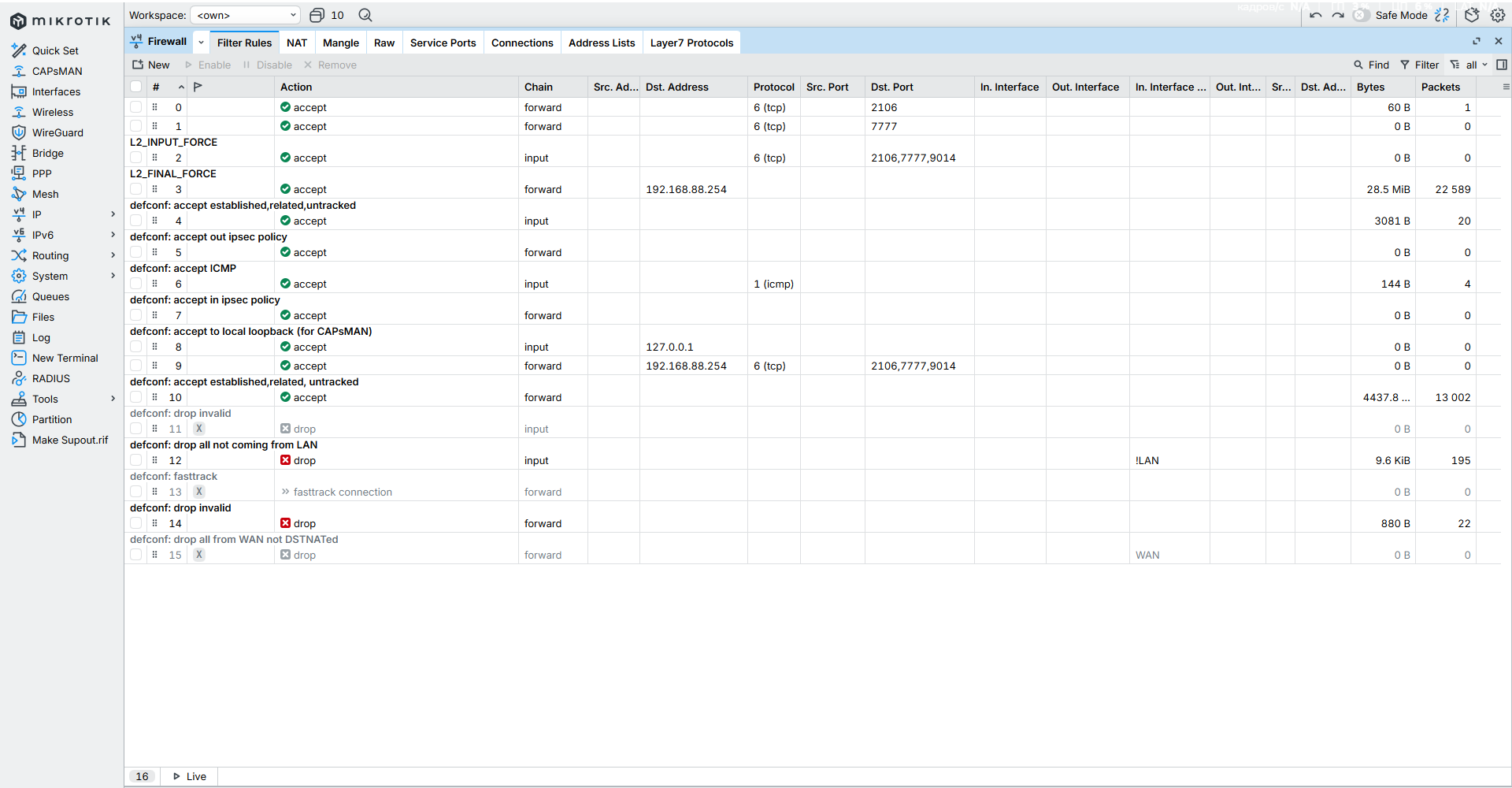
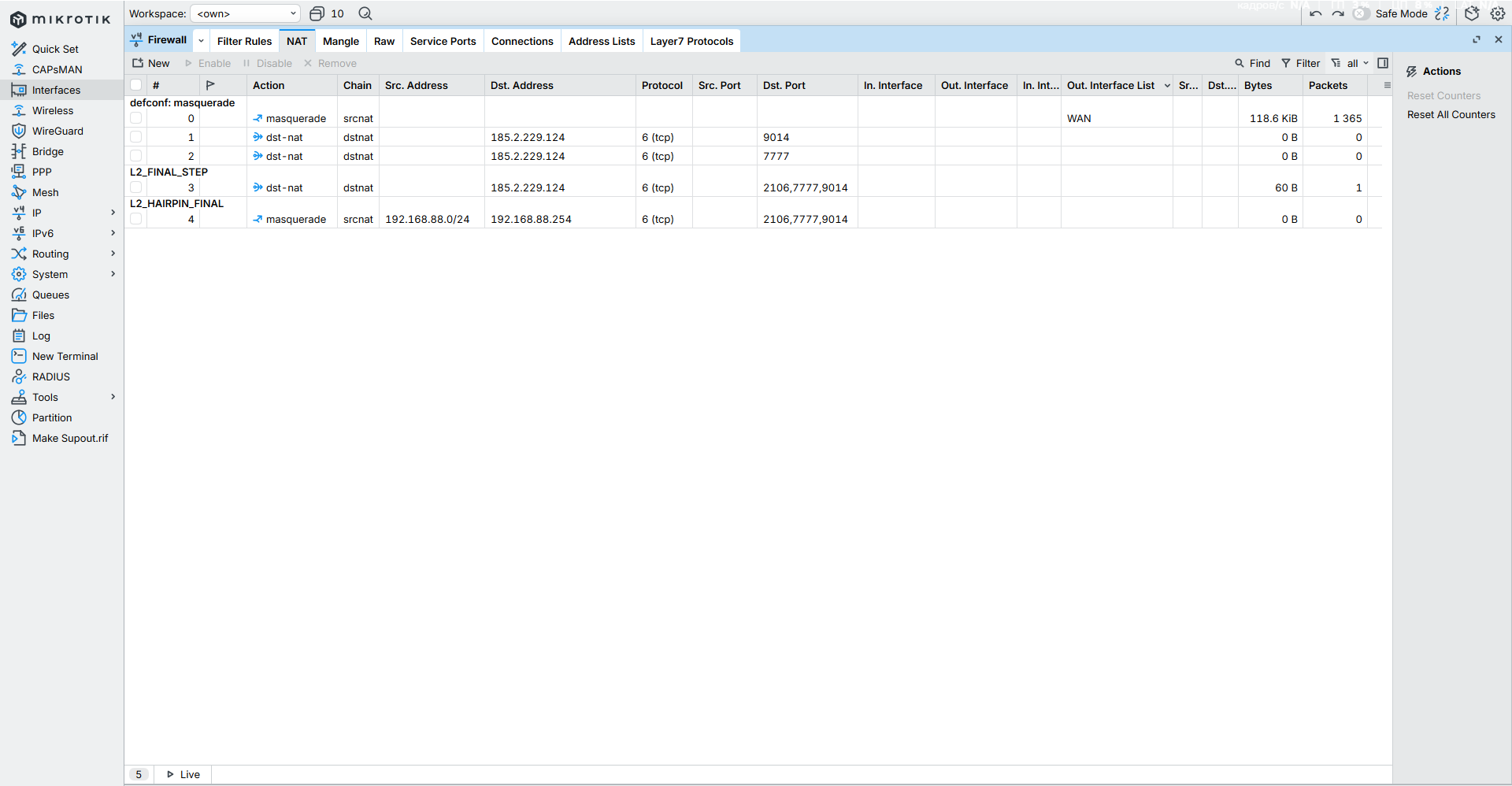
Hello, I have game server on my PC. Also im using MikroTik Chateau LTE12 4g modem. I can join my game server with same launcher config because of hairpin rule, but people who trying to join my server stucking on login. Ports 7777, 2106 is open when im checking it via network. I think there is some microtic issues for that.

And here is /export from mikrotic. Btw firewall is turned off

[admin@MikroTik] > /export

may/15/2026 15:02:11 by RouterOS 7.0.3

software id = IHQI-B3PN

model = D53G-5HacD2HnD

/interface bridge
add admin-mac=2C:C8:1B:F1:96:0D auto-mac=no comment=defconf name=bridge
protocol-mode=none
/interface wireless
set [ find default-name=wlan1 ] band=2ghz-b/g/n channel-width=20/40mhz-XX
disabled=no distance=indoors frequency=auto installation=indoor mode=
ap-bridge ssid="No Internet Connection" wireless-protocol=802.11
set [ find default-name=wlan2 ] band=5ghz-a/n/ac channel-width=
20/40/80mhz-XXXX disabled=no distance=indoors frequency=auto installation=
indoor mode=ap-bridge ssid="No Connection" wireless-protocol=802.11
/interface lte
set [ find ] allow-roaming=yes name=lte1
/interface list
add comment=defconf name=WAN
add comment=defconf name=LAN
/interface lte apn
set [ find default=yes ] apn=static.tele2.lt
/interface wireless security-profiles
set [ find default=yes ] authentication-types=wpa-psk,wpa2-psk mode=
dynamic-keys supplicant-identity=MikroTik wpa-pre-shared-key=sss
wpa2-pre-shared-key=ssss
/ip pool
add name=dhcp ranges=192.168.88.10-192.168.88.254
/ip dhcp-server
add address-pool=dhcp disabled=no interface=bridge name=defconf
/interface bridge port
add bridge=bridge comment=defconf interface=ether1
add bridge=bridge comment=defconf interface=ether2
add bridge=bridge comment=defconf interface=ether3
add bridge=bridge comment=defconf interface=ether4
add bridge=bridge comment=defconf interface=ether5
add bridge=bridge comment=defconf interface=wlan1
add bridge=bridge comment=defconf interface=wlan2
/ip firewall connection tracking
set enabled=yes
/ip neighbor discovery-settings
set discover-interface-list=LAN
/interface list member
add comment=defconf interface=bridge list=LAN
add comment=defconf interface=lte1 list=WAN
/ip address
add address=192.168.88.1/24 comment=defconf interface=bridge network=
192.168.88.0
/ip dhcp-server lease
add address=192.168.88.254 client-id=1:7c:b2:7d:8:f8:40 mac-address=
7C:B2:7D:08:F8:40 server=defconf
/ip dhcp-server network
add address=192.168.88.0/24 comment=defconf dns-server=192.168.88.1 gateway=
192.168.88.1
/ip dns
set allow-remote-requests=yes
/ip dns static
add address=192.168.88.1 comment=defconf name=router.lan
/ip firewall filter
add action=accept chain=forward dst-port=2106 protocol=tcp
add action=accept chain=forward dst-port=7777 protocol=tcp
add action=accept chain=input comment=L2_INPUT_FORCE dst-port=2106,7777,9014
protocol=tcp
add action=accept chain=forward comment=L2_FINAL_FORCE dst-address=
192.168.88.254
add action=accept chain=input comment=
"defconf: accept established,related,untracked" connection-state=
established,related,untracked
add action=accept chain=forward comment="defconf: accept out ipsec policy"
ipsec-policy=out,ipsec
add action=accept chain=input comment="defconf: accept ICMP" protocol=icmp
add action=accept chain=forward comment="defconf: accept in ipsec policy"
ipsec-policy=in,ipsec
add action=accept chain=input comment=
"defconf: accept to local loopback (for CAPsMAN)" dst-address=127.0.0.1
add action=accept chain=forward dst-address=192.168.88.254 dst-port=
2106,7777,9014 log=yes log-prefix="L2-GAME: " protocol=tcp
add action=accept chain=forward comment=
"defconf: accept established,related, untracked" connection-state=
established,related,untracked
add action=drop chain=input comment="defconf: drop invalid" connection-state=
invalid disabled=yes
add action=drop chain=input comment="defconf: drop all not coming from LAN"
in-interface-list=!LAN
add action=fasttrack-connection chain=forward comment="defconf: fasttrack"
connection-state=established,related disabled=yes hw-offload=yes
add action=drop chain=forward comment="defconf: drop invalid"
connection-state=invalid
add action=drop chain=forward comment=
"defconf: drop all from WAN not DSTNATed" connection-nat-state=!dstnat
connection-state=new disabled=yes in-interface-list=WAN
/ip firewall mangle
add action=change-mss chain=forward comment=L2_MTU_Fix new-mss=clamp-to-pmtu
passthrough=yes protocol=tcp tcp-flags=syn
/ip firewall nat
add action=masquerade chain=srcnat comment="defconf: masquerade" ipsec-policy=
out,none out-interface-list=WAN
add action=dst-nat chain=dstnat dst-address=185.2.229.124 dst-port=9014
protocol=tcp to-addresses=192.168.88.254 to-ports=9014
add action=dst-nat chain=dstnat dst-address=185.2.229.124 dst-port=7777
protocol=tcp to-addresses=192.168.88.254
add action=dst-nat chain=dstnat comment=L2_FINAL_STEP dst-address=
185.2.229.124 dst-port=2106,7777,9014 protocol=tcp to-addresses=
192.168.88.254
add action=masquerade chain=srcnat comment=L2_HAIRPIN_FINAL dst-address=
192.168.88.254 dst-port=2106,7777,9014 protocol=tcp src-address=
192.168.88.0/24
/ip firewall raw
add action=notrack chain=prerouting dst-address=192.168.88.254
add action=notrack chain=output src-address=192.168.88.254
/ip firewall service-port
set ftp disabled=yes
/ipv6 firewall address-list
add address=::/128 comment="defconf: unspecified address" list=bad_ipv6
add address=::1/128 comment="defconf: lo" list=bad_ipv6
add address=fec0::/10 comment="defconf: site-local" list=bad_ipv6
add address=::ffff:0.0.0.0/96 comment="defconf: ipv4-mapped" list=bad_ipv6
add address=::/96 comment="defconf: ipv4 compat" list=bad_ipv6
add address=100::/64 comment="defconf: discard only " list=bad_ipv6
add address=2001:db8::/32 comment="defconf: documentation" list=bad_ipv6
add address=2001:10::/28 comment="defconf: ORCHID" list=bad_ipv6
add address=3ffe::/16 comment="defconf: 6bone" list=bad_ipv6
/ipv6 firewall filter
add action=accept chain=input comment=
"defconf: accept established,related,untracked" connection-state=
established,related,untracked
add action=drop chain=input comment="defconf: drop invalid" connection-state=
invalid
add action=accept chain=input comment="defconf: accept ICMPv6" protocol=icmpv6
add action=accept chain=input comment="defconf: accept UDP traceroute" port=
33434-33534 protocol=udp
add action=accept chain=input comment=
"defconf: accept DHCPv6-Client prefix delegation." dst-port=546 protocol=
udp src-address=fe80::/10
add action=accept chain=input comment="defconf: accept IKE" dst-port=500,4500
protocol=udp
add action=accept chain=input comment="defconf: accept ipsec AH" protocol=
ipsec-ah
add action=accept chain=input comment="defconf: accept ipsec ESP" protocol=
ipsec-esp
add action=accept chain=input comment=
"defconf: accept all that matches ipsec policy" ipsec-policy=in,ipsec
add action=drop chain=input comment=
"defconf: drop everything else not coming from LAN" in-interface-list=!LAN
add action=accept chain=forward comment=
"defconf: accept established,related,untracked" connection-state=
established,related,untracked
add action=drop chain=forward comment="defconf: drop invalid"
connection-state=invalid
add action=drop chain=forward comment=
"defconf: drop packets with bad src ipv6" src-address-list=bad_ipv6
add action=drop chain=forward comment=
"defconf: drop packets with bad dst ipv6" dst-address-list=bad_ipv6
add action=drop chain=forward comment="defconf: rfc4890 drop hop-limit=1"
hop-limit=equal:1 protocol=icmpv6
add action=accept chain=forward comment="defconf: accept ICMPv6" protocol=
icmpv6
add action=accept chain=forward comment="defconf: accept HIP" protocol=139
add action=accept chain=forward comment="defconf: accept IKE" dst-port=
500,4500 protocol=udp
add action=accept chain=forward comment="defconf: accept ipsec AH" protocol=
ipsec-ah
add action=accept chain=forward comment="defconf: accept ipsec ESP" protocol=
ipsec-esp
add action=accept chain=forward comment=
"defconf: accept all that matches ipsec policy" ipsec-policy=in,ipsec
add action=drop chain=forward comment=
"defconf: drop everything else not coming from LAN" in-interface-list=!LAN
/system clock
set time-zone-name=Europe/Vilnius
/system routerboard settings
set cpu-frequency=auto
/system routerboard mode-button
set enabled=yes on-event=dark-mode
/system script
add comment=defconf dont-require-permissions=no name=dark-mode owner=*sys
policy=ftp,reboot,read,write,policy,test,password,sniff,sensitive,romon
source="\r
\n :if ([system leds settings get all-leds-off] = "never") do={\r
\n /system leds settings set all-leds-off=immediate \r
\n } else={\r
\n /system leds settings set all-leds-off=never \r
\n }\r
\n "
/tool mac-server
set allowed-interface-list=LAN
/tool mac-server mac-winbox
set allowed-interface-list=LAN
[admin@MikroTik] >
Can any one help with that?
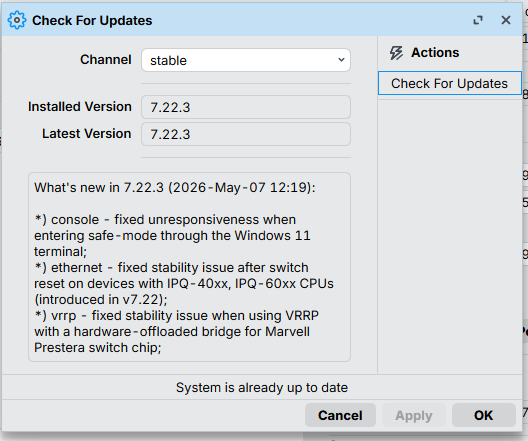
Removed serial no and WiFi passwords ... do not expose them

I generally dont help anyone with firewall turned off, that is a big no no ( AND ESPECIALLY if you have open ports on the router) and you should netinstall a fresh firmware to ensure your router has not been compromised, prior to reconnecting it to the internet.

Do you have a public IP address from the ISP, or can you forward ports from the ISP router/modem??

With lots of LTE ISP Connections you will get a CGNAT address.
You could check what WAN IP you get from the router.
If that is in the address space of NAT or CGNAT.

patrikg, does that mean port forwarding can be made to work, the link provided didnt clear things up for me LOL.

Yes now i updated firmware and install new firmware, i had turned off firewall because i was testing it and didnt find any solutions. Yes i have Public static Tele2 adres, and ports 7777 and 2106 is allow. What is next step?

Upgrade the device to last long-term 7.2x.x and reset configuration to default and ask help later when you done that.
RouterOS 7.0.3 is too old and full of backdoors.............
Probably the device is already infected...
And if not infected, is in auto-DDoS mode (/ip dns set allow-remote-requests=yes with no default firewall)

The main problem is that you are setting up the device,
like unnecessary firewall rules, especially forwarding.

yes i did it turned on firewall, and made ports open via NAT. I have static tele2 ip

Do additional src nat for incoming packets (except the dst nat you do) src to routers's local address. Just for test.

Yes now i updated firmware and install new firmware, i had turned off firewall because i was testing it and didnt find any solutions. Yes i have Public static Tele2 adres, and ports 7777 and 2106 is allow. What is next step?

First if not using ipv6, disable the service, remove all firewall address lists associated and for ipv6 firewall rules simply put:
add chain=input action=drop
add chain=forward action=drop

For the rest....
/ip firewall-address list
add address=mynetname.net list=myWAN
{ use your ip cloud dydns name which the router resolves to your wanip automaticall }
{ and use the list in dstnat rules as per below }
/ip firewall filter
add action=accept chain=input connection-state=established,related,untracked
add action=drop chain=input connection-state=invalid disabled=yes
add action=accept chain=input accept ICMP" protocol=icmp
add action=accept chain=input src-address=127.0.0.1 dst-address=127.0.0.1 interface=lo
add action=accept chain=input in-interface-list=LAN
add action=drop chain=input comment="drop all else"
++++++++++++++++++++++++++++++++++++++++++++++++++++++
add action=fasttrack-connection chain=forward connection-state=established,related
add action=accept chain=forward connection-state=established,related,untracked
add action=drop chain=forward connection-state=invalid
add action=accept chain=forward comment="internet" in-interface-list=LAN out-interface-list=WAN
add action=accept chain=forward comment="port forwarding" connection-nat-state=dstnat
add action=drop chain=forward comment="Drop all else"
/ip firewall mangle
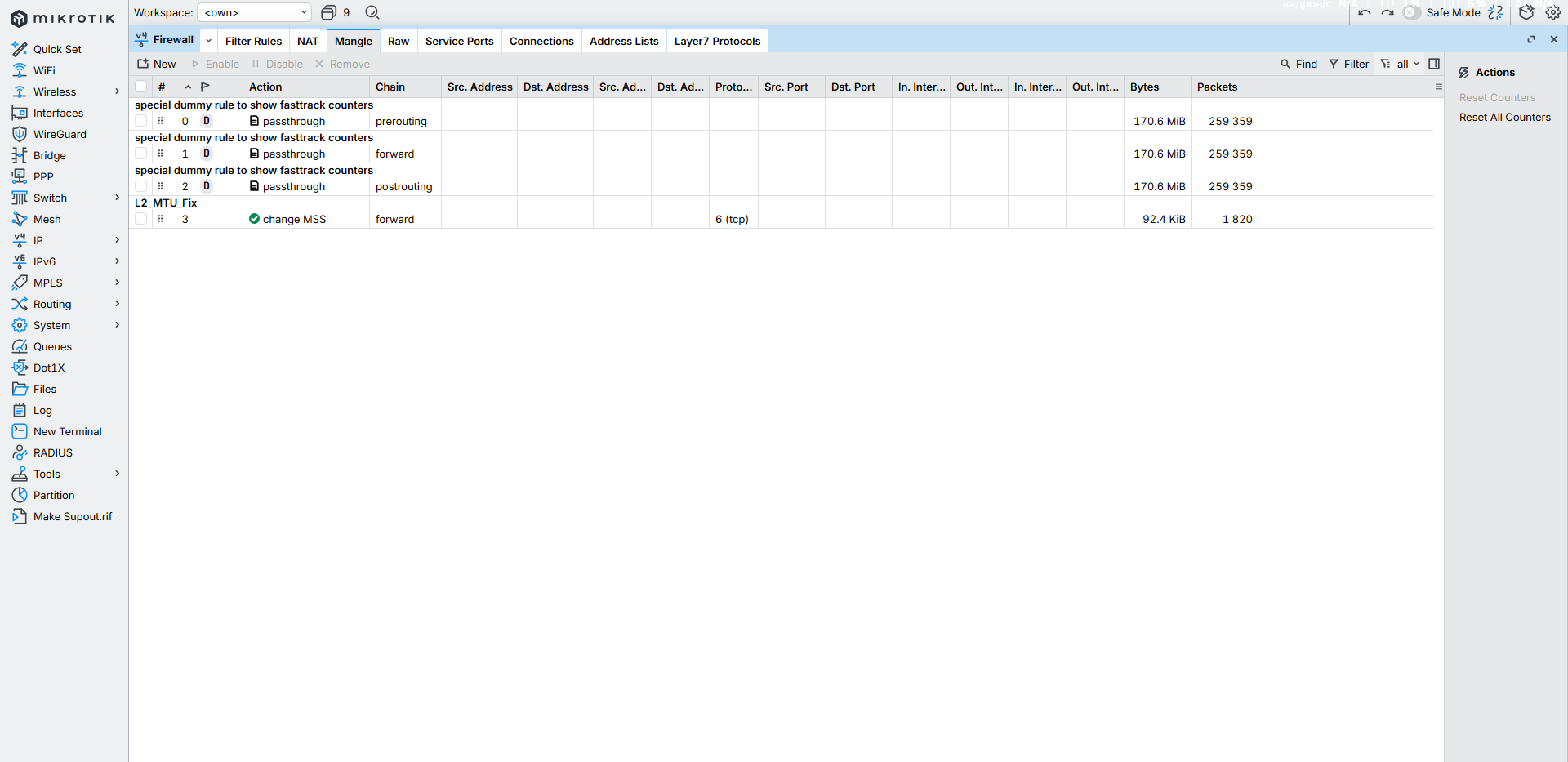
add action=change-mss chain=forward comment=L2_MTU_Fix new-mss=clamp-to-pmtu
passthrough=yes protocol=tcp tcp-flags=syn
/ip firewall nat
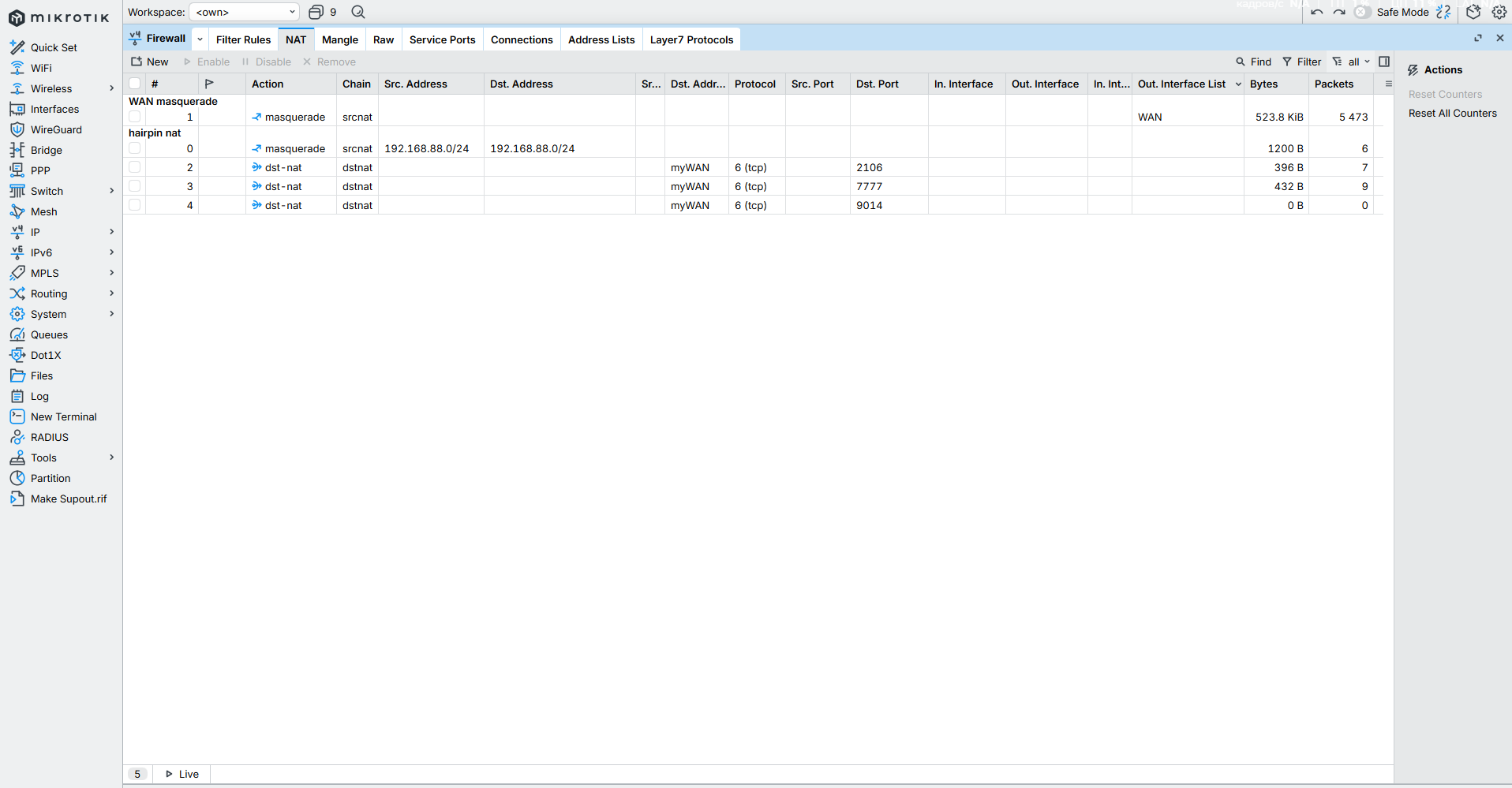
add action=masquerade chain=srcnat comment="hairpin nat"
dst-address=192.168.88.0/24 src-address=192.168.88.0/24
add action=masquerade chain=srcnat comment="WAN masquerade" out-interface-list=WAN
add action=dst-nat chain=dstnat dst-address-list=myWAN dst-port=9014
protocol=tcp to-addresses=192.168.88.254
add action=dst-nat chain=dstnat dst-address-list=myWAN dst-port=7777
protocol=tcp to-addresses=192.168.88.254
add action=dst-nat chain=dstnat dst-address-list=myWAN dst-port=2106,7777,9014
protocol=tcp to-addresses=192.168.88.254
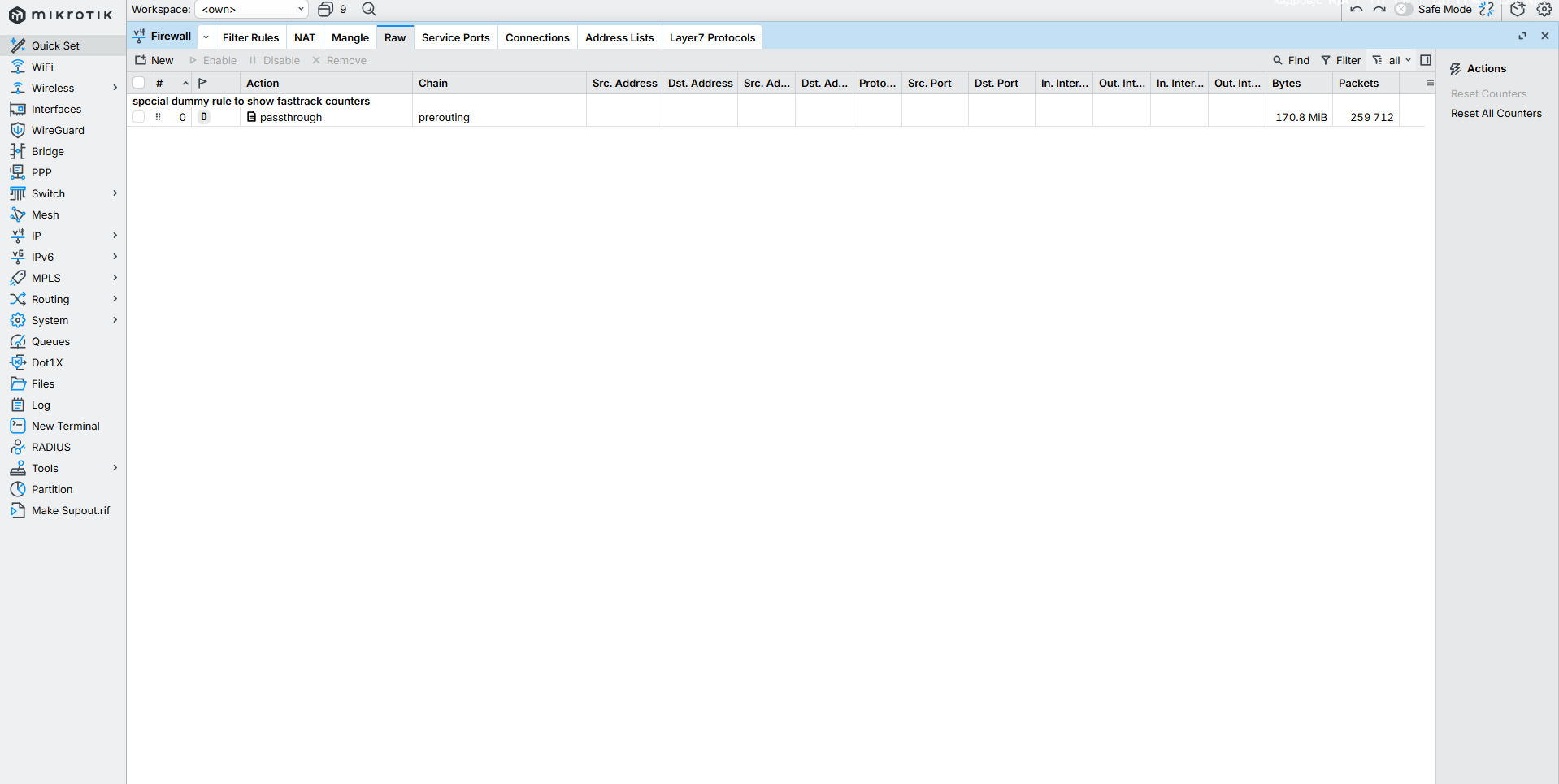
/ip firewall raw
{ no rules required!! }
/ip firewall service-port
set ftp disabled=yes

I did directly everything what you wrote. As i understand the filters is like default router rulles. NAT ports is open, when im checking it via third party services (for exmpl 2ip. ru). But people still cant reach me and my server. When im ask my friend to ping my IP from CMD "ping " it shows - Request time out, packets sent 4, lost 4. I guess filter rules position is random, maby this is the reason of problem?

Replyed

Hard to day, but what is clear is that you didnt follow the order of rules I provided and it appears you have some duplicate rules.

You can, in winbox, grab a rule and put it in the right order.
Suggest printing a page of the config above, to help guide you do that.

As far as folks not able to access your servers.
Simply confirm first that they can reach your IP CLOUD address.
Give them your mynetname.address to first ping. If they can ping it, then you have a reachable public iP address.
Then to reach the server what they need is mynetname.net:port#

If your firewall allows icmp traffic to respond to ping.

It does, as per config supplied and config made...............

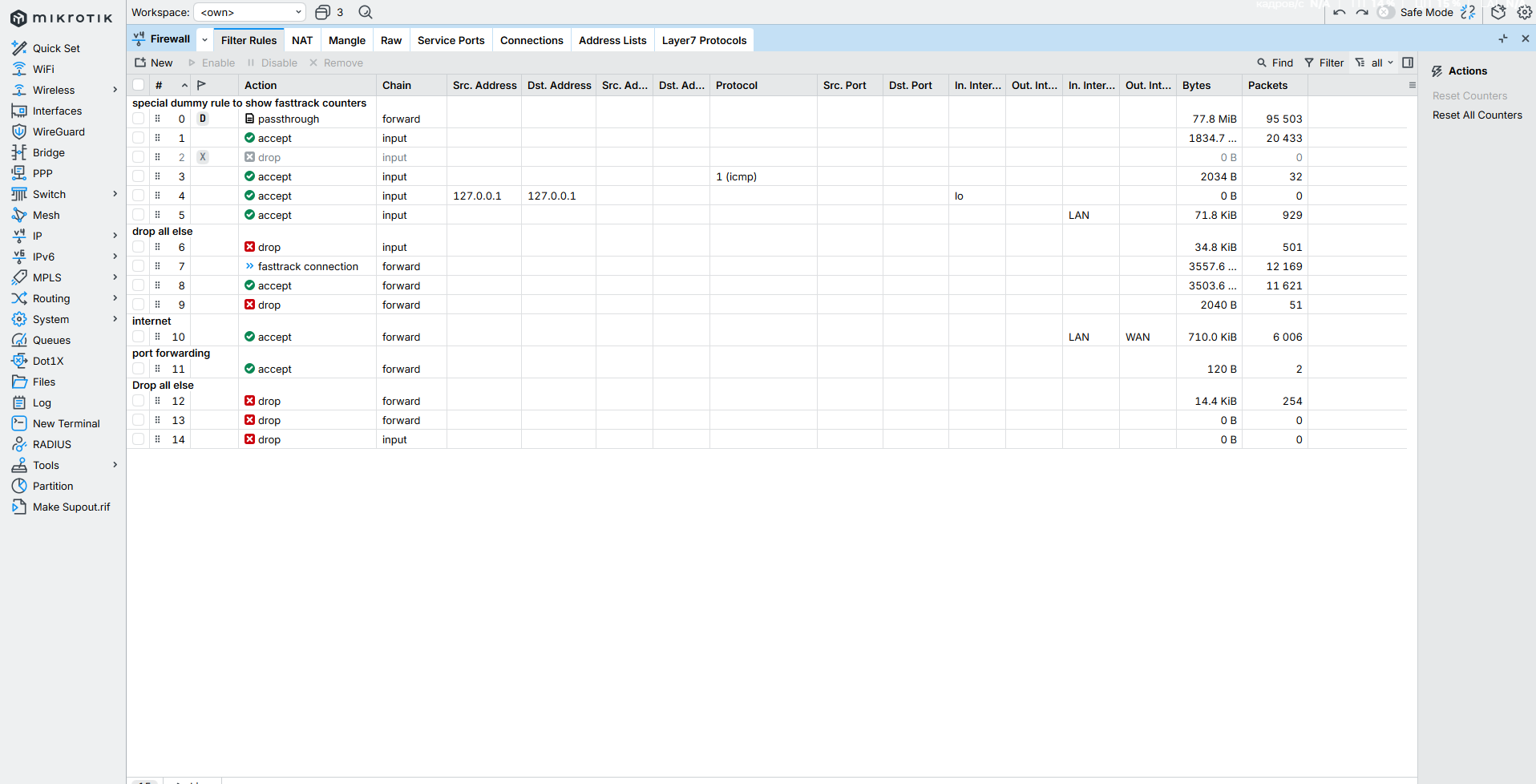
I cleared all the filters and made new NAT. Now there is full list one by one.

  1. in ICMP comand line u wrote "acept ICMP" - i guess this have to be comment for this rule
  2. "First if not using ipv6, disable the service, remove all firewall address lists associated and for ipv6 firewall rules simply put:
    add chain=input action=drop
    add chain=forward action=drop"

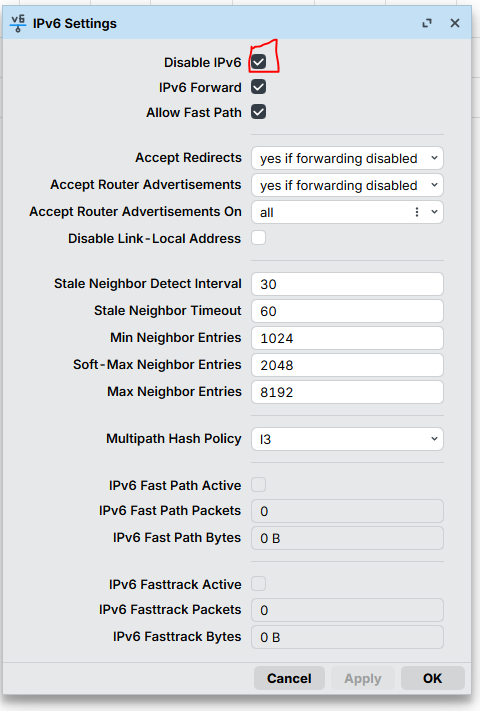
I disables all ipv6 services, and put those two rules in the end of list, because if i put it on first positions my router full disconnect me and i have no internet at all.

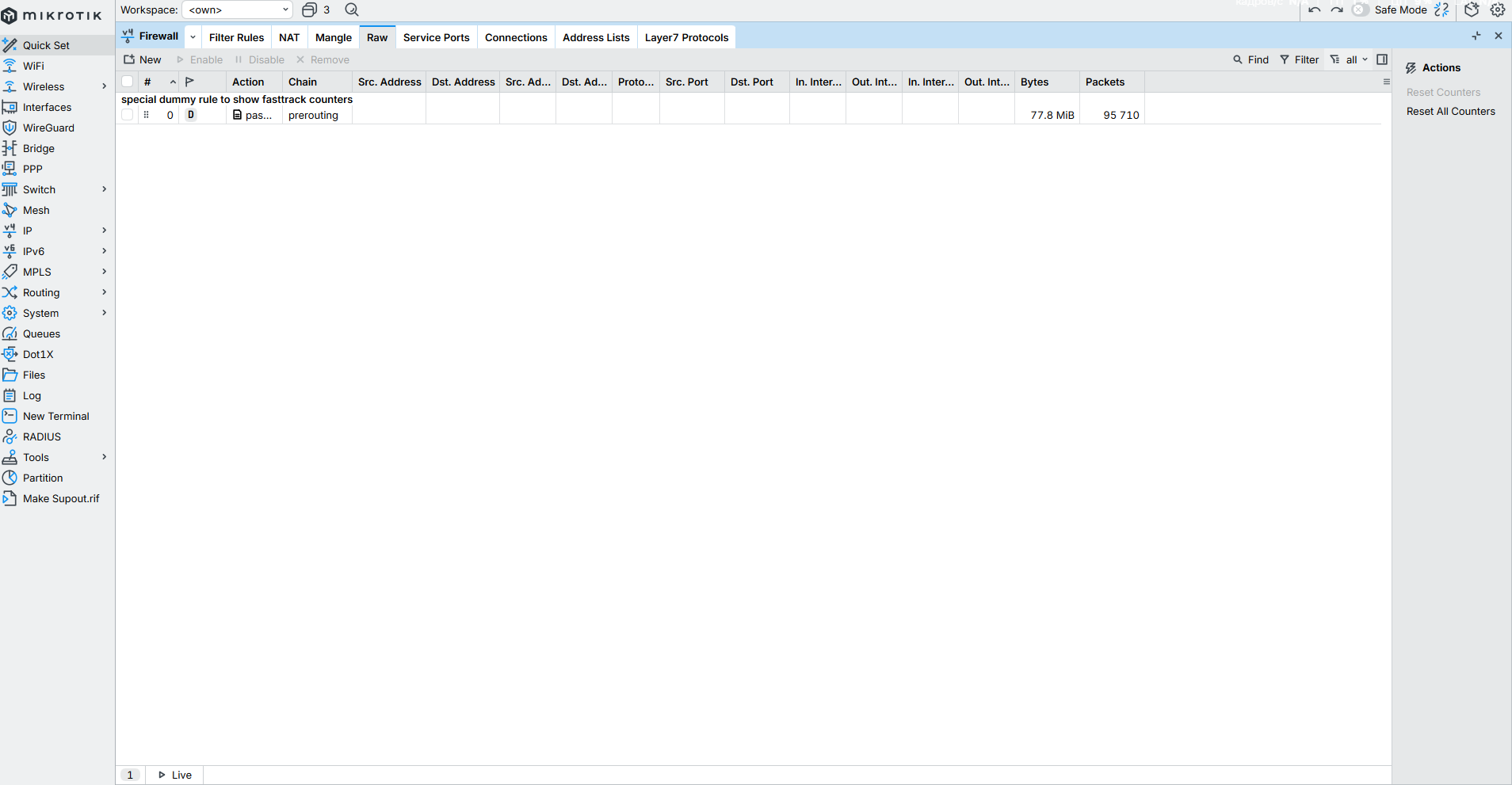
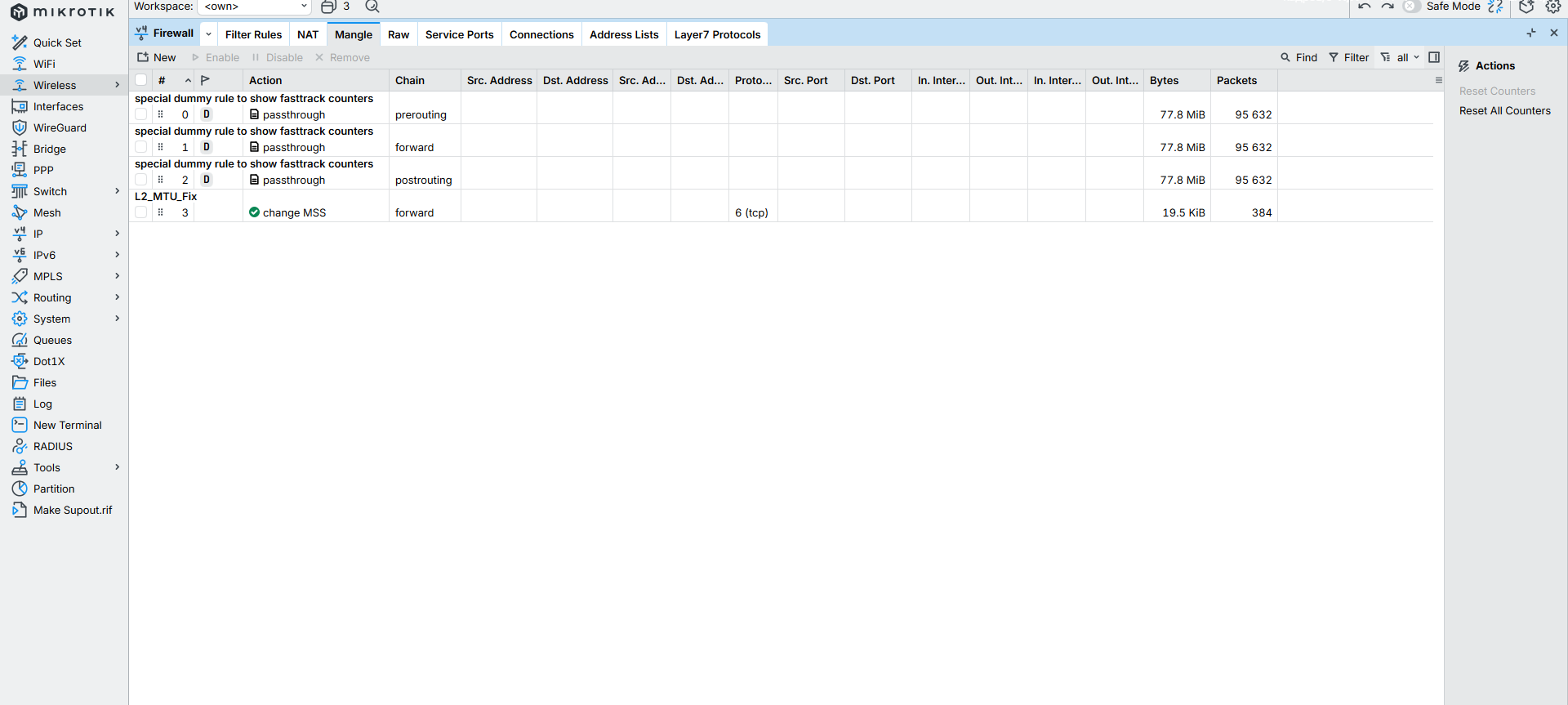
  1. mangle done, ftp disables, raw same clear
    Friends still cant ping me, not with ip, not with dns name, not with both to any of ports. Is it possible to help me via Anydesk or teamviewer?

Here is /export:

[admin@MikroTik] > /export

2026-05-17 14:43:16 by RouterOS 7.22.3

software id = IHQI-B3PN

/interface bridge
add admin-mac=2C:C8:1B:F1:96:0D auto-mac=no comment=defconf name=bridge
port-cost-mode=short
/interface wireless
set [ find default-name=wlan1 ] band=2ghz-b/g/n channel-width=20/40mhz-XX
country=lithuania disabled=no distance=indoors frequency=auto
installation=indoor mode=ap-bridge ssid=2hz wireless-protocol=802.11
set [ find default-name=wlan2 ] band=5ghz-a/n/ac channel-width=
20/40/80mhz-XXXX country=lithuania disabled=no distance=indoors frequency=
auto installation=indoor mode=ap-bridge ssid=5hz wireless-protocol=802.11
/interface list
add comment=defconf name=WAN
add comment=defconf name=LAN
/interface lte apn
add apn=static.tele2.lt name=tele2_static use-network-apn=yes
/interface lte

A newer version of modem firmware is available!

set [ find default-name=lte1 ] allow-roaming=no apn-profiles=tele2_static
band=""
/interface wireless security-profiles
set [ find default=yes ] authentication-types=wpa-psk,wpa2-psk mode=
dynamic-keys supplicant-identity=MikroTik
/ip pool
add name=dhcp ranges=192.168.88.10-192.168.88.254
/ip dhcp-server
add address-pool=dhcp interface=bridge lease-time=10m name=defconf
/system script
add comment=defconf dont-require-permissions=no name=dark-mode owner=*sys
policy=ftp,reboot,read,write,policy,test,password,sniff,sensitive,romon
source="\r
\n :if ([system leds settings get all-leds-off] = "never") do={\r
\n /system leds settings set all-leds-off=immediate \r
\n } else={\r
\n /system leds settings set all-leds-off=never \r
\n }\r
\n "
/interface bridge port
add bridge=bridge comment=defconf ingress-filtering=no interface=ether1
internal-path-cost=10 path-cost=10
add bridge=bridge comment=defconf ingress-filtering=no interface=ether2
internal-path-cost=10 path-cost=10
add bridge=bridge comment=defconf ingress-filtering=no interface=ether3
internal-path-cost=10 path-cost=10
add bridge=bridge comment=defconf ingress-filtering=no interface=ether4
internal-path-cost=10 path-cost=10
add bridge=bridge comment=defconf ingress-filtering=no interface=ether5
internal-path-cost=10 path-cost=10
add bridge=bridge comment=defconf ingress-filtering=no interface=wlan1
internal-path-cost=10 path-cost=10
add bridge=bridge comment=defconf ingress-filtering=no interface=wlan2
internal-path-cost=10 path-cost=10
/ip firewall connection tracking
set udp-timeout=10s
/ip neighbor discovery-settings
set discover-interface-list=LAN
/ipv6 settings
set disable-ipv6=yes max-neighbor-entries=8192
/interface list member
add comment=defconf interface=bridge list=LAN
add comment=defconf interface=lte1 list=WAN
/interface ovpn-server server
add auth=sha1,md5 mac-address=FE:0D:E1:37:6A:AD name=ovpn-server1
/ip address
add address=192.168.88.1/24 comment=defconf interface=bridge network=
192.168.88.0
/ip cloud
set ddns-enabled=yes
/ip dhcp-server lease
add address=192.168.88.254 client-id=1:7c:b2:7d:8:f8:40 mac-address=
7C:B2:7D:08:F8:40 server=defconf
/ip dhcp-server network
add address=192.168.88.0/24 comment=defconf dns-server=192.168.88.1 gateway=
192.168.88.1
/ip dns
set allow-remote-requests=yes
/ip dns static
add address=192.168.88.1 comment=defconf name=router.lan type=A
/ip firewall address-list
add address=d7b20ef701f9.sn.mynetname.net list=myWAN
/ip firewall filter
add action=accept chain=input connection-state=established,related,untracked
add action=drop chain=input connection-state=invalid disabled=yes
add action=accept chain=input protocol=icmp
add action=accept chain=input dst-address=127.0.0.1 in-interface=lo
src-address=127.0.0.1
add action=accept chain=input in-interface-list=LAN
add action=drop chain=input comment="drop all else"
add action=fasttrack-connection chain=forward connection-state=
established,related
add action=accept chain=forward connection-state=established,related,untracked
add action=drop chain=forward connection-state=invalid
add action=accept chain=forward comment=internet in-interface-list=LAN
out-interface-list=WAN
add action=accept chain=forward comment="port forwarding"
connection-nat-state=dstnat
add action=drop chain=forward comment="Drop all else"
add action=drop chain=forward
add action=drop chain=input
/ip firewall mangle
add action=change-mss chain=forward comment=L2_MTU_Fix new-mss=clamp-to-pmtu
protocol=tcp tcp-flags=syn
/ip firewall nat
add action=masquerade chain=srcnat comment="hairpin nat" dst-address=
192.168.88.0/24 src-address=192.168.88.0/24
add action=masquerade chain=srcnat comment="WAN masquerade"
out-interface-list=WAN
add action=dst-nat chain=dstnat dst-address-list=myWAN dst-port=9014 protocol=
tcp to-addresses=192.168.88.254
add action=dst-nat chain=dstnat dst-address-list=myWAN dst-port=7777 protocol=
tcp to-addresses=192.168.88.254
add action=dst-nat chain=dstnat dst-address-list=myWAN dst-port=2106,7777,9014
protocol=tcp to-addresses=192.168.88.254
/ip firewall service-port
set ftp disabled=yes
/ip ipsec profile
set [ find default=yes ] dpd-interval=2m dpd-maximum-failures=5
/ipv6 firewall filter
add action=drop chain=input
add action=drop chain=forward
/ipv6 nd
set [ find default=yes ] advertise-dns=yes
/system clock
set time-zone-name=Europe/Vilnius
/system routerboard mode-button
set enabled=yes on-event=dark-mode
/tool mac-server
set allowed-interface-list=LAN
/tool mac-server mac-winbox
set allowed-interface-list=LAN
[admin@MikroTik]

>

So clearly you dont need the second rule, and also in the proper spot higher up you already have a drop rule for the input chain.
Just remove these last two rules they server no purpose.

Also in the correct spot you do have the two drop rules recommended for IPV6. They are there simply in the case that after a reboot or an upgrade in firmware somehow, the IPV6 service is enabled, and these ensure no traffic passes regardless.

++++++++++++++++++++++

If your users cannot ping your WANIP address, then there is no way to get port forwarding working in the normal way. You will have to use alternate methods to have external users reach your server.
I would look at zerotier first, as that is available on Router OS.

Yes, we tryed to setup all this by Radmin, and it works good. But i want to make connections without third party programs. More over before i had dynamic IP adress, people can join my server, but then with AI tools i tryed to make fixes to not changing IP adresses all the time, and got big problem here. Then i buy static IP trying again and again. And now nothing works. Maby u can have a look for all this with Discord or other online service? (my discord: topas007)

replyed