I am pretty new in the network world, I have installed a mikrotik hap ac2 a few months which is working pretty well, but…
But I have noticed since a few days that my home connection was not that good, sometimes it takes really long to connect some websites and IoT connections fails as well (temperature from my Netatmo not refreshing for instance…)
Then I have started to investigate on my network…
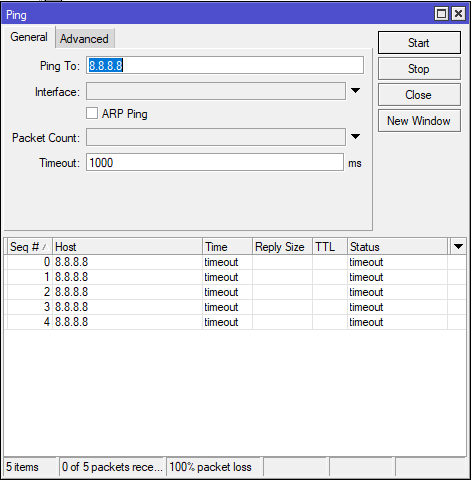
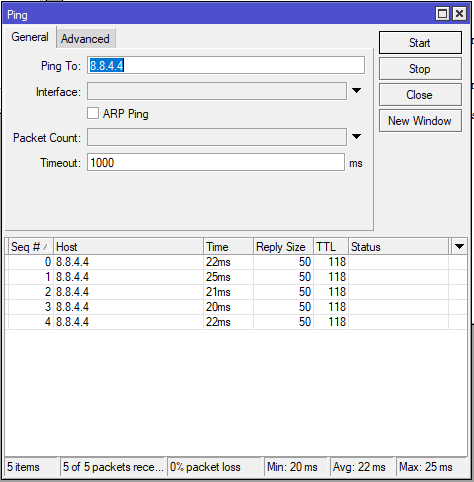
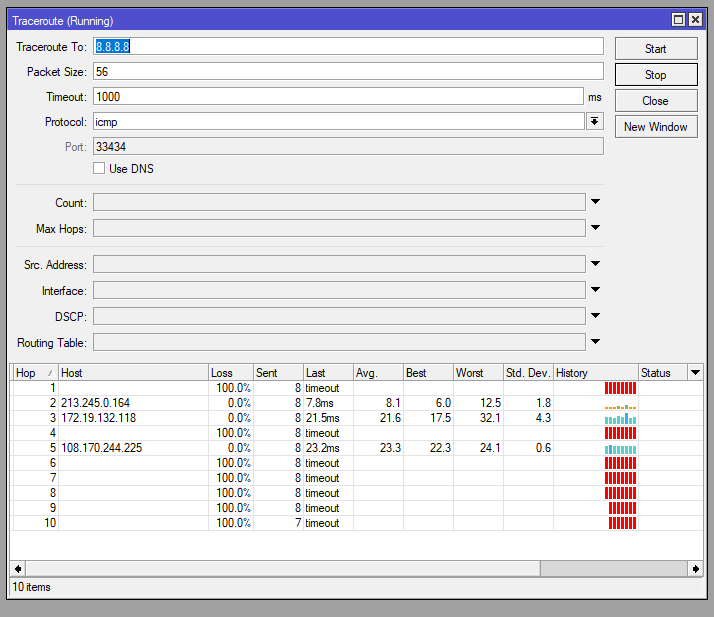
The only weird thing that I get is that my ping to 8.8.8.8 isn’t succeeding anymore, I have constant timeout (whereas it was working a few days ago, I didn t change my config since) the weird part is that the ping to 8.8.4.4 IS working!! And all the other ping I am trying are working as well…
I have tried to reboot the hap ac2, but remains the same…
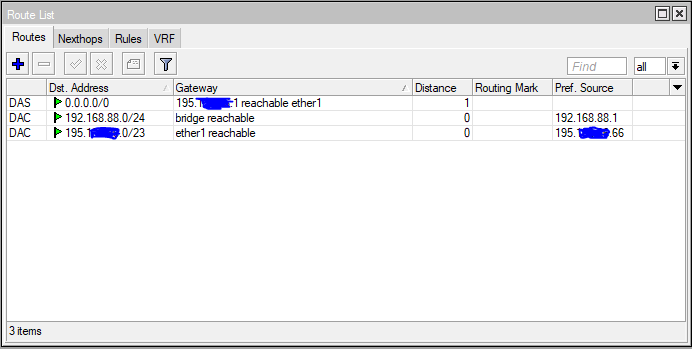
Here are a few screenshots of my conf… Any clue on what’s happening here?
I can tell you with 100% certainly I have no idea what the problem is?
However, I am about 80% sure that if you post your config I may be of some assistance and since this is a warm forum (we bond), that another 20% sure others will fill in any missing gaps.
Thanks for the reply!
I wasn’t aware of such possibility so thanks again for the learning!
Here is the file, I opened it and it looks pretty simple, I hope it will help you to see what’s wrong here…
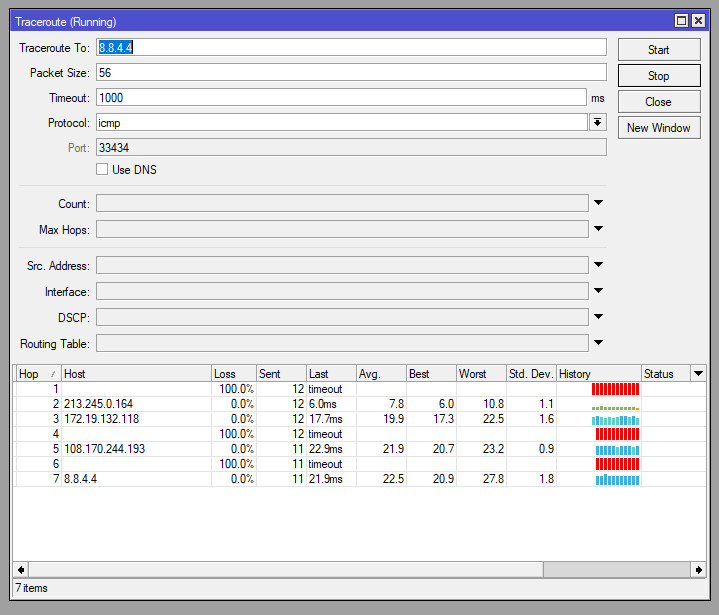
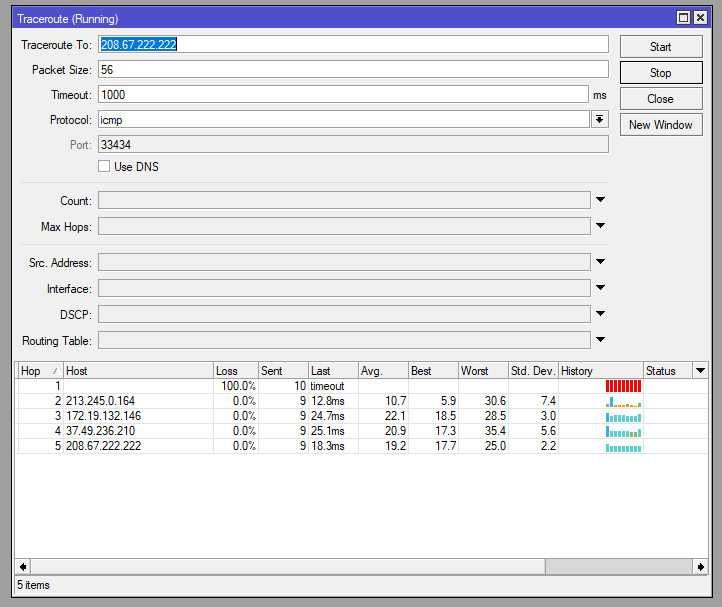
They look different for sure, I tried a third one (openDNS, my current DNS) which looks as well different, not really sure to understand what it means… what is this first hop timeout? From my Hap ac2 to the ISP box? But if this first hop fails as well with 8.8.4.4, how is it that the ping to 8.8.4.4 succeed anyway?
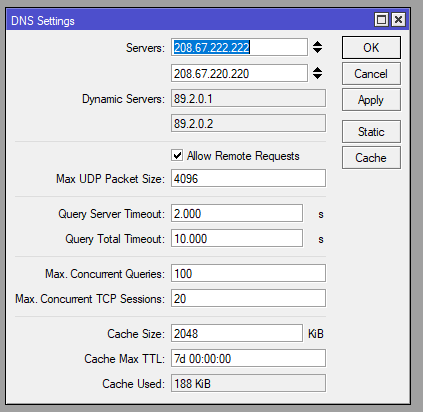
By the way, I attach a screenshot of my DNS on which we can see “Dynamic server” field with DNS from my ISP, but I cant modify or delete them, I dont know how RouterOS retrieved this information… directly from my ISP box?
Dynamic servers are pushed by ISP via whatever dynamic protocol for address assignment used (probably either DHCP client or PPPoE) and you can unclick the field saying that you want to use dynamic DNS servers in appropriate configuration section.
The first hop missing in all your traceroures is the first ISP’s access router.
When looking at traceroute results, one has to keep in mind the way traceroute works: traceroute uses packets with low TTL to trigger required functionality of any router (which is to decrease TTL by one on every passing packet and drop any packet reaching TTL value 0 - that’s mechanism to prevent routing loops from clogging the network. The router is supposed to return “ICMP TIME_EXCEEDED” packet to the originating host of dropped packet). Some routers don’t return the requested packet hence empty line in traceroute. Which obviously doesn’t mean that those routers don’t route packets with TTL larger than 0. When a certain router (or firewall) drops packets (as does ROS when firewall filter triggers drop action), traceroute obviously won’t get any reply any more regardless of TTL value.
That’s also one of reasons why blocking ICMP protocol in general is a bad thing.
I have disabled the dynamic DNS server but doesn’t change anything…
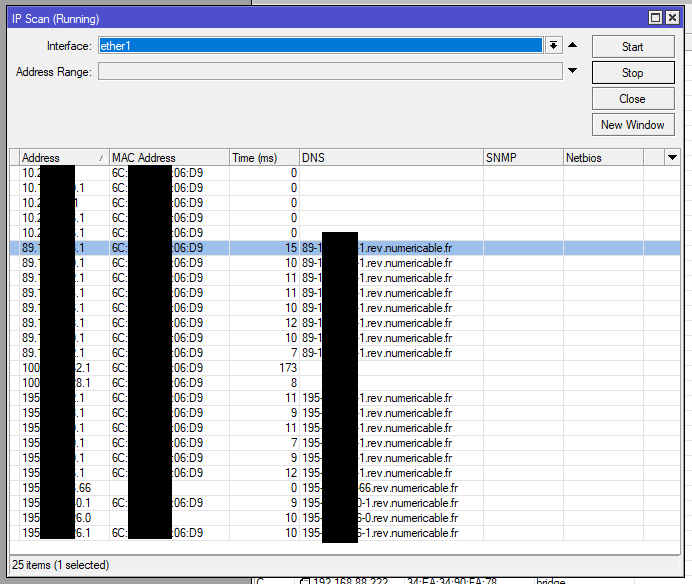
BUT I ran an IP scan on my interface connected to my ISP box and have the result attached below…
Not too hard to guess that all those addresses with the same MAC is not normal…
But what sould I do? My external IP is the one finishing with 66 (whats my IP say so)
Extra information, when I run this scan my ARP list explodes with 200+ new items, all beginning with 195
Narrowing down the potential causes…
Thanks again for the help mates!
Disable “allow remote requests” on DNS unless you add a firewall input rule to drop port 53 from wan side => Ok, done
You have a vlan 10 on bridge, what is this vlan to be used for? => Was starting to create a VLAN but I havent finished, then it is linked to nothing for the moment, but I just removed it to be sure
/interface vlan
add interface=bridge name=vlan10 vlan-id=10
What type of internet connection do you have i.e. FFTH. FTTC or Wireless? => FTTB
Change this rule /ip firewall nat
add action=masquerade chain=srcnat comment=“defconf: masquerade” ipsec-policy=out,none out-interface=ether1 out-interface-list=WAN
to this /ip firewall nat
add action=masquerade chain=srcnat comment=“defconf: masquerade” ipsec-policy=out,none out-interface-list=WAN
=> Ok, done
Are you running a webserver at home?
/ip firewall nat
add action=dst-nat chain=dstnat disabled=yes dst-port=80 in-interface=ether1
protocol=tcp to-addresses=192.168.88.251 to-ports=80
add action=dst-nat chain=dstnat dst-port=443 in-interface=ether1 protocol=tcp
to-addresses=192.168.88.251 to-ports=443
=> Yes, I have a smarthome webserver through OVH. The http access is disabled and only serves to update SSL certificate
Just to come back on one the previous post: no, there is no IP conflict as well…
Can you comment my screen capture of my IP scan to confirm that what we see is not what we expect to have?
If I am correct and this is not, at this point I assume that there is not so much I can do because “it is” happening at my ISP box level, correct?
Do you have a fibre terminal ont with fibre in and ethernet cable out to run to ISP modem?
Can you remove the ISP modem and just have the mikrotik device? Alot of fibre connections run on vlan10 so it would just be a matter of you creating a vlan10 on ether1 and
request dhcp client using vlan10.
You will have to add the vlan10 to the interfaces WAN for the firewalls to work
Remove ether1 from bridge and create a vlan10 on ether1 and set ip dhcp request on vlan10
The internet arrives to my ISP box through coaxial cable, then I cant remove it otherwise the internet doesnt arrive at all…
Of course my ISP box is set as bridge and there is only one ethernet cable that is coming from the ISP box to the Mikrotik…