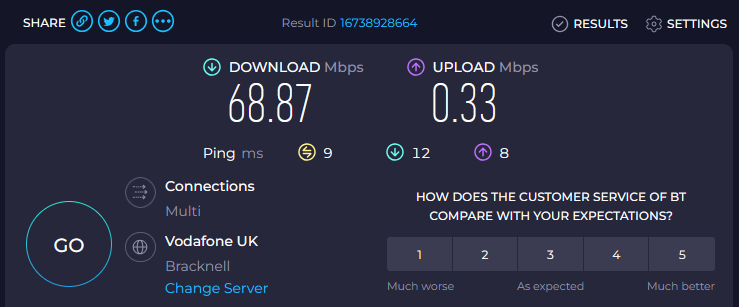
Enabled baby jumbo frames some time ago as I was experiencing some connection issues with Helldivers 2. This resolved the issues I was experiencing at the time with connecting to lobbies however I seem to now have issues with my upload speed.
I noticed initially that upload speeds to Discord were very poor for simple screenshots and that led me to discovering that I get extremely slow upload speed with some services.
Can anybody help me with this? Have I missed something as part of the baby jumbo frames configuration?
Differences in reporting:
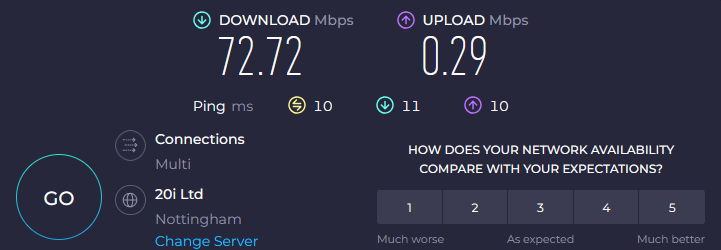
Speedtest.net shows 0.30Mbps consistently for upload speed with baby jumbo frames enabled.
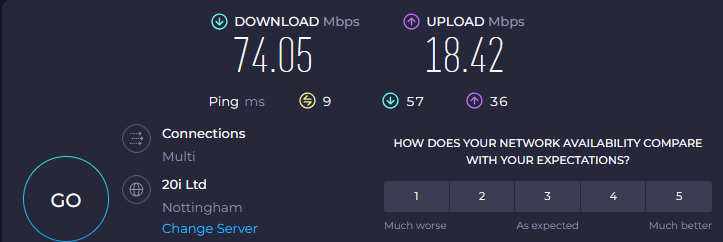
Fast.com shows ~20Mbps which is where I’d expect my upload speed to be.
Connection path:
DrayTek Vigor 130 (PPPoE Bridge) → RB5009 → PC (ether2) → Internet
It’ll occasionally give me a semi-normal upload speed after several retries but mostly I get the speeds below.
Edit: Also tried (and currently using):
Ether1 MTU: 1512
vlan101 MTU: 1508
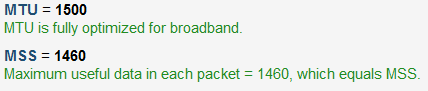
PPPoE Max MTU/MRU: 1500 (actual MTU 1500)
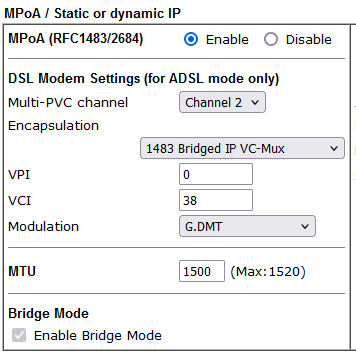
Modem MTU: 1508
Edit edit: Weirdly the upload speed from my Android device which is connected via my wireless is absolutely fine. The wireless traffic comes through my Ubiquiti APs but on the same vlan etc as my pc.
I can ping up to 1500 before fragmentation which is to be expected, right?
What I’m struggling to understand is why the upload speeds are unaffected from my Android device and yet my PC on both wired and wireless are affected.
Edit: I just plugged in my ISP router and the behaviour is the same. So it must be my PC or an issue with my line.
One hack possibility (for tcp) might be to clamp the mss of your internal devices to 1452, while letting the
outside devices stay at 1460. So your devices upload with shorter packets.
While it’s preferable to make MTU of all interfaces the same (i.e. 1500) and while it seems that @OPs ISP allows to play with these values, it could be that there’s some segment in ISP’s network which doesn’t support full 1500 byte packets over PPPoE … and fragmentation happens there (and also speed drop happens there). It’s pretty hard to determine if there’s fragmentation anywhere in the network (most routers don’t do it anymore exactly due to performance issues), a packet dump exercise on both ends would reveal it (de-fragmentation only happens on final recipient’s TCP stack and wireshark dump will show fragmented packets arriving). But yeah, pursuing speedtest server owner to allow you to do wireshark dump on his server will be quite a feat.
So at the end of the day, it’s easier to go with advice by @rplant … to adjust MSS to the reality. Or, as it seems from the beggining of this thread … revert to default/negotiated MTU on PPoE link as it seems to work just fine for @OP and forget about aesthetics of that link.
Thanks for both of your suggestions! It’s very much appreciated.
It turned out to be something much simpler and I’m kicking myself for not having discovered it sooner. Network drivers! Despite my drivers being “up-to-date” as far as my motherboard manufacturer were concerned, the “Killer Ethernet” drivers were from 2022 (on an X670E Taichi!). Intel’s “Driver & Support Assistant” pointed me in the direction of newer drivers although it wasn’t straight forward to get Windows to actually accept them. After manually uninstalling the old drivers and then running the new driver installer, everything is up-to-date and more importantly I’m not getting any weird behaviour with my upload speed.
If anyone comes across this in future, particularly with a “Killer E3100G 2.5G Gigabit Ethernet Controller”, drivers are the culprit. When you run the driver installer for the “Killer Performance Package” or whatever it’s called, make sure to do a custom install and only include the hardware drivers. Intel include a load of bloatware / QOS software with the drivers now apparently.
In short, the Mikrotik was absolutely fine and jumbo frames working exactly as expected. Thanks for those that took the time to provide suggestions!