Port forwarding to 443 fail

Hi Support,

I having difficulty to port forward port 443 to my local server from public IP. It still fail to connect from public IP. tested telnet from local network to local IP server with port 443 are success, but from public IP are fail to access. Hope you all can help.

add action=dst-nat chain=dstnat disabled=no dst-port=443 in-interface=ether1-gateway protocol=tcp to-addresses=192.168.1.200 to-ports=443

Thanks & Regard
Jason Leong

In order for this to work you also need a firewall rule, that will allow such connection in forward chain.
The simpliest one is:

add action=accept chain=forward connection-nat-state=dstnat in-interface=ether1-gateway

Placed lower than accept established/related and drop invalid rules of the forward chain, but higher than last “drop everything else” rule .

As per attachment is the screenshot of firewall rules. It show that I has been add in the new rules. unfortunately, it still unable to access from public
Screenshot 2019-11-08 at 4.19.38 PM.png

as per attachment is the screenshot from terminal. Kindly review
Screenshot 2019-11-08 at 4.24.49 PM.png

As I see now your default rule 17 does the same, so you don’t need the one I suggested at all.

Are you sure your ISP is not blocking port 443?
Change dst-port in your initial NAT rule to anything else (but leave to-ports=443), and try connecting to this different port from outside.

You mean you’re connecting from internet to public address, or still from local network to public address?

If it’s the latter, you can’t have in-interface (use dst-address=) and you need this: https://wiki.mikrotik.com/wiki/Hairpin_NAT

Hi,

I still not manage to do the port forwarding to my https. below picture show that my nat rules added currently. for the ip: 192.168.0.239 is my local server that need to access from public. unfortunately, it very hard to configure the port forwarding.
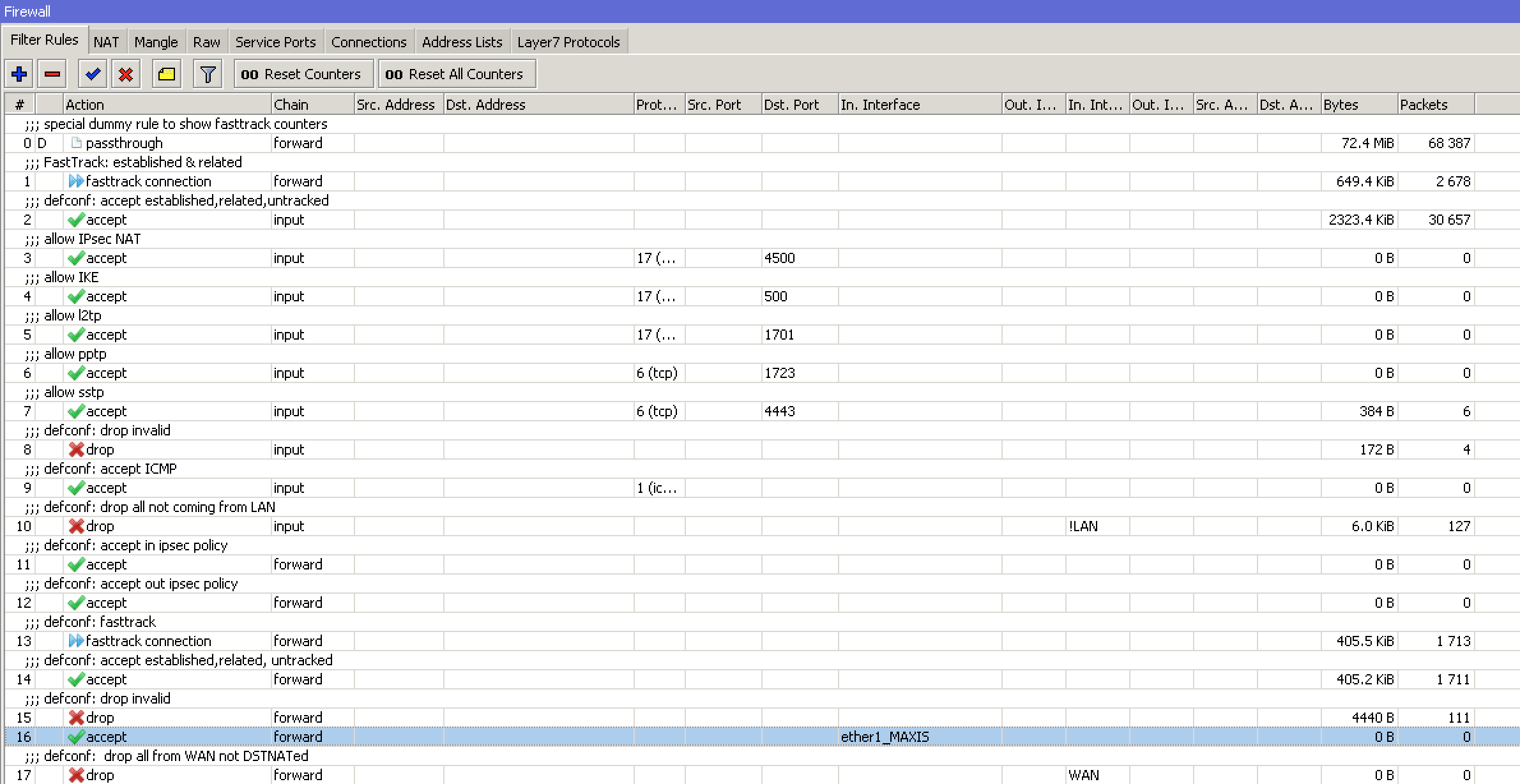
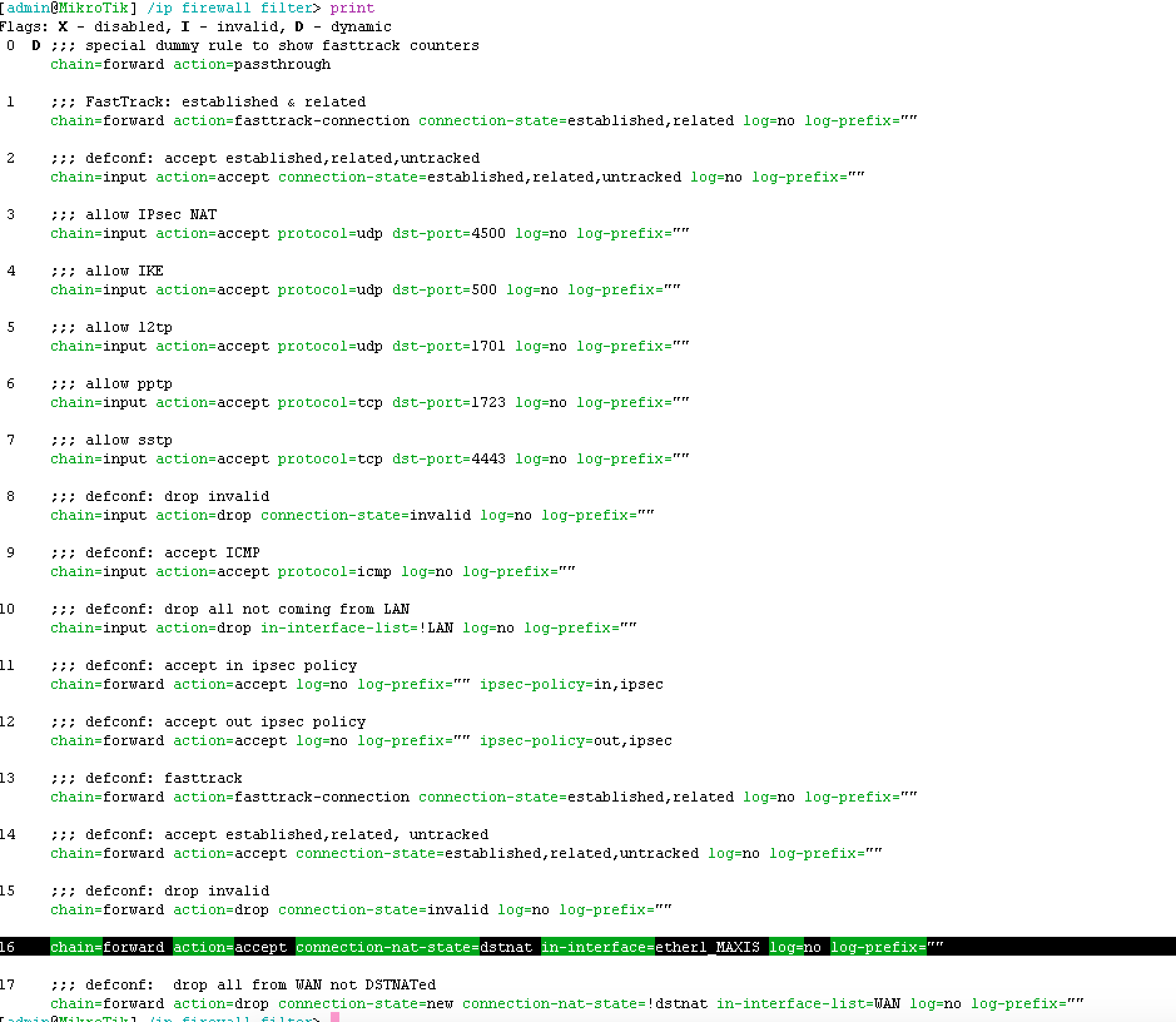
Nat side
1 chain=dstnat action=dst-nat to-addresses=192.168.0.239 to-ports=443 protocol=tcp dst-port=443 log=yes log-prefix=“”
2 chain=srcnat action=masquerade protocol=tcp src-address=192.168.0.0/24 dst-address=192.168.0.239 log=no log-prefix=“”

filter rules
16 chain=forward action=accept connection-nat-state=srcnat,dstnat log=no log-prefix=“”