PPPoE: Peer is not responding

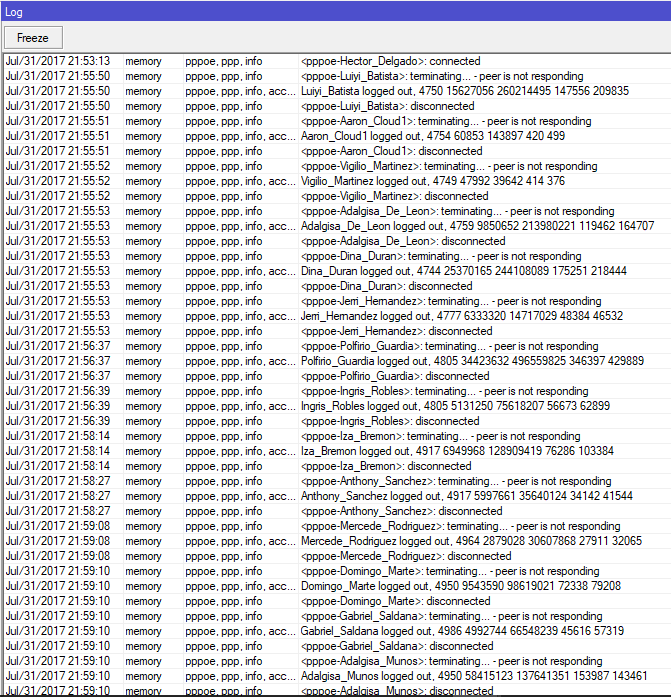
It’s imposible to use pppoe server on mikrotik. Sometimes sessions began to terminate without any reasons:
peer.png
peer2.png
Using LAN Connection with Intel Gigabit NICs without any network errors.
Two mikrotik servers 5.14 and 5.18 each with ~250 sessions, ~200MBit traffic(up+down) per server, every week randomly in the evening we have such issues.
Third Cisco PPPoE server in the network working without any issues.

/ppp profile print
Flags: * - default 
 0 * name="default" local-address=87.249.XX.XX use-mpls=default use-compression=no use-vj-compression=no 
     only-one=default change-tcp-mss=no incoming-filter="" outgoing-filter="" address-list="" 
/interface pppoe-server server print
Flags: X - disabled 
 0   service-name="Tel" interface=vlan105 max-mtu=1400 max-mru=1400 mrru=disabled authentication=pap,chap 
     keepalive-timeout=10 one-session-per-host=yes max-sessions=0 default-profile=default 

 1   service-name="Tel" interface=vlan106 max-mtu=1400 max-mru=1400 mrru=disabled authentication=pap,chap 
     keepalive-timeout=10 one-session-per-host=yes max-sessions=0 default-profile=default

Any workaround? Seems that problem exists for years in RoS pppoe module.
Increased ppp keep-alive to 30 seconds, will see whats changed.

Hello my friend
i have 5000 active PPPOE session on Mikrotik without any problem.
peer not responding log usually happen when client have low bandwidth or error.
and i have a question.are you upgrade your router? and what license you use?

Increase Keepalive Timeout to 30 seconds in PPPoE server profile.

Hi,

is that work ? I have same problem also.

Thanks.

hi all

i am also facing same problem, i am using 5.20 version, log : peer is not responding
in PPPoE all users are disconnecting, i have increase the keepalive time 30sec,
even though my problem is not solved.

can any one of who experience or solved the same please help me to come out of this problem

Great to know that you have 5000 active PPPoE Sessions. May I know how many router are you using and the model numbers please???

Regards,
srikanth

pls give me solution for this error it s urgnt for me pls

I’ve run into the same issue. Adding a third PPPOE client interface means the line connects and immediately disconnects with the log entries ‘initializing’, ‘connecting’, ‘terminating… - hungup’, ‘disconnected’ all with the same timestamp. This appears to be a major bug.

The reply above with 5000 active sessions must be referring to the server PPPOE interface, not a client one (unless Mikrotik make some 5000 port routers they’ve kept very quiet!).

I also am facing this issue, Please help, I have tried almost everything i could i.e.

  1. Changed Switch at client end
  2. Reconfigured Access Point - Station network
  3. WDS Station Bridge mode and Psuedo bridge mode
  4. Dialing only one connection per switch
  5. Increasing time out to 30
  6. Checking Each Customer MAC address for duplication.

Not helped at all, sometimes all my customers get auto disconnected with the same error.

I have attached screenshot of current Logs and My Network Structure, Please help i am in very urgent need of solution

“Peer not responding messages” indicate that server has not received packets from client side for a while. Keepalive is taken into account on such cases. You can increase keepalive but if that does not help, you should figure out what is causing client to not respond to server. For example, unstable ethernet connection between server and client.

It looks like the cause of my issue might be a different bug, but as I’ve already posted in this thread, I thought I’d talk through how I fixed it.

I wiped the router, then rebuilt the config from scratch. Line three still played up, but I disconnected two other lines and brought up the third, then the first and the second and all seemed well, even on a reboot. The bug appears to manifest itself the very first time a PPPOE line is brought up when there are already two others running.

The second gotcha is that, when you create the rulesets for the lines, the Mikrotik router now creates rules 0, 1, 1, 2, 3 and seems to ignore the second rule 1. There is no way of editing this, so you need to delete the last three rules and it seems to manage to count the rule numbers correctly the second time you enter them. Seen this issue twice now, so it wasn’t a one-off.

I have the same problem.
I have very good links all my CCQ between 98 and 100% very good transferability and in had in my network that change to many clients to IP Statica tied by mac address to work with more stability.
PPPoE Peer.png

It got solved i guess,
I changed MTU and MRU to 1504 (1464 i was actually able to ping without fragmenting the packet + 40 of Packet header)
MRRU I set to 1580 (I don’t know how to calculate this but i read somewhere on the internet so set this)

I changed above values for

  1. pppoe sever
  2. All my AP’s and Stations (Under network tab - I am using mostly ubnt devices airgrid and powerbeams)
  3. Client Routers

Issue solved for me, will update if happens again

You can use following command to check fragmentation of packet
ping google.com -f -l 1480

it;s small L not I

I have same problem every 60min or 30min peer is not responding my router model hEX , RB750 Gr3

Please how to solve this erro

i have same problam peer is not responding but now i will upgrad new software hEX router is now working good , thank’s or forum.mikrotik.com

Just switch off the compression all.

hello
i have the same problem peer is not responding
please help me
RB 1100 Hx2
i have 3 Omni Tik as AP ,multi St stations multi sxt,nanostations,nanoBeams and others
please help me
the log is clear from errors and no revers ip
the log of Omni is clear from errors
Please Help
+963957332760 WhatsApp Viber

mikrotik does not have correct answer for this reason i am searching this solutions since a year now, but still there is no solutions.

I have been looking for a answer for peer not responding for 2yrs now,this really needed a fix from mikrotik
i am using 1100AHx4 dude edition

These are the error i am getting …i really needed some help…clients keep disconnecting peer not responding i have excellent signal ..i am using mikrotik with ubiquiti devices like powerbeam m2 & m5

09:26:45 pppoe,ppp,debug <0004>: received unsupported protocol 0x80ab
09:26:50 pppoe,ppp,debug <0004>: received unsupported protocol 0xa1
09:27:11 pppoe,ppp,debug <0004>: received unsupported protocol 0xa1
09:27:35 pppoe,ppp,debug <0002>: received unsupported protocol 0x1421
09:28:18 pppoe,ppp,debug <0004>: received unsupported protocol 0xd1
09:28:28 pppoe,ppp,debug <000c>: received unsupported protocol 0x121
09:30:32 pppoe,ppp,debug <0004>: received unsupported protocol 0x87
09:32:49 pppoe,ppp,debug <000c>: received unsupported protocol 0x1
09:33:18 pppoe,ppp,debug <0014>: received unsupported protocol 0x1
09:33:42 pppoe,ppp,debug <0012>: LCP closed
09:33:42 pppoe,ppp,debug <0012>: CCP lowerdown
09:33:42 pppoe,ppp,debug <0012>: BCP lowerdown
09:33:42 pppoe,ppp,debug <0012>: BCP down event in starting state
09:33:42 pppoe,ppp,debug <0012>: IPCP lowerdown
09:33:42 pppoe,ppp,debug <0012>: IPCP closed
09:33:42 pppoe,ppp,debug <0012>: IPV6CP lowerdown
09:33:42 pppoe,ppp,debug <0012>: IPV6CP down event in starting state
09:33:42 pppoe,ppp,debug <0012>: MPLSCP lowerdown
09:33:42 pppoe,ppp,debug <0012>: LCP lowerdown
09:33:42 pppoe,ppp,debug <0012>: CCP close
09:33:42 pppoe,ppp,debug <0012>: BCP close
09:33:42 pppoe,ppp,debug <0012>: IPCP close
09:33:42 pppoe,ppp,debug <0012>: IPV6CP close
09:33:42 pppoe,ppp,debug <0012>: MPLSCP close
09:33:42 pppoe,ppp,info : terminating…
09:33:42 pppoe,ppp,debug <0012>: LCP lowerdown
09:33:42 pppoe,ppp,debug <0012>: LCP down event in starting state
09:33:42 pppoe,ppp,info,account 454545 logged out, 2448 2152824 41708799 25289 33785
09:33:42 pppoe,ppp,info : disconnected
09:34:05 pppoe,info PPPoE connection established from 78:8A:20:E0:F7:31
09:34:05 pppoe,ppp,debug <0027>: LCP lowerup
09:34:05 pppoe,ppp,debug <0027>: LCP open
09:34:06 pppoe,ppp,debug <0027>: LCP opened
09:34:06 pppoe,ppp,info,account 454545 logged in, 172.168.4.252
09:34:06 pppoe,ppp,info : authenticated
09:34:06 pppoe,ppp,debug <0027>: IPCP lowerup
09:34:06 pppoe,ppp,debug <0027>: IPCP open
09:34:06 pppoe,ppp,debug <0027>: IPV6CP open
09:34:06 pppoe,ppp,debug <0027>: MPLSCP lowerup
09:34:06 pppoe,ppp,debug <0027>: MPLSCP open
09:34:06 pppoe,ppp,debug <0027>: BCP open
09:34:06 pppoe,ppp,debug <0027>: CCP lowerup
09:34:06 pppoe,ppp,debug <0027>: CCP open
09:34:06 pppoe,ppp,debug <0027>: IPCP opened
09:34:06 pppoe,ppp,info : connected
09:34:10 pppoe,ppp,debug <000b>: LCP receiveid ProtRej for unsupported protocol 0x298
09:34:20 pppoe,ppp,debug <0007>: received unsupported protocol 0xe1
09:34:23 pppoe,ppp,debug <0005>: received unsupported protocol 0x27
09:35:44 pppoe,ppp,debug <0007>: received unsupported protocol 0x3066
09:36:03 pppoe,info PPPoE connection established from 00:27:22:76:CF:EA
09:36:03 pppoe,info PPPoE connection from 00:27:22:76:CF:EA was already active - closing previous one
09:36:03 pppoe,ppp,debug <001a>: LCP lowerdown
09:36:03 pppoe,ppp,debug <001a>: LCP closed
09:36:03 pppoe,ppp,debug <001a>: CCP lowerdown
09:36:03 pppoe,ppp,debug <001a>: BCP lowerdown
09:36:03 pppoe,ppp,debug <001a>: BCP down event in starting state
09:36:03 pppoe,ppp,debug <001a>: IPCP lowerdown
09:36:03 pppoe,ppp,debug <001a>: IPCP closed
09:36:03 pppoe,ppp,debug <001a>: IPV6CP lowerdown
09:36:03 pppoe,ppp,debug <001a>: IPV6CP down event in starting state
09:36:03 pppoe,ppp,debug <001a>: MPLSCP lowerdown
09:36:03 pppoe,ppp,debug <001a>: CCP close
09:36:03 pppoe,ppp,debug <001a>: BCP close
09:36:03 pppoe,ppp,debug <001a>: IPCP close
09:36:03 pppoe,ppp,debug <001a>: IPV6CP close
09:36:03 pppoe,ppp,debug <001a>: MPLSCP close
09:36:03 pppoe,ppp,info : terminating… - disconnected
09:36:03 pppoe,ppp,debug <0028>: LCP lowerup
09:36:03 pppoe,ppp,debug <0028>: LCP open
09:36:03 pppoe,ppp,debug <001a>: LCP lowerdown
09:36:03 pppoe,ppp,debug <001a>: LCP down event in starting state
09:36:03 pppoe,ppp,info,account 757575 logged out, 2588 4867625 121453483 63524 98106
09:36:03 pppoe,ppp,info : disconnected
09:36:03 pppoe,ppp,debug <0028>: LCP opened
09:36:03 pppoe,ppp,info,account 757575 logged in, 199.168.2.252
09:36:03 pppoe,ppp,info : authenticated
09:36:03 pppoe,ppp,debug <0028>: IPCP lowerup
09:36:03 pppoe,ppp,debug <0028>: IPCP open
09:36:03 pppoe,ppp,debug <0028>: IPV6CP open
09:36:03 pppoe,ppp,debug <0028>: MPLSCP lowerup
09:36:03 pppoe,ppp,debug <0028>: MPLSCP open
09:36:03 pppoe,ppp,debug <0028>: BCP open
09:36:03 pppoe,ppp,debug <0028>: CCP lowerup
09:36:03 pppoe,ppp,debug <0028>: CCP open
09:36:04 pppoe,ppp,debug <0028>: IPCP opened
09:36:04 pppoe,ppp,info : connected
09:36:32 pppoe,ppp,debug <0010>: received unsupported protocol 0x4721
09:37:39 pppoe,ppp,debug <0007>: received unsupported protocol 0xf1
09:37:39 pppoe,ppp,debug <0015>: received unsupported protocol 0x20
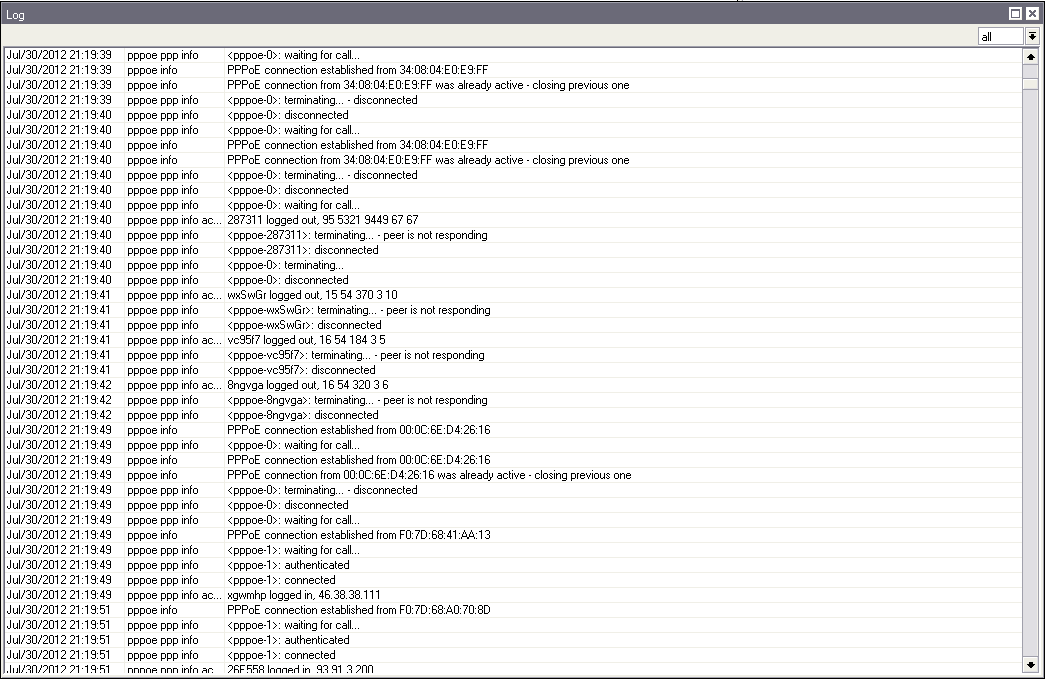
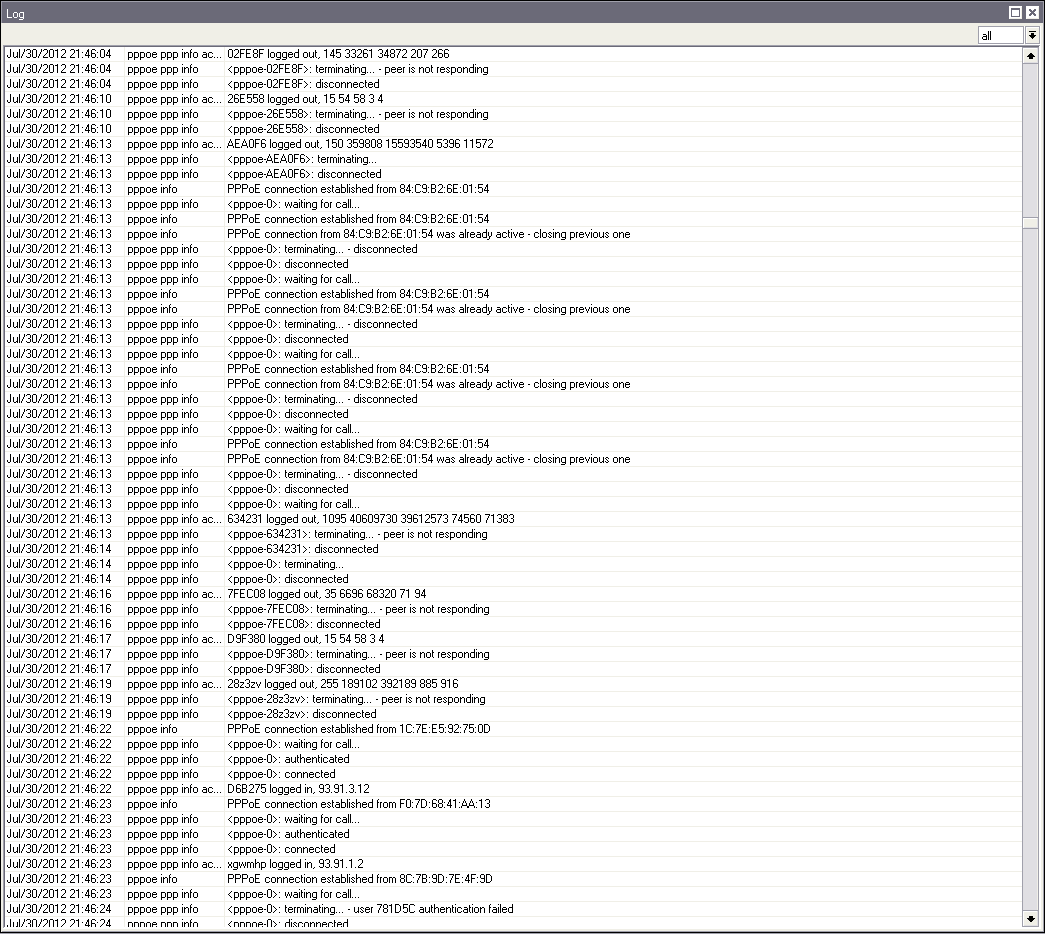
LCP missed echo reply…could someone tell me how to fix this problem
PPPoE: Peer is not responding-users getting disconnected & reconnected randomly