Hi there,
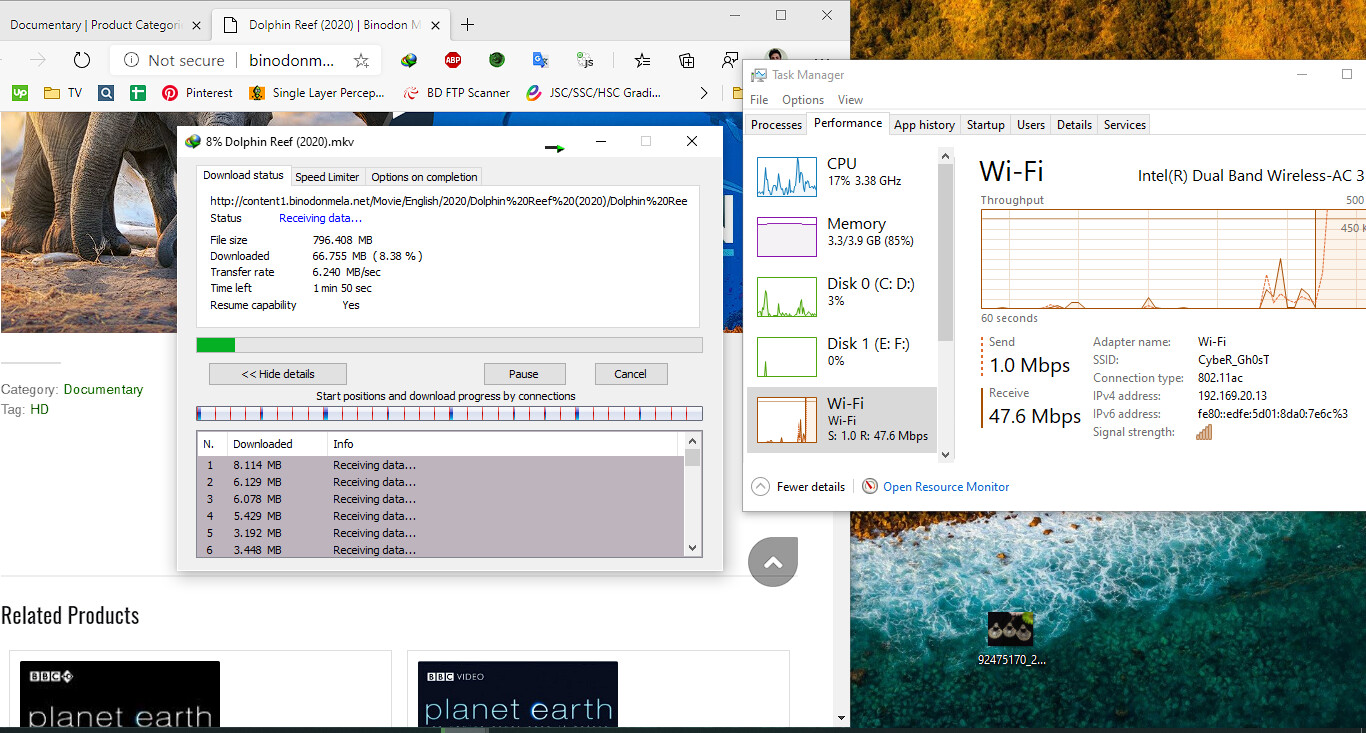
I’m getting maximum 40-50Mbps in 5GHz network. Is that normal or maximum speed for RBD52G-5HacD2HnD (HAP AC²)?
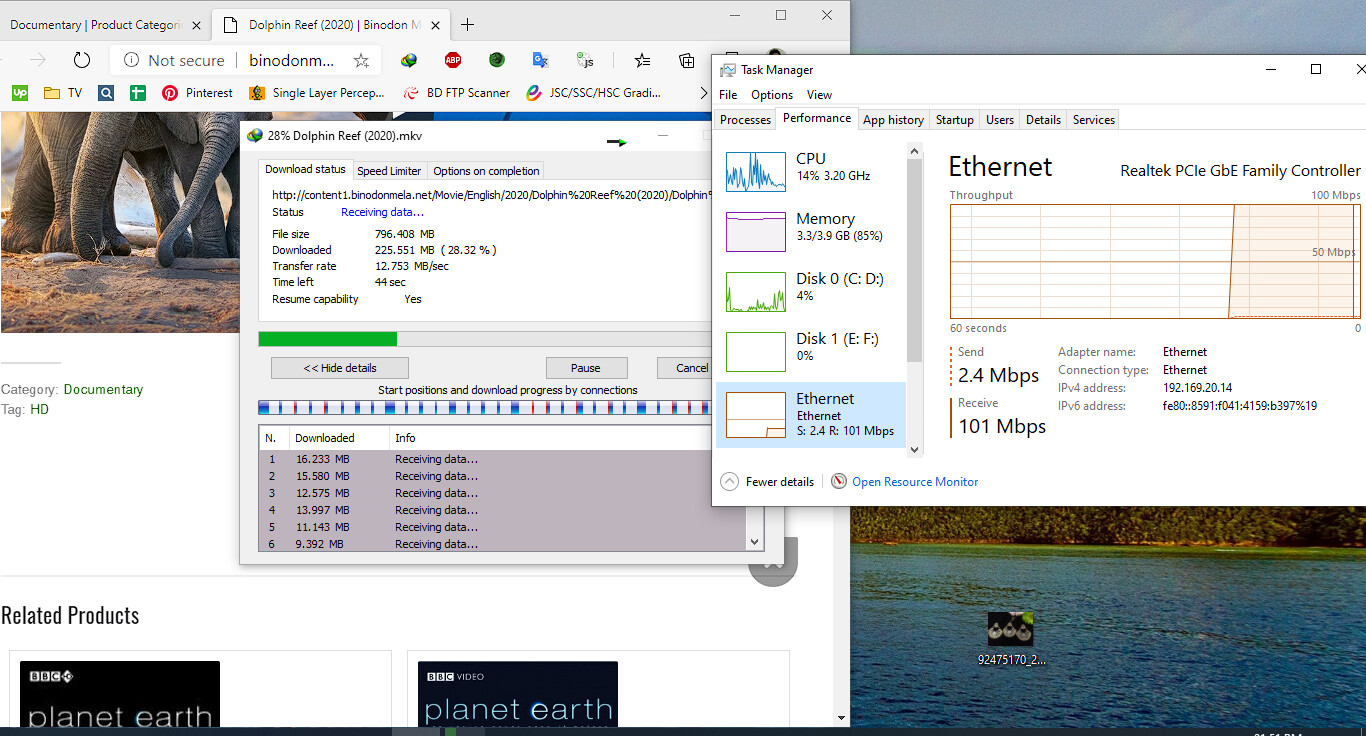
Ethernet speed is OK, it is approximate 780-800Mbps.
Thanks in advance.
Achievable speed largely depends on signal strength and quality … and on other settings as well (e.g. channel width … e.g. 20MHz vs. 80MHz). What does client device report as signal strength and signal to noise ratio?
With the current configuration of my hap ac2 (rather standard), with an iPhone i can reach an average of 350-400 Mbps in iperf, with PC set as server. With Android phones around 300 and with laptop with Intel Wifi card no more than 250.
All those values are tests done in the same room with hap. Some 2 rooms awa, results drop at ~130-180 Mbps.
I’m just 1.5 ft away from the router and getting terrible speed from it.
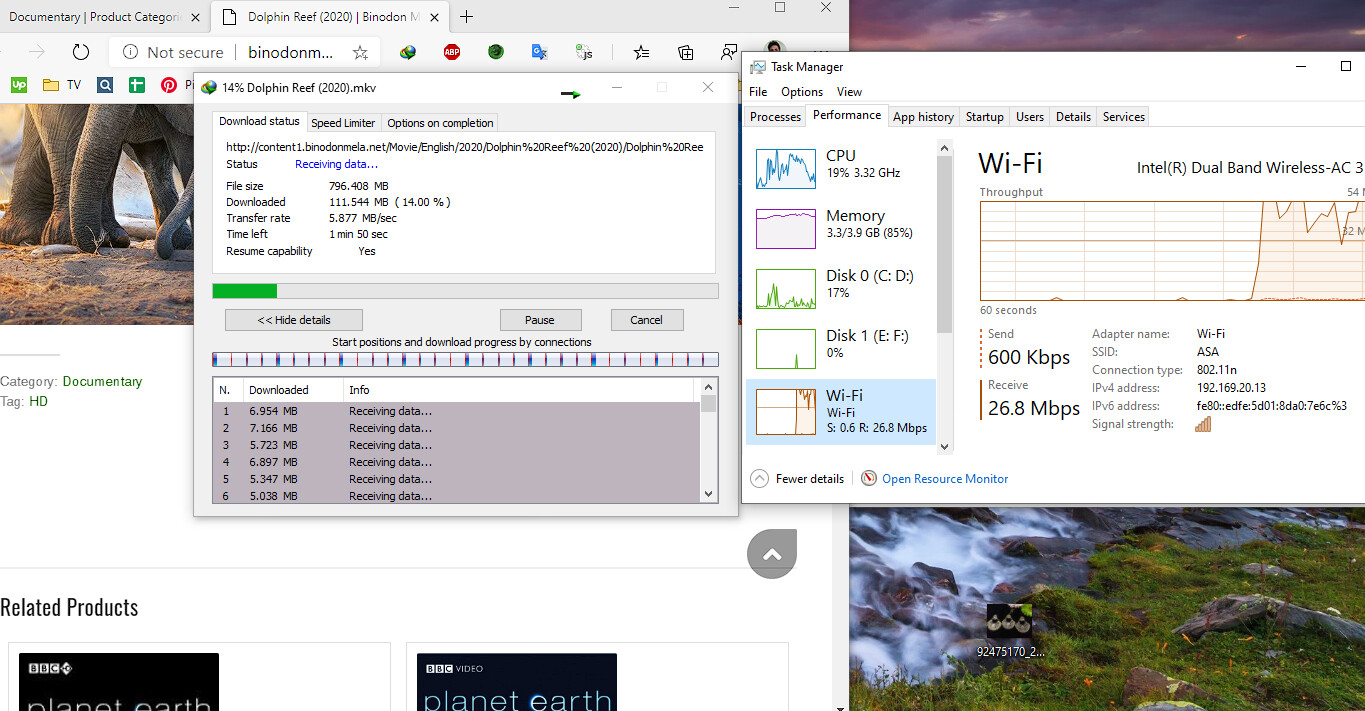
Here is some screenshot of different connectivity.
2.4GHz Speed:
5GHz Speed:
Ethernet Speed:
My old router (TPLINK WR841HP v5) is providing 95-98Mbps from same server. But recently I’m fetching packet loss issue into it. So I switched to this Mikrotik router and the result is terrible.
Like above people said, signal quality and strenght are important. Show us the router configuration and signal levels in the router registration table, not your windows programs.
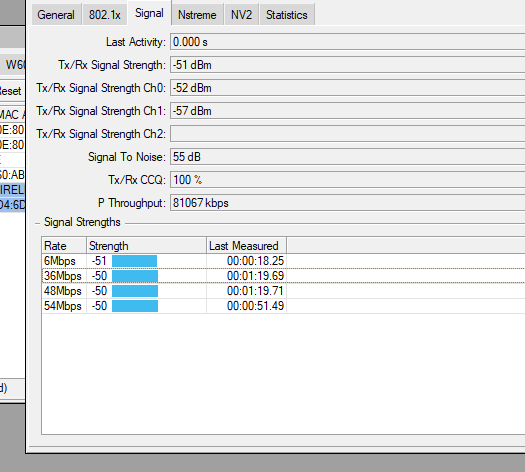
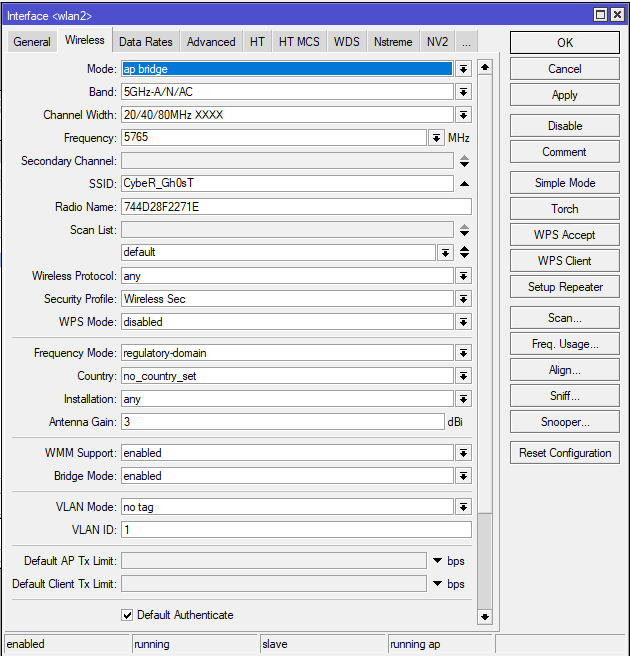
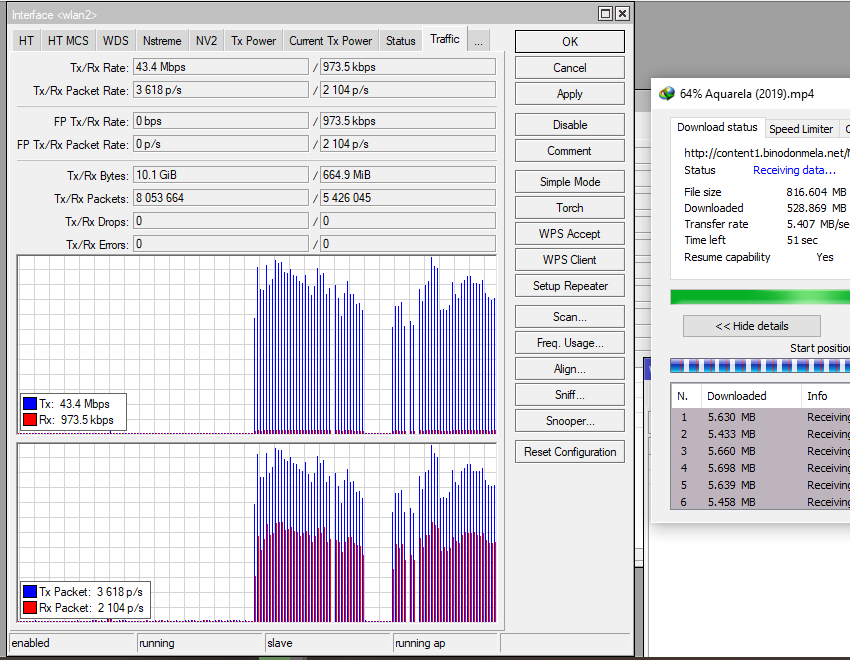
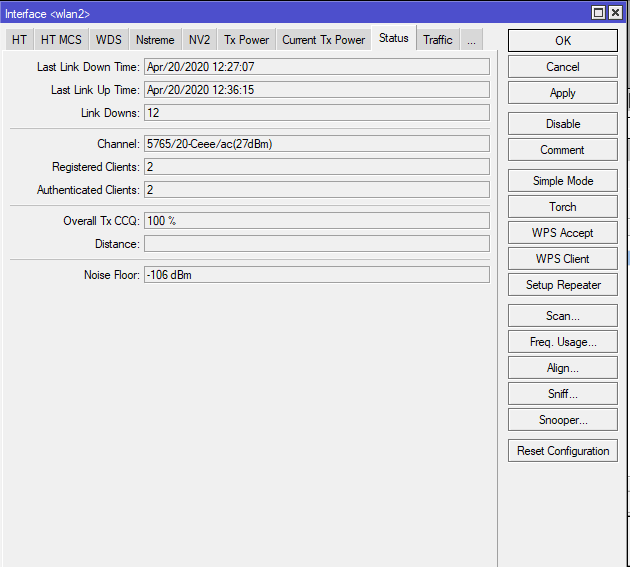
Can you also show the “rates” tab?
Here it is:
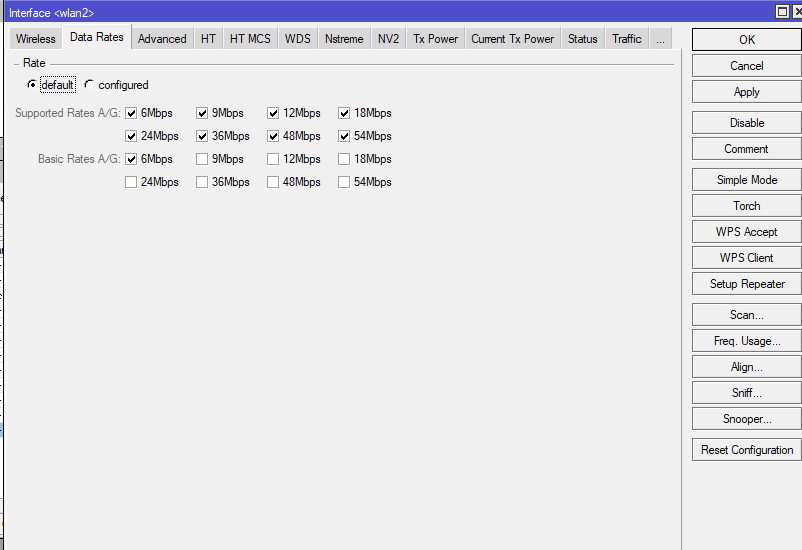
You are running 5765 Ceee, this is wrong, should be 5745 Ceee or 5765 eCee
Thank you, Now everything works perfectly.
Can You suggest me for 2.4 also. It also has same issue
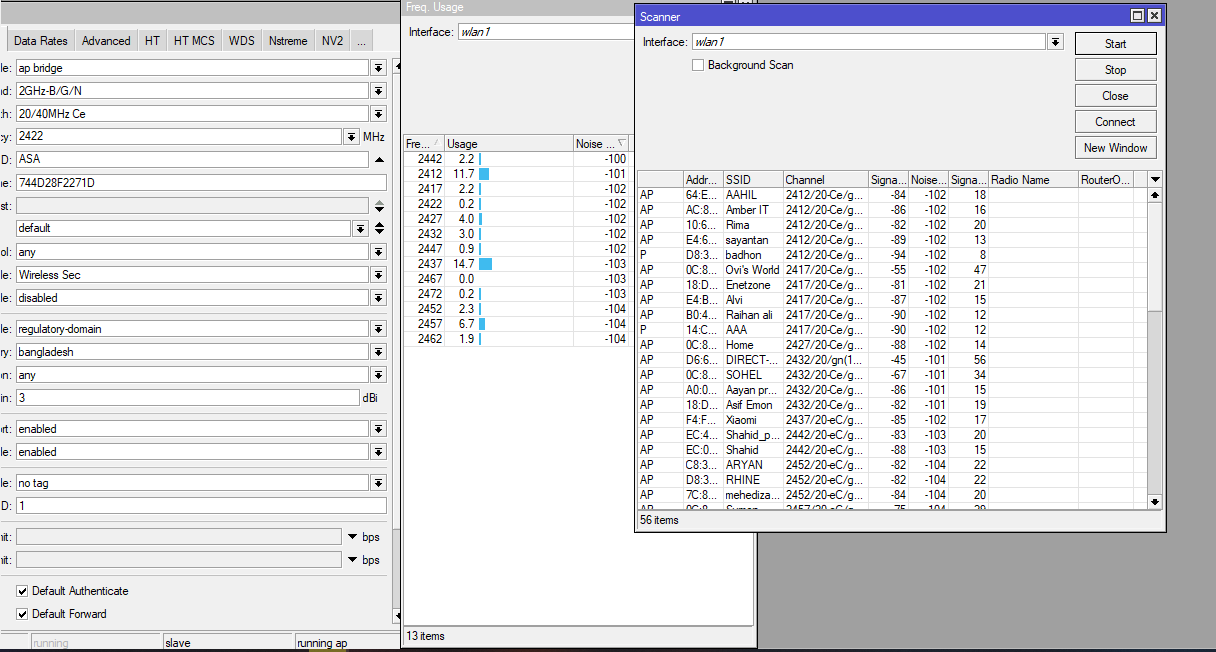
Hi, there is nothing much we can do for 2.4G, as it usually crowded and full of noise, the only suggestion is don’t use 20/40, use only 20, and stick with channel 1/6/11, then change it to G/N unless you have 802.11b devices. Don’t forget to set it to “indoor” for both bands too.
heidarren, could you please direct me to some sources on how to choose correctly the Ceee…eeeC for each channel? Or maybe there’s a table of correct association..
In OPs situation, he defaulted this settings to XXXX and router set it to a less optimal value.
Thank you
In https://wiki.mikrotik.com/wiki/Manual:Interface/Wireless did explain how it works,
“Use of extension channels (e.g. Ce, eC etc) allows additional 20MHz extension channels and if it should be located below or above the control (main) channel. Extension channel allows 802.11n devices to use up to 40MHz (802.11ac up to 160MHz) of spectrum in total thus increasing max throughput. Channel widths with XX and XXXX extensions automatically scan for a less crowded control channel frequency based on the number of concurrent devices running in every frequency and chooses the “C” - Control channel frequency automatically.”
For example 802.11ac, we wanna use 80MHz for highest throughput, so it will be 1 control channel + 3 extension channel, in normal home router “channel 149 80MHz” means 5745 Ceee, “channel 153 80MHz” means 5765 eCee, and so. In this case he setting was 5765 Ceee, meaning he was using channel 153(c)/157/161/165 as 80MHz which is non standard channel so his client end up will only do 153 20MHz instead of the desired 80MHz, that’s why he got a very slow speed, if we correct it to 5765 eCee then it becomes channel 149/153(c)/157/161 which is standard channel and his client will do 80MHz, so we will get the speed that we wanted.
Btw, his actually set it to 5765 20/40/80MHz XXXX to let MikroTik to select the control channel, but MT end up offer him 5765 Ceee which is wrong, I think MT should do some fix here.
Thank you guys. I found channel 13 is almost free. Channel 6 to 11 are overlapping a lot.
This is in reference to 5G RouterBoard Part# RB922UAGS-5HPacD. We are trying to achieve data rate of 500 to 600Mbps using this board. However, with our current configuration of RouterBoard, we have able to manage data rate of 124Mbps.
I have a few queries concerning the RouterBoard, please comment as convenient as possible:
What are the Router configurations for the mentioned board to meet our data rate requirement i.e. 500Mbps to 600Mbps?
What is the antenna arrangement for the board ?
How many antenna channels mentioned on the board need to be employed for our data rate requirement?
What type of antennas are compatible with this board, suggest if possible?
Any word in this regard will be of worth.