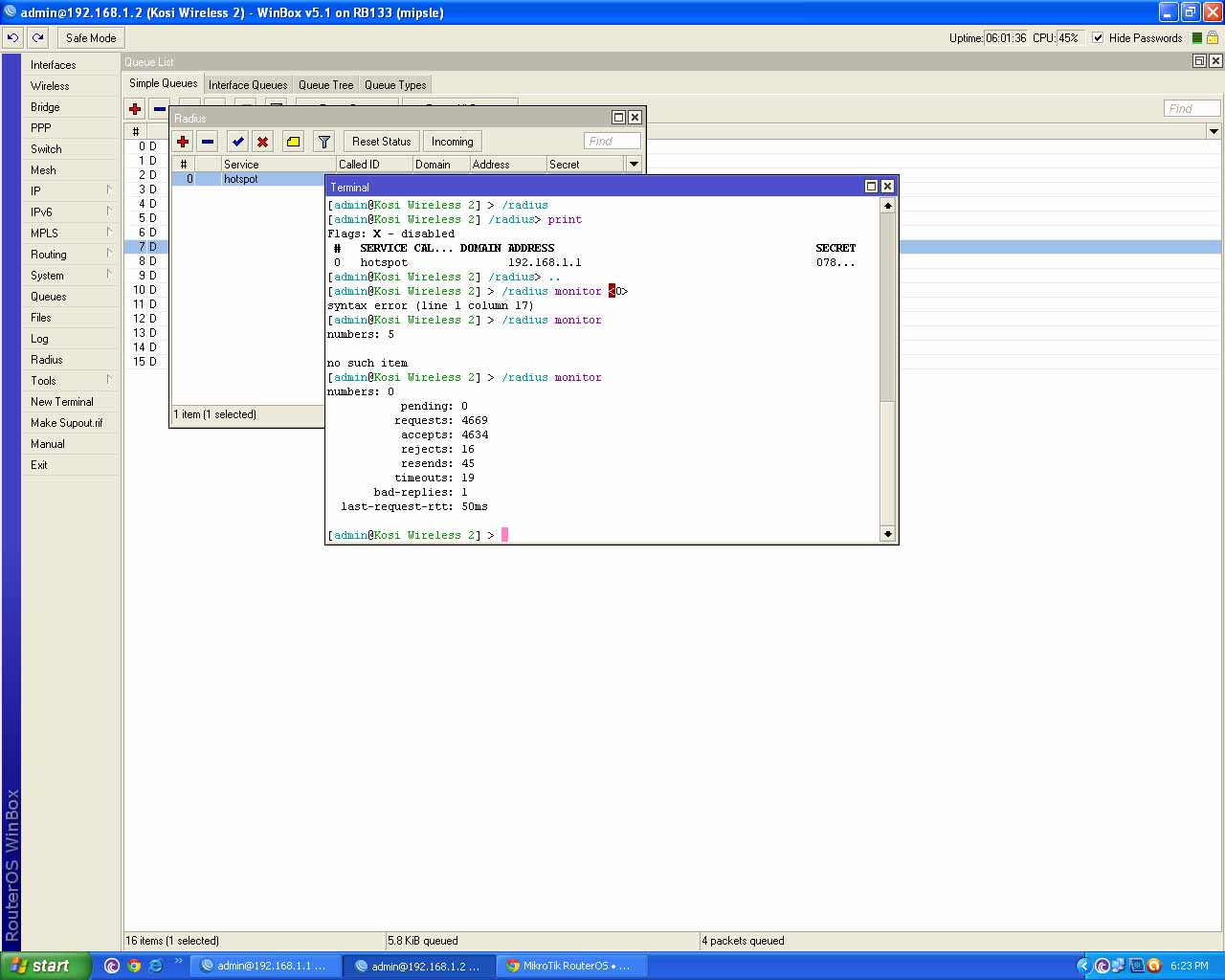
Please verify you are using User Manager for your RADIUS server. This implies you are using an AD (Active Directory?) product for the radius server:
I have intergrade Mikrotik Hotspot radius with AD radius server.
I guess sergejs did not like increasing the timeout value, but on FreeRADIUS V2.x, you will be getting a lot of “radius server not responding” messages if you do not increase the timeout. There is a one second delay on Access-Reject, and since the default value is 300ms, that shows as “radius server not responding” on rejects.
What server OS and radius server software are you using?
They deleted my first response. Since you did try it their way without success, then you might want to experiment with my way. I’m not saying leave it this way, but just as an experiment.
/radius
print detail
set 0 timeout=2s
Also, insure you have added radius debug to your log.
I do not use IAS. I use FreeRADIUS. But the delay in sending an Access-Reject message is part of a brute force hack prevention scheme. It allows only one attempt per second, limiting the number of times a hacker can try to break in. It is possible that IAS uses that scheme also.
I suggest trying the timeout=2s like above (2 seconds), and set the radius logging also as I suggested. Try a login and check the router’s log. Try a user/password that is valid, and one that isn’t. See if there is a difference in the response.
You can always change it back to timeout=300ms if you want. You might want to disable the radius debug logging once you get it working. It does put a lot of entries in the log.
I am not recommending that you do something that I don’t do. My routers are already set with this new timeout.
ADD: If you were using User Manager, especially installed in the same router, then sergejs is correct. Do not change this value. This applies to external RADIUS servers that use an Access-Reject delay.
The best way to tell is try to login with a valid user/password and then with an invalid user/password. If the valid password works, and the invalid password shows “radius server not responding” instead of “invalid user or password”, then this change should take care of that problem.
The reason I like setting the timeout=2s (at least temporarily) is to insure that there is not a setting in IAS/RADIUS that is rejecting all requests.