If you need this then RouterOS can't help you. You cannot use User Manager as RADIUS server because it only supports username/password for authentication. You'll need some other 3rd party RADIUS server. You will also not be able to use the Hotspot feature of RouterOS. Instead, your "non MikroTik" access points must have support for WPA2-Enterprise/WPA3-Enterprise, and they will be the one talking to the RADIUS server(s).
Your RouterOS devices will only do the routing and switching.
Yes, I just did some tests and login with EAP-TLS using User Manager as RADIUS server (as described by the link above) works for both WPA2/WPA3-Enterprise (Android and Windows clients) as well as 802.1X for ethernet ports (Dot1X in RouterOS) with Windows clients.
For > 50 active sessions, either you'll need devices with L6 licenses, or buy extra L6 licenses for existing devices with lower level, or buy CHR licenses.
If you have setup User Manager as well as your access points so that login with username & password already works, then adding EAP-TLS support is very easy. You don't even need to make changes to User Manager or the Access Point.
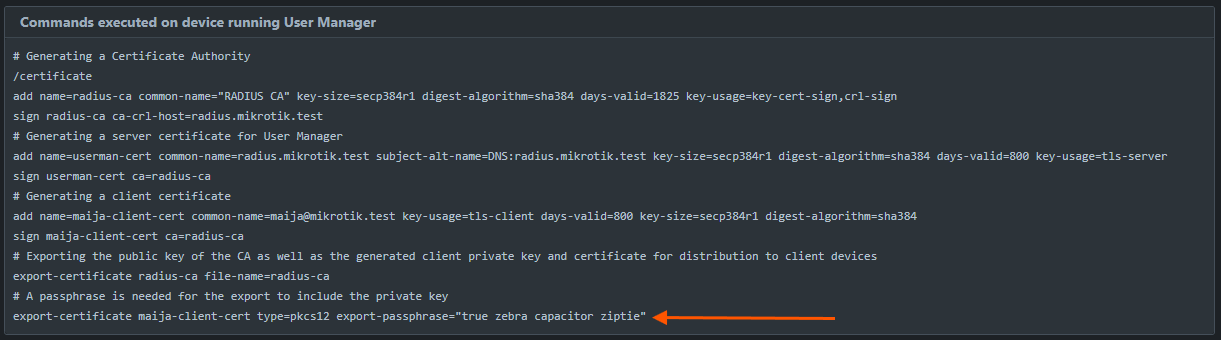
Make sure you set the common-name of the generated certificate to be the same as the username in User Manager, then you export the certificate (with passphrase) from the this section of the guide that @xrlls posted above:
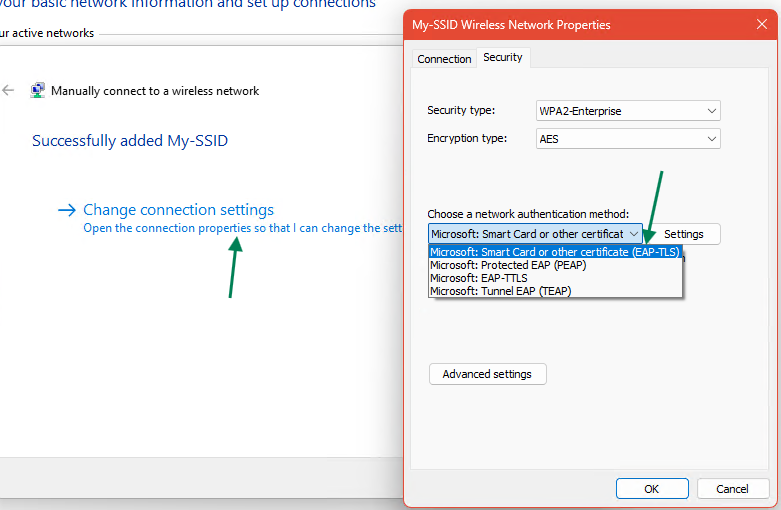
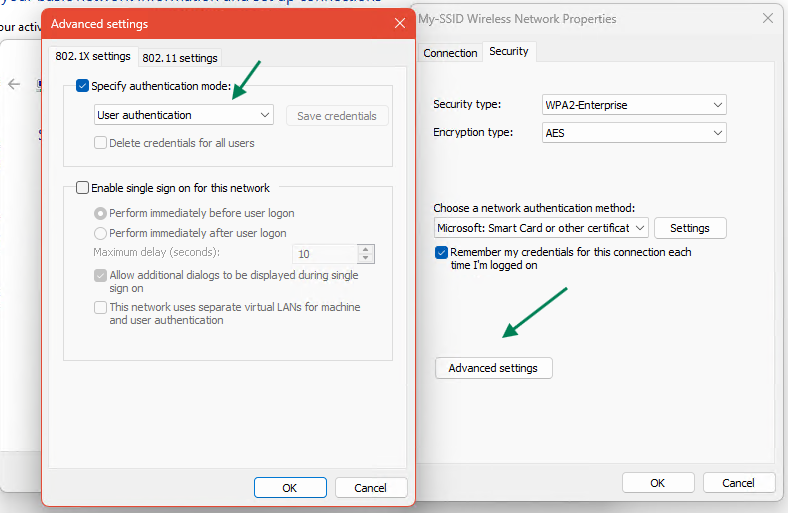
Just double-click the file in Windows and import it into the "Personal" certificate store of the current User. If you are already connected to the SSID using username and password (PEAP + MSCHAPv2) then "Forget" that WiFi profile in Windows first. Then try to connect to the SSID again but this time instead of Protected EAP (PEAP) choose Smart Card or other certificate (EAP-TLS) and Windows will present you with a dropdown box to select the certificate that you've imported.
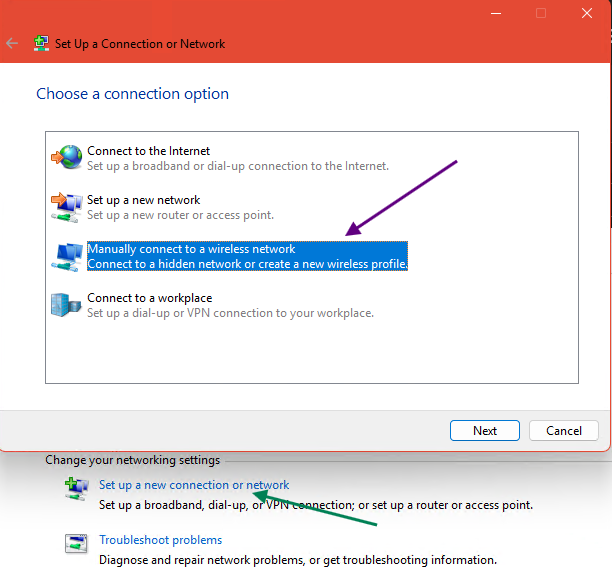
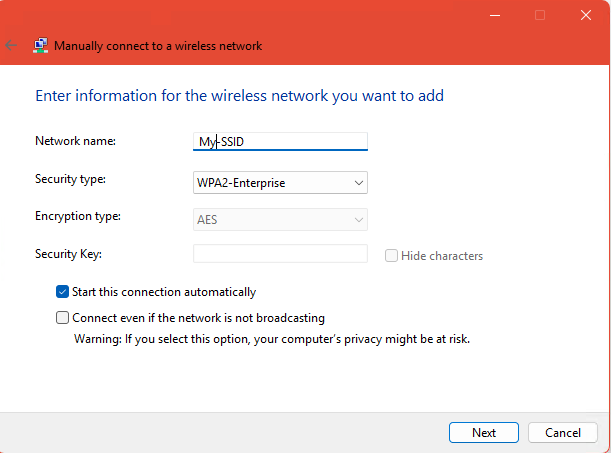
Alternatively, you can use this in Control Panel to manually add the WiFi profile: