I’ve also opened a support ticket with Mikrotik for this, and read other threads with similar issue descriptions in the forum but I so far I haven’t been able to reach a conclusion.
My RB5009UG+S+ won't power up when I connect it to a Dell Networking N2224PX-ON switch, which already powers 5 PoE devices of all PoE classes from 1 to 4.
Here's what I've tried so far (with no change in behaviour):
Upgrade RouterOS (and Routerboard firmware) to latest stable (7.20.6) and testing (7.21rc2) versions. It originally came with 7.18.2.
Using different ports on the Dell switch
Different cables
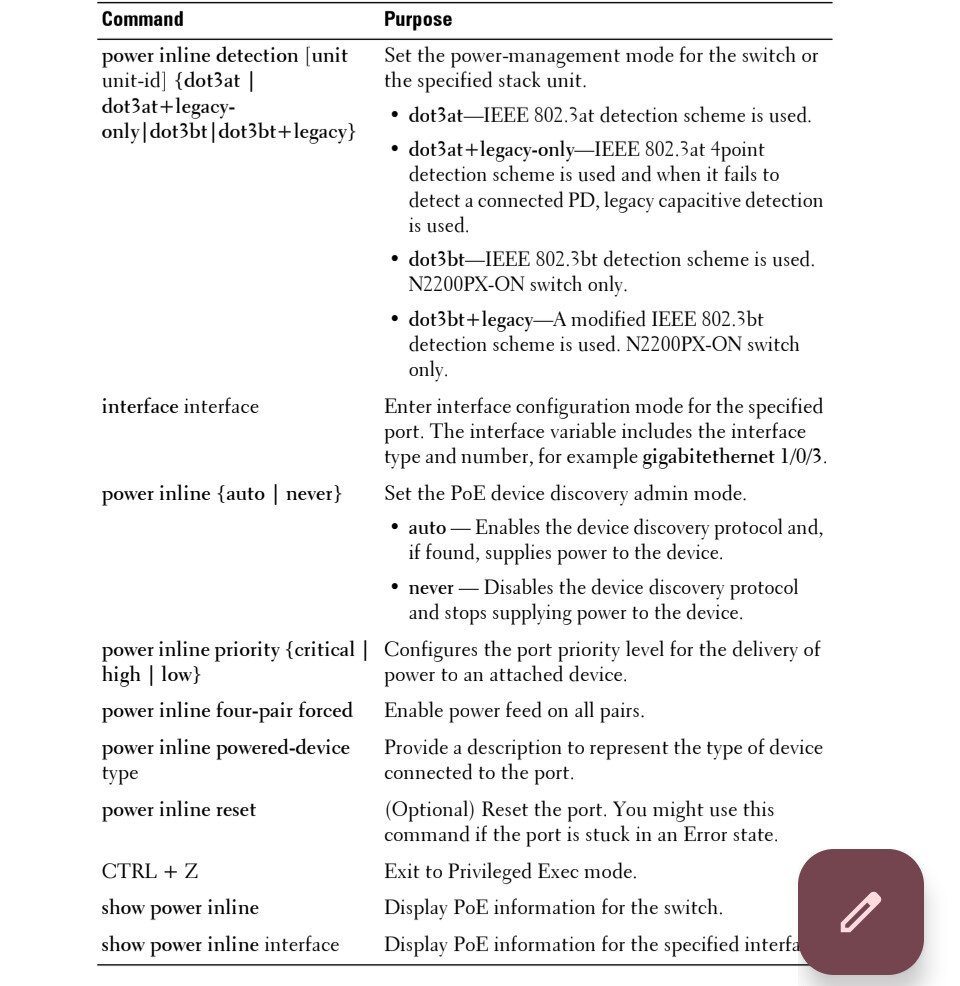
Manually disabling green ethernet on the Dell switch port and enforcing a legacy PoE mode (the switch also supports 802.3bt) by issuing the following command: `power inline powered-device mode at-sspd`, whose description is: 'Type-2, AT/AF upto 30W, class based, legacy detection disable'
I’m wondering if I’ve got a malfunctioning unit or if there’s some undocumented asterisks in RB5009’s advertised support for PoE-IN via 802.3at. I don’t want to use a passive injector, as I chose this model specifically to reduce power cabling clutter in my cabinet.
Anyone with similar issues who has found a solution? Thanks!
Testing if the RB5009 powers up with the (passive) PoE injector would be a step to understand if you have - by any chance - a defective unit (i.e. it doesn't "take" power from the PoE in port).
Maybe you should also ask DELL, from the description you posted, it sounds to me like that setting 'Type-2, AT/AF upto 30W, class based, legacy detection disable' means "strictly 802.3af/at, no support for legacy devices".
It could well be that for whatever reason your RB5009 has defective 802.3af "negotiation circuitry", i.e it doesn't correctly identifies itself as compatible PD to the connected PSE (your Dell).
Do you have another 802.3af powering device to test this hypothesis?
Thanks for the reply. So I did the tests you recommended and it turns out:
It will power up with passive PoE from an RB4011iGS+RM
It will power up with 802.3at from a Dell N1100-ON I had lying around
It still won’t power up from the Dell N2224PX-ON
I don’t think it makes a difference, but the N2224PX-ON is the only device of those tested as PoE PSE equipment that also support 2.5G Ethernet. The RB5009UG+S+ PoE-IN port also supports 2.5G.
So, the RB5009 is not defective in an "absolute" way.
It's strange that it works on the Dell N1100-ON and not on the Dell N2224PX-ON.
PoE power negotiation should be completely independent from port speed.
And one of the main points about 802.3af/at AFAICT is that the PD (the RB5009 in your case) should "accept" the "decision" by the PSE (the Dell switch in your case) to use either Mode A and Mode B.
Mikrotiks all like Mode B as power source (and surely use Mode B for "passive" power), whilst Mode A is usually more common.
Could it be that the Dell N1100-ON uses Mode B and the Dell N2224PX-ON Mode A?
And that (for whatever reason the RB5009 only works with Mode B)?
It is improbable, but possible.
Which possible modes are there on the N2224PX-ON besides the one you tried:
Type-2, AT/AF upto 30W, class based, legacy detection disable
?
And which mode is the N1100-ON that works set to?
Seems to be a popular thing to try this time of year!
My unit doesn't power up from a Ubiquiti USW Flex PoE 2.5G (powered with a 90W PSU and powering a Ruckus AP and other Ubiquiti devices) either. Fewer options on that switch (PoE++ or Off) and the 5009 does power up from the Ruckus injector I've got so at least a fixed 48V will cause it to come on.
If I use one of the DC jacks and leave PoE++ negotiation on on the switch the PoE-in light (amber) on the 5009's port 1 will flash on brightly, go off, then flash on brightly, go to about half brightness, then go off and the cycle repeats. I assume that's the switch attempting the PoE detection/handshake but something isn't actually completing. Without other power in to the 5009 there's no light activity.
Unfortunately this is not available on the N2200PX.
Only options are dot3bt and dot3bt+legacy, whose current descriptions (from CLI manual for OS 6.8.0) are:
• dot3bt—Enable strictly compliant IEEE 802.3bt detection on the switch. This is only available on the N2200PX-ON/N3200P-ON/N3200PX-ON/N3200PXE-ON switches.
• dot3bt+legacy —Enable 802.3bt, 802.3at, 802.3af and pre-9802.3af device detection. This is only available on the N2200PX-ON/N3200P-ON/N3200PX-ON/N3200PXE-ON switches.
Global power inline detection: (console(config)#power inline detection)
dot3bt—Enable strictly compliant IEEE 802.3bt detection on the switch. This is only available on the N2200PX-ON/N3200P-ON/N3200PX-ON/N3200PXE-ON switches.
dot3bt+legacy —Enable 802.3bt, 802.3at, 802.3af and pre-9802.3af device detection. This is only available on the N2200PX-ON/N3200P-ON/N3200PX-ON/N3200PXE-ON switches.
Per port-configuration: (console(config-if-Gi1/0/4)#power inline powered-device mode)
at-sspd – Type-2, AT/AF up to 30W, class based, legacy detection disable.
bt-class4-sspd – Type-3, BT up to 60W, class-4 treated as 6, legacy detection enable.
bt-only – Type-3, BT up to 60W, legacy detection disable.
bt-sspd – Type-3, BT up to 60W, legacy detection enable.
high-power-sspd – Up to 90w, all classes, legacy detection enable.
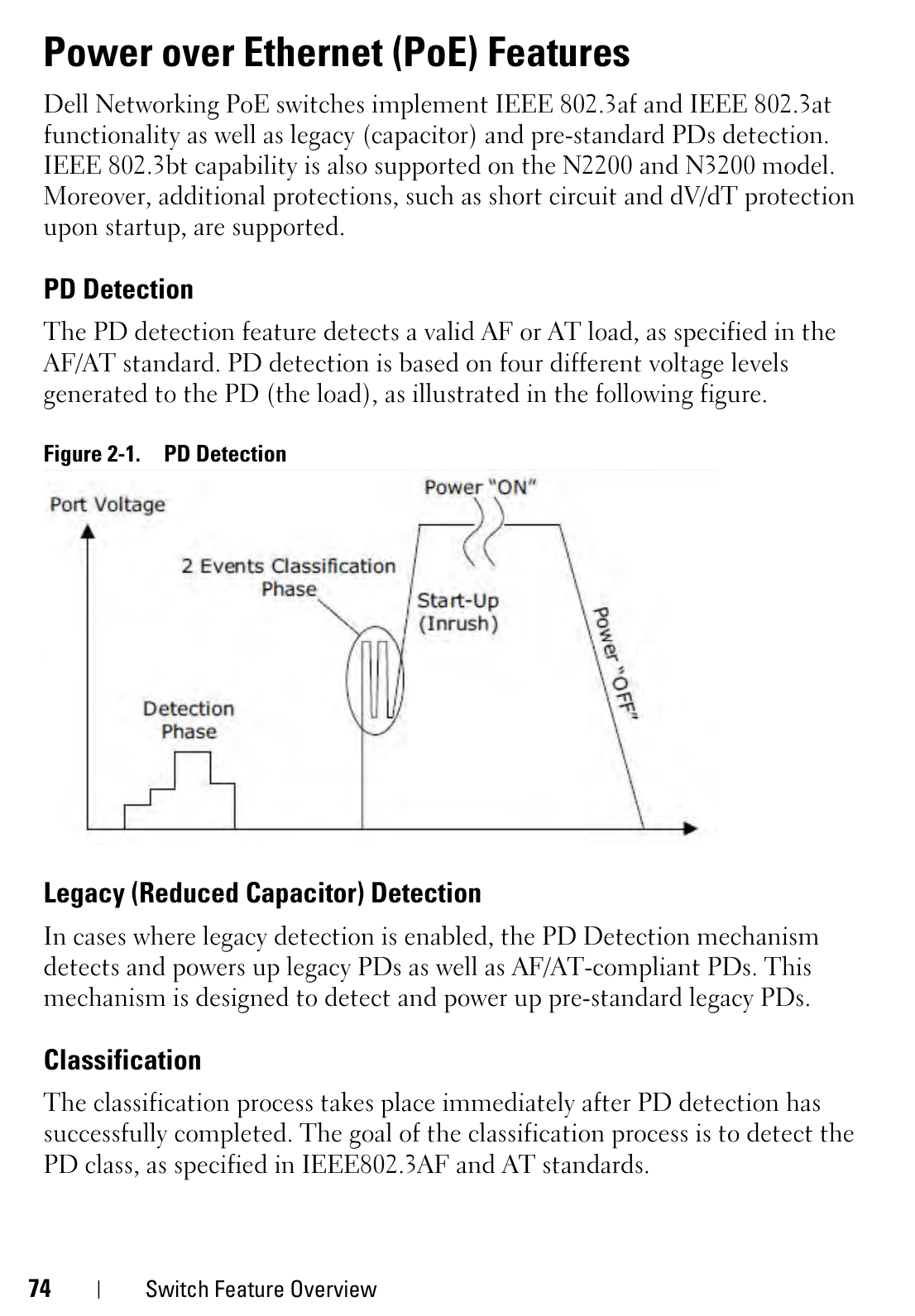
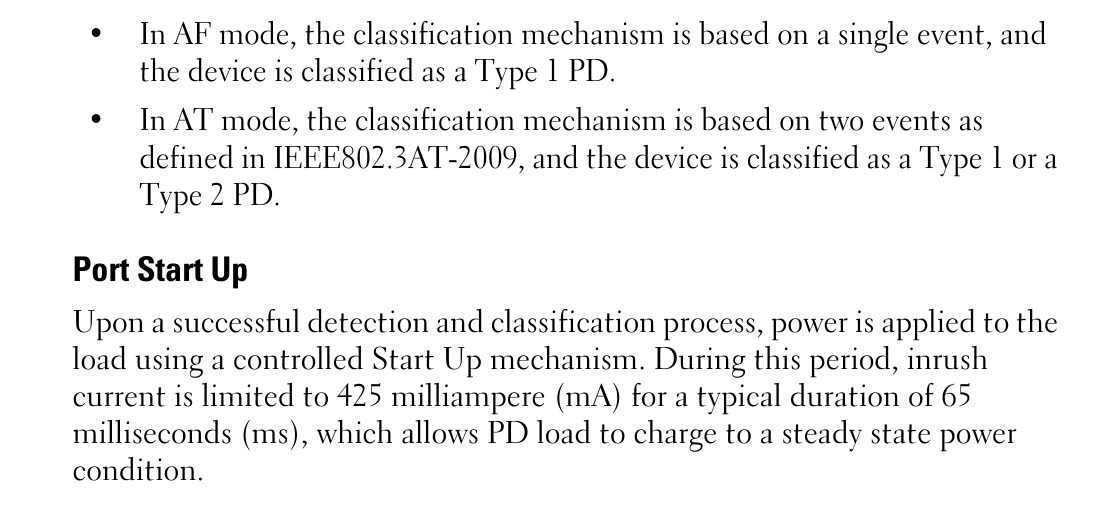
None works, unfortunately. I was wondering if this section from the User manual sheds some light on how detection works on the Dell, and if the Routerboard behaves in one of the ways that should result in power delivery:
The RB5009 has "contrasting" specs (not a new thing in Mikrotik documents):
Max power consumption 25 W
Max power consumption without attachments 14 W
PoE in 802.3af/at
Since it has at least 14W it cannot (shouldn't) be powered by 802.3af (that has a limit for 12.95W at PD) or "Type 1", but only by 802.3at (limit at 25W at PD) or "Type 2".
Besides, it does work with Passive PoE (Mode B).
So this:
PoE in 802.3af/at
should actually read as:
PoE in 802.3at or passive (Mode B)
What is happening (for whatever reasons) seems that the DELL switch and the RB5009 do not communicate properly the negotiation for 802.3at power, and the "legacy" (passive?) mode of the DELL implies Mode A, while the "passive" of the RB5009 assumes Mode B.
You will probably need to experiment with a 802.3at (active) splitter, but if the Mikrotik devices are mis-documented, that's nothing when compared to the splitters you can normally found, which are generally much worse when it comes to technical details.
The simplest (har-har) would be to connect an oscilloscope and post the traces for our (and Mikrotik's) education. Mikrotik does issue software fixes when the error is clear and there is a possibility for a software solution. Of course this only applies if you have access to a scope.
The larger problem is that while newer devices that have advanced poe-out features, like the poe version of the rb5009, include an additional sam9 microcontroller with separate firmware for handling poe negotiation and monitoring. These can run fairly sophisticated algorithms and their firmware can be updated (it's included as part of routerboot updates.) The dumber devices however don't include this and (I think) rely on some more primitive circuit magic. So while they have an appropriate voltage converter/regulator to accept the voltages, but their negotiating abilities are pretty basic.
Based on your description it sounds to me that maybe the problem is not with the initial powerup, but the lldp exchange following it. This is of course just a hunch, but this lines up nicely with this only being a problem on 2.5G capable stuff. Lldp is much more important there. To verify this, capturing the lldp frames would be needed which is somewhat challenging.
Anyway, I'd contact support. Maybe they have the time on their hands to investigate. As you may have gathered from my response looking into these things requires a non-trivial time commitment.
I know that this is not exactly the solution that you want, but ultimately it would be the best for you to transition to a setup where you have appropriate external power to the device. Knowing the eternal suffering around poe, I simply pull additional power wires between cabinets/locations and simply use a single power supply from Meanwell and the like. This sort of setup is much more reliable and versatile than anything else. Also, these power supplies are sold with built-in lead acid ups type functionality...
Anyway, best of luck, and sorry for the long rant.
Not to defend Mikrotik here, but the same RB5009 works when powered on a DELL N1100-ON but it doesn't when powered from a DELL N2224PX-ON, so, something has changed on the DELL side, I would be not so fast - in this case - to assume that the problem is on Mikrotik side, or on Mikrotik side only.
For me this reeks of not transmitting the appropriate lldp tlv. A tlv has to present for both 2.5GbE operation and poe.
But without measurements/logs this is all hypothetical. Complexity is piled layer by layer, and in the end all sorts of misunderstandings or mis-implementations occur. It may be that the Dell insists on them being present together, where the standard may not make this mandatory. It's also possible that it expects them in a particular order, as was the case with Hikvision and DHCP.
The switch does register a 'signature' error (counter goes up) every time the cable is re-connected:
console#show power inline Gigabitethernet 1/0/8

Port      Powered Device           State Priority Status     Class                Power[mW]
                                                             (Measured/Assigned)
--------- ------------------------ ----- -------- ---------- -------------------- ---------
Gi1/0/8                            auto  Critical Test-Fail  Unknown/Unknown


Overload Counter............................... 0
Short Counter ................................. 0
Denied Counter................................. 0
Absent Counter................................. 0
Invalid Signature Counter...................... 1
Output Voltage (Volts)......................... 0
Output Current (mAmps)......................... 0
Temperature (C)................................ 50
I'm not sure what this "Signature" thing refers to, Dell CLI reference only says: Counts the number of times an invalid signature of a powered device was detected.
It sounds plausible LLDP is to blame one way or another here. There's even a mention in the changelog for RouterOS 7.24: poe-in - added PoE-in monitoring and LLDP-based PoE negotiation support for newer devices (e.g. CRS504, CRS510, hEX S 2025, hAP be3 Media)
Unfortunately RB5009UG isn't in the list of devices to get the fix. One wonders if the PoE hardware is incompatible with the new functionality, or just an oversight...