Hey there,
I’m new to mikrotik and I really need your help because I don’t know how to proceed. I am trying to install a PMG3000-D20B SFP GPON-Module in my RB5009UG+S+ Router. The Module is active, but not running, and obviously it hasn’t established a link. I can see the Vendor Name and the Vendor Part Number. But I don’t see any traffic, besides one outgoing package per second. I created a Vlan with VLAN-ID 1 following my ISP rules. My ISP uses DHCP and not PPPoe. I connected my module with a SC-APC cable. The Module should be reachable via 10.10.1.1 to configure it. I added IP 10.10.1.2/24 to the sfp-port, but I can’t access the Module via 10.10.1.1, which is my main problem atm.
I already tried to set the ethernet speed manually to 1G baseX, with flow control disabled, but no luck so far.
Any help would be appreciated. Thanks in advance!
Here is my config (with auto-negotiation and flow control enabled):
2026-03-17 16:49:31 by RouterOS 7.22

software id = CX9A-2XHL

model = RB5009UG+S+

serial number = HKB0AKMC7B4

/interface bridge
add admin-mac=04:F4:1C:B2:C9:47 auto-mac=no comment=defconf name=bridge
/interface ethernet
set [ find default-name=ether1 ] l2mtu=1500
set [ find default-name=ether2 ] l2mtu=1500
set [ find default-name=ether3 ] l2mtu=1500
set [ find default-name=ether4 ] l2mtu=1500
set [ find default-name=ether5 ] l2mtu=1500
set [ find default-name=ether6 ] l2mtu=1500
set [ find default-name=ether7 ] l2mtu=1500
set [ find default-name=ether8 ] l2mtu=1500
set [ find default-name=sfp-sfpplus1 ] l2mtu=1500 rx-flow-control=auto
tx-flow-control=auto
/interface vlan

MTU > L2MTU

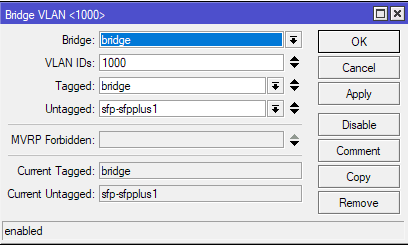
add interface=sfp-sfpplus1 name=sfp-sfpplus vlan-id=1
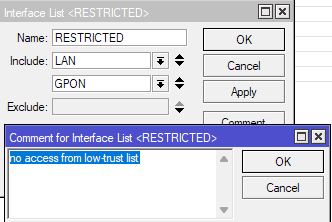
/interface list
add comment=defconf name=WAN
add comment=defconf name=LAN
/ip pool
add name=default-dhcp ranges=192.168.88.10-192.168.88.254
/ip dhcp-server
add address-pool=default-dhcp interface=bridge lease-time=1d name=defconf
/system script
add comment="Change Mode Properties" dont-require-permissions=no name=
"Change Mode Properties" owner=admin policy=
ftp,reboot,read,write,policy,test,password,sniff,sensitive,romon source=
"system/device-mode/update mode=home scheduler=yes"
add comment=AutoReboot dont-require-permissions=no name=AutoReboot owner=
admin policy=
ftp,reboot,read,write,policy,test,password,sniff,sensitive,romon source="#
_------------------- header --------------------
\n# Script by Ricardo Franzen - rfranzengmail.com
\n# If you use this script, or edit and
\n# re-use it, please keep the header intact.
\n# Description: script to auto-upgrade routerboard
\n# Tested on: routeros v6.35
\n# ------------------- header --------------------
\n
\n:if ([/system routerboard get current-firmware] != [/system routerboard
get upgrade-firmware] ) do={
\n    :log warning "Upgrade routerboard from $[/system routerboard get c
urrent-firmware] to $[/system routerboard get upgrade-firmware]";
\n
\n    /system routerboard upgrade
\n    :delay 300s;
\n    /system reboot
\n}"
add comment=AutoUpdate dont-require-permissions=no name=AutoUpdate owner=
admin policy=
ftp,reboot,read,write,policy,test,password,sniff,sensitive,romon source="/
system package update
\ncheck-for-updates once
\n:delay 3s;
\n:if ( [get status] = "New version is available") do={ install }"
add comment=AutoBackup dont-require-permissions=no name=AutoBackup owner=
admin policy=
ftp,reboot,read,write,policy,test,password,sniff,sensitive,romon source=
"/system backup save"
/disk settings
set auto-media-interface=bridge auto-media-sharing=yes auto-smb-sharing=yes
/interface bridge port
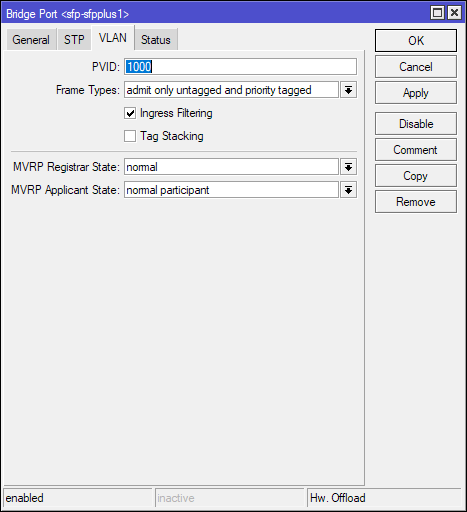
add bridge=bridge comment="WAN Change" interface=ether1
add bridge=bridge comment=defconf interface=ether2
add bridge=bridge comment=defconf interface=ether3
add bridge=bridge comment=defconf interface=ether4
add bridge=bridge comment=defconf interface=ether5
add bridge=bridge comment=defconf interface=ether6
add bridge=bridge comment=defconf interface=ether7
/ip neighbor discovery-settings
set discover-interface-list=all lldp-mac-phy-config=yes lldp-max-frame-size=
yes lldp-vlan-info=yes
/interface detect-internet
set detect-interface-list=all internet-interface-list=all lan-interface-list=
all wan-interface-list=all
/interface list member
add comment=defconf interface=bridge list=LAN
add comment="WAN Change" interface=ether8 list=WAN
add comment="WAN Change" interface=sfp-sfpplus1 list=WAN
/ip address
add address=192.168.88.1/24 comment=defconf interface=bridge network=
192.168.88.0
add address=10.10.1.2/24 interface=sfp-sfpplus1 network=10.10.1.0
/ip dhcp-client
add comment="WAN Change" default-route-tables=main interface=ether8 name=
ether8

Interface not active

add comment="WAN Change" default-route-tables=main interface=sfp-sfpplus1
name=sfp-sfpplus1
/ip dhcp-server network
add address=10.10.1.0/24 dns-server=192.168.88.1 gateway=192.168.88.1
add address=192.168.88.0/24 comment=defconf dns-server=192.168.88.1 gateway=
192.168.88.1
/ip dns
set address-list-extra-time=10s allow-remote-requests=yes doh-timeout=15s
servers=1.1.1.1,1.0.0.1,2606:4700:4700::1111,2606:4700:4700::1001
use-doh-server=https://dns.cloudflare.com/dns-query verify-doh-cert=yes
/ip dns static
add address=192.168.88.1 comment=defconf name=router.lan type=A
add address=1.1.1.1 name=1.1.1.1 type=A
add address=1.0.0.1 name=1.1.1.1 type=A
add address=2606:4700:4700::1111 name=1.1.1.1 type=AAAA
add address=2606:4700:4700::1001 name=1.1.1.1 type=AAAA
/ip firewall filter
add action=accept chain=input comment=
"defconf: accept established,related,untracked" connection-state=
established,related,untracked
add action=drop chain=input comment="defconf: drop invalid" connection-state=
invalid
add action=accept chain=input comment="defconf: accept ICMP" protocol=icmp
add action=accept chain=input comment=
"defconf: accept to local loopback (for CAPsMAN)" dst-address=127.0.0.1
add action=drop chain=input comment="defconf: drop all not coming from LAN"
in-interface-list=!LAN
add action=accept chain=forward comment="defconf: accept in ipsec policy"
ipsec-policy=in,ipsec
add action=accept chain=forward comment="defconf: accept out ipsec policy"
ipsec-policy=out,ipsec
add action=fasttrack-connection chain=forward comment="defconf: fasttrack"
connection-state=established,related
add action=accept chain=forward comment=
"defconf: accept established,related, untracked" connection-state=
established,related,untracked
add action=drop chain=forward comment="defconf: drop invalid"
connection-state=invalid
add action=drop chain=forward comment=
"defconf: drop all from WAN not DSTNATed" connection-nat-state=!dstnat
connection-state=new in-interface-list=WAN
/ip firewall nat
add action=masquerade chain=srcnat comment="defconf: masquerade"
ipsec-policy=out,none out-interface-list=WAN
add action=redirect chain=dstnat dst-port=53 protocol=tcp
add action=redirect chain=dstnat dst-port=53 protocol=udp
add action=masquerade chain=srcnat dst-address=10.10.1.1 protocol=tcp
/ipv6 firewall address-list
add address=::/128 comment="defconf: unspecified address" list=bad_ipv6
add address=::1/128 comment="defconf: lo" list=bad_ipv6
add address=fec0::/10 comment="defconf: site-local" list=bad_ipv6
add address=::ffff:0.0.0.0/96 comment="defconf: ipv4-mapped" list=bad_ipv6
add address=::/96 comment="defconf: ipv4 compat" list=bad_ipv6
add address=100::/64 comment="defconf: discard only " list=bad_ipv6
add address=2001:db8::/32 comment="defconf: documentation" list=bad_ipv6
add address=2001:10::/28 comment="defconf: ORCHID" list=bad_ipv6
add address=3ffe::/16 comment="defconf: 6bone" list=bad_ipv6
/ipv6 firewall filter
add action=accept chain=input comment=
"defconf: accept established,related,untracked" connection-state=
established,related,untracked
add action=drop chain=input comment="defconf: drop invalid" connection-state=
invalid
add action=accept chain=input comment="defconf: accept ICMPv6" protocol=
icmpv6
add action=accept chain=input comment="defconf: accept UDP traceroute"
dst-port=33434-33534 protocol=udp
add action=accept chain=input comment=
"defconf: accept DHCPv6-Client prefix delegation." dst-port=546 protocol=
udp src-address=fe80::/10
add action=accept chain=input comment="defconf: accept IKE" dst-port=500,4500
protocol=udp
add action=accept chain=input comment="defconf: accept ipsec AH" protocol=
ipsec-ah
add action=accept chain=input comment="defconf: accept ipsec ESP" protocol=
ipsec-esp
add action=accept chain=input comment=
"defconf: accept all that matches ipsec policy" ipsec-policy=in,ipsec
add action=drop chain=input comment=
"defconf: drop everything else not coming from LAN" in-interface-list=
!LAN
add action=fasttrack-connection chain=forward comment="defconf: fasttrack6"
connection-state=established,related
add action=accept chain=forward comment=
"defconf: accept established,related,untracked" connection-state=
established,related,untracked
add action=drop chain=forward comment="defconf: drop invalid"
connection-state=invalid
add action=drop chain=forward comment=
"defconf: drop packets with bad src ipv6" src-address-list=bad_ipv6
add action=drop chain=forward comment=
"defconf: drop packets with bad dst ipv6" dst-address-list=bad_ipv6
add action=drop chain=forward comment="defconf: rfc4890 drop hop-limit=1"
hop-limit=equal:1 protocol=icmpv6
add action=accept chain=forward comment="defconf: accept ICMPv6" protocol=
icmpv6
add action=accept chain=forward comment="defconf: accept HIP" protocol=139
add action=accept chain=forward comment="defconf: accept IKE" dst-port=
500,4500 protocol=udp
add action=accept chain=forward comment="defconf: accept ipsec AH" protocol=
ipsec-ah
add action=accept chain=forward comment="defconf: accept ipsec ESP" protocol=
ipsec-esp
add action=accept chain=forward comment=
"defconf: accept all that matches ipsec policy" ipsec-policy=in,ipsec
add action=drop chain=forward comment=
"defconf: drop everything else not coming from LAN" in-interface-list=
!LAN
/system clock
set time-zone-name=Europe/Berlin
/system leds
set 0 disabled=yes
/system leds settings
set all-leds-off=after-1min
/system ntp client
set enabled=yes
/system ntp client servers
add address=0.de.pool.ntp.org
add address=1.de.pool.ntp.org
add address=2.de.pool.ntp.org
add address=3.de.pool.ntp.org
/system routerboard settings
set auto-upgrade=yes
/system scheduler
add comment=AutoUpdate interval=1d name=AutoUpdate on-event=
"/system/script/run AutoUpdate;" policy=
ftp,reboot,read,write,policy,test,password,sniff,sensitive,romon
start-date=2026-01-08 start-time=03:00:00
add comment=AutoBackup interval=1d name=AutoBackup on-event=
"/system/script/run AutoBackup;" policy=
ftp,reboot,read,write,policy,test,password,sniff,sensitive,romon
start-date=2026-01-08 start-time=02:00:00
add comment=AutoReboot interval=1d name=AutoReboot on-event=
"/system/script/run AutoReboot;" policy=
ftp,reboot,read,write,policy,test,password,sniff,sensitive,romon
start-date=2026-01-16 start-time=04:00:00
/tool mac-server
set allowed-interface-list=LAN
/tool mac-server mac-winbox
set allowed-interface-list=LAN
Interface monitor:
name: sfp-sfpplus1
status: no-link
auto-negotiation: disabled
supported: 10M-baseT-half
10M-baseT-full
100M-baseT-half
100M-baseT-full
1G-baseT-half
1G-baseT-full
1G-baseX
2.5G-baseT
2.5G-baseX
5G-baseT
10G-baseT
10G-baseSR-LR
10G-baseCR
sfp-supported: 1G-baseX
sfp-module-present: yes
sfp-rx-loss: yes
sfp-tx-fault: no
sfp-type: SFP/SFP+/SFP28/SFP56
sfp-connector-type: SC
sfp-encoding: nrz
sfp-link-length-sm: 20km
sfp-vendor-name: ZYXEL
sfp-vendor-part-number: PMG3000-D20B
sfp-vendor-revision: V1.0
sfp-vendor-serial: S234105500431
sfp-manufacturing-date: 15-05-25
sfp-wavelength: 1310nm
sfp-temperature: 56C
sfp-supply-voltage: 3.3V
sfp-tx-bias-current: 20mA
sfp-tx-power: 3.01dBm
sfp-rx-power: -8.085dBm
eeprom-checksum: good