i’ve recently bought a mikrotik RB751U-2HnD
and i’m getting some weird problems..
winbox lag when trying to login
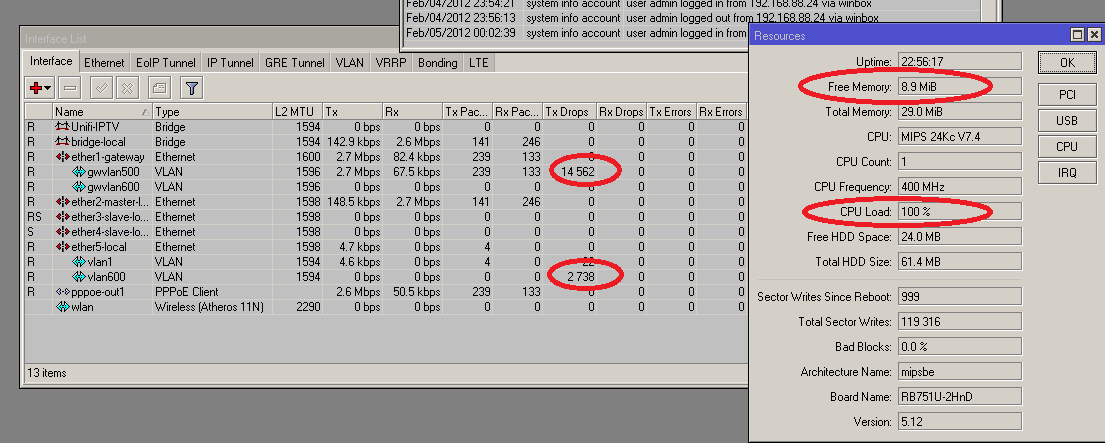
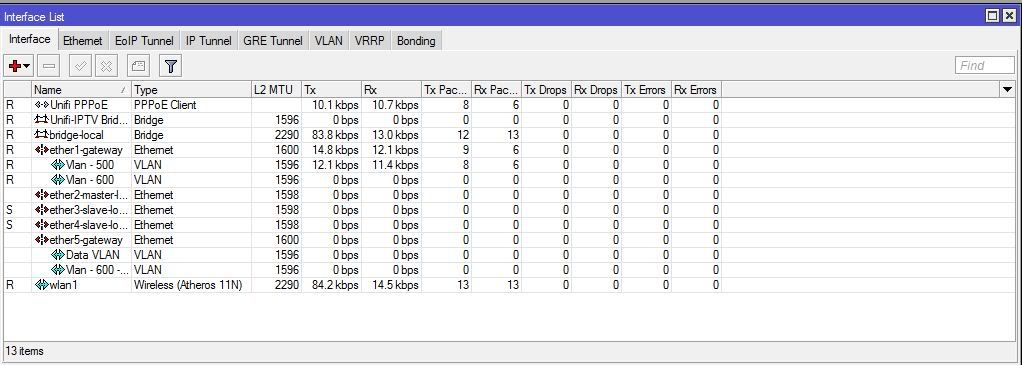
high tx drop on certain interfaces..
100% CPU spike continues..
“patterned” drop on my bandwidth/interface
i would like to first troubleshoot the 100% cpu SPIKE that im having…
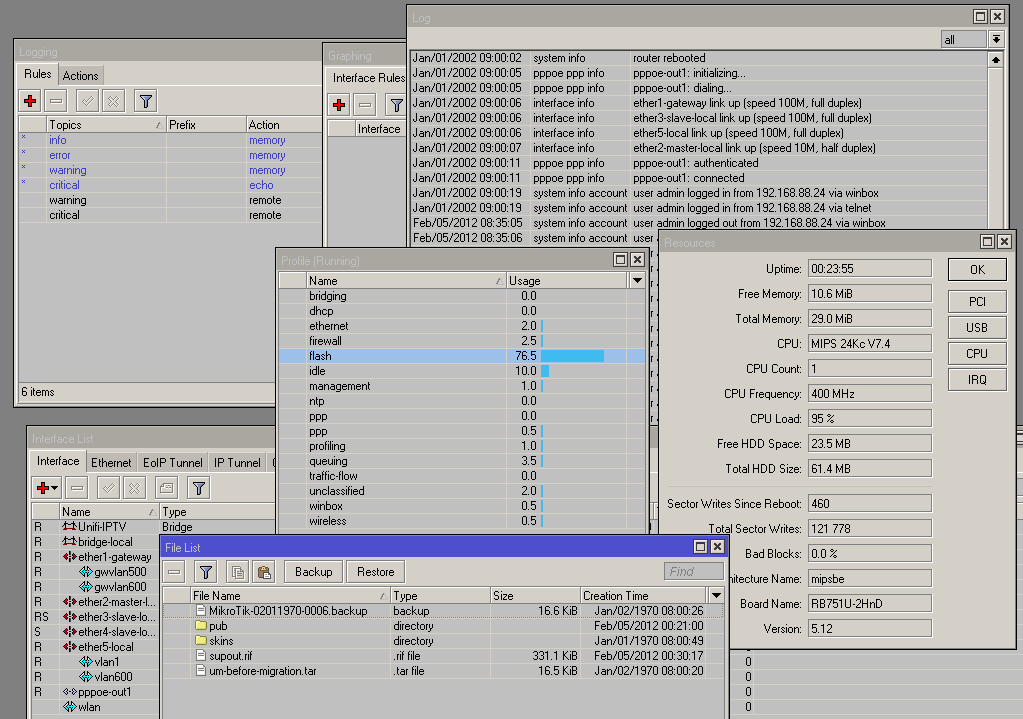
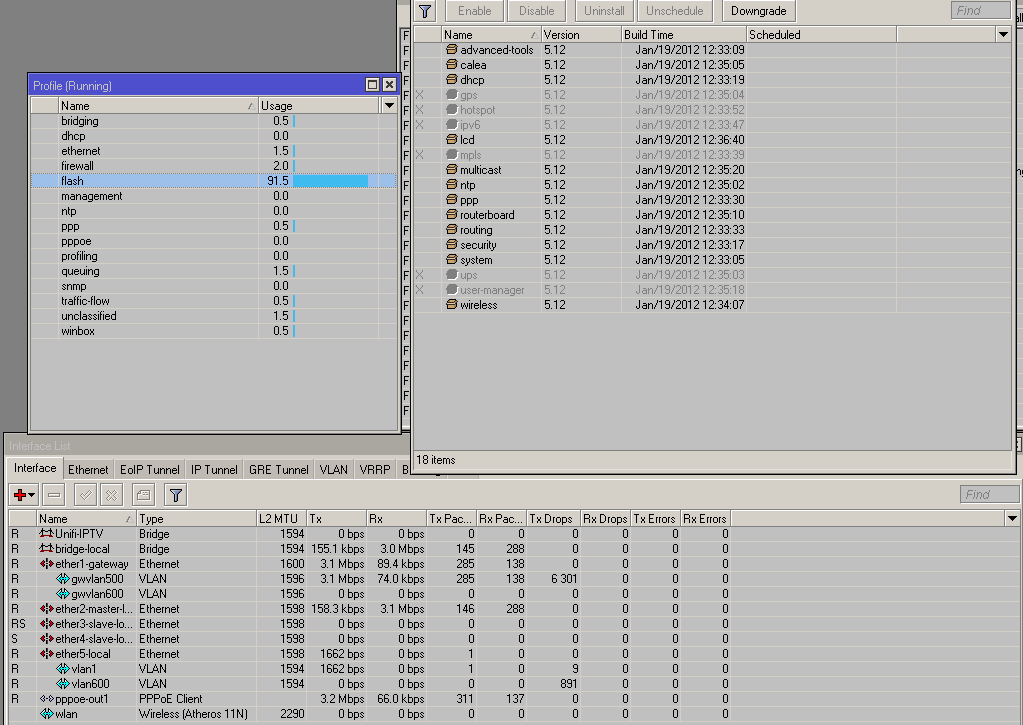
refer attached pics..
if you refer to the bandwidth monitor on my pc you can see the drop is evenly spaced…
which leads me to conlude that is a cycle of cpu spikes that cause a temp freeze or something like that
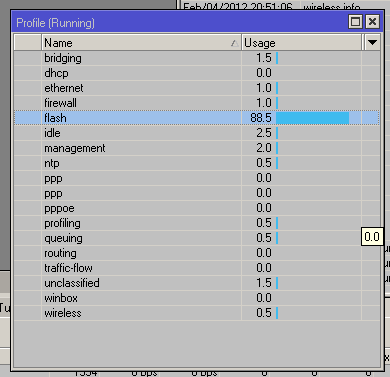
edit : learn a new trick , tools > profile to see utilization..
any idea why my “flash” is taking up so much memory ?
any info/data you guys need to help me to troubleshoot please help…
ps : i’ve returned an earlier unit, cause i thought it was some hardware fault and this is the second unit and its having the same symptoms
‘Flash’ process is writing to flash memory (NAND).
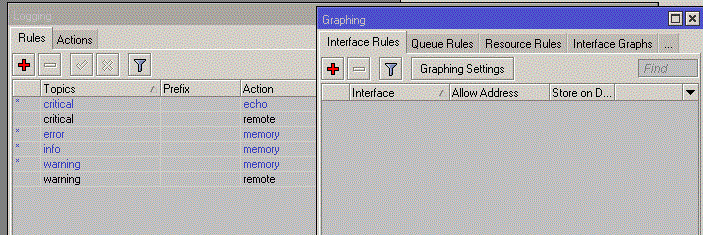
Check your settings about logging/graphing.
Something is permanently writing NAND, also check in Winbox
System/Resources/Total Writes.
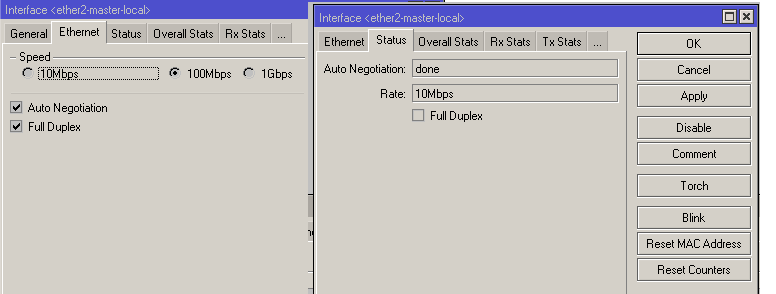
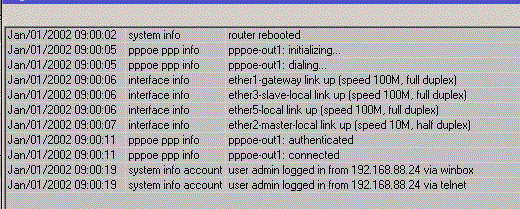
and i’ve notice a “Weird” problem why has it rebooted and my int2 went to 10mbits mode ??
not sure if it has solve my cpu problem, will monitor/watch it again it the afternoon
a note on the 100% cpu usage, when my file(window) is winbox is open,
is the flash process suppose to spike to 100% and stay between 80 to 100% and stay there as long as the file(window) is open ?
fyi, when i open the file window, and it spikes to 100%, i automatically get disconnected from my winbox, is that suppose to happen ?guess /sys check-disk didnt do anything,
@forces2010
Not connected master port always shows 10Mbit, half-duplex.
Your screenshot shows that you have over 120.000 NAND writes.
I dont know what is your RB total uptime but as some comparison,
RB750 which is running over two years has 3.500.000 writes.
As I wrote earlier something writes your NAND permanently, check your config.
forces2010 - I am having a similar problem to you, which I have documented here - but basically when I use wifi and a skype call, I get high ‘flash’ usage, and I have not been able to get to the bottom of the issue.
I will be watching this thread with interest.
I’m currently using an RB750GL and was considering getting a RB751U-2HnD when I came across this thread. Has Mikrotik got back to any of you regarding this prob? I’m just afraid that I will end up with the same prob.
They got back to me to say they couldn’t reproduce the problem. I should try a different PSU (tried many with no difference) or a different unit (not easily possible for me) and then report back.
I’m using a separate (non mikrotik) wireless access point and having no troubles now.
The ntp package is for installing an NTP server (and also a client) on your routerOS installation. This means the devices on your network can use your router to update their system clock.
If you disable it, routerOS will function only as an NTP client. Good enough if you want to use accurate clock for logging etc. The devices on your network should use external stratum 3 or 4 NTP servers like the pool.ntp.org clusters anyway.