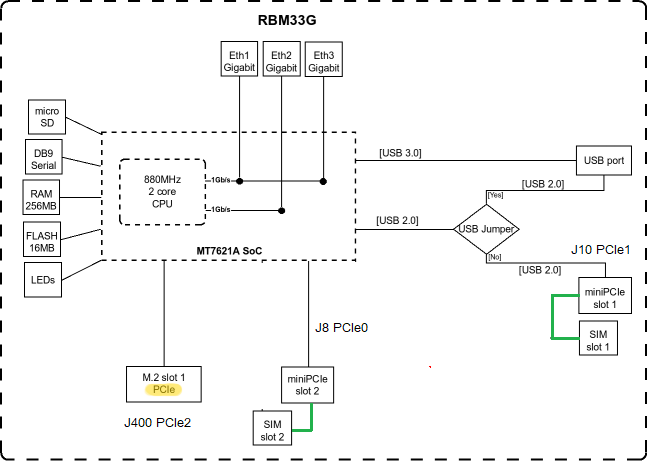
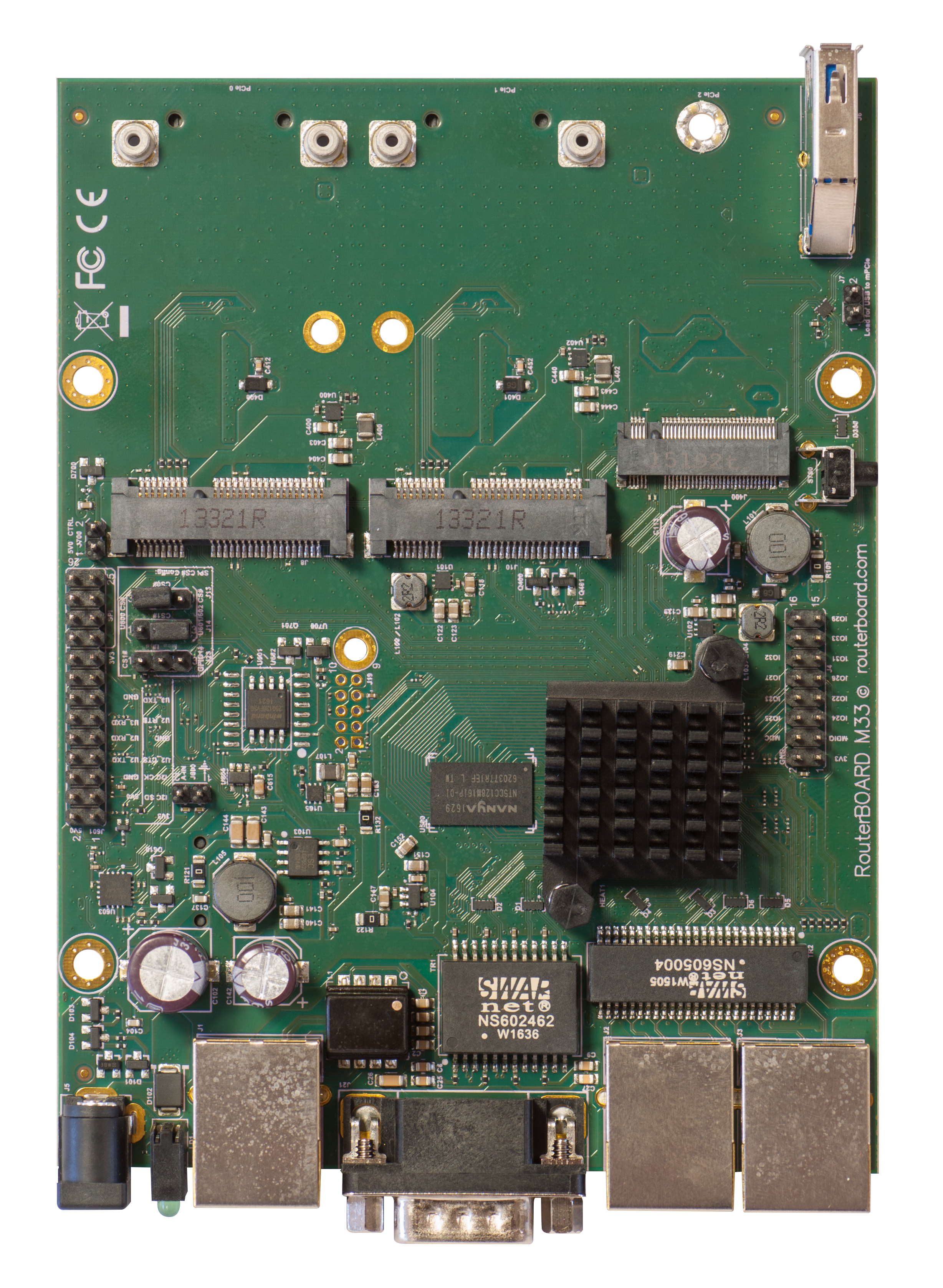
If I understand right, there is an USB 2 bus present on port mPCIe#0 & mPCIe#1 (if jumper accordingly set of course), but is there a PCIe bus connected to both ports also???
The M.2 port has exclusively a PCIe bus, no USB at all, right?
Yes I know that diagram, but it’s c*** I don’t trust it because:
It’s clearly stated that M.2 slot has a PCIe bus. But the “miniPCIe slot 2” there is nothing indicating what that line to the SoC is about (we could thinks it’s a PCIe also, but not sure. “miniPCIe” is a connector specification, not a bus!!!).
SIM slot 2 & 1 are connected to the SoC according to that diagram, which is actually totally false because it has nothing to do with the SoC, it’s electrically connected directly to the corresponding mPCIe slot.
QuickGuide > USB Jumper > I change the queue of original sentence.
Jumper ON:
When loaded, the jumper enables the USB 3.0 port.
Normally you can use the LTE modem in the J8 (lefthand side) slot, and use a 802.11 wireless card in the J10 slot. In this case, you can leave the jumper on, as most
wireless cards operate on a PCI express.
Jumper OFF:
Remove the jumper to switch the USB 2.0 lines to the J10 (central) miniPCIe slot (USB 3.0 lines remain enabled to the USB port).
This is required if you need to use two cellular modems in the device.
Removing the jumper enables the use of a secondary cellular modem in the central J10 slot, but disables the USB 2.0 functionality of the USB port, while USB 3.0 can still be used on the USB port.