.
MediaTek MT7621A: https://www.mediatek.com/products/homeNetworking/mt7621n-a give info:
- PCI-Express: Host(3x) but MikroTik give info about 2x
- USB: USB 3.0 (1x), USB 2.0 (1x)
- Flash: SPI, SLC NAND
- embedded 5p GbE Switch
STORAGE
http://forum.mikrotik.com/t/m33g-m-2-sata-support/119731/5
Now you should see that it’s just work for ssd drive.
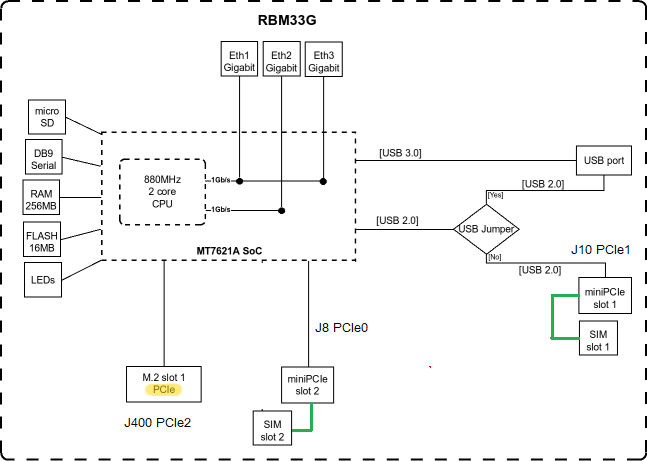
Connection Diagram
In HiRes photo https://i.mt.lv/cdn/rb_images/1722_hi_res.png are 3x mPCIe like MediaTek describe.
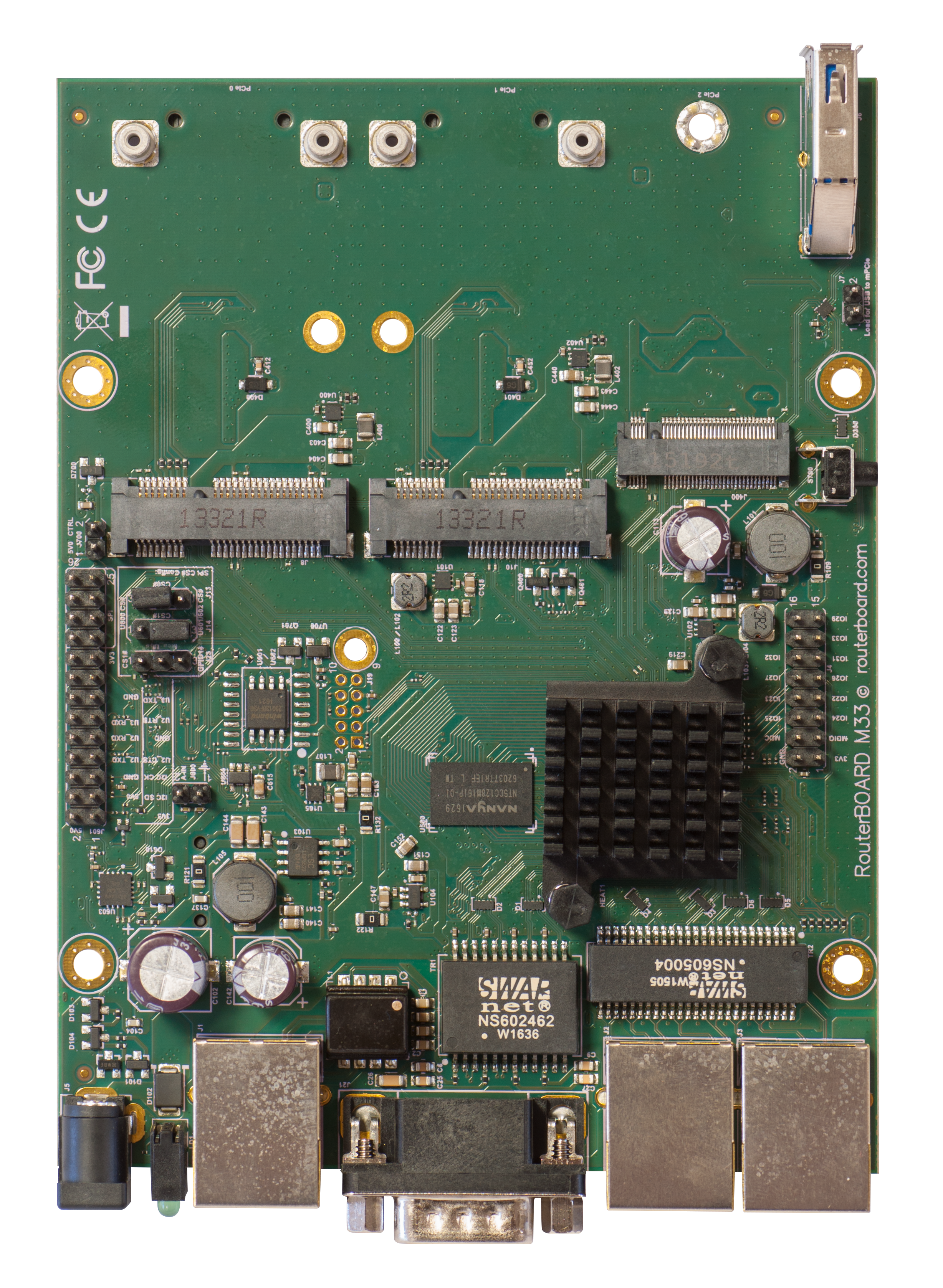
QuickGuide > USB Jumper > I change the queue of original sentence.
Jumper ON:
When loaded, the jumper enables the USB 3.0 port.
Normally you can use the LTE modem in the J8 (lefthand side) slot, and use a 802.11 wireless card in the J10 slot. In this case, you can leave the jumper on, as most
wireless cards operate on a PCI express.
Jumper OFF:
Remove the jumper to switch the USB 2.0 lines to the J10 (central) miniPCIe slot (USB 3.0 lines remain enabled to the USB port).
This is required if you need to use two cellular modems in the device.
Removing the jumper enables the use of a secondary cellular modem in the central J10 slot, but disables the USB 2.0 functionality of the USB port, while USB 3.0 can still be used on the USB port.
Summary:
- J8 = PCIe 0 = Left = LTE normal
- J10 = PCIe 1 = Center = WiFI normal or LTE
- J400 = PCIe 2 = Right = M.2 slot
- USB: 2.0+3.0 or only 3.0
Your Diagram with some change’s: